AI Exterior Design Online: Redesign a House Photo in Minutes
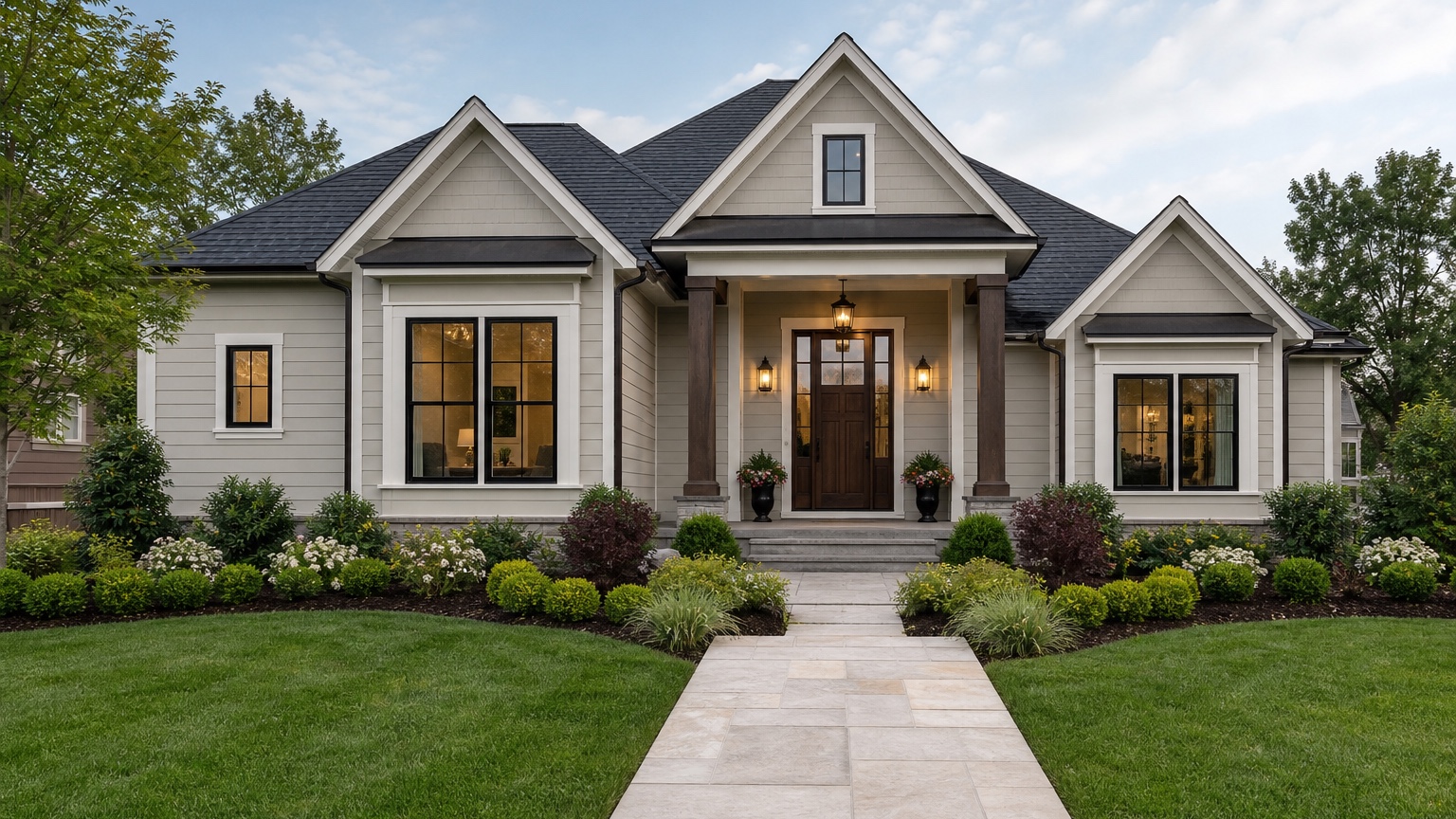
AI exterior design online is most useful when it turns a real house photo into a practical visual decision. Homeowners do not always need a full design engagement just to understand whether black windows, warmer siding, a different front door, or a cleaner paint palette could improve curb appeal. Agencies, real estate teams, and local service businesses often need the same thing: fast, no-install exterior concepts that help a client see a direction before a proposal, listing plan, or contractor conversation.
The goal is not to make a fantasy house that ignores the original property. The useful version preserves the roofline, windows, driveway, porch footprint, permanent masonry, and neighborhood context unless those items are truly part of the project. Then it tests the visible changes that matter: siding color, trim contrast, shutters, door style, garage finish, entry lighting, walkway mood, and facade balance.
RedesAIgn supports that early visual step in the browser. Upload a clear exterior photo, use the Exterior Editor, and generate controlled design options without installing software. If you want to test an exterior idea on your own house photo, start free with RedesAIgn and use 5 free AI credits with no credit card required.
What AI exterior design online should actually help you decide
For homeowners, the immediate problem is uncertainty. A house can feel dated for several different reasons: low contrast trim, a tired color palette, an entry that disappears, a garage door that dominates the facade, or siding that fights the roof color. An online AI preview helps separate those issues. Instead of guessing from inspiration photos, you can see whether one or two focused changes would solve the problem on your actual home.
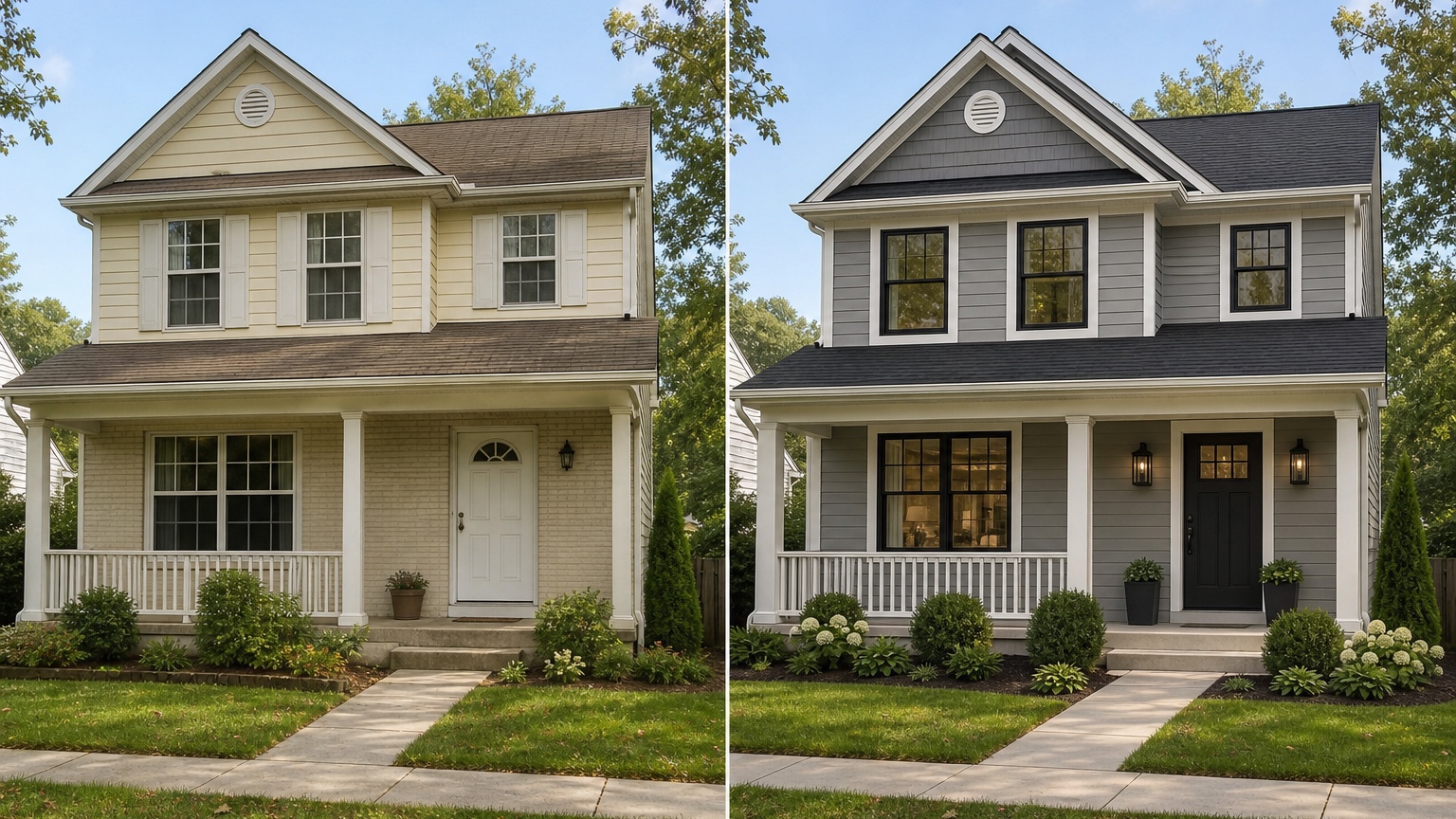
For agencies, remodel marketers, and real estate teams, the problem is speed and clarity. A client may not respond to a written list of exterior ideas, but they can react quickly to a before-and-after visual. That makes the conversation more specific: keep the brick, paint the siding warmer, darken the trim, modernize the door, leave the roof alone, or test a second option with a softer palette.
The useful answer is a concrete next step. A strong AI exterior design online result should help someone decide whether to request a paint quote, ask a siding contractor about a material direction, prepare an HOA-friendly concept, stage a listing conversation, or eliminate a style that looked better in theory than on the real house. If the image does not move the project toward a decision, it is decoration rather than design support.
Use online exterior design as a decision workflow
A good online workflow starts with the decision you need to make. If the homeowner is comparing paint colors, do not ask for a full remodel. If the agency needs a listing refresh concept, do not replace every exterior material. If the contractor needs a visual reference for a siding conversation, keep the image focused on siding, trim, and related curb appeal details.
Start with one restrained version. Ask for a realistic curb appeal refresh that preserves the existing architecture and changes only the surfaces under consideration. Then create a second version that pushes the style slightly further: more contrast, a different front door, a cleaner garage treatment, or a stronger trim package. Only create a bold version after the practical baseline exists.
This matters because exterior design choices are connected. New dark siding may look great only because the AI also changed the roof and windows. A modern door may look wrong if the trim remains traditional. A warm paint palette may clash with cool stone. Controlled variations show which change is actually helping.
Before anyone acts on a result, compare it to the original photo. The home should remain recognizable. If the AI widened the windows, changed the roof pitch, removed a structural column, or moved the garage, the image may still be useful for inspiration, but it should not be treated as a near-term project reference.
Start with a photo that makes the exterior readable
The quality of the source photo has a direct effect on the quality of the design preview. Use a front elevation or three-quarter angle that shows the whole facade: roofline, windows, doors, garage, porch, siding, trim, gutters, foundation, driveway, walkway, and landscaping. If the project includes a side elevation or a visible corner, take an additional photo from that angle.
Keep the camera level and far enough back to avoid distortion. A wide-angle phone photo taken too close can stretch the garage, bend roof edges, and make window proportions misleading. If possible, take the photo in even daylight. Overcast conditions often work well because siding texture, trim boundaries, and fixed materials are easier to read. Harsh sun can create deep shadows that hide the entry or make light colors look washed out.
Remove temporary distractions when you can. Cars in the driveway, trash bins, holiday decor, open garage doors, and heavy shadows can confuse the result. You do not need a professional shoot, but you do need an image that represents the facade you want to improve.
If you are working from a client-supplied image, ask for the cleanest available exterior photo before generating. An agency can move faster with AI, but a poor input photo still creates extra revisions. A clear source image gives the visualizer enough information to preserve the home while changing the design direction.
Decide what must stay recognizable before you prompt
Online AI design becomes more useful when the prompt includes constraints. List what should stay unchanged: roof color, roofline, window size, brick, stone, porch footprint, driveway, mature landscaping, garage location, or existing shutters. These fixed elements shape every believable exterior option.
Roof and masonry deserve special attention. A warm brown roof may not support the same palette as a black or weathered gray roof. Red brick, tan stone, white vinyl windows, bronze windows, and concrete driveways all influence the final look. If those materials are staying, the design preview should work with them instead of pretending the house is a blank canvas.
Also decide how far the concept can go. A cosmetic refresh might include paint, trim, door color, shutters, lighting, and a few landscape adjustments. A larger exterior remodel might include siding replacement, new garage doors, window color changes, porch updates, or a new material accent. If the project scope is unclear, generate separate versions by scope rather than combining everything into one image.
For homeowners, this step prevents the design from becoming unrealistic. For agencies and contractors, it protects the client conversation. A concept that quietly adds expensive structural changes can create confusion when the real proposal is only for paint, siding, doors, or listing presentation.
Prompt brief for stronger AI exterior design online results
A strong prompt starts with the outcome: a realistic curb appeal plan for this specific house. It names the changes, protects the original structure, and asks for a result that can be discussed with a homeowner, contractor, realtor, or client.
For a simple online refresh, try:
“Create a realistic exterior design preview for this home. Preserve the existing roofline, windows, driveway, porch footprint, garage size, brick or stone, and landscaping structure. Improve curb appeal with a warmer siding color, clean trim contrast, a more welcoming front door, updated garage color, and simple entry lighting. Keep the result believable for a homeowner planning exterior updates.”
For an agency or listing concept, try:
“Generate a clean curb appeal concept from this real house photo. Keep the home recognizable and avoid structural changes. Focus on paint, trim, front door, garage door color, shutters, entry details, and tidy landscaping. Make the result polished but realistic for a client presentation.”
For a contractor handoff, include scope boundaries:
“Show a design direction that can guide a paint and siding consultation. Do not change roof pitch, window placement, driveway, porch size, or masonry. Emphasize siding color, trim, garage door finish, front door style, and facade balance.”
If HOA rules, budget, climate, product availability, or quote accuracy matter, say that directly. A prompt that includes constraints usually produces a more useful image than one that asks AI to “make it beautiful.” Beauty is subjective; a scope-aware curb appeal plan can be reviewed and acted on.
Generate controlled variations instead of one overloaded image
One image can make a strong first impression, but exterior decisions improve with comparison. Create a safe version, a practical-upgrade version, and a bolder version. The safe version might keep the same general color family while improving trim and entry contrast. The practical-upgrade version might test new siding color, darker garage paint, and a stronger front door. The bold version might explore black accents, deep siding, or a more modern facade.
Keep each variation labeled by scope. “Paint and trim only” is different from “paint plus new door and garage.” “Siding replacement concept” is different from “full remodel inspiration.” Clear labels help prevent a homeowner from comparing a low-cost refresh against an image that secretly includes multiple major trades.
Use the strongest variation as the base for revisions. If the siding color works but the front door is too modern, revise that detail. If the facade balance is right but the trim contrast is too harsh, soften it. Online AI design is fastest when each generation answers a specific question.
For more focused workflows, compare this article with the AI exterior paint visualizer guide when color is the main decision, or the AI siding visualizer guide when material replacement is the larger issue.
Review the output before anyone trusts the image
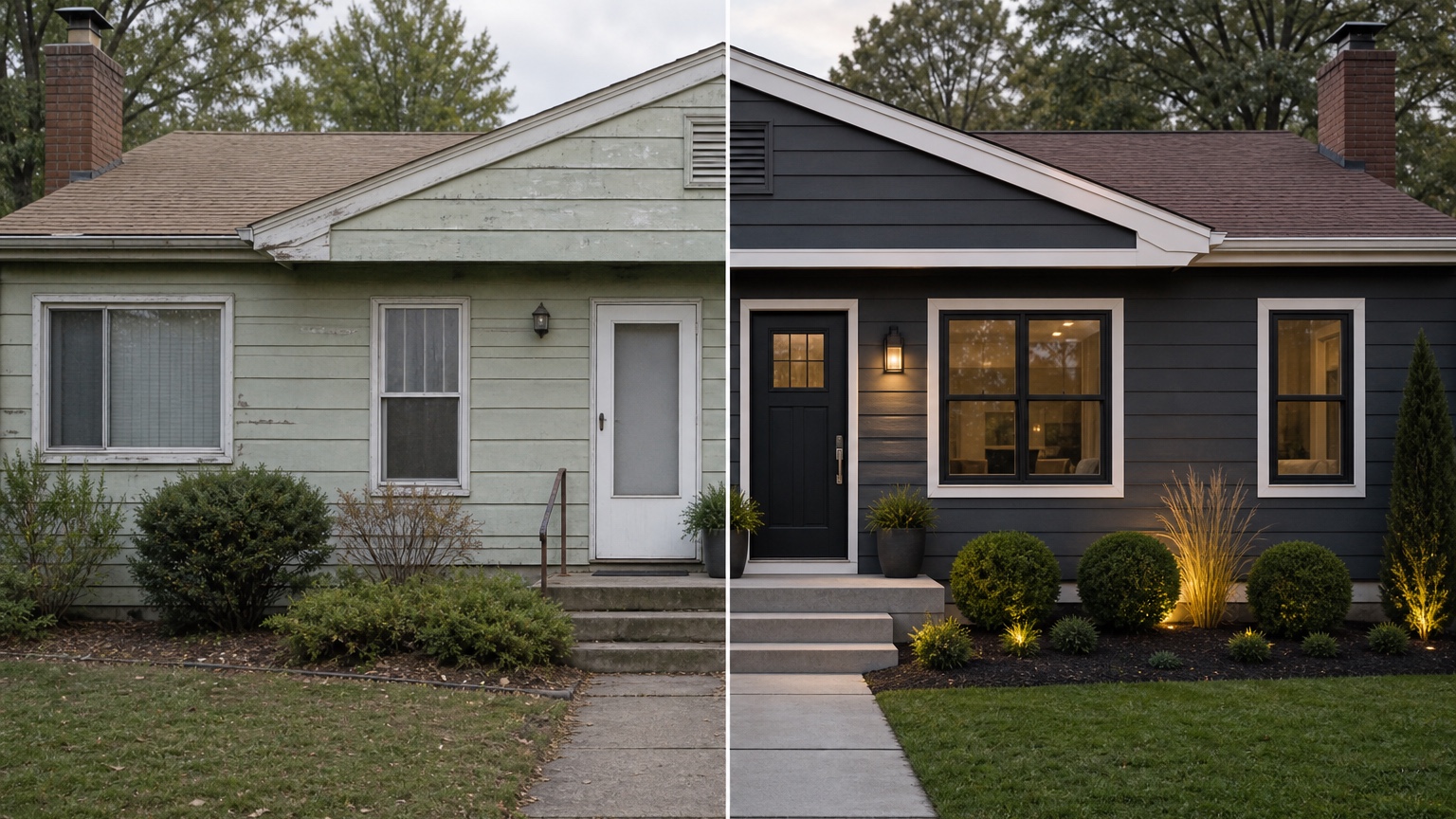
AI exterior design online can look convincing even when details are wrong. First, check scale. Windows should stay in plausible positions. Trim should not swell or disappear. Siding lines should follow the home. Garage doors should fit the opening. Porch columns, railings, steps, and roof edges should connect logically.
Second, check edges and materials. Paint should not bleed into glass, roof shingles, stone, or landscaping. Siding should stop at trim and masonry. New door or garage ideas should respect the existing openings unless a real replacement is part of the scope. If the image changes a permanent feature without permission, note that before sharing it as a project reference.
Third, check lighting. The design should feel like it belongs in the source photo. If the AI adds dramatic sunset light, unrealistic shadows, or a completely different season, the result may be attractive but less useful for color or material decisions.
Finally, compare the concept against real constraints: HOA rules, local climate, weather exposure, product limitations, budget, contractor availability, and quote accuracy. An AI image cannot inspect rot, moisture, paint failure, window condition, flashing, or structural issues. It can help you decide what direction is worth discussing.
Common mistakes that make online exterior designs generic
The first mistake is uploading a weak photo. Cropped facades, blocked entries, deep shade, and distorted angles force the AI to invent details. Retake the image before judging the design idea.
The second mistake is asking for every change at once. “Modernize this house with new siding, roof, windows, porch, driveway, landscape, lighting, and paint” may produce a dramatic picture, but it rarely clarifies the next step. Break the project into decisions.
The third mistake is ignoring fixed materials. A design that looks stylish while changing the roof, brick, stone, and windows may not help if those features are staying. Preserve the constraints that make the project real.
The fourth mistake is treating the image as a specification. It is a visual reference. Measurements, product choices, installation details, permitting, code, substrate condition, and final color matching still need professional review.
How to use RedesAIgn for online exterior concepts
In RedesAIgn, upload a clear home exterior photo and choose the Exterior Editor. Start with a prompt that preserves the structure and changes only the design elements you want to test. Generate a restrained first option, then use revisions to compare color, siding, trim, door, garage, and curb appeal changes.
Saved prompts and history help keep the process organized. If a client likes one version but wants a warmer palette, revise that direction rather than starting over. If a reference image captures the right mood, use it to clarify style, material, or color, but keep the real house photo as the anchor.
When the strongest concept is ready, save it as a facade before-and-after reference with notes about what changed and what stayed. Share that reference with a contractor, painter, siding or window professional, realtor, or client when execution matters.
For broader planning, read AI exterior design from photo and AI exterior home design. When you are ready to test your own exterior online, try RedesAIgn for free with 5 free AI credits and no credit card required. One-time credit packs are available if you need more generations.
FAQ: AI exterior design online
What can AI exterior design online show accurately?
It can help preview visual directions such as paint, siding color, trim contrast, doors, garage treatments, shutters, facade balance, and curb appeal mood on a real home photo. Accuracy improves when the source photo is clear and the prompt preserves fixed exterior details.
What still needs professional review?
Samples, measurements, product selection, material compatibility, installation details, structural changes, HOA approval, permitting, repairs, and quotes still need real-world confirmation. Use the image to clarify direction, not to replace technical review.
How should I use the selected concept?
Turn it into a simple brief: what stays, what changes, which style or color family looks best, what needs sampling, and which contractor or stakeholder should review it next.
Try these prompts in redesAIgn
Refresh this house exterior with modern paint, black trim, and updated front door lighting.
Improve curb appeal with new siding color, shutters, and a clearer entry path.
Keep the roofline, but modernize windows, porch posts, and exterior finishes.
Related guides
- AI Exterior Design App for Homeowners and Remodelers
Use RedesAIgn as an exterior design app to preview paint, trim, roof, and curb appeal ideas from real house photos before you renovate.
- AI Exterior Before and After: Generate Home Makeover Concepts
Create AI exterior before and after previews from real home photos to compare curb appeal concepts, renovation scope, materials, and client options.
- AI Black Windows Exterior Ideas: See the Look on Your House
Use AI black windows exterior previews to see black frames, trim contrast, siding, roof color, and curb appeal on a real home photo before replacement.
- AI Exterior Remodel Visualizer for Siding, Paint, Doors, and Windows
Use an AI exterior remodel visualizer to compare siding, paint, doors, windows, trim, garage updates, and curb appeal ideas on a real house photo.
- AI House Color Visualizer: Test Exterior Color Palettes From a Photo
Use an AI house color visualizer to compare exterior paint palettes, trim contrast, undertones, and curb appeal from a real home photo before painting.