AI Exterior Design App for Homeowners and Remodelers
Last updated March 2026
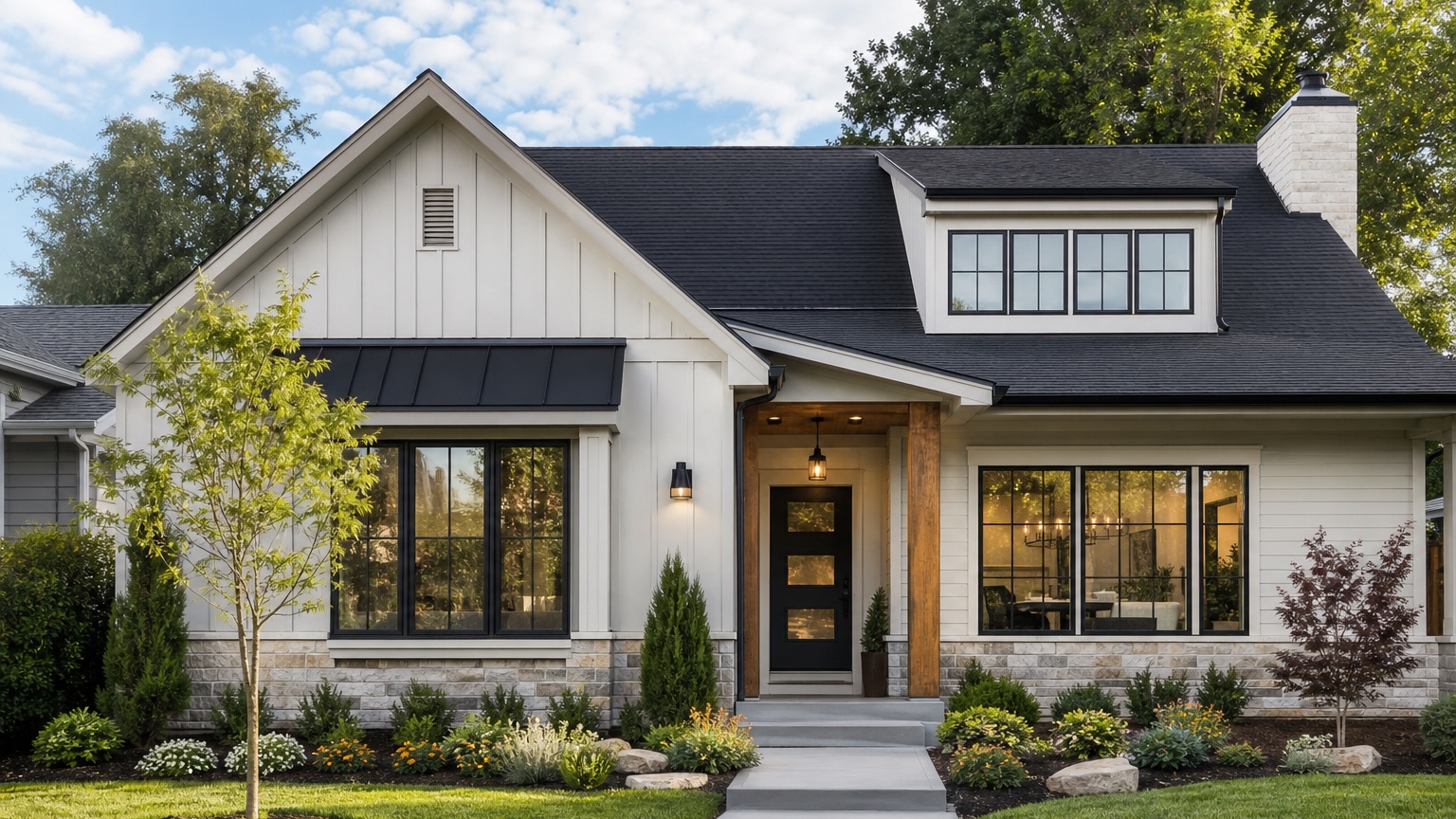
An AI exterior design app is most useful when it helps you make a real exterior decision from a real house photo. Homeowners do not just need more inspiration images. Remodelers do not just need another mood board. Both need a simple way to preview siding, paint, trim, windows, doors, garage, roof color, lighting, and landscaping direction before money moves into samples, quotes, product orders, or labor.
The real question is not whether AI can make a house look attractive. It can. The better question is whether the app can keep the home recognizable enough to support a practical decision. A useful preview should show how a specific facade could change while preserving the roofline, window rhythm, garage scale, porch footprint, driveway, and surrounding context unless the project intentionally includes larger work.
RedesAIgn is built for that kind of visual planning. Upload a home exterior photo, use the Exterior Editor, and generate controlled concepts with prompts, remix images, reference images, saved prompts, and history. If you want to try an exterior design app on your own home, start free with RedesAIgn and use 5 free AI credits with no credit card required.
What an AI exterior design app should help you decide
For homeowners, the practical problem is confidence. Exterior work is public, expensive, and hard to reverse. A paint color that looks soft on a small swatch can dominate a whole facade. A black trim idea that looked elegant online can feel too stark on a shaded house. A new garage door, porch column, siding profile, or front door color can change the whole street view.
For remodelers and pros, the problem is communication. A client may say they want modern, timeless, warm, coastal, farmhouse, traditional, or higher curb appeal. Those words are not specific enough to price or build. A photo-based exterior design preview turns those words into visible choices: lighter siding or darker siding, white trim or bronze trim, wood door or painted door, shutters or no shutters, updated garage or entry-first refresh.
The useful answer is a concrete next step. It might be “test two siding colors with the existing roof,” “quote a paint-and-trim refresh before replacing windows,” “show the HOA a restrained concept,” “prepare a remodel brief for the porch and entry,” or “use the image to explain renovation potential to a buyer.” The app should shorten the distance between a rough idea and an actionable conversation.
When to test an exterior design visually first
Use an AI exterior design app before spending money on decisions that will change the visible face of the home. That includes whole-house paint, siding replacement, window color, garage door replacement, front door changes, porch updates, stone or brick treatment, exterior lighting, roof color coordination, and larger curb appeal plans.
It is especially helpful when several stakeholders need to compare the same option. One homeowner may care about resale, another about budget, another about neighborhood fit. A remodeler may need to align a designer, salesperson, installer, and client. A realtor may need to show potential without overpromising. A before-and-after preview gives everyone one shared reference instead of five different inspiration photos.
Visual testing is also useful when the project has constraints. HOA rules, historic district review, climate exposure, product availability, roof color, existing brick, and budget can all limit what should be shown. A good app workflow does not ignore those limits. It lets you generate a conservative concept, a realistic remodel, and a more ambitious option while keeping each version clearly labeled.
Use the app as a decision workflow, not a style button
Many exterior AI results fail because the user starts with a style label. “Make this house modern” can generate new windows, a different roofline, fresh siding, a redesigned porch, expensive landscaping, and a completely different architecture. That may be fun to look at, but it is hard to act on.
A better workflow starts with the decision the image needs to help make. Are you choosing exterior paint? Comparing siding? Testing black windows? Reducing garage dominance? Making the entry warmer? Preparing a remodel proposal? Helping a seller understand curb appeal improvements? Each decision needs a different prompt.
Start with the smallest useful change. If you are considering paint, keep siding profile, roof, windows, porch, garage, and landscape mostly unchanged. If you are considering siding, preserve roofline and openings while changing siding color, trim, and maybe garage treatment. If the entry is the issue, focus on door color, lighting, house numbers, planters, walkway visibility, and porch details.
Then generate a second pass. Remix the best result into a slightly broader option only after you understand what the narrow change accomplishes. This step-by-step process makes the app practical for homeowners and credible for pros.
Input checklist for a believable exterior design result
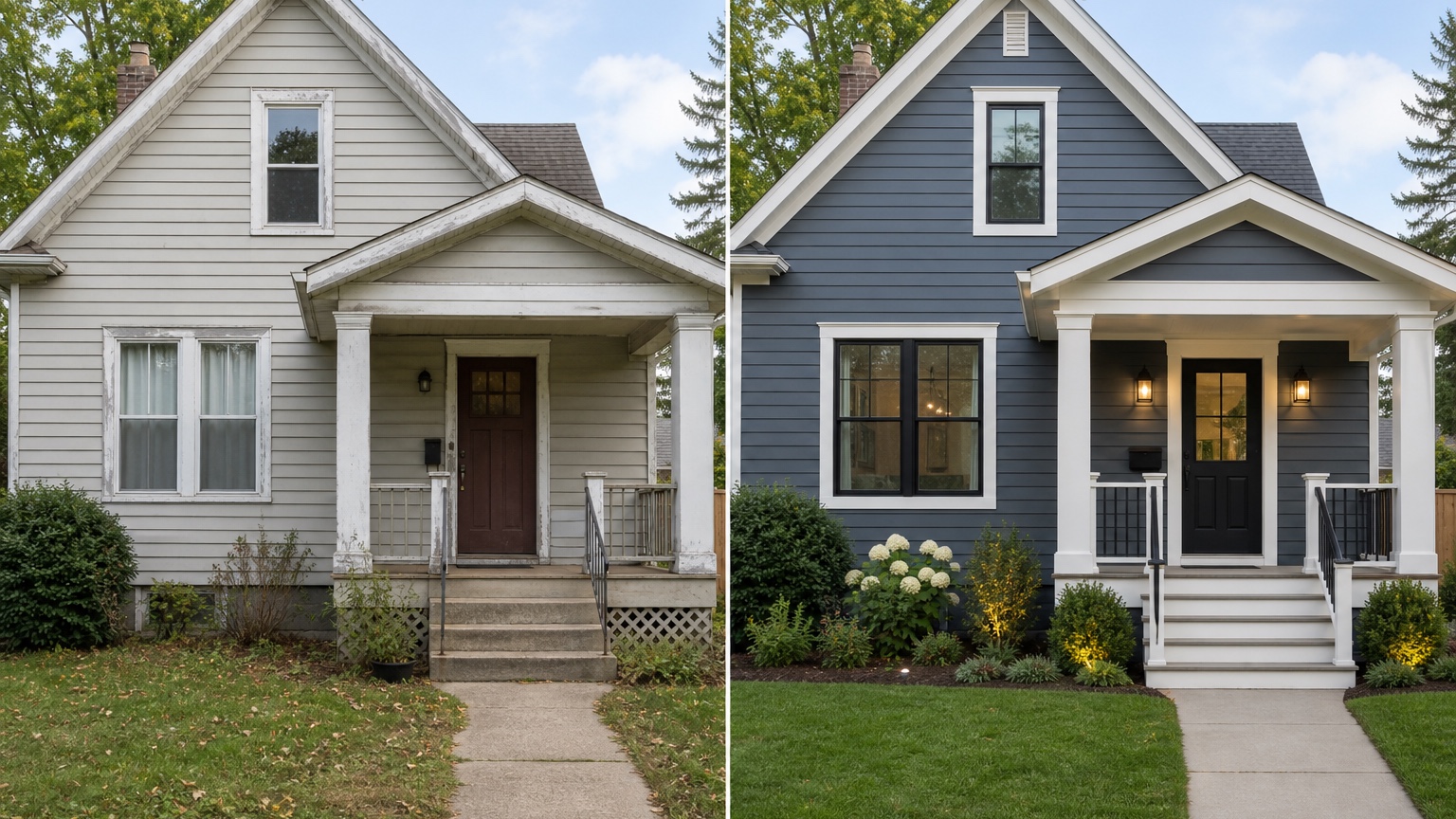
Start with a strong source photo. Use a daylight front elevation or three-quarter view that shows the roofline, siding, windows, doors, garage, trim, porch, walkway, driveway, and landscaping structure. Keep the camera level and avoid extreme wide-angle distortion. If a tree, vehicle, or shrub blocks a major decision area, retake the photo.
Include enough context to judge curb appeal. The driveway, walk, porch steps, planting beds, and roof edge affect how materials and colors read. A tight crop of only the front door will not help you decide siding color. A garage-only photo will not show whether the garage door competes with the entry.
Decide what must stay recognizable before you generate. If the roof is not changing, say that. If windows are staying, require the same window placement and proportions. If the project is paint-only, do not let the app redesign the porch and landscape. If a remodeler is preparing a proposal, separate near-term scope from dream ideas.
Add reference images only when they clarify the exterior design app result. A reference can help with a siding profile, door tone, trim mood, lighting style, or material palette. It should not cause the app to replace a ranch with a coastal cottage or a brick colonial with a modern box. The real home photo should remain the source of truth.
Prompt brief for stronger exterior design app concepts
A strong prompt names the outcome, the scope, the unchanged elements, and the practical constraints. It should read more like a short remodel brief than a vague style request.
Try a homeowner prompt:
“Create a realistic exterior design preview for this home. Preserve the existing roofline, window placement, main structure, garage size, driveway, and porch footprint. Test warm neutral siding, crisp but not harsh trim, a welcoming front door, updated exterior lights, simple house numbers, and cleaner foundation planting. Keep the result believable for a homeowner remodel and avoid major structural changes.”
Try a remodeler prompt:
“Generate three controlled exterior design directions for this house: a conservative paint-and-trim refresh, a siding-and-garage update, and an entry-focused remodel concept. Keep the original architecture recognizable in all versions. Do not change roof pitch, window locations, driveway shape, or major masonry. Focus on curb appeal, material coordination, and client decision-making.”
If HOA rules, quote accuracy, weather exposure, budget, product availability, historic review, or local style matters, include those constraints. The more specific the prompt, the less likely the output is to drift into generic decoration.
Review the app output before anyone acts on it
Start by checking whether the house is still the same house. Roof geometry, window openings, garage size, porch footprint, steps, columns, and driveway should match the source photo unless the prompt intentionally changed them. If the AI quietly adds windows, removes a chimney, stretches the porch, changes roof pitch, or makes the house wider, the concept may be attractive but not reliable for a near-term project.
Check material logic. Siding should wrap surfaces believably. Trim should align with windows and corners. Stone, brick, paint, and roof color should stop at plausible edges. Exterior lighting should be mounted where fixtures could actually go. Landscaping should fit the scale of the facade rather than hiding problems or inventing a luxury yard unrelated to the project.
Then compare the concept against constraints. Does the color work with the existing roof? Would the siding direction be available in real products? Does the entry idea need structural work? Would the neighborhood, HOA, or historic district allow it? Is the concept appropriate for resale, rental, owner-occupancy, or a remodel client?
Save the strongest version with notes. A useful exterior design app result should become a brief: what stays, what changes, what is optional, what needs samples, what needs measurements, and what requires professional review.
Features that matter in a practical AI exterior design app
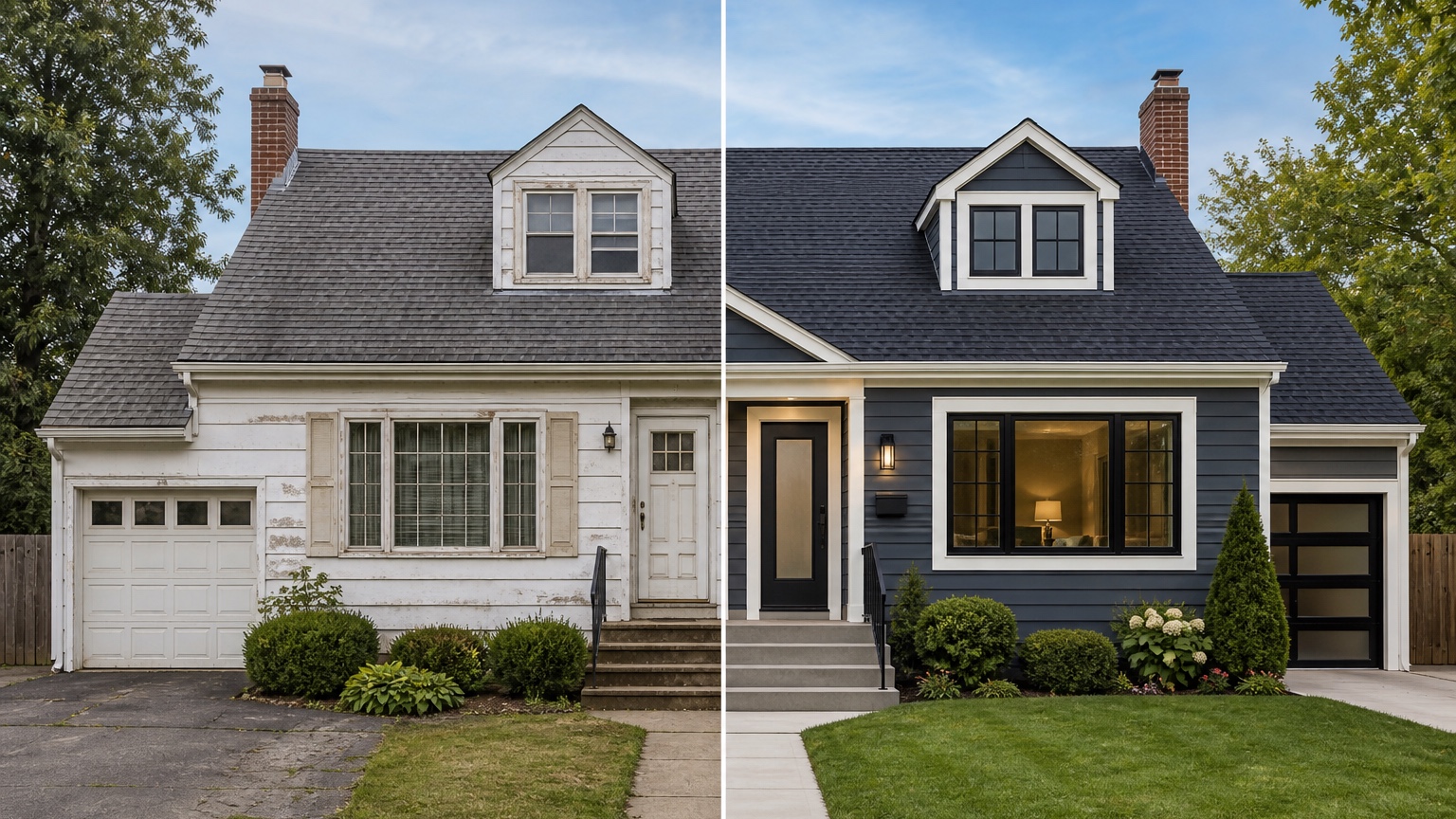
The app should make iteration easy. Exterior decisions rarely resolve in one generation. You may need a safe version, a bolder version, a paint-only version, a siding version, and a concept that includes entry and landscape improvements. Remixing helps refine a promising image without losing the direction.
Saved prompts and history are important because exterior planning is comparative. If a homeowner or client returns to an earlier option, you need to know how it was created. Without history, the workflow becomes a random gallery. With history, it becomes a decision trail.
Reference images are useful when they are controlled. They can clarify a material, color palette, front door tone, fixture mood, or general curb appeal direction. They should support the real photo rather than override it.
RedesAIgn includes 10 AI editors, prompt workflows, remix images, reference images, saved prompts, and history. For homeowners and remodelers using the Exterior Editor, those features help turn a single exterior photo into a structured set of options instead of a one-off image.
How homeowners and remodelers can use RedesAIgn
In RedesAIgn, begin with the clearest exterior photo and choose the Exterior Editor. Write a prompt around the decision you need to make, not just the style you like. Generate one conservative version first. Then remix the best result into focused alternatives: paint and trim, siding and garage, entry and lighting, or broader curb appeal.
For homeowners, the final image should help you talk to contractors, family members, HOA reviewers, or realtors. It should not replace samples, measurements, permits, or professional advice. Use it to narrow the direction before you spend time and money on the wrong exterior plan.
For remodelers, the final image should help scope the conversation. Show what is included, what is excluded, and what still needs confirmation. If the concept includes work outside your service area, label it as inspiration or coordinate with the right trade.
For related exterior workflows, read AI exterior design from photo, AI house exterior design generator, AI exterior before and after, AI garage door visualizer, and AI roof color visualizer. Those guides help you break a facade plan into smaller choices.
When you are ready to preview exterior design ideas on your own home photo, try RedesAIgn for free with 5 free AI credits and no credit card required. If you need more generations after the free credits, one-time credit packs are available.
FAQ: AI exterior design app
What is an AI exterior design app?
It is a tool that uses a home exterior photo to generate visual design previews for facade changes such as paint, siding, trim, doors, garage, lighting, roof color coordination, and landscaping.
Who should use an AI exterior design app?
Homeowners can use it to compare renovation ideas before spending money. Remodelers, contractors, and other pros can use it to clarify client preferences and prepare more focused conversations.
Can it replace a remodeler, designer, or contractor?
No. It helps visualize direction and communicate scope. Professionals still need to confirm feasibility, materials, measurements, pricing, codes, permits, structure, and installation details.
What photo should I upload?
Use a clear daylight front or three-quarter view showing the full facade, roofline, windows, doors, garage, porch, driveway, walkway, trim, and landscaping structure.
How many exterior concepts should I create?
Start with three controlled versions: a safe refresh, a realistic remodel, and a more ambitious concept. Then refine the strongest option instead of generating unrelated styles.
Try these prompts in redesAIgn
Refresh this house exterior with modern paint, black trim, and updated front door lighting.
Improve curb appeal with new siding color, shutters, and a clearer entry path.
Keep the roofline, but modernize windows, porch posts, and exterior finishes.
Related guides
- AI Exterior Before and After: Generate Home Makeover Concepts
Create AI exterior before and after previews from real home photos to compare curb appeal concepts, renovation scope, materials, and client options.
- AI Black Windows Exterior Ideas: See the Look on Your House
Use AI black windows exterior previews to see black frames, trim contrast, siding, roof color, and curb appeal on a real home photo before replacement.
- AI Exterior Remodel Visualizer for Siding, Paint, Doors, and Windows
Use an AI exterior remodel visualizer to compare siding, paint, doors, windows, trim, garage updates, and curb appeal ideas on a real house photo.
- AI House Color Visualizer: Test Exterior Color Palettes From a Photo
Use an AI house color visualizer to compare exterior paint palettes, trim contrast, undertones, and curb appeal from a real home photo before painting.
- AI Exterior Design Online: Redesign a House Photo in Minutes
Use AI exterior design online to preview siding, paint, trim, doors, windows, and curb appeal ideas from a real house photo before renovating.