AI Home Exterior Remodel Ideas From One Photo
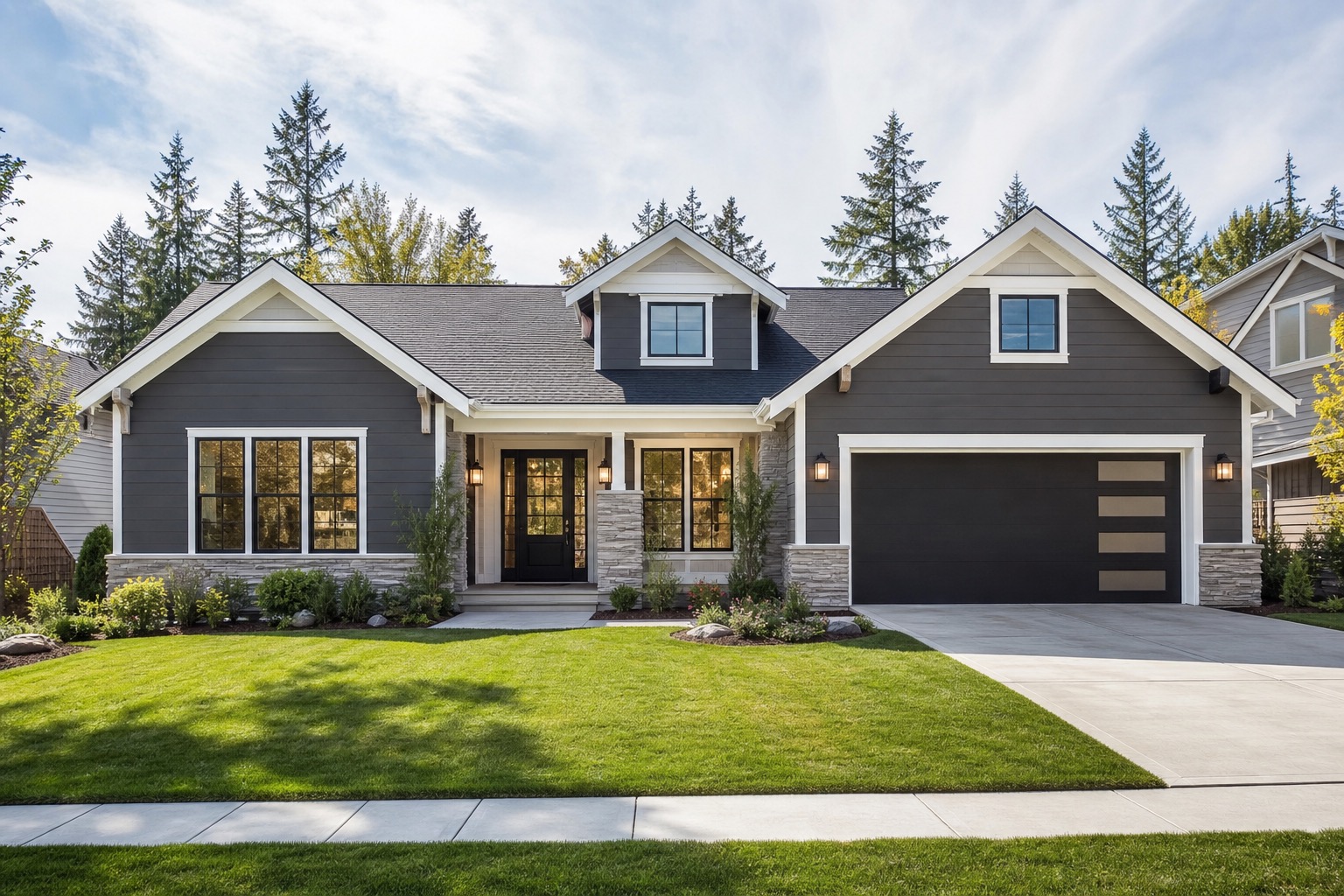
An AI home exterior remodel preview helps homeowners test renovation directions before money starts leaving the budget. Exterior work is public, expensive, and full of connected decisions. A paint color affects the roof. New shutters change the window proportions. A garage door can make the front elevation feel either cleaner or heavier. Landscaping can hide flaws for a photo, but it cannot fix siding, trim, drainage, or an awkward entry.
The practical value is not that AI chooses the remodel for you. The value is that a single house photo can become a decision board. You can compare a paint-only refresh against a facade upgrade, then compare both against a larger remodel that may need contractor pricing, permits, or design review.
If you are deciding whether your home needs paint, new materials, or a larger curb appeal plan, start free with RedesAIgn and use 5 free AI credits to test exterior remodel ideas from your own photo. No credit card is required.
Start by choosing the remodel phase you want to test
Most homeowners begin with a vague goal: make the house look newer, warmer, cleaner, more modern, or more valuable. That is normal, but it is not specific enough for a useful remodel plan. Before you generate images, divide the work into three possible phases.
The first phase is a paint-only or surface refresh. This usually means body color, trim color, front door color, shutters, house numbers, lighting, and simple cleanup around the entry. It is the right phase to test when the home is structurally fine and the budget is limited. In AI, this phase should preserve the roofline, siding type, window placement, porch footprint, driveway, and major landscaping.
The second phase is a facade refresh. This goes beyond color. You might test new siding texture, stone or brick accents, a different garage door, updated porch columns, wider trim, window boxes, new railings, a more intentional walkway, or a stronger front entry. This is often where the most useful AI comparisons happen because the ideas are visible, but many can still be quoted as exterior improvement projects.
The third phase is a larger exterior remodel. This may include window changes, roofline changes, a porch expansion, a new overhang, a different entry sequence, an added gable, or major hardscape work. AI can help you decide whether that level of change deserves professional review.
Use one clear photo as the baseline
The source photo controls the quality of the remodel preview. Stand far enough back to show the full front elevation, including the roof edge, siding, windows, trim, front door, porch, garage, steps, walkway, and the landscaping that affects curb appeal. A three-quarter angle is helpful when the entry and garage both matter. A straight-on shot is better when paint, trim, symmetry, and window rhythm are the main decisions.
Avoid photos with cars blocking the garage, heavy shadows, trash bins near the entry, extreme wide-angle distortion, or tree branches covering the roofline. If the house sits on a slope or has a deep porch, take a second angle for review, but generate the first AI concept from one strong image.
For paint and siding tests, use daylight with readable color. Overcast light often works better than bright midday sun. If you plan to keep the roof, make sure the roof color is visible because it can limit which exterior palettes will look credible.
For a broader walkthrough on photo-based exterior work, see AI exterior design from photo. That workflow pairs well with a remodel plan because it focuses on keeping the real house recognizable while testing visible changes.
Write prompts around decisions, not adjectives
A prompt like “make my house beautiful” gives the AI too much room to invent. A better prompt names the remodel phase, the elements to change, and the elements that must stay. For example: “Create a paint-only exterior refresh for this house with warm white siding, soft charcoal trim, a natural wood front door, black modern sconces, simple house numbers, and tidy foundation planting. Preserve the roof, windows, garage, porch structure, driveway, and camera angle.”
For a facade refresh, you might write: “Update this dated suburban exterior with vertical siding accents around the entry, a medium-stain wood garage door, simplified black trim, stone planters near the steps, and low-maintenance landscaping. Keep the roofline and window openings unchanged.” For a larger remodel, be honest that the image is an exploratory concept, not a permit set.
Good prompts also say what not to change. If the roof is new, say to keep it. If the windows must remain, say to preserve the openings. If you are pricing paint only, say not to alter siding profile, masonry, garage size, or porch structure. These constraints make the AI result easier to discuss with painters, siding installers, remodelers, and design-build teams.
Compare paint-only, facade refresh, and full remodel versions
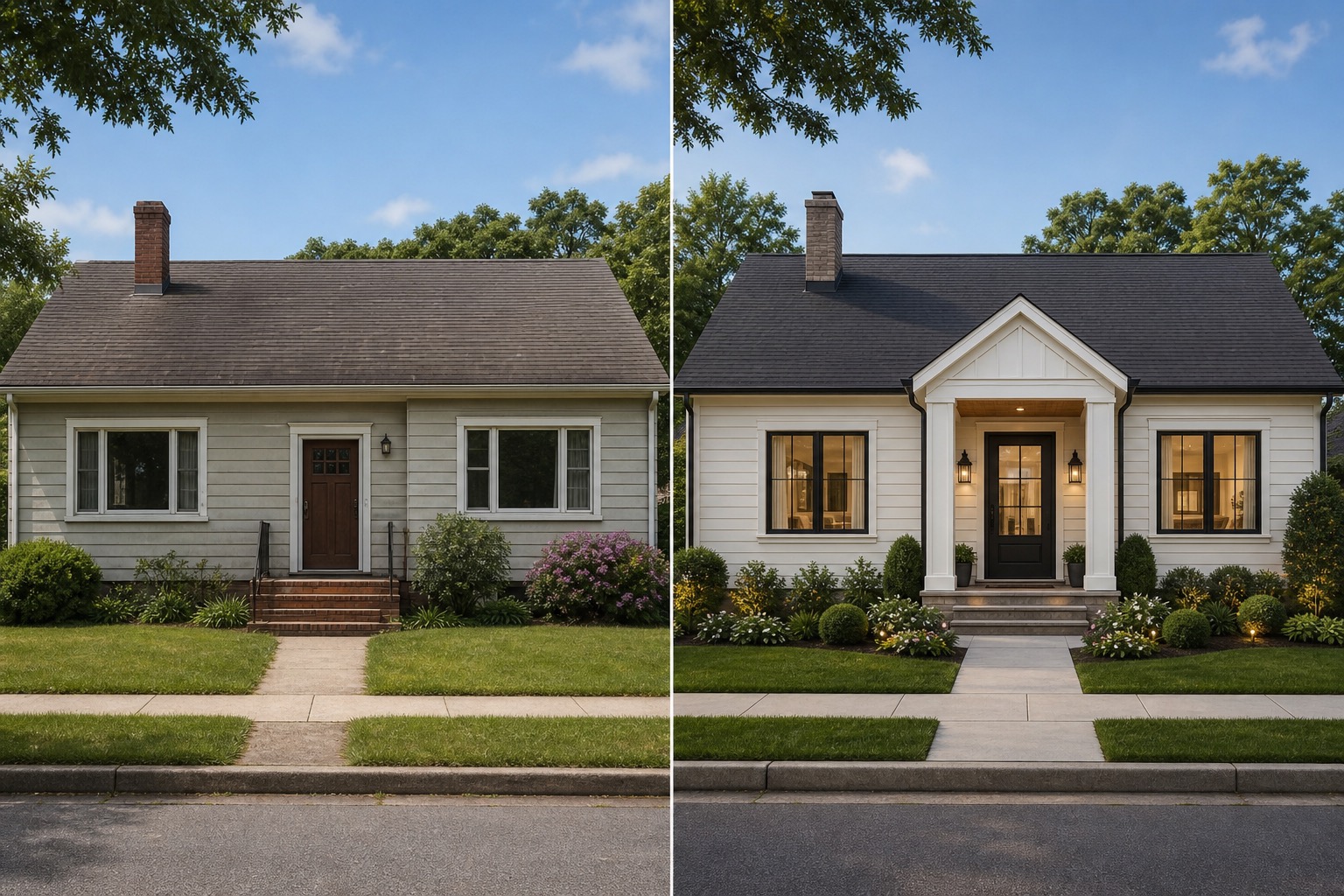
The safest way to use AI for a home exterior remodel is to create controlled versions. Start with a paint-only run. Look at whether the home improves enough with color, trim, door finish, lighting, and cleaner landscaping. Sometimes the answer is yes. A tired exterior may need contrast, a better entry color, and edited clutter more than new construction.
Next, generate a facade refresh. Add materials and features that a contractor could price without redesigning the whole structure: siding style, garage door, porch columns, railings, shutters, stone accents, walkway edges, planter beds, and exterior lights. This version helps you see whether added cost creates enough visible value. If the facade refresh looks dramatically better than paint alone, it may be worth getting quotes.
Then create one ambitious remodel. This version can test larger window proportions, a porch extension, roofline details, an entry canopy, or a stronger architectural style. If the AI changes the house so much that the original structure disappears, treat it as inspiration only. If it keeps the massing believable, you have a better brief for a professional consultation.
Check the result before trusting it
AI remodel images can look convincing even when details are wrong. Review every version as if you were preparing to ask for a quote. Is the roofline the same? Are the windows still in the same place? Did the garage door become wider? Did steps disappear? Did the porch railing connect to anything? Are siding seams, trim corners, gutters, shadows, and reflections believable?
Color and budget checks matter too. A palette may look attractive because the AI changed the lighting, and a concept with new windows, roofline details, stone, hardscape, and landscaping is not in the same budget category as a repaint. Separate what could happen now, what should be quoted, and what belongs in a long-term plan. Professionals should confirm structure, code, permits, installation methods, drainage, durability, and cost.
If your main question is color, compare this remodel workflow with an AI exterior paint visualizer. Paint-focused testing is narrower, but it can be the fastest way to avoid buying gallons of the wrong exterior color.
Turn the winning AI concept into a remodel brief
A strong AI image is more useful when paired with notes. Save the version, the prompt, and a short explanation of what you like. Name the paint direction, trim contrast, door style, garage finish, siding material, stone use, lighting type, landscaping mood, and anything that must stay. Also list the parts you are unsure about. That turns the image into a homeowner brief instead of a pretty picture.
For a paint contractor, your brief might say: keep the roof and brick, test warm white body color, charcoal trim, deep green door, black lights, and no shutter changes. For a siding contractor, it might say: explore lap siding versus vertical entry accents, keep window openings, price optional garage door replacement separately. For a remodeler, it might say: investigate whether a deeper porch and cleaner entry roof are feasible.
RedesAIgn’s saved prompts and history help here. Keep the safe refresh, realistic facade option, and ambitious concept in one place, then remix the best one with tighter instructions. Reference images can help when you need a specific siding texture, door style, or palette.
Try RedesAIgn for free when you want to compare remodel phases before booking estimates. You get 5 free AI generations, no credit card required, and access to the Exterior Editor along with the broader set of AI editors.
What homeowners and renovators should test first
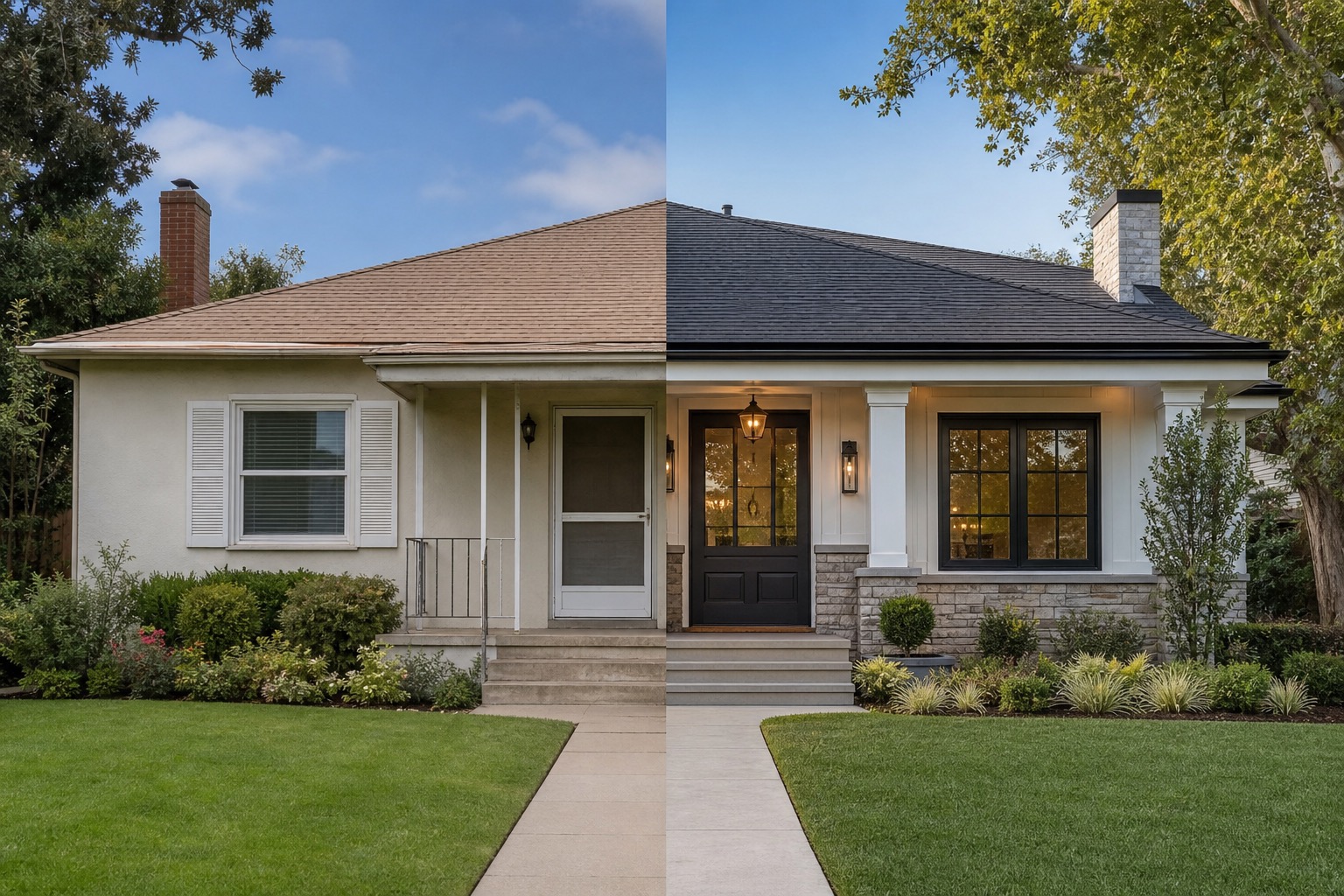
If you are preparing for a real project, test the decisions in an order that matches cost and reversibility. Start with paint, trim, and front door color because those choices influence almost everything else. Then test lighting, house numbers, railings, planters, and entry details. After that, test siding profiles, garage doors, shutters, stone accents, and walkway changes. Leave roofline changes, window resizing, porch additions, and structural work for the ambitious phase.
For ranch homes, test horizontal versus vertical siding accents, stronger entry framing, and warmer garage door finishes. For colonials, test shutter removal or replacement, door color, trim contrast, and symmetrical lighting. For brick homes, test whether paint, limewash, trim contrast, or leaving the masonry untouched creates the best long-term result. Three to six focused concepts usually teach more than thirty random makeovers.
For a broader set of curb appeal and style ideas, read AI exterior home design after you have your remodel phases organized.
How to create an AI home exterior remodel in RedesAIgn
Upload a clear exterior photo, choose the Exterior Editor, and start with the remodel phase you want to test. Ask for a paint-only refresh first if you are trying to control budget. Ask for a facade refresh if you are considering siding, garage, porch, or entry updates. Ask for an ambitious concept only when you are open to professional design review.
Use prompt, remix, and reference image features to refine the direction. Keep the strongest versions in your history, save the prompts that worked, and compare results against real constraints. RedesAIgn supports commercial use, which is helpful for renovators, agents, and exterior pros, but concept images should still be labeled honestly.
Before you spend on samples, estimates, or a full remodel plan, sign up on RedesAIgn and test your exterior from one photo. The first 5 AI credits are free, no credit card is required, and you can use them to decide whether paint-only, facade refresh, or larger remodel ideas deserve the next step.
FAQ: AI home exterior remodel
Can AI show what my home will look like after an exterior remodel?
AI can create a visual concept from your photo, but it is not a construction drawing or guarantee. Use it to compare directions, then have qualified professionals confirm feasibility, cost, codes, structure, materials, and installation.
What is the best first AI remodel version to generate?
Start with a paint-only refresh. It is the easiest way to see whether color, trim, door finish, lighting, and cleanup solve the curb appeal problem before you consider more expensive facade changes.
Should I use AI before getting contractor quotes?
Yes, if you treat the image as a planning aid. A clear concept can help contractors understand your preferred direction faster, but they still need to inspect the home and price real materials and labor.
How many exterior remodel concepts should I make?
Create three focused versions first: paint-only, facade refresh, and ambitious remodel. Then refine the strongest version instead of generating unrelated styles.
Can renovators or real estate pros use these AI images commercially?
RedesAIgn states that commercial use is allowed. Still, AI remodel images should be presented as concepts or possibilities, not as completed work.
Try these prompts in redesAIgn
Refresh this house exterior with modern paint, black trim, and updated front door lighting.
Improve curb appeal with new siding color, shutters, and a clearer entry path.
Keep the roofline, but modernize windows, porch posts, and exterior finishes.
Related guides
- AI Exterior Design App for Homeowners and Remodelers
Use RedesAIgn as an exterior design app to preview paint, trim, roof, and curb appeal ideas from real house photos before you renovate.
- AI Exterior Before and After: Generate Home Makeover Concepts
Create AI exterior before and after previews from real home photos to compare curb appeal concepts, renovation scope, materials, and client options.
- AI Black Windows Exterior Ideas: See the Look on Your House
Use AI black windows exterior previews to see black frames, trim contrast, siding, roof color, and curb appeal on a real home photo before replacement.
- AI Exterior Remodel Visualizer for Siding, Paint, Doors, and Windows
Use an AI exterior remodel visualizer to compare siding, paint, doors, windows, trim, garage updates, and curb appeal ideas on a real house photo.
- AI House Color Visualizer: Test Exterior Color Palettes From a Photo
Use an AI house color visualizer to compare exterior paint palettes, trim contrast, undertones, and curb appeal from a real home photo before painting.