AI Exterior Home Design: Fast Curb Appeal Ideas for Any House
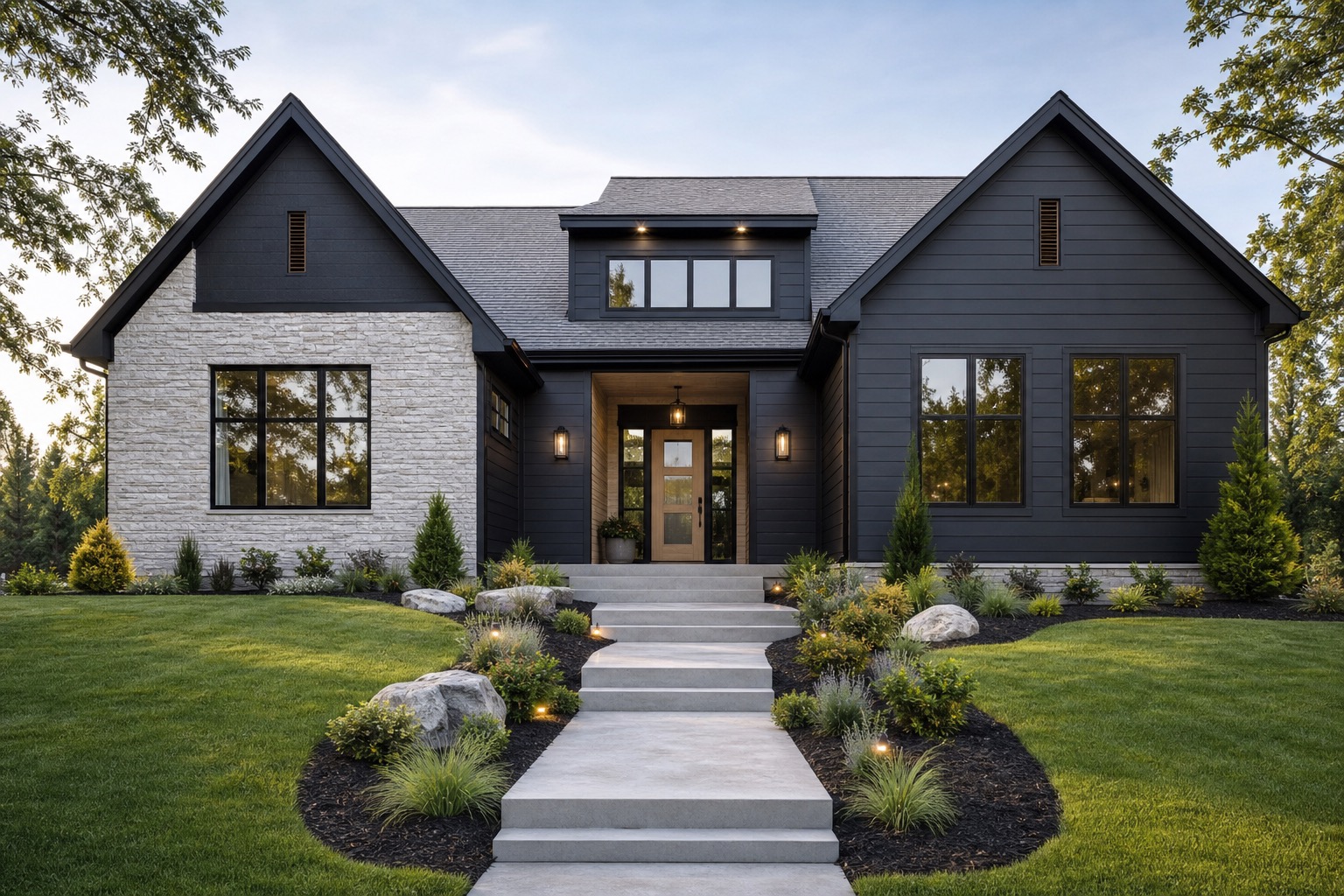
AI exterior home design works best when it helps you choose the next visible decision, not when it turns your house into an unrelated dream render. Homeowners and remodelers usually need clear answers: Would darker trim help? Should the entry be warmer? Is stone worth testing? Can the garage door feel less dominant? Would cleaner planting make the facade read better from the street?
A real house photo gives those questions context. Roof color, window spacing, driveway, porch depth, siding texture, shadows, and nearby landscape all limit what will look natural. That is why photo-based exterior concepts are more useful than detached inspiration images.
The most productive workflow is a small set of facade decisions: massing, materials, color, entry, lighting, and landscaping context. If you keep those categories under control, AI becomes a fast visual decision tool for curb appeal rather than a gallery of attractive but unbuildable guesses.
If you want to test your own facade ideas, start free with RedesAIgn and use your first 5 AI credits to generate exterior concepts from a real house photo. No credit card is required.
What AI exterior home design is useful for
AI exterior home design is useful when you already have a property and need to see possible directions quickly. It can help a homeowner compare paint, siding, trim, doors, shutters, porch details, garage doors, exterior lights, and foundation planting. It can help a remodeler turn a client conversation into two or three visual routes. It can help a realtor or investor show renovation potential without claiming the work has been done.
The value is not perfect construction accuracy. An AI image cannot price siding, confirm a structural porch change, check drainage, select code-compliant lighting, or tell you whether an HOA will approve black trim. The value is faster visual sorting: reject weak ideas early, identify the direction worth quoting, and communicate clearly with the people who will make the work real.
This matters because exterior decisions are public and expensive. A room can be repainted after a bad color choice. A whole facade, roof accent, or entry remodel is harder to reverse.
Start with the smallest set of facade decisions
Many exterior AI results fail because the prompt asks for too much at once. For a real renovation, start with the smallest set of changes that could improve the home.
Begin with massing: roofline, garage dominance, porch depth, window rhythm, and whether the entry feels centered or lost. Most homeowners should preserve massing in early AI concepts unless they are seriously considering architectural work.
Then test materials. Siding profile, brick treatment, stone accents, wood elements, metal railings, and garage door style can change the character of a house without changing its footprint. A modern fiber-cement look, painted brick, limewash effect, cedar accent, or new garage door panel can be useful to preview.
Color comes next. Exterior color should respond to the roof, masonry, driveway, landscape, and light. Warm white siding with black trim feels different on a shaded wooded lot than it does in full sun. Earthy taupe may flatter brick but dull a small ranch. AI previews let you compare full-facade color behavior before buying samples.
After that, focus on the entry, lighting, and landscaping context. A front door, porch light, house numbers, path, planters, and low foundation planting often change curb appeal more than a homeowner expects.
Use one clean photo before you generate variations
A strong source photo gives the Exterior Editor better information. Use a daylight front view or three-quarter view that shows the whole facade. Keep the camera level. Include the roof edge, siding, windows, door, garage, porch, walkway, driveway edge, and nearby planting beds.
Overcast daylight is often better than harsh sun because colors and edges are easier to read. Avoid photos taken so close that the house bends at the edges. If the project involves the garage or entry, make sure those areas are visible.
For more detail on preparing a source image and reviewing before-and-after results, see the related guide on AI exterior design from photo. The same basic rule applies here: better input photos produce more useful concepts.
Prompt around a decision, not a style label
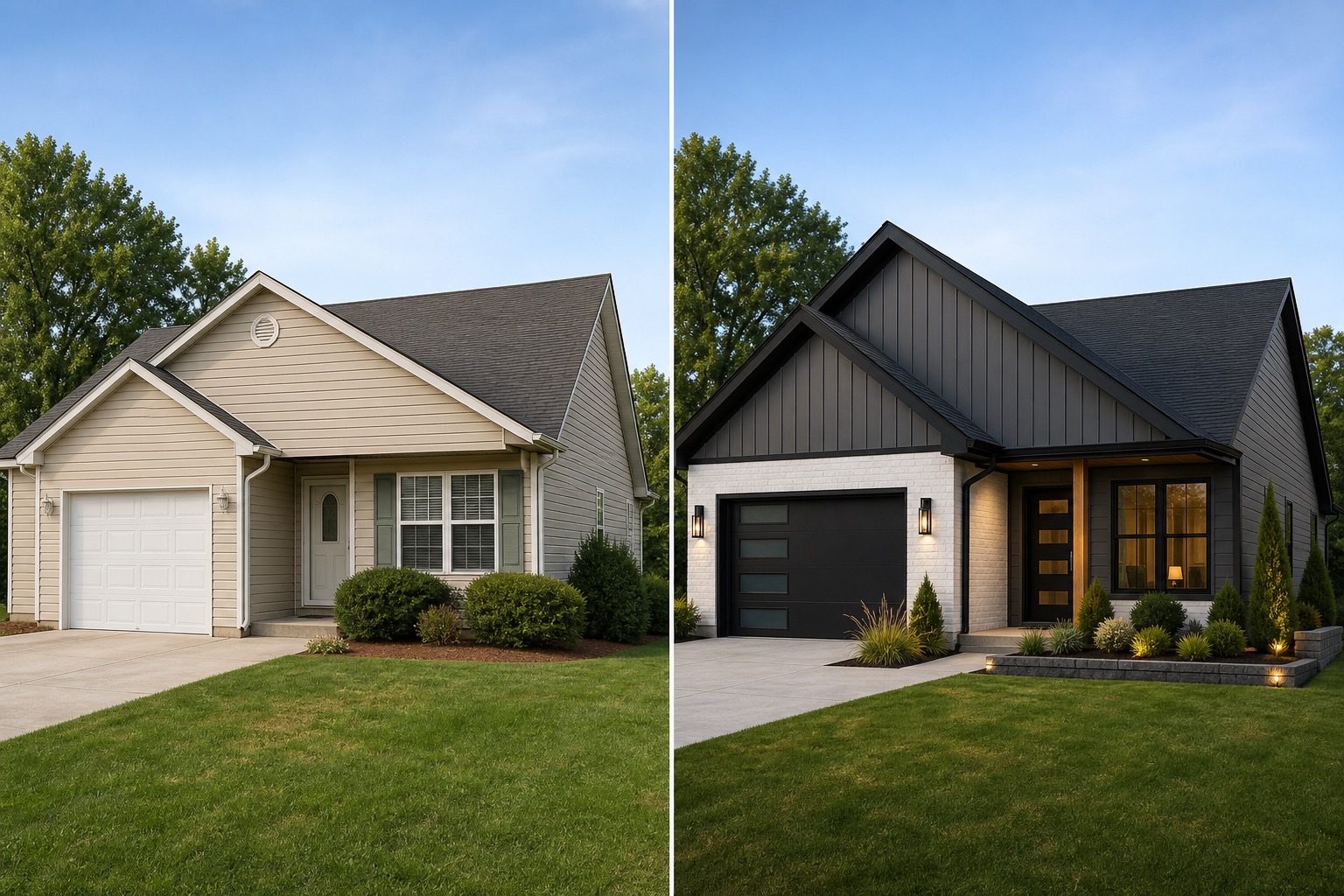
A style label by itself is too broad. “Make this house modern” can produce black windows, a new roof, new siding, huge glass, different landscaping, and a door that no longer fits the home. A better prompt names the decision and constraints.
Try a prompt like this:
“Refresh this suburban home exterior while preserving the existing roofline, window placement, garage size, and porch footprint. Test warm white siding, charcoal trim, a natural wood front door, simple black exterior lights, cleaner foundation planting, and a more welcoming walkway. Keep the result realistic for a homeowner remodel.”
That prompt tells the AI what to change and what not to change. If you need a bolder version, write a second prompt: “Create a more ambitious concept with new porch columns, updated garage door, mixed siding textures, and improved entry landscaping, while preserving the main structure.”
Controlled prompts make comparison easier. One version can test paint and trim. One can test siding and garage door. One can test entry and lighting.
Compare concepts like a buyer, not a mood board collector
When a result looks good, pause before saving it as the winner. First, check whether the house is still recognizable. The roofline, windows, garage, porch, and main facade proportions should remain close to the original unless your project includes major construction. If the AI moves windows, stretches the porch, changes the roof pitch, or adds a second story, treat that image as inspiration rather than a near-term renovation concept.
Next, check whether the visible improvements solve the real problem. If the garage dominates the street view, did the concept reduce that weight with color, panel style, lighting, or planting? If the entry feels hidden, did the concept create a clearer path, warmer door, better lighting, or stronger porch focus? If the facade feels flat, did the concept add material contrast, trim depth, or layered landscaping without making the house busy?
Then check practical fit. Does the palette work with the existing roof? Does the siding style match the home’s scale? Does the landscaping fit the climate and maintenance level? Do the lights look mounted in plausible places? Are railings, steps, columns, and trim lines coherent? AI can create beautiful details that do not attach correctly. A careful review protects you from treating every attractive pixel as a buildable idea.
A simple three-pass workflow for homeowners
Use three passes instead of hunting for one perfect image.
The first pass is a safe refresh. Keep the main materials and structure, then test paint, trim, front door color, porch lights, house numbers, mulch, and simpler planting.
The second pass is a realistic remodel. Test siding, garage door, shutters, porch columns, railings, stone or wood accents, and a stronger walkway.
The third pass is ambitious. Explore a more defined entry, revised porch character, new material mix, or stronger architectural style. Label it as a concept that may require professional review.
Save the strongest prompt from each pass. In RedesAIgn, saved prompts and history help you return to useful directions instead of starting over. Reference images can help with a siding profile, door tone, fixture style, or color palette, but use them sparingly.
How remodelers can use AI exterior concepts with clients
For remodelers, AI exterior home design can shorten the early conversation. A client may say they want a modern farmhouse, a warmer facade, or better curb appeal, but those phrases mean different things. A photo-based concept makes the conversation specific: white board-and-batten siding or painted brick, black or bronze windows, stained or painted door, stone base or wood accent.
If you are comparing tools and workflows, the planned guide to an AI house exterior design generator goes deeper into what to look for in generator features.
Turn the best image into next steps
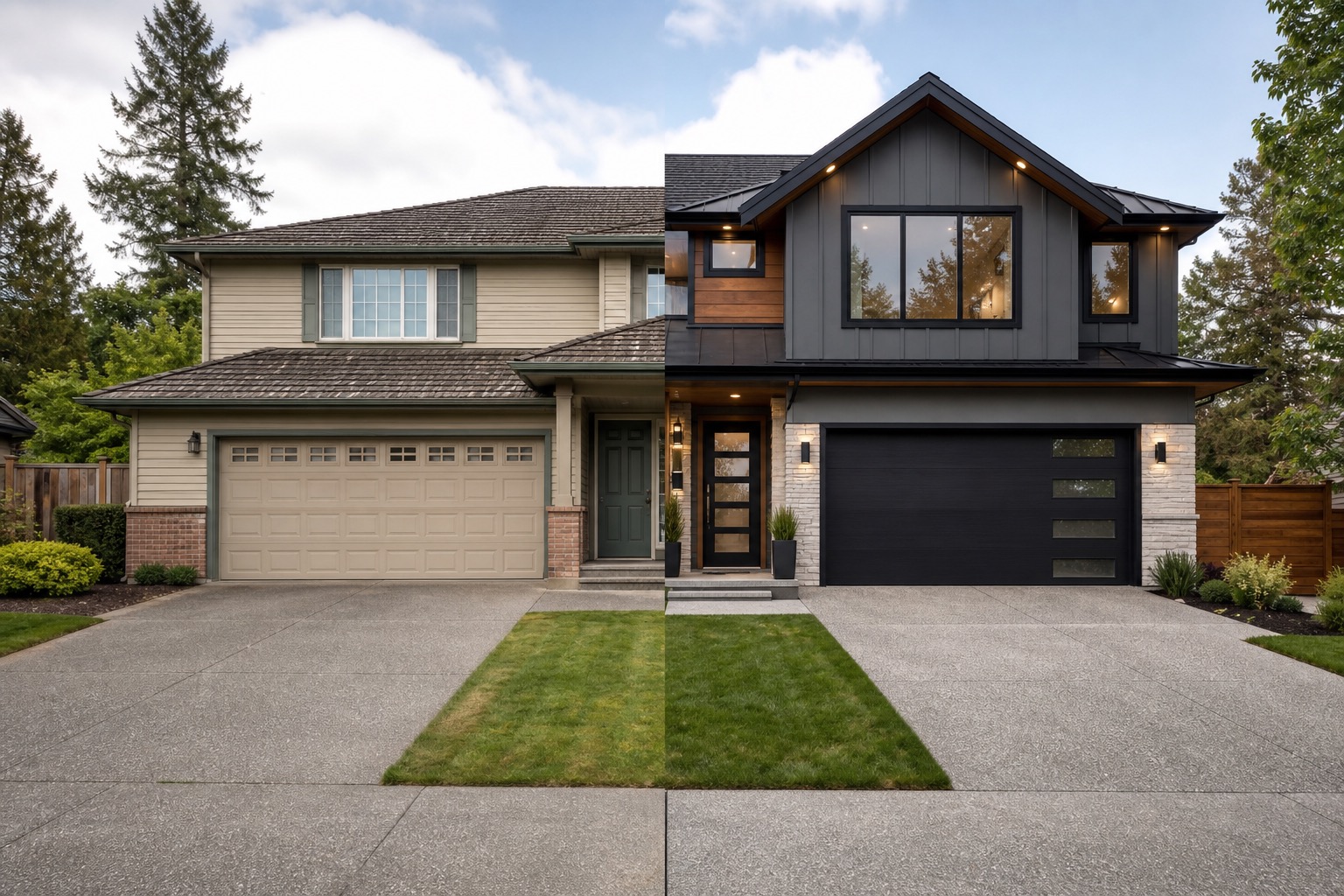
The final AI concept should become a renovation brief. Write down what stays, what changes, and what must be confirmed: preserve roof and windows; test warm white siding; replace garage door with a simple panel; add black sconces; use a medium wood door; simplify shrubs; widen the visual path to the entry.
Then separate decisions into phases. Paint, lighting, door hardware, planters, and house numbers may be first. Siding, garage door, porch columns, railings, and walkway work may come later. Roofline changes, window resizing, porch expansion, and structural changes belong in a professional design phase.
Try RedesAIgn for free to create several exterior options from your own photo. You get 5 free AI generations, no credit card required, and commercial use is allowed for generated images.
Common mistakes to avoid
Do not use AI to hide problems that need repair. If siding is damaged, steps are unsafe, drainage is poor, or windows need replacement, a concept image is not a fix. It can help you plan the look, but the underlying issue still needs real inspection.
Do not present AI concepts as completed work. If you use them in sales, listings, or client planning, label them as design previews. The clearer you are, the more useful the images become.
How to create AI exterior home design concepts in RedesAIgn
Upload a clear house photo, choose the Exterior Editor, and write a prompt that names the exact facade decisions. Start with a safe refresh. Remix the best result into a realistic remodel. Use a reference image only when it clarifies a style, material, color, or mood.
RedesAIgn is built for this kind of visual decision-making because it includes 10 AI editors, prompt and remix workflows, reference images, saved prompts, and history. For exterior work, that means you can compare ideas quickly while keeping the original house photo central to the process.
For a broader renovation planning view, read the related guide on AI home exterior remodel. Use the AI concept as the starting brief, then confirm cost, feasibility, products, structure, local rules, and installation details with qualified professionals.
Before you spend money on paint, siding, doors, lighting, landscaping, or a contractor quote, sign up on RedesAIgn and use 5 free AI credits to preview your exterior home design. No credit card is required.
FAQ: AI exterior home design
Can AI exterior home design replace a remodeler or architect?
No. It can help you visualize directions and prepare a clearer brief, but remodelers, architects, designers, engineers, inspectors, and local rules determine what can be built safely and legally.
What should I include in an exterior home design prompt?
Name the target changes, the elements that must stay, and the level of renovation. Include materials, colors, entry details, lighting, and landscaping context when those decisions affect curb appeal.
How many AI exterior concepts should I generate?
Start with three: a safe refresh, a realistic remodel, and an ambitious concept. Then refine the strongest option with tighter prompts instead of generating random new styles.
Are AI exterior designs accurate enough for contractor quotes?
They are useful for direction, not as construction documents. Use the image to explain the look you want, then ask professionals to confirm materials, dimensions, labor, costs, codes, and feasibility.
Try these prompts in redesAIgn
Refresh this house exterior with modern paint, black trim, and updated front door lighting.
Improve curb appeal with new siding color, shutters, and a clearer entry path.
Keep the roofline, but modernize windows, porch posts, and exterior finishes.
Related guides
- AI Exterior Design App for Homeowners and Remodelers
Use RedesAIgn as an exterior design app to preview paint, trim, roof, and curb appeal ideas from real house photos before you renovate.
- AI Exterior Before and After: Generate Home Makeover Concepts
Create AI exterior before and after previews from real home photos to compare curb appeal concepts, renovation scope, materials, and client options.
- AI Black Windows Exterior Ideas: See the Look on Your House
Use AI black windows exterior previews to see black frames, trim contrast, siding, roof color, and curb appeal on a real home photo before replacement.
- AI Exterior Remodel Visualizer for Siding, Paint, Doors, and Windows
Use an AI exterior remodel visualizer to compare siding, paint, doors, windows, trim, garage updates, and curb appeal ideas on a real house photo.
- AI House Color Visualizer: Test Exterior Color Palettes From a Photo
Use an AI house color visualizer to compare exterior paint palettes, trim contrast, undertones, and curb appeal from a real home photo before painting.