AI Exterior Before and After: Generate Home Makeover Concepts
Last updated March 2026
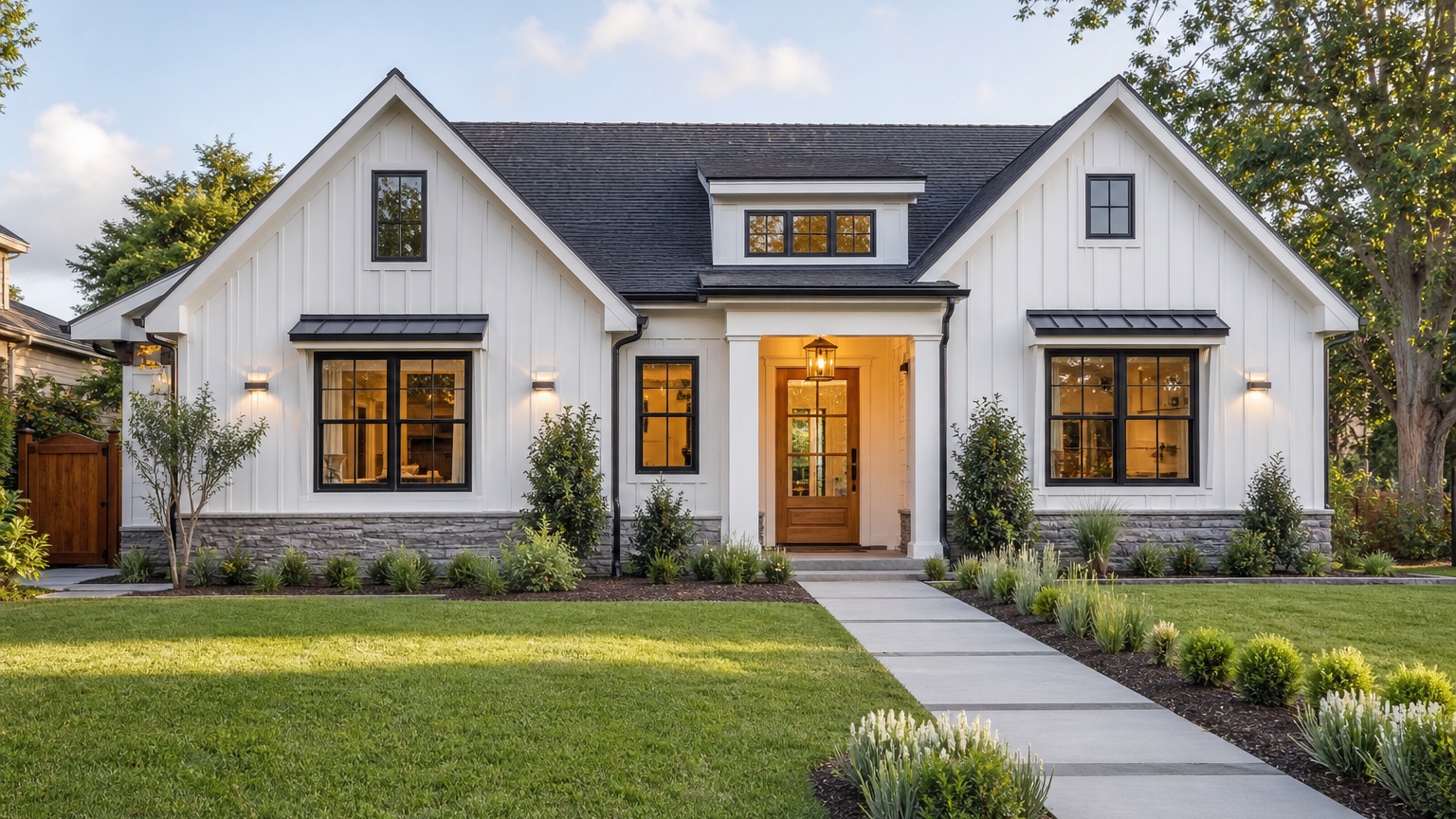
An AI exterior before and after is useful when a contractor, realtor, investor, or homeowner needs to show visible transformation without pretending the renovation is already complete. A flat description like “new siding, darker trim, better entry, updated garage door” can be hard for clients to picture. A photo-based before-and-after concept makes the conversation specific: this house, this facade, this level of change, this curb appeal direction.
The goal is not to generate a fantasy house that ignores the original structure. The useful goal is to create visual transformation examples that keep the home recognizable while showing what a realistic exterior refresh could look like. That difference matters for sales conversations, listing strategy, remodel planning, and contractor scoping. A polished image can inspire action, but only a controlled comparison can help people decide what to do next.
RedesAIgn can help with that early visual step. Upload a clear home exterior photo, use the Exterior Editor, and create controlled before-and-after concepts with prompts, remix images, reference images, saved prompts, and history. If you want to test a real facade, start free with RedesAIgn and use 5 free AI credits with no credit card required.
What an AI exterior before and after should help you decide
For contractors, the practical problem is not a lack of inspiration. It is helping a client understand what a proposed scope might accomplish. A painter may need to show why trim and door color matter. A siding contractor may need to demonstrate how siding profile, color, window trim, and garage treatment work together. A remodeler may need to separate a cosmetic refresh from a larger project that includes porch, railings, lighting, and hardscape.
For realtors, the problem is showing potential responsibly. A buyer may overlook a dated but solid house because the current facade feels tired. A seller may need help seeing which improvements could make the listing more appealing. An AI exterior before-and-after image can show renovation potential as a design preview, not as completed work or a guaranteed value increase.
The useful output is a concrete next step. It might be “quote paint and trim first,” “show the seller a conservative curb appeal concept,” “prepare a siding proposal with two color families,” “test garage door replacement before changing windows,” or “use this concept as a buyer renovation reference.” The image should move the project from vague taste to a clearer scope.
Build the comparison around one real exterior problem
A strong before-and-after starts with a defined problem. The house might have an entry that disappears, a garage that dominates the facade, siding that looks flat, trim that lacks contrast, outdated shutters, mismatched roof and paint colors, or landscaping that hides the architecture. Name that problem before generating.
If the problem is curb appeal for resale, the concept should feel broadly marketable and restrained. That may mean fresh paint, simplified trim, a better door color, cleaner lighting, and improved foundation planting. If the problem is contractor sales, the concept should match the service being sold. A roofing contractor should not generate a full luxury remodel when the quote is for roof color and gutters. A siding contractor should not let the AI invent a new roofline.
This is where before-and-after images can become misleading if they are too broad. A dramatic transformation may look impressive, but it can blur which change actually made the house better. For business use, generate separate versions: paint-only, siding-and-trim, entry-focused, garage-focused, and broader curb appeal. Controlled variations make the comparison useful instead of merely attractive.
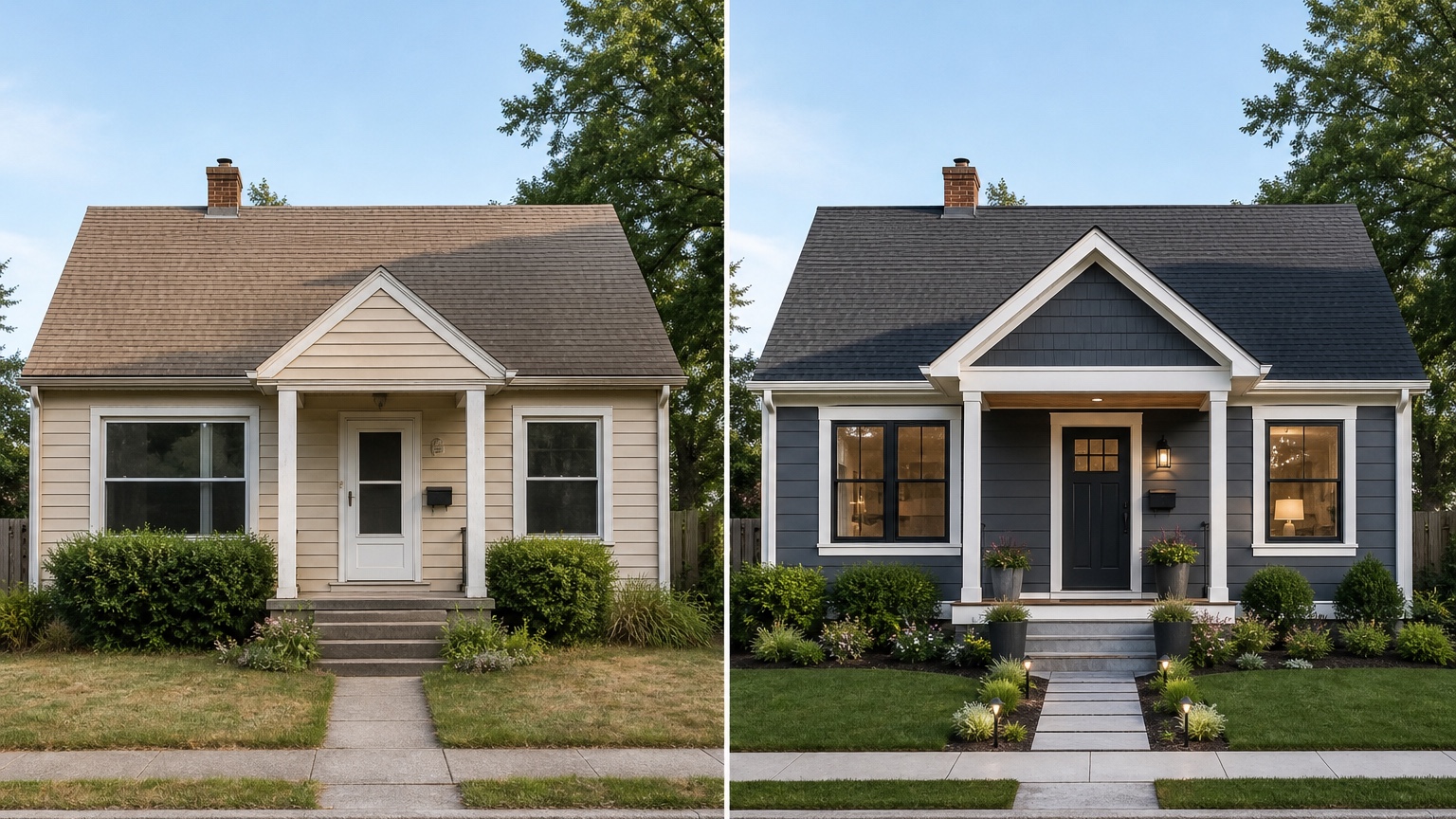
Start with a photo that preserves the house clearly
A believable AI exterior before and after depends on the source photo. Use a daylight front elevation or three-quarter view that shows the roofline, siding, windows, doors, garage, trim, porch, driveway, walkway, and landscaping structure. Keep the camera level and far enough back that the facade is not distorted by a wide phone angle.
Avoid photos where trees block the roof, shrubs cover windows, vehicles hide the garage, or deep shadows make materials hard to read. If the house is large or has important side elevations, take multiple photos, but choose one main angle for the first before-and-after comparison. The stronger the input image, the less the AI has to invent.
Before prompting, write down what must stay recognizable. For many contractor and realtor use cases, the roof shape, window placement, garage size, porch footprint, driveway, and major masonry should remain close to the original. If the project is cosmetic, say so. If the concept may include bigger porch changes or structural work, label it as ambitious and require professional review before anyone treats it as feasible.
Reference images can help when they clarify a style, material, color, or mood. Use them as guidance, not as a replacement for the real property. A modern farmhouse reference may not translate cleanly to a red brick ranch, a coastal cottage, or a mid-century split-level. The original house photo should remain the anchor.
Prompt brief for stronger exterior before-and-after results
A useful prompt starts with the outcome: a realistic exterior before-and-after concept for this specific home. Then it names what changes, what stays fixed, and why the comparison is being created.
Try a contractor-focused prompt:
“Create a realistic AI exterior before-and-after concept for this home. Preserve the existing roofline, window placement, main structure, driveway, and porch footprint. Update the facade with new siding color, crisp trim, a more welcoming front door, subtle exterior lighting, a cleaner garage door, and simplified foundation planting. Keep the result believable for a contractor consultation and show a curb appeal improvement without changing the house into a different architecture.”
For a realtor or seller preview, try:
“Show a market-friendly exterior before-and-after preview for this property. Keep the home recognizable and avoid major structural changes. Improve curb appeal with fresh paint, coordinated trim, a better entry color, updated porch lights, clean landscaping, and a more balanced facade. The image should communicate renovation potential clearly, not imply completed work.”
If quote accuracy matters, include constraints such as HOA rules, local climate, budget range, material availability, product samples, or limits on structural work. Do not overload one prompt with every possible improvement. Generate a conservative version first, then remix the strongest result into more ambitious variations.
Review the output before anyone trusts the image
AI before-and-after images can look persuasive while quietly changing details that matter. Start by checking scale. The roof pitch, window openings, garage size, porch depth, steps, columns, driveway, and surrounding context should match the original unless the prompt intentionally changed them. If the AI enlarges windows, moves the entry, changes roof geometry, or adds square footage, treat that result as inspiration rather than a near-term project reference.
Check edges and material transitions next. Siding should meet trim cleanly. Stone, brick, paint, and roof color should stop where real materials would stop. Gutters, fascia, porch railings, lighting, house numbers, shutters, and garage panels should attach plausibly. A concept does not need construction-document precision, but obvious warped edges can confuse clients and weaken trust.
Then compare the concept against practical constraints. Would the exterior color work with the existing roof? Does the door style fit the architecture? Would the proposed lighting have mounting locations? Is the landscaping realistic for the climate and maintenance level? Would an HOA, historic district, lender, buyer, or inspector require more review?
Save the strongest version as a facade before-and-after, material palette note, and contractor reference. Add plain-language notes about what changed, what stayed, what is optional, and what still needs samples, measurements, product selections, quotes, permits, or professional review.
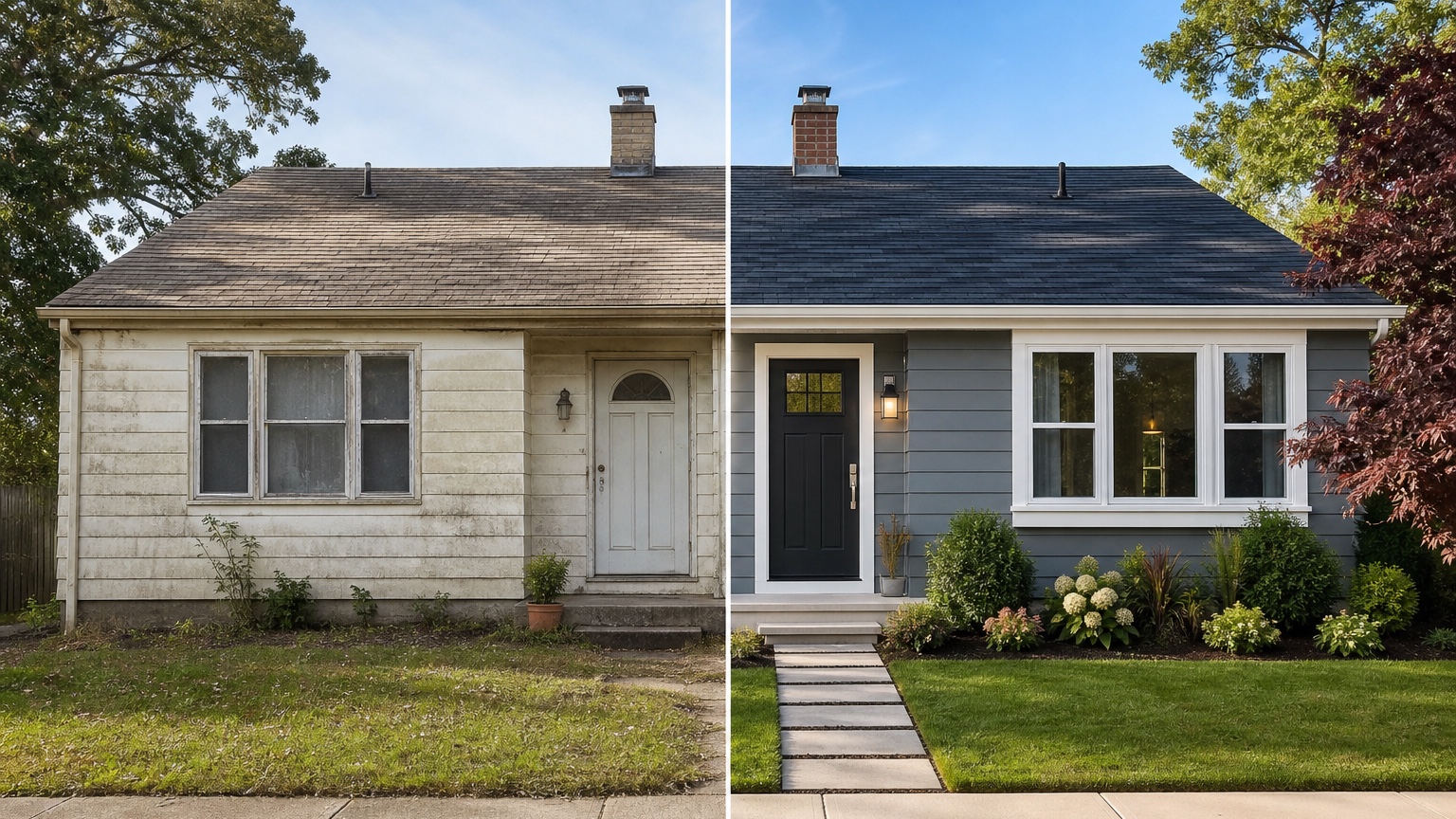
Mistakes that make AI exterior before-and-after images generic
The first mistake is using a weak photo and expecting a reliable transformation. If the facade is cropped, tilted, blocked, or photographed in heavy shade, the result may invent siding lines, trim edges, roof details, or window shapes. Retake the photo before judging a major exterior direction.
The second mistake is asking for unrelated changes at the same time. “Make this house modern with new roof, siding, windows, porch, stone, driveway, landscaping, lighting, and luxury style” may create a beautiful image, but it does not answer which improvement is worth quoting. Separate the project into controlled passes.
The third mistake is ignoring the business context. Contractors should avoid showing a concept that implies work outside their scope unless they clearly label it. Realtors should avoid presenting AI concepts as completed renovation or guaranteed return. Homeowners should avoid using the image as a product order.
The fourth mistake is failing to document the prompt. If a client likes a version, you need to know what prompt produced it. Saved prompts and history make the before-and-after workflow repeatable instead of random.
How to use RedesAIgn from first image to action
In RedesAIgn, upload the clearest exterior photo and choose the Exterior Editor. Start with a restrained before-and-after prompt that preserves the main structure and changes only the exterior decisions being considered. Use the first result to learn what needs tightening: maybe the siding direction is right but the windows changed too much, or the entry looks good but the landscaping became unrealistic.
Use remix images to refine the strongest version instead of starting from scratch each time. Use reference images when they clarify a material, door tone, siding profile, light fixture mood, or color palette. Use saved prompts and history to compare exterior revisions and return to the version that best explains the project.
RedesAIgn includes 10 AI editors, which is useful when exterior planning overlaps with other visual tasks. For this workflow, the Exterior Editor is the main tool, but prompts, remixing, references, saved prompts, and history are what make the comparison practical.
For related planning, compare this workflow with AI exterior design from photo, AI curb appeal generator, AI exterior paint visualizer, and AI siding visualizer. Those guides help separate full facade concepts from paint, siding, and curb appeal decisions.
When you are ready to create before-and-after concepts from your own exterior photo, try RedesAIgn for free with 5 free AI credits and no credit card required. If you need more generations after testing ideas, one-time credit packs are available.
FAQ: AI exterior before and after
What is an AI exterior before and after?
It is a photo-based visual comparison that shows a home exterior before and after proposed curb appeal changes such as paint, siding, trim, entry, garage door, lighting, and landscaping.
Can contractors use AI before-and-after images with clients?
Yes, as design previews and conversation references. Contractors should label them clearly, keep concepts aligned with scope, and confirm materials, measurements, feasibility, pricing, and code requirements separately.
Can realtors use exterior before-and-after concepts?
Yes, they can be useful for showing renovation potential, but they should not be presented as completed work or guaranteed value. Clear labeling protects buyers, sellers, and agents.
What should stay unchanged in the first version?
Usually the roofline, window placement, main structure, garage size, porch footprint, driveway, and major masonry should stay recognizable unless the project specifically includes those changes.
Does an AI exterior before-and-after replace samples or quotes?
No. It helps choose a visual direction and communicate scope. Real samples, measurements, product selections, contractor quotes, permits, and professional review still matter before execution.
Try these prompts in redesAIgn
Refresh this house exterior with modern paint, black trim, and updated front door lighting.
Improve curb appeal with new siding color, shutters, and a clearer entry path.
Keep the roofline, but modernize windows, porch posts, and exterior finishes.
Related guides
- AI Exterior Design App for Homeowners and Remodelers
Use RedesAIgn as an exterior design app to preview paint, trim, roof, and curb appeal ideas from real house photos before you renovate.
- AI Black Windows Exterior Ideas: See the Look on Your House
Use AI black windows exterior previews to see black frames, trim contrast, siding, roof color, and curb appeal on a real home photo before replacement.
- AI Exterior Remodel Visualizer for Siding, Paint, Doors, and Windows
Use an AI exterior remodel visualizer to compare siding, paint, doors, windows, trim, garage updates, and curb appeal ideas on a real house photo.
- AI House Color Visualizer: Test Exterior Color Palettes From a Photo
Use an AI house color visualizer to compare exterior paint palettes, trim contrast, undertones, and curb appeal from a real home photo before painting.
- AI Exterior Design Online: Redesign a House Photo in Minutes
Use AI exterior design online to preview siding, paint, trim, doors, windows, and curb appeal ideas from a real house photo before renovating.