AI Exterior Renovation Ideas: Compare Styles Before You Remodel
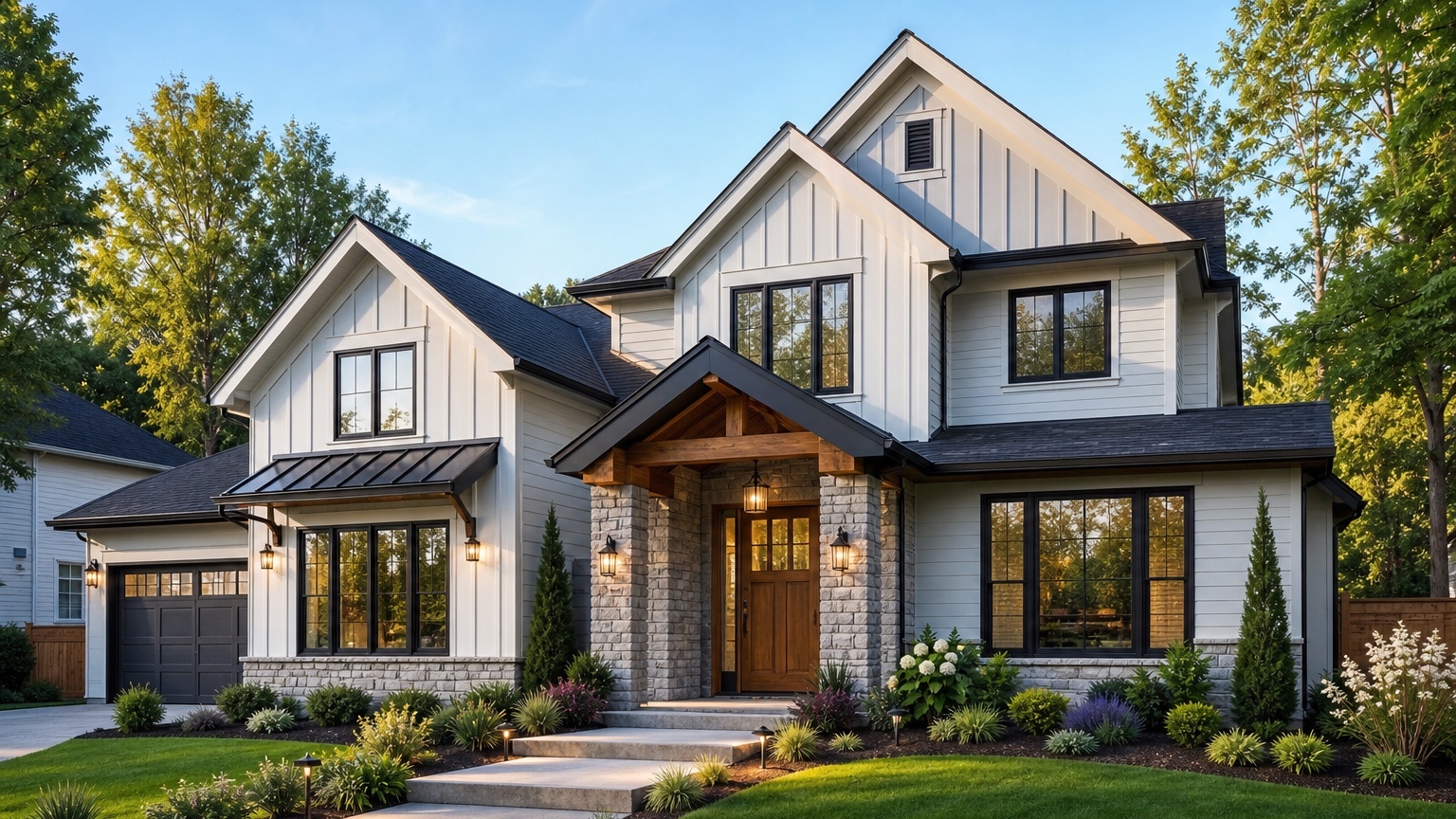
AI exterior renovation ideas are most useful when they help a homeowner or contractor compare real choices quickly. The goal is not to generate a fantasy mansion from a modest house photo. The goal is to answer practical questions before anyone buys materials, books a crew, or requests a quote: Would this home look better with warmer siding? Should the garage door be darker or wood toned? Is a new porch detail worth pricing? Would a simpler landscape plan make the entry feel more intentional?
A good exterior renovation concept starts with the actual house. Roof color, window spacing, driveway position, porch depth, siding texture, brick, stone, shade, slope, and neighboring homes all affect what will look believable. Detached inspiration images can be motivating, but they rarely show how a specific idea behaves on your own facade.
Photo-based AI gives the planning conversation a better starting point. Homeowners can brainstorm several directions without committing too early, and contractors can turn vague style requests into clearer visual options. The winning image still needs samples, measurements, product decisions, quotes, and professional review, but it can reduce uncertainty around the curb-appeal plan.
If you want to test ideas from your own house photo, start free with RedesAIgn and use 5 free AI credits to create controlled facade concepts. No credit card is required.
AI exterior renovation ideas should solve a decision problem
Most exterior renovation searches begin with a feeling: the house looks dated, flat, dark, heavy, mismatched, or less welcoming than it could. That feeling is valid, but it is not yet a renovation plan. A useful AI concept turns the feeling into visible decisions.
For homeowners, the early decision is usually about direction. Should the renovation stay close to the current architecture, or should it move toward modern farmhouse, contemporary, craftsman, coastal, traditional, or transitional curb appeal? Should the budget focus on paint and trim, or is siding, stone, lighting, garage, porch, and landscaping worth considering?
For contractors, the problem is often communication. A client may ask for a “modern exterior” or “better curb appeal,” but those phrases can mean completely different scopes. One person imagines black trim and a wood door. Another imagines new siding, a redesigned entry, and larger windows. An AI exterior renovation preview can show two or three routes so the conversation becomes specific before estimating begins.
The best answer is a concrete next step, not generic decoration. A strong concept should help you decide what to price, what to sample, what to rule out, and what needs expert review.
Use AI exterior renovation ideas as a decision workflow
Treat the image as a planning tool with a job to do. Before generating anything, decide what the concept needs to help you compare. A homeowner may need to choose between safe refresh, realistic facade upgrade, and ambitious remodel. A contractor may need to clarify whether the client is asking for paint, siding, entry carpentry, windows, garage replacement, masonry, or landscape work.
Start with one baseline photo and three categories of ideas:
- Cosmetic refresh: paint, trim, front door color, shutters, lighting, house numbers, planters, mulch, pruning, and small entry improvements.
- Facade renovation: siding style, painted or limewashed brick, stone accents, garage door, porch columns, railings, gutters, wider trim, walkway edges, and more structured planting.
- Larger remodel concept: porch expansion, revised entry roof, changed windows, new overhangs, roofline details, major hardscape, or a stronger architectural style.
This structure keeps brainstorming fast without mixing every idea into one overloaded image. If a cosmetic refresh solves the problem, you may not need to price larger work. If the facade renovation concept is clearly stronger, you have a better reason to gather contractor input. If the ambitious remodel looks attractive but changes the house too much, save it as inspiration rather than a near-term plan.
The review step matters as much as the generation step. Ask whether the image keeps the original home recognizable, whether the changes address the actual curb-appeal issue, and whether the scope matches the budget you are willing to explore.
Prepare the right photo before you generate ideas
A clear input photo improves the usefulness of the AI result. Use a daylight front elevation or three-quarter angle that shows the roofline, siding, windows, trim, front door, garage, porch, walkway, driveway, steps, and foundation planting. Stand far enough back that the house does not bend at the edges. Keep the camera level and avoid parked cars, trash bins, open garage doors, heavy shadows, and tree branches blocking important details.
If color decisions are important, use a photo where the roof and existing materials are readable. Overcast daylight is often better than harsh sun because trim edges, siding color, brick tone, and shadows are easier to interpret. If the house has a deep porch, a side-entry garage, or a complicated roofline, take extra angles for human review even if you generate the first concept from one strong photo.
Decide what must stay recognizable. If the windows are not changing, say so. If the roof is new, tell the AI to preserve it. If the driveway, porch footprint, masonry, or garage size must remain, include those constraints. The more you protect the fixed elements, the easier it is to judge the renovation ideas as real planning options instead of unrelated dream renders.
Reference images can help, but use them carefully. Add a reference when it clarifies a siding profile, door tone, stone color, lighting style, or overall mood. Do not add ten style references at once. Too many signals can blur the result and make the home look less like itself.
For a deeper walkthrough on source photos and preserving the original home, see the related guide to AI exterior design from photo.
Write prompts that compare renovation directions
A weak prompt says, “Give me exterior renovation ideas.” A better prompt states the outcome, the scope, the constraints, and the style direction. For example:
“Create a realistic exterior renovation concept for this house focused on curb appeal. Preserve the existing roofline, window placement, garage size, driveway, and porch footprint. Test warm neutral siding, crisp trim, a natural wood front door, updated exterior lights, a cleaner garage door, simple foundation planting, and a welcoming walkway. Keep the result believable for a homeowner renovation.”
That prompt gives the AI a role: improve the exterior while preserving what matters. It also keeps the concept useful for a contractor because the visible changes are easier to discuss.
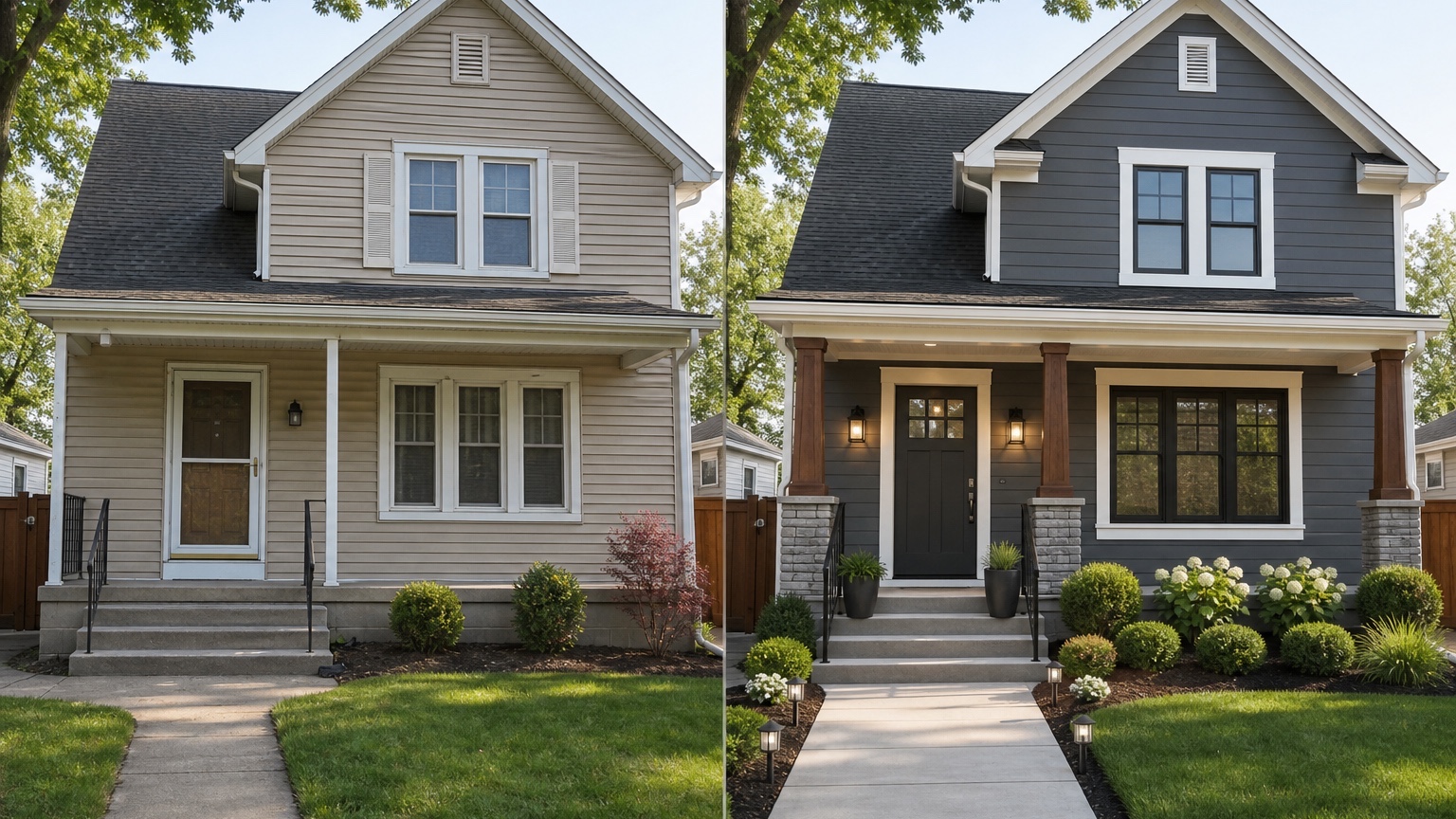
To compare styles, generate separate versions instead of asking for everything in one image. Try one modern farmhouse direction with white or warm off-white siding, black or bronze accents, simple vertical elements, and a wood door. Try one contemporary direction with a restrained palette, cleaner trim, smooth garage door, linear lights, and simplified planting. Try one traditional refresh with softer contrast, classic shutters or no shutters depending on the home, warm door color, and tidy landscaping.
Each prompt should name what not to change. If the renovation is paint-only, say not to alter siding profile, windows, porch structure, roof, masonry, or hardscape. If the project may include siding and garage replacement but not structural work, say that. These boundaries make the outputs easier to compare and reduce the chance that a beautiful image hides an unrealistic scope.
Review the output before you trust the image
AI exterior renovation images can look polished even when construction details are wrong. Review them like a homeowner preparing to spend money or a contractor preparing to clarify scope.
First, check scale and consistency. Did the roofline stay the same? Are the windows in the same locations? Did the garage door become wider? Did the porch depth change without being requested? Are columns, railings, steps, gutters, trim corners, siding seams, and shadows coherent? If the AI changes major geometry that you did not plan to change, treat that result as inspiration only.
Second, compare the concept against practical constraints. HOA rules may limit exterior colors, visible materials, fences, lighting, shutters, roofing, or front-yard changes. Weather exposure affects wood accents, paint durability, metal finishes, and landscaping. Quote accuracy depends on measurements, products, surface condition, prep work, access, and local labor. AI cannot verify those factors for you.
Third, separate visual appeal from buildability. A new gable, deeper porch, larger window, or different roof pitch can make a concept look balanced, but those changes may require design work, permits, engineering, framing, roofing, and budget that are far beyond a cosmetic renovation. That does not make the idea useless. It simply belongs in a different category.
Save the strongest version with notes. List what stays, what changes, and what needs confirmation. A useful note might say: preserve roof and windows; explore warm white siding or painted brick; price charcoal trim; consider a wood-look garage door; update sconces and house numbers; simplify shrubs; confirm whether porch columns can be wrapped.
Common mistakes that make AI renovation ideas generic
The first mistake is using a weak photo. If the source image hides the entry, cuts off the roof, distorts the facade, or includes heavy shadows, the generated renovation idea may solve the wrong problem. Retake the photo before assuming the concept is bad.
The second mistake is mixing unrelated changes. Asking for a coastal modern farmhouse craftsman exterior with new windows, new roof, stone, black trim, wood accents, luxury landscaping, and a larger porch can produce an attractive but unfocused image. Renovation planning works better when each version tests a controlled idea.
The third mistake is ignoring the next step. A pretty image that does not tell you what to do next is not very useful. Every concept should lead to an action: order paint samples, ask for a siding quote, compare garage door styles, discuss porch feasibility, simplify landscaping, or rule out a style that does not fit the house.
Avoid using AI to cover up maintenance issues, too. Damaged siding, failing trim, drainage problems, unsafe steps, roof leaks, or rotted porch elements need inspection and repair. AI can help plan the look of the renovation, but it cannot diagnose or fix the underlying condition.
How to use RedesAIgn from first image to action
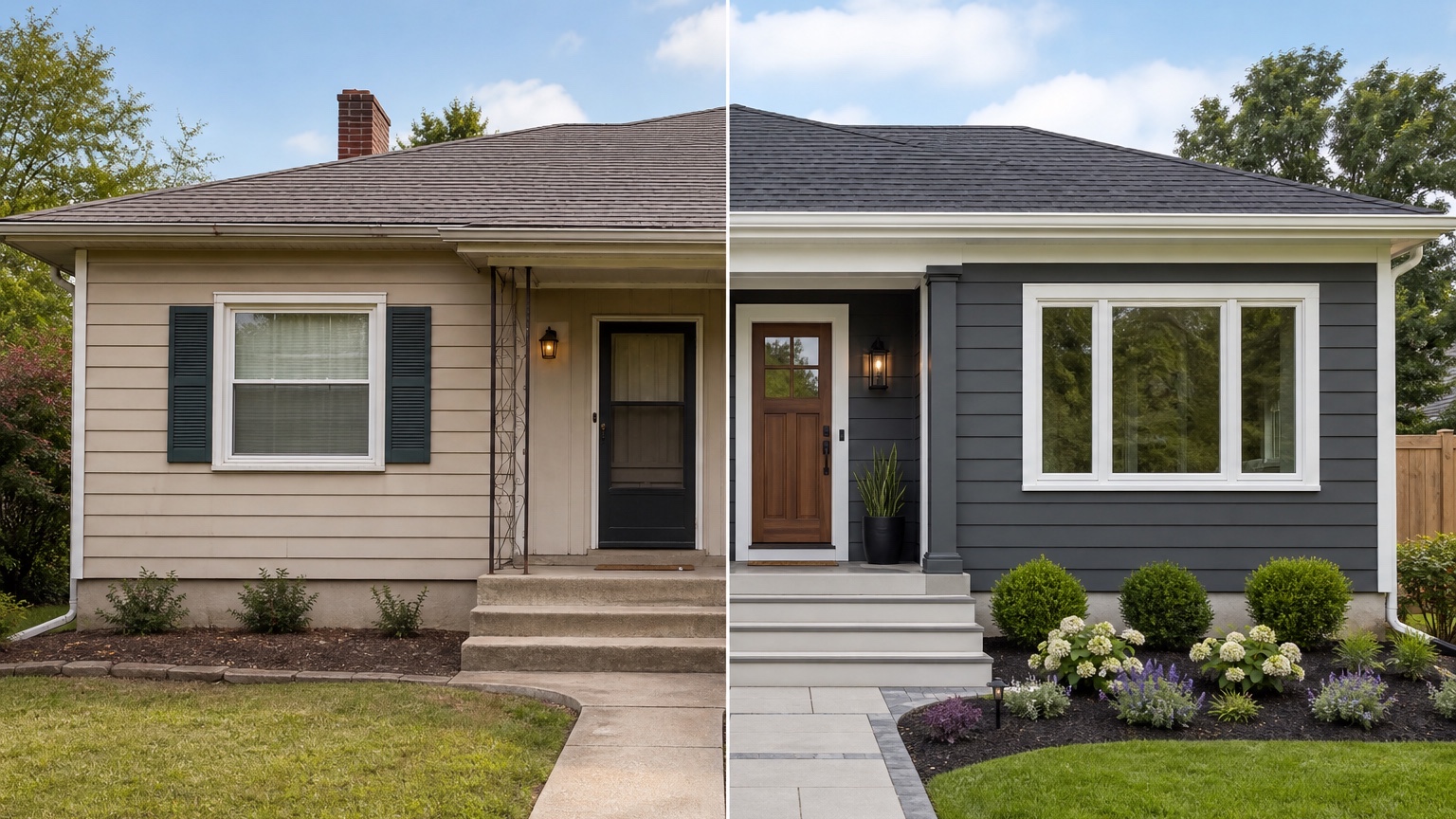
In RedesAIgn, start by uploading a clear house photo and choosing the Exterior Editor. Write a prompt around the renovation decision you need to compare. Begin with a safe refresh, then remix the best direction into a more complete facade renovation. Use reference images only when they clarify a material, color, architectural detail, or mood.
Saved prompts and history are useful because exterior planning often takes several passes. You may discover that the house looks best with existing brick preserved, or that the garage door matters more than the siding color, or that a bold black-and-white palette feels too harsh with the roof. Keeping the strongest versions together helps homeowners and contractors compare decisions without starting from scratch each time.
RedesAIgn includes 10 AI editors, prompt and remix workflows, reference images, saved prompts, and history, so you can create controlled options while keeping the real house photo central.
When the image is strong enough to share, label it as a concept and send it with notes. A contractor, painter, siding installer, window or door specialist, roofer, landscaper, or realtor will respond more easily when they know which parts are the real request.
For adjacent workflows, compare this article with AI home exterior remodel if you are organizing renovation phases, AI exterior home design if you are exploring broader curb appeal, or AI curb appeal generator if the goal is a listing-ready first impression.
Questions to answer before you commit
Before you act on an AI exterior renovation idea, answer three questions.
First, what did the preview show accurately? It can help compare color direction, material contrast, entry emphasis, garage visual weight, lighting mood, landscaping structure, and general curb appeal. It can also reveal that a style you liked in inspiration photos does not fit your actual roofline or window rhythm.
Second, what still needs confirmation? Paint must be sampled in real light. Siding, roofing, doors, windows, masonry, lighting, drainage, structural details, permits, HOA rules, product availability, and installation costs need real-world review. A contractor should confirm measurements, materials, prep work, and feasibility before anyone treats the image as a scope of work.
Third, what is the next real step? If the winning concept is cosmetic, order samples and price the small updates. If it suggests a facade renovation, build a contractor brief with the image, prompt, and notes. If it depends on structural changes, use the image to start a professional design conversation.
The best AI exterior renovation ideas do not replace judgment. They make judgment easier by putting several possible futures of the same house in front of you. Try RedesAIgn for free to compare realistic exterior concepts from your own photo before you remodel.
FAQ: AI exterior renovation ideas
Can AI show accurate exterior renovation ideas for my house?
AI can show useful visual concepts for color, materials, entry emphasis, lighting, garage style, trim, and landscaping on your actual photo. It should not be treated as construction documentation, a code review, or a quote.
How many renovation concepts should I create?
Create at least three: a cosmetic refresh, a realistic facade renovation, and one ambitious concept. That range helps you compare value, budget, and scope before committing to one direction.
Can contractors use AI exterior renovation ideas with clients?
Yes, as a planning reference. Contractors can use concept images to clarify style, scope, and priorities, but they should still verify measurements, products, feasibility, costs, permits, and installation details before pricing or building.
Try these prompts in redesAIgn
Refresh this house exterior with modern paint, black trim, and updated front door lighting.
Improve curb appeal with new siding color, shutters, and a clearer entry path.
Keep the roofline, but modernize windows, porch posts, and exterior finishes.
Related guides
- AI Exterior Design App for Homeowners and Remodelers
Use RedesAIgn as an exterior design app to preview paint, trim, roof, and curb appeal ideas from real house photos before you renovate.
- AI Exterior Before and After: Generate Home Makeover Concepts
Create AI exterior before and after previews from real home photos to compare curb appeal concepts, renovation scope, materials, and client options.
- AI Black Windows Exterior Ideas: See the Look on Your House
Use AI black windows exterior previews to see black frames, trim contrast, siding, roof color, and curb appeal on a real home photo before replacement.
- AI Exterior Remodel Visualizer for Siding, Paint, Doors, and Windows
Use an AI exterior remodel visualizer to compare siding, paint, doors, windows, trim, garage updates, and curb appeal ideas on a real house photo.
- AI House Color Visualizer: Test Exterior Color Palettes From a Photo
Use an AI house color visualizer to compare exterior paint palettes, trim contrast, undertones, and curb appeal from a real home photo before painting.