AI Siding Visualizer: Preview New Siding on Your Home Photo
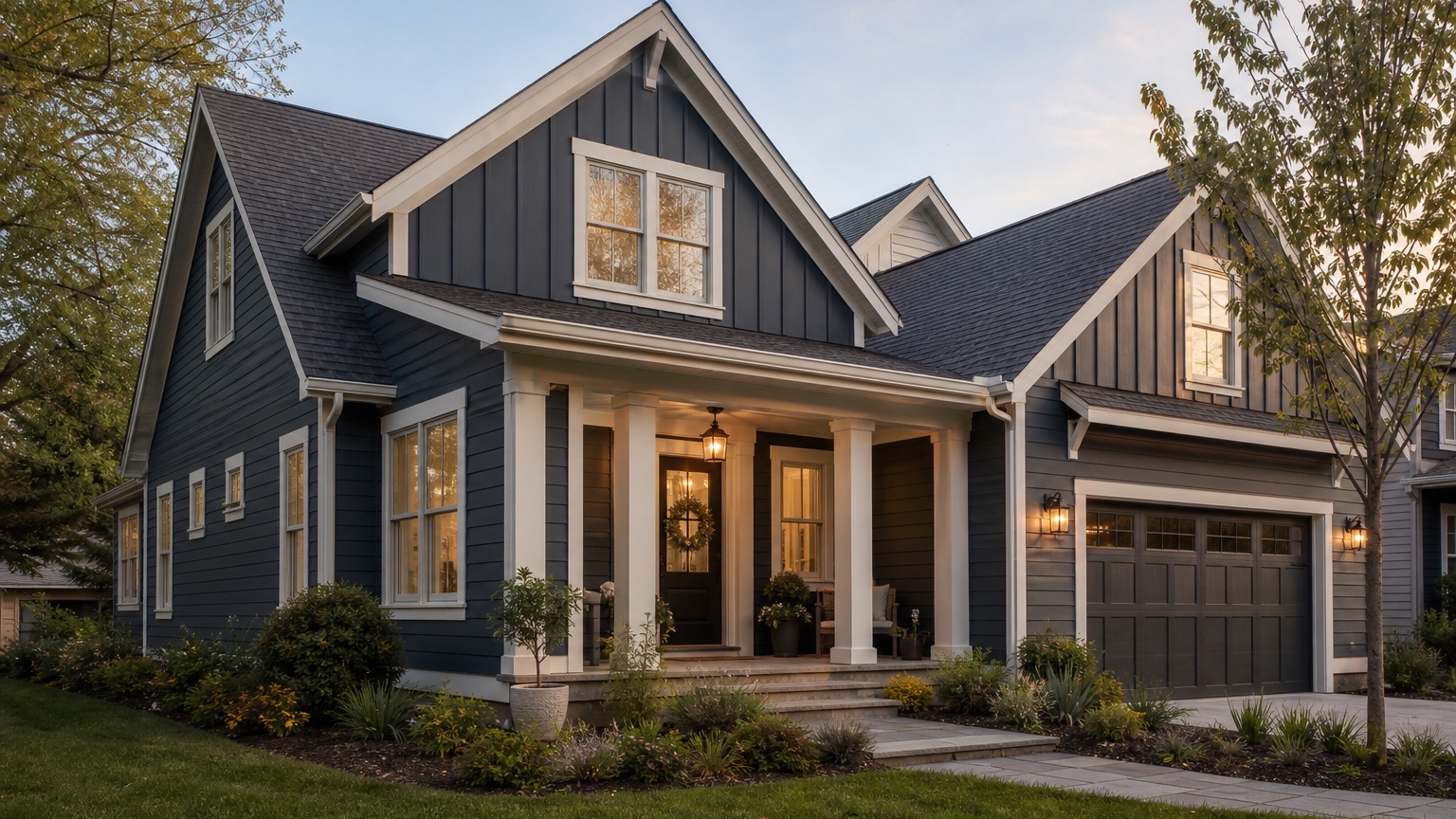
An AI siding visualizer is valuable because siding is not a small cosmetic choice. It changes the scale, texture, color, shadow lines, trim relationships, and curb appeal of the entire house. A sample board can show color and material up close, but it cannot easily answer the bigger question: how will this siding direction look on this actual home?
That is the real decision for homeowners and siding contractors. The goal is not to create a fantasy facade with a new roofline, different windows, and luxury landscaping. The goal is to preview plausible siding options on a real house photo so everyone can compare material direction before a quote, showroom visit, HOA submission, or installation plan.
RedesAIgn helps with that early visual step. Upload a clear exterior photo, use the Exterior Editor, and generate controlled siding concepts that keep the home recognizable. If you want to test siding ideas on your own house, start free with RedesAIgn and use 5 free AI credits with no credit card required.
What an AI siding visualizer should help you decide
For siding contractors, the challenge is communication. A customer may ask for fiber-cement siding, board and batten, lap siding, shake accents, dark modern siding, or a warmer traditional exterior. Those terms are useful, but they are still abstract until the customer sees them on the front elevation, around the garage, near the windows, and under the existing roof.
For homeowners, the challenge is confidence. Siding replacement is a major exterior project. It often interacts with trim, gutters, soffits, fascia, windows, doors, garage doors, stone, brick, porch details, and landscaping. A siding visualizer lets you compare styles and colors before turning a vague preference into a serious purchase decision.
The useful answer is a next step. A good preview might help you choose between horizontal lap siding and board-and-batten accents. It might show whether a dark body color works with the existing roof. It might help a contractor explain why trim width, window surrounds, or gable accents matter. The image is not an installation specification, but it can become a clear visual reference for the conversation.
Start with an input photo that shows the siding problem
A believable siding preview starts with a strong source image. Use a front elevation or three-quarter view that shows the whole facade: roofline, current siding, windows, doors, garage, porch, trim, foundation, gutters, and any brick or stone that will stay. If the project includes multiple sides of the home, take additional side photos after you establish the main direction.
Keep the camera level and far enough back to avoid distortion. Extreme wide-angle photos can bend siding lines, stretch roof edges, and make the house proportions misleading. Overcast daylight often works best because surface details and trim edges are easier to read. Harsh sun may create deep shadows under eaves or porch roofs, and heavy shade can make color comparisons less reliable.
Decide what must stay recognizable before you generate. If the roof, windows, brick, stone, porch, garage door, and landscaping are not changing, say that in the prompt. If the contractor is quoting siding only, keep the concept focused on siding and related trim. If the project includes new trim, soffits, gutters, or accent materials, name those items separately.
Reference images can help when they clarify a siding profile, color family, or architectural mood. Use them carefully. A reference photo of a black modern farmhouse or coastal shingle-style exterior may not transfer cleanly to a compact ranch, split-level, or brick-front colonial. The real home photo should remain the anchor.
Preview materials with fixed exterior details in mind
Siding decisions are never isolated. The same color and profile can look very different depending on roof pitch, window placement, trim depth, porch scale, and the amount of uninterrupted wall area. That is why a siding visualizer should change the surfaces you are considering while preserving the permanent details that define the house.
Start with the largest surfaces. On many homes, the body siding sets the main color and texture. Horizontal lap siding can feel calm and traditional. Wider exposure can look cleaner and more contemporary. Vertical board and batten can add height and rhythm, but it can also feel busy if used on too many small wall sections. Shake or shingle accents can soften gables, but they should not appear randomly across the facade.
Then look at trim and openings. Window surrounds, corner boards, fascia, frieze boards, porch columns, and garage trim make the siding look intentional. If the AI preview replaces siding but ignores trim depth, the concept may feel flat. If it adds oversized trim or changes window sizes without permission, treat the result as inspiration rather than a near-term siding plan.
Finally, consider fixed materials. Brick, stone, roof color, concrete, deck stain, existing windows, and landscaping all influence the siding direction. Warm stone may fight a cool gray. Red brick may need a more careful neutral. A brown roof can make some whites feel too stark. A visualizer helps you see those relationships before narrowing the material list.
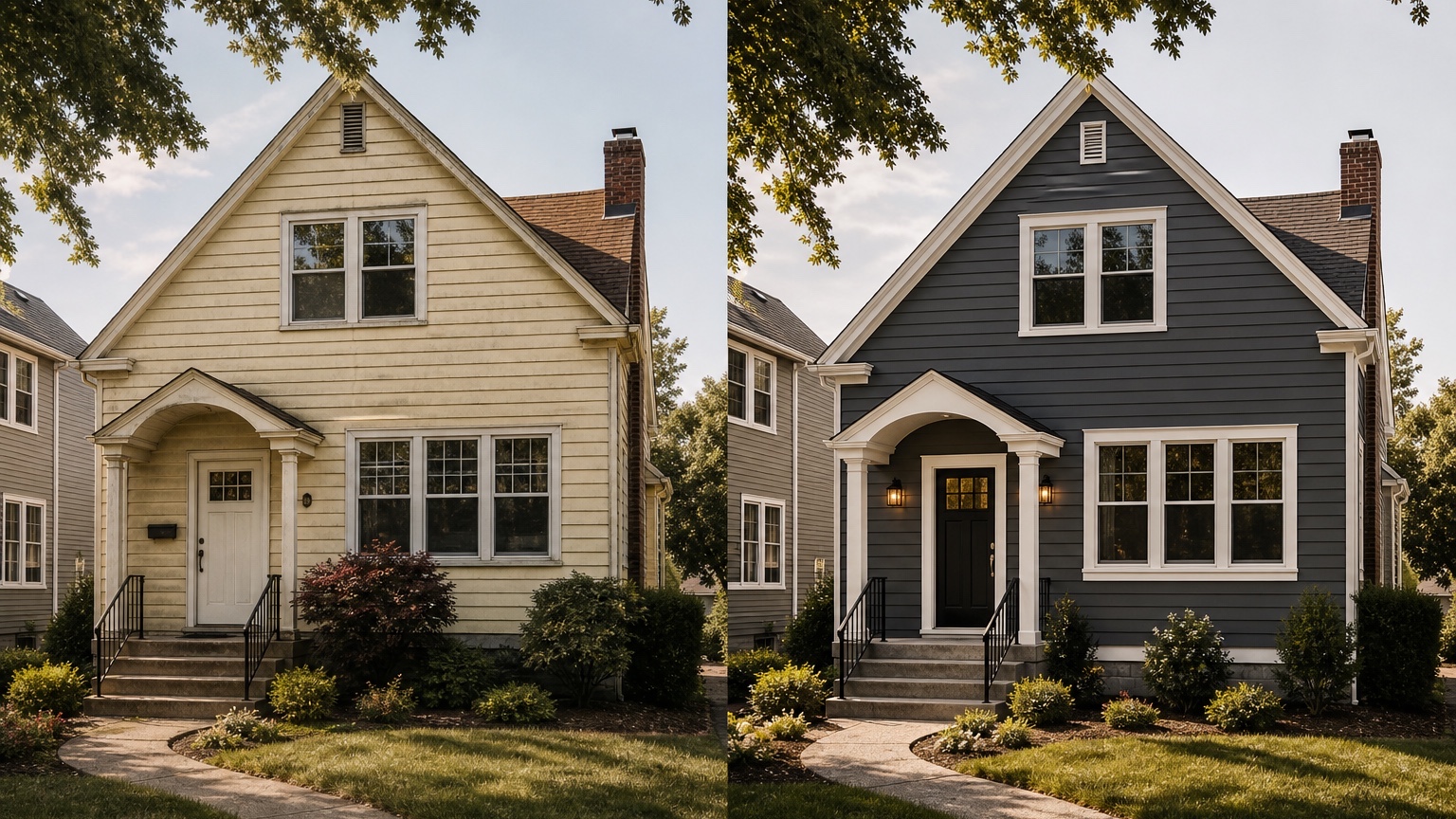
What a contractor still needs to confirm in person
An AI siding visualizer can make options easier to understand, but it cannot inspect the house. A contractor still needs to confirm wall condition, moisture issues, sheathing, flashing, insulation details, trim replacement, window and door integration, soffit and fascia conditions, code requirements, product availability, and installation methods.
It also cannot price the job accurately from a concept image alone. Labor, access, removal, repairs, waste, trim package, corners, gables, stories, and local market conditions all affect cost. Use the AI preview to decide what direction is worth quoting, then let the contractor translate that direction into real materials, measurements, and scope.
This distinction protects everyone. Homeowners get a clearer visual target without assuming the image is automatically buildable. Contractors get a better starting brief without being boxed into details that may not work on site. The concept should reduce uncertainty, not replace professional assessment.
Prompt brief for stronger siding results
A good siding prompt names the desired outcome, the surfaces to change, and the constraints that make the result useful. Avoid broad prompts like “make this house modern.” They often change too much at once.
Try a realistic replacement prompt:
“Create a realistic siding replacement concept for this home. Preserve the existing roofline, window openings, front door location, garage size, driveway, porch footprint, brick foundation, and landscaping structure. Replace the main siding with warm light gray horizontal lap siding, add clean white trim, and use subtle vertical board-and-batten accents in the front gable. Keep the result believable for a siding contractor consultation.”
For a homeowner comparing styles, try:
“Generate three controlled siding options on the same house photo: traditional horizontal lap siding, lap siding with shake accents in the gables, and a more contemporary board-and-batten accent version. Keep the roof, windows, masonry, porch, garage, and overall house shape unchanged.”
For a contractor, include scope boundaries:
“Focus on siding, trim, corners, window surrounds, fascia color, and gable accents. Do not add new windows, change roof pitch, redesign the porch, replace the driveway, or add major landscaping.”
If HOA review, climate, exposure, or product limitations matter, put those constraints into the prompt. The generated image should support the conversation about siding style and curb appeal, while the final product choice remains a real-world decision.
Generate controlled variations instead of one perfect image
One siding concept can be persuasive, but it can also hide weak assumptions. A better workflow creates multiple controlled variations. Start with a conservative version that uses familiar lap siding and a neutral color. Then create a mixed-material version with gable accents, vertical siding, shake, or a modest trim change. Finally, create a bolder version if the homeowner is considering dark siding, high contrast, or a more defined architectural style.
Label each version by scope. “Siding only,” “siding plus trim,” and “siding plus accent package” are more useful than “option 1” and “option 2.” The labels help prevent a homeowner from comparing a simple replacement against a concept that quietly includes new windows, porch changes, and landscape upgrades.
If the project overlaps with paint, use the related AI exterior paint visualizer workflow to test color families separately. For a larger facade refresh, compare your siding direction with a broader AI exterior home design process.
Review the output before anyone trusts the image
AI siding previews can look polished while getting construction details wrong. First, check scale. Siding exposure, board spacing, seams, shake size, and vertical battens should look plausible for the home. If the pattern is too tiny, too wide, or inconsistent from one wall to another, use the image as a mood direction rather than a reference.
Second, check edges. Siding should meet trim, windows, doors, rooflines, corners, porch ceilings, and masonry in a believable way. Look for warped window surrounds, missing trim, strange transitions at gables, or siding that runs through stone, gutters, lights, or railings.
Third, compare the concept against the original image. The home should remain recognizable unless you intentionally requested a major remodel. Roof pitch, window rhythm, garage size, entry location, and porch footprint should remain stable. If the AI made the house taller, moved windows, or rebuilt the entry, it may be attractive but not useful for a siding decision.
Finally, compare the concept against practical constraints: HOA rules, exposure, product warranties, maintenance preferences, budget, availability, and quote accuracy. Dark siding may have heat considerations depending on product and exposure. The AI preview can help you ask better questions, but it cannot answer every technical question.
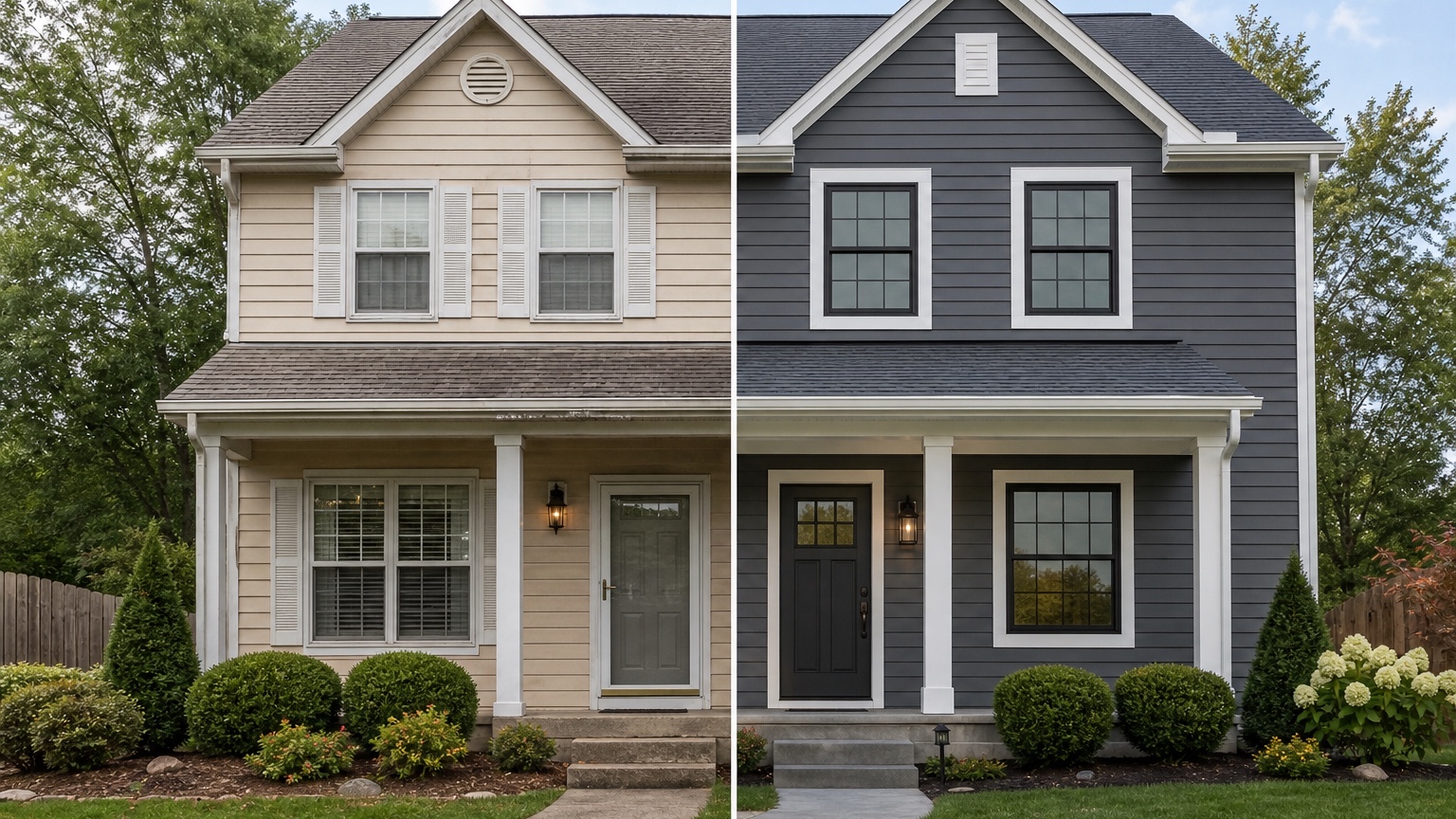
Turn the strongest concept into a siding brief
Once a version looks promising, write down what the image is actually recommending. Create a simple brief: preserve roof and windows; replace main body siding with horizontal lap; use warm neutral color; add white trim; use shake in front gable only; keep brick unpainted; confirm trim details, gutters, and soffits during quote.
That brief is useful for a contractor consultation, showroom visit, or family decision. It separates the visual direction from the technical work still needed and prevents the project from drifting into a new debate about every exterior detail.
For contractors, the strongest concept can help explain why two siding options have different curb appeal, why trim matters, or why a requested color may clash with the roof. Generated concepts can be used commercially where relevant, but they should be presented honestly as design previews, not completed work.
Common mistakes that make siding previews generic
The first mistake is using a weak photo. If the facade is cropped, blocked by trees, distorted, or photographed in deep shadow, the AI may invent siding areas or miss important trim relationships. Retake the photo before judging the material direction.
The second mistake is asking for unrelated remodeling. A siding visualizer prompt should not quietly include new windows, different rooflines, stone towers, huge porches, or luxury landscaping unless those are truly part of the project. Extra changes make the image exciting but less useful for choosing siding.
The third mistake is ignoring fixed materials. Roof color, brick, stone, windows, and concrete can make or break a siding palette. If those elements are staying, the preview must work with them.
The fourth mistake is treating the AI image like a construction drawing. It is a planning reference. Measurements, flashing, trim profiles, water management, product selection, and installation details still need professional confirmation.
How to use RedesAIgn as an AI siding visualizer
In RedesAIgn, upload the clearest exterior photo and choose the Exterior Editor. Begin with a prompt that preserves the home’s structure and changes only siding-related surfaces. Generate a conservative option first, then remix the best result into alternate profiles, accent placements, and color families.
Use saved prompts and history to keep track of what worked. If a result has the right color but the wrong accent placement, revise the prompt instead of starting from scratch. If a reference image captures the siding style you want, add it only to clarify material or mood. Keep the real house photo central.
For a broader photo-to-renovation workflow, read AI exterior design from photo. For curb appeal planning that includes landscaping, entry, and listing prep, see AI curb appeal generator. Siding sits between those workflows: it is a visual curb appeal decision, but it also has serious material and installation consequences.
When you are ready to preview siding on your own home photo, try RedesAIgn for free with 5 free AI credits and no credit card required. If you need more generations after the free credits, one-time credit packs are available.
FAQ: AI siding visualizer
What is an AI siding visualizer?
An AI siding visualizer uses a home exterior photo to create visual previews of siding styles, colors, trim, accents, and material directions on the actual house.
Can it show different siding materials?
It can preview visual directions such as lap siding, vertical accents, board and batten, shake accents, and different color families. Final material selection still depends on real products, installation details, budget, and contractor guidance.
Is it useful for siding contractors?
Yes. Contractors can use siding previews to help clients compare options, clarify scope, and discuss curb appeal before quoting or finalizing materials.
What should I include in the prompt?
Include the siding style, color direction, trim changes, accent areas, and what must stay unchanged, such as roofline, windows, masonry, porch, garage, and landscaping.
Can an AI siding preview replace a contractor visit?
No. It can help choose a visual direction, but a contractor still needs to inspect the home, measure, confirm product details, identify repairs, and prepare an accurate scope of work.
Try these prompts in redesAIgn
Refresh this house exterior with modern paint, black trim, and updated front door lighting.
Improve curb appeal with new siding color, shutters, and a clearer entry path.
Keep the roofline, but modernize windows, porch posts, and exterior finishes.
Related guides
- AI Exterior Design App for Homeowners and Remodelers
Use RedesAIgn as an exterior design app to preview paint, trim, roof, and curb appeal ideas from real house photos before you renovate.
- AI Exterior Before and After: Generate Home Makeover Concepts
Create AI exterior before and after previews from real home photos to compare curb appeal concepts, renovation scope, materials, and client options.
- AI Black Windows Exterior Ideas: See the Look on Your House
Use AI black windows exterior previews to see black frames, trim contrast, siding, roof color, and curb appeal on a real home photo before replacement.
- AI Exterior Remodel Visualizer for Siding, Paint, Doors, and Windows
Use an AI exterior remodel visualizer to compare siding, paint, doors, windows, trim, garage updates, and curb appeal ideas on a real house photo.
- AI House Color Visualizer: Test Exterior Color Palettes From a Photo
Use an AI house color visualizer to compare exterior paint palettes, trim contrast, undertones, and curb appeal from a real home photo before painting.