AI Exterior Design From Photo: Preview Home Makeovers Before You Renovate
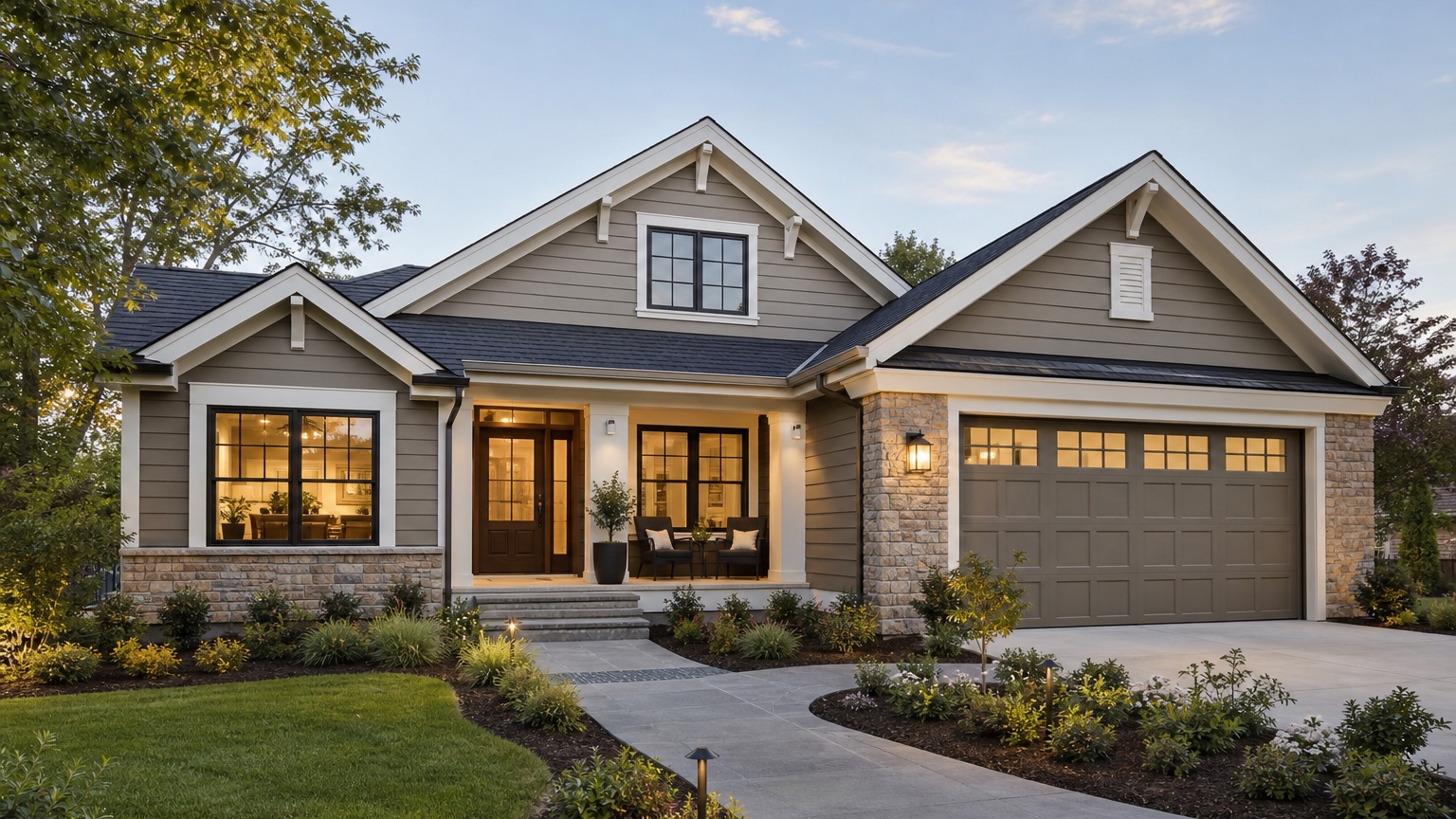
AI exterior design from photo tools are useful because exterior renovation decisions are expensive, visible, and hard to reverse. A paint color that looked safe on a tiny swatch can feel flat across the full facade. A new front door can change the whole character of a house. Siding, windows, trim, landscaping, garage doors, roofline details, and lighting all affect each other, so choosing them one at a time often leads to a result that feels less cohesive than the homeowner imagined.
The best use of AI is not to replace contractors, architects, designers, or real-world product samples. It is to create a sharper visual brief before you spend money. When you upload a real house photo and test exterior ideas visually, you can compare directions, reject weak options early, and walk into contractor conversations with a clearer target. That saves time for homeowners, improves communication for exterior pros, and helps real estate agents show renovation potential without pretending the work is already done.
If you want to test your own curb appeal ideas, start free with RedesAIgn and use the first 5 AI credits to explore exterior concepts before you commit. No credit card is needed.
Use AI exterior design when the real risk is a bad renovation decision
Most exterior projects are not hard because the homeowner lacks inspiration. They are hard because each decision affects cost, resale appeal, maintenance, and the look of the whole property. A modern black-and-white palette may look great online but feel too severe on a shaded ranch home. Natural wood accents may warm up a facade but add maintenance in wet climates. Larger windows may improve curb appeal but require structural and budget review.
A photo-based AI preview gives you a practical middle step between browsing ideas and requesting quotes. You can see whether the house looks better with lighter siding, darker trim, a new garage door, porch columns, stone accents, updated shutters, or a cleaner entry path. The image does not prove feasibility, but it does help you decide which direction deserves a real estimate.
This matters most when several people need to agree. A spouse, investor, client, realtor, painter, siding installer, or HOA board may all interpret the same words differently. A visual reference reduces that ambiguity.
Start with one strong photo, not ten confusing angles
The original image matters more than most people expect. For a believable AI exterior design from photo result, start with a clear front elevation or a three-quarter view that shows the full facade. Avoid heavy shadows, parked cars blocking the garage, open trash bins, seasonal clutter, extreme wide-angle distortion, and photos taken too close to the house. The AI needs to see the siding, trim, windows, doors, roofline, steps, porch, and landscaping context.
Daylight usually works best. Overcast light is often easier than harsh midday sun because colors and edges are more readable. If you are comparing paint or siding colors, try to use a photo where the current color is visible but not blown out. If you are comparing roof, gutters, fascia, or window trim, make sure those elements are not cropped.
For larger projects, take more than one angle, but do not use them all in one prompt. Generate the front first, then repeat the winning direction on side or rear views. This keeps each AI run focused. It also makes it easier to spot inconsistencies before anyone treats the concept as a renovation plan.
Build the prompt around the decision you need to make
A weak prompt asks for a beautiful house. A useful prompt names the exterior decision. Try wording like: “Update this 1990s suburban home with warm white siding, charcoal trim, a natural wood front door, simple black exterior lights, and low-maintenance foundation planting while preserving the roofline and window placement.” That gives the AI constraints instead of asking it to invent a fantasy house.
Good exterior prompts usually include four pieces of information: the target style, the materials or colors to test, the elements that must stay, and the level of change. For example, a homeowner might test “fresh paint and trim only” before exploring “new siding, porch columns, door, and landscaping.” A contractor might ask for a concept that keeps the same window openings because that matches the likely quote. A realtor might request a lighter, cleaner facade that shows buyer potential without implying a full remodel has happened.
Do not overload the first prompt. If you ask for new siding, new roofing, new landscaping, a different driveway, larger windows, a porch addition, a new garage, and sunset lighting in one run, you will get an attractive image that is hard to act on. Controlled variations are more useful: one for color, one for materials, one for entryway, one for landscaping, and one for a bolder style shift.
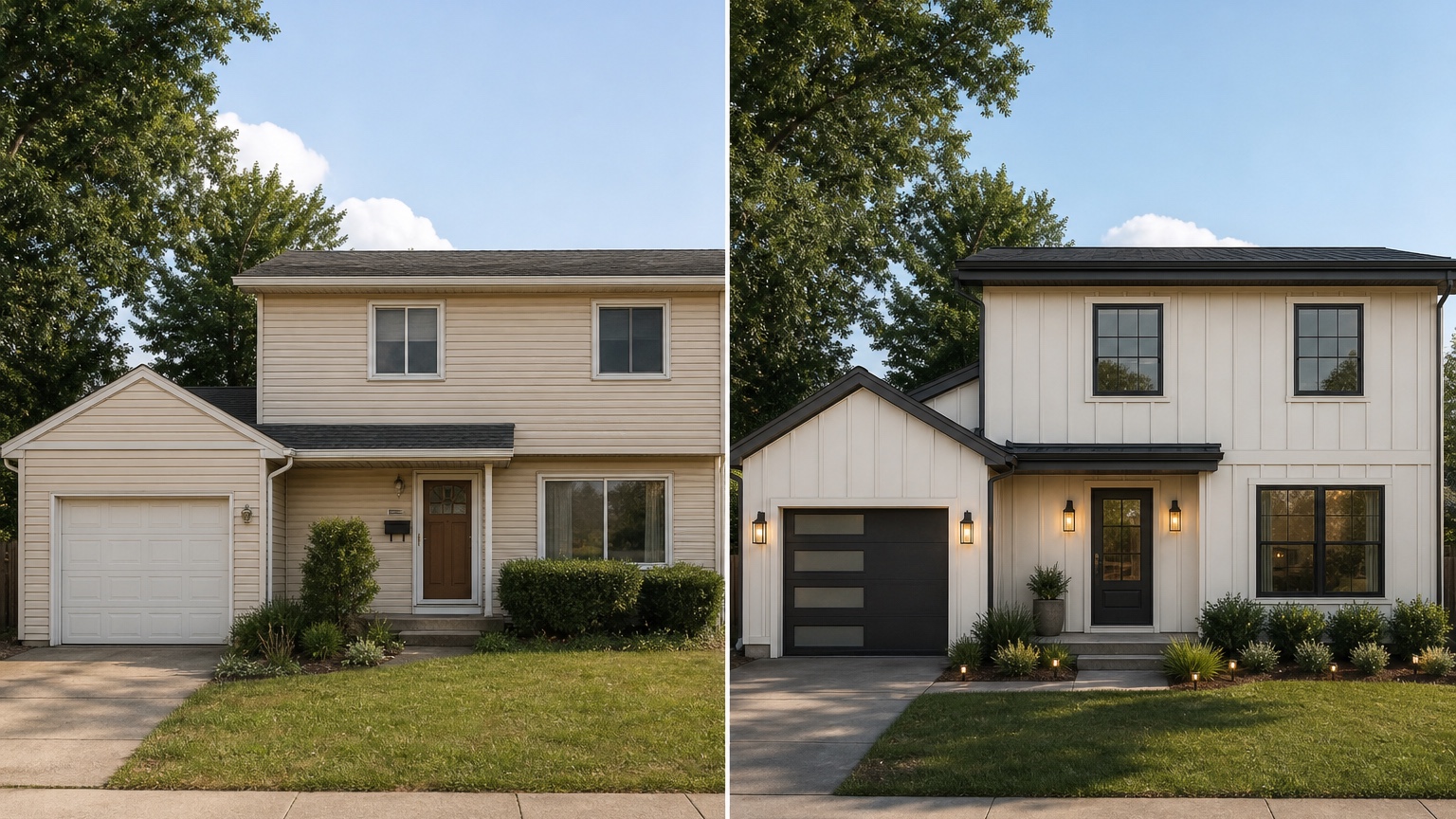
Compare before-and-after images like a homeowner, not like a mood board collector
A polished AI image can be persuasive, so review it slowly. First, check whether the home is still your home. The roofline, window rhythm, door position, garage size, porch footprint, and major massing should remain recognizable unless the project truly includes structural change. If the AI quietly adds a second-story balcony, moves windows, changes the roof pitch, or widens the garage, that version may be inspirational but not useful for a near-term renovation.
Next, check the practical exterior details. Are shadows and reflections consistent? Do trim lines connect cleanly? Does the siding scale look believable? Are the steps, walkway, railing, and porch columns physically plausible? Does the color palette work with the roof you plan to keep? Does the landscaping hide problems instead of solving them? These checks protect you from treating an attractive render as a buildable plan.
Finally, compare the concept against your real constraints. HOA rules, local climate, material availability, energy needs, budget, and maintenance expectations should shape the final brief. The U.S. Department of Energy notes that window updates can affect comfort and energy performance, but replacement decisions depend on the existing windows and home conditions (source). That is the kind of real-world factor an AI image cannot decide for you.
Use AI concepts to improve contractor and designer conversations
The best AI exterior design workflow ends with better human conversations. If you are calling painters, siding installers, window companies, landscapers, or design-build teams, a visual concept helps them understand the direction quickly. It can also reveal what needs clarification: whether the trim should be painted or replaced, whether the porch columns are cosmetic or structural, whether the garage door style is available, and whether the roof color limits the siding palette.
For contractors, AI previews can reduce the time spent translating vague requests. A homeowner who brings three visual options is easier to guide than one who brings thirty disconnected Pinterest images. The contractor can point out what is feasible, what affects the quote, and what should be separated into phases.
For real estate agents and flippers, AI exterior previews can show potential without staging a false promise. A listing or investment conversation might use a concept image to discuss what a dated facade could become after paint, cleanup, landscaping, and entry updates. The image should be clearly presented as a concept, not as completed work. If you need related planning posts later, compare this workflow with AI exterior home design, AI house exterior design generators, and AI landscape design from photo.
Keep three versions: safe, realistic, and ambitious
One AI image is rarely enough. Generate three directions with different jobs. The safe version keeps most of the architecture and tests paint, trim, door color, lighting, and cleaner landscaping. The realistic version changes materials or features that could fit a normal renovation quote, such as siding style, shutters, porch details, garage door, or walkway. The ambitious version explores a larger transformation that may require professional design or structural review.
Those categories prevent emotional image shopping. The safe version asks, “What is the least expensive improvement?” The realistic version asks, “What could we quote or phase?” The ambitious version asks, “Is the larger transformation worth investigating?” Save the strongest versions with notes about what should stay, what may be unrealistic, and what a professional should confirm.
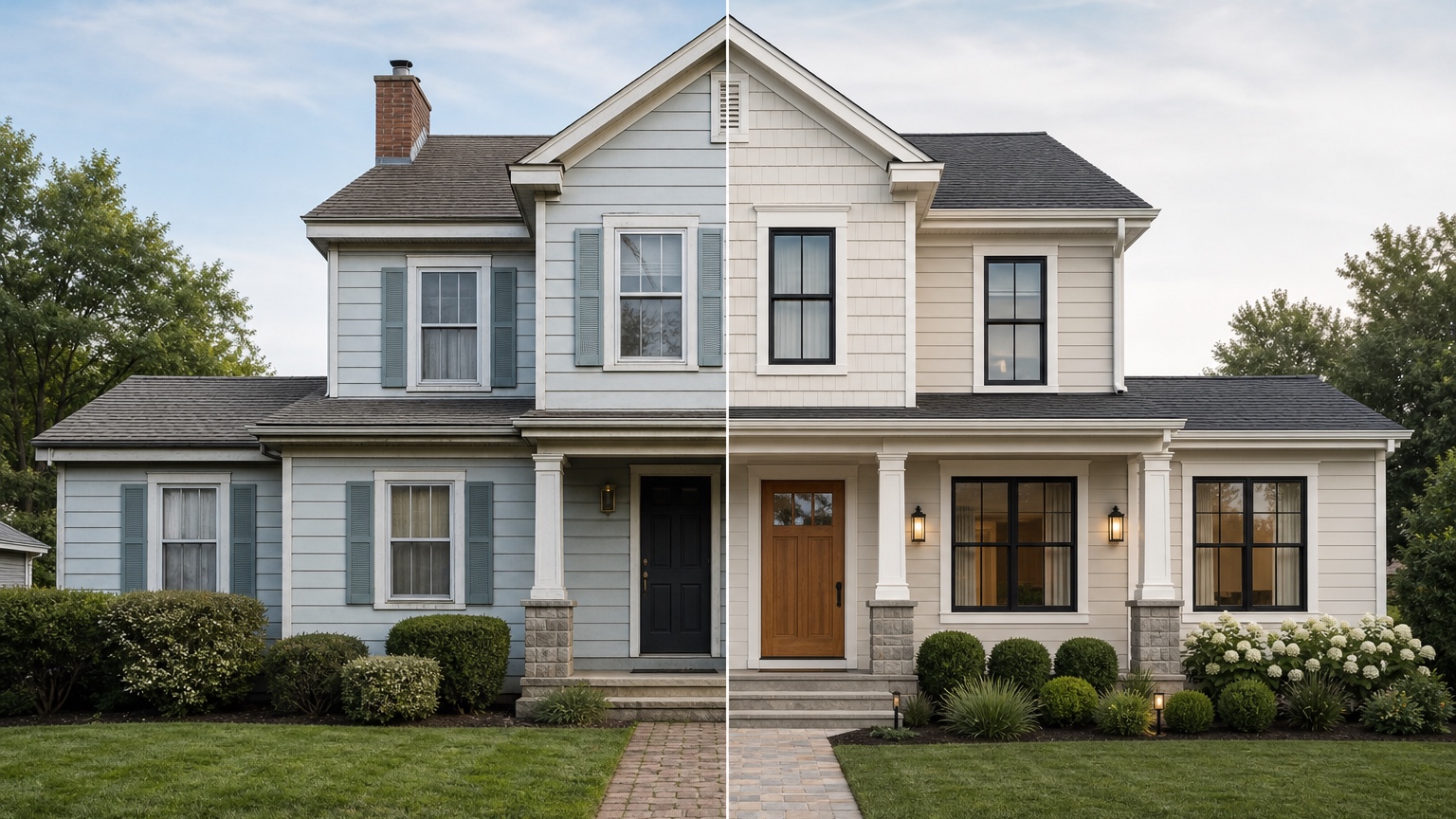
Avoid the mistakes that make AI exterior previews look generic
Three mistakes cause most weak previews: a bad source photo, a vague style request, and no property context. Retake dark, cropped, cluttered, or distorted photos before blaming the tool. Replace “make it modern” with specific constraints such as “warm white siding, black window trim, simple wood door, low-profile lights, and the existing roofline preserved.” Include the walkway, porch, driveway edge, lighting, and foundation planting when they affect curb appeal.
How to create an AI exterior design from a photo in RedesAIgn
RedesAIgn is useful here because the workflow starts with a real image and a concrete design goal. Upload your house photo, choose the Exterior Editor, write the outcome and constraints, then generate a few controlled options. Use remix or reference images only when they clarify a material, color palette, or style. Save promising prompts and compare history so you can refine instead of starting over.
For a homeowner, that means testing siding, paint, trim, doors, windows, and curb appeal ideas before paying for samples or estimates. For an exterior contractor, it can turn a sales conversation into a visual direction. For a realtor or investor, it can show what a property might become while keeping the concept separate from actual renovation claims.
The right expectation is simple: AI helps you see and compare possibilities faster. Professionals still confirm structure, cost, materials, codes, installation, and durability. Used that way, AI exterior design from photo becomes a decision tool rather than decoration.
Try RedesAIgn for free to create exterior design previews from your own photo. You get 5 free AI credits, no credit card required, and you can use the results to compare ideas before you request quotes.
FAQ: AI exterior design from photo
Can AI exterior design replace a contractor or architect?
No. It can help you visualize options, clarify preferences, and prepare better questions. Contractors, architects, designers, and local rules still determine what can be built safely, legally, and within budget.
What should I upload for the best exterior result?
Use a sharp daylight photo that shows the full facade, roofline, windows, doors, trim, siding, porch, and nearby landscaping. Keep the camera level and remove temporary clutter when possible.
Should I use reference images?
Use reference images when they clarify a style, material, color palette, or mood. Do not add too many references at once. One or two focused references are usually more useful than a large collection of unrelated inspiration.
How many versions should I generate?
Start with three: a safe refresh, a realistic renovation direction, and an ambitious concept. Then refine the strongest option with more specific prompts.
Can I use the images commercially?
RedesAIgn publicly states that commercial use is allowed, but you should still avoid presenting concept images as finished work unless the renovation has actually been completed.
Before you spend money on paint, siding, windows, doors, or a full exterior quote, sign up on RedesAIgn and test the idea visually. The first 5 generations are free and no credit card is required.
Try these prompts in redesAIgn
Refresh this house exterior with modern paint, black trim, and updated front door lighting.
Improve curb appeal with new siding color, shutters, and a clearer entry path.
Keep the roofline, but modernize windows, porch posts, and exterior finishes.
Related guides
- AI Exterior Design App for Homeowners and Remodelers
Use RedesAIgn as an exterior design app to preview paint, trim, roof, and curb appeal ideas from real house photos before you renovate.
- AI Exterior Before and After: Generate Home Makeover Concepts
Create AI exterior before and after previews from real home photos to compare curb appeal concepts, renovation scope, materials, and client options.
- AI Black Windows Exterior Ideas: See the Look on Your House
Use AI black windows exterior previews to see black frames, trim contrast, siding, roof color, and curb appeal on a real home photo before replacement.
- AI Exterior Remodel Visualizer for Siding, Paint, Doors, and Windows
Use an AI exterior remodel visualizer to compare siding, paint, doors, windows, trim, garage updates, and curb appeal ideas on a real house photo.
- AI House Color Visualizer: Test Exterior Color Palettes From a Photo
Use an AI house color visualizer to compare exterior paint palettes, trim contrast, undertones, and curb appeal from a real home photo before painting.