AI Curb Appeal Generator: Turn an Ordinary House Photo Into Upgrade Ideas
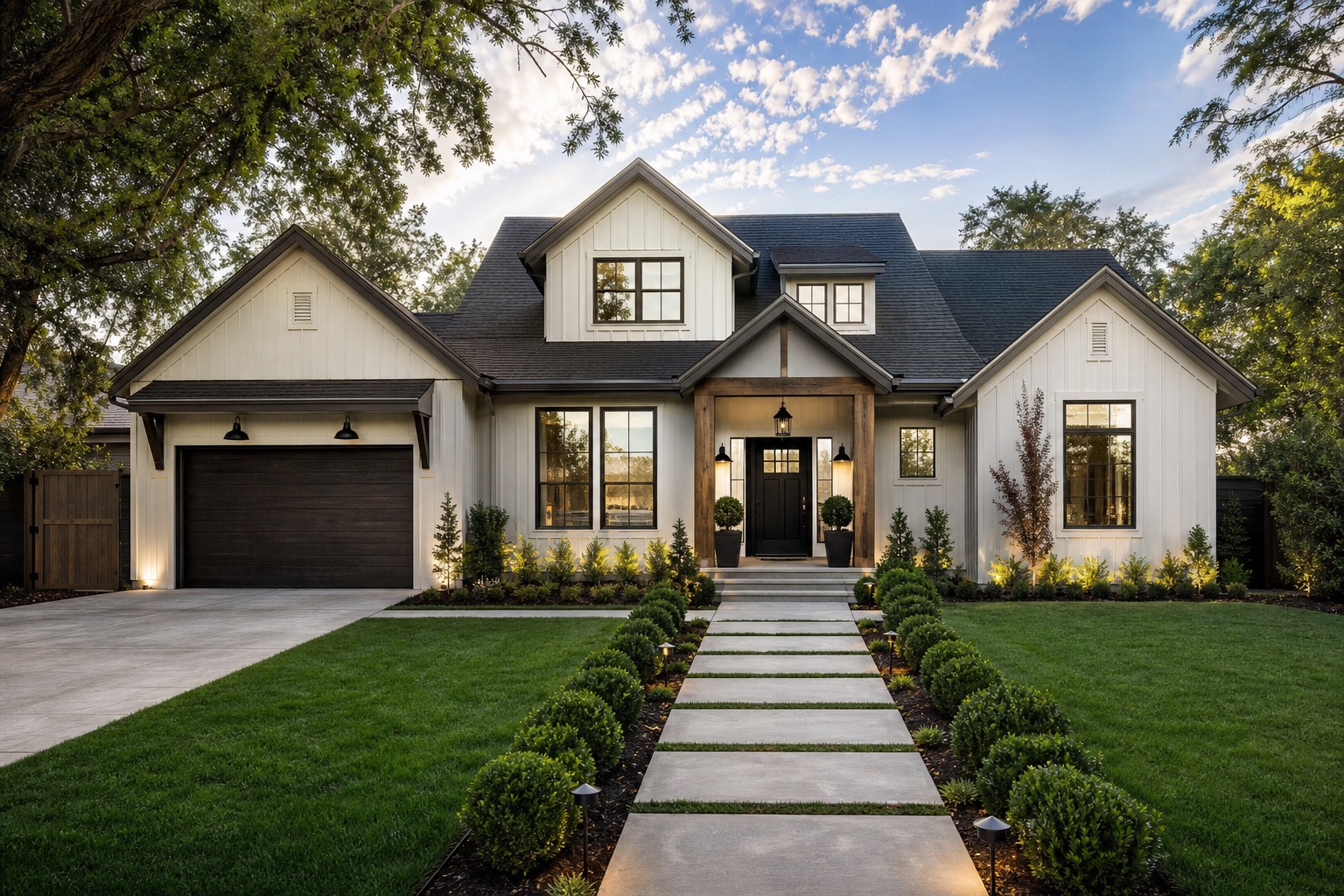
An AI curb appeal generator is most useful when the goal is not a dream remodel. Sellers, realtors, and homeowners need this answer: what visible changes would make this actual house feel cleaner, brighter, and more buyer-friendly without pretending a major renovation has already happened?
That distinction matters. Curb appeal work can mean small listing prep, a weekend refresh, a pre-sale improvement plan, or a larger exterior renovation. Those are different decisions. A generated image that adds a new roofline, stone tower, oversized windows, and a resort-level landscape may look impressive, but it can be useless for a seller who has ten days before photos. A better workflow separates listing-ready improvements from long-term renovation ideas.
RedesAIgn helps with that practical middle step. Upload a real house photo, use the Exterior Editor, and create controlled versions for paint, trim, landscaping, entry, lighting, garage, walkway, and cleanup ideas. If you want to test your own listing prep ideas, start free with RedesAIgn and use 5 free AI credits with no credit card required.
Curb appeal is a buyer perception problem
A home exterior sends signals before a buyer reads the description. A faded door, overgrown shrubs, uneven mulch, stained walkway, dark entry, or mismatched trim can make a property feel neglected even when the house is structurally sound. The issue is often visual clarity, not a lack of upgrades.
For agents and sellers, that creates a planning challenge. You need to decide which improvements will photograph well, feel honest in a listing, and fit the available budget. The most valuable curb appeal changes are often simple: clean lines, better contrast, a more visible entrance, less visual clutter, healthier planting, fresh paint on small surfaces, and lighting that makes the home feel cared for.
An AI curb appeal generator can turn those options into images quickly. Instead of debating whether the shutters should be charcoal, the door should be stained wood, or the shrubs should be simplified, you can create separate concepts and compare them side by side. The image is not a contractor quote, but it is a much better brief than a vague request to “make the front look nicer.”
Separate listing-ready improvements from renovation fantasy
The fastest way to waste AI exterior previews is to ask for a transformation that does not match the situation. A seller preparing for photos needs a different concept than a homeowner planning a year-long remodel. A realtor advising a listing client needs something that can support a conversation without overpromising. A homeowner deciding whether to stay and renovate may need both modest and ambitious versions.
Use two categories from the beginning. Listing-ready curb appeal should preserve the house shape, roofline, window placement, driveway, garage, and major hardscape. It can test paint, trim color, door color, pressure-washing, porch styling, light fixtures, house numbers, potted plants, mulch, pruning, and simple foundation planting.
Renovation concepts can go further. They may include siding replacement, new windows, a redesigned entry, new garage doors, porch columns, stone accents, railings, walkway changes, or larger landscape work. Those images are useful for renovation planning, but they should not be confused with pre-listing staging.
This is where a real photo matters. If you need a broader photo-to-concept workflow, the process overlaps with AI exterior design from photo, but curb appeal planning should stay more disciplined. The question is not “How dramatic can this look?” The better question is “Which visible changes would improve the first impression while staying believable for this property and timeline?”
Start with a source photo that matches the listing angle
For sellers and agents, the source image should resemble the future listing photo as much as possible. Use a clear daylight shot from the front or a three-quarter view that shows the entry, garage, walkway, landscaping, roofline, windows, siding, and trim. Keep the camera level. Avoid extreme wide-angle photos, deep shadows, parked cars, trash bins, open garage doors, and anything that blocks important exterior details.
Overcast daylight often works well because colors and edges are easier to read. Generate from the main listing angle first. Once you identify a strong curb appeal direction, repeat the same palette and constraints on side or rear views if needed. This keeps the concept consistent and helps the owner decide whether the idea is worth acting on.
Prompt for the upgrade, not the mood
A disciplined prompt names the improvement you are considering. A weak prompt asks for a beautiful exterior. For curb appeal, write prompts that preserve the house while changing specific visible items.
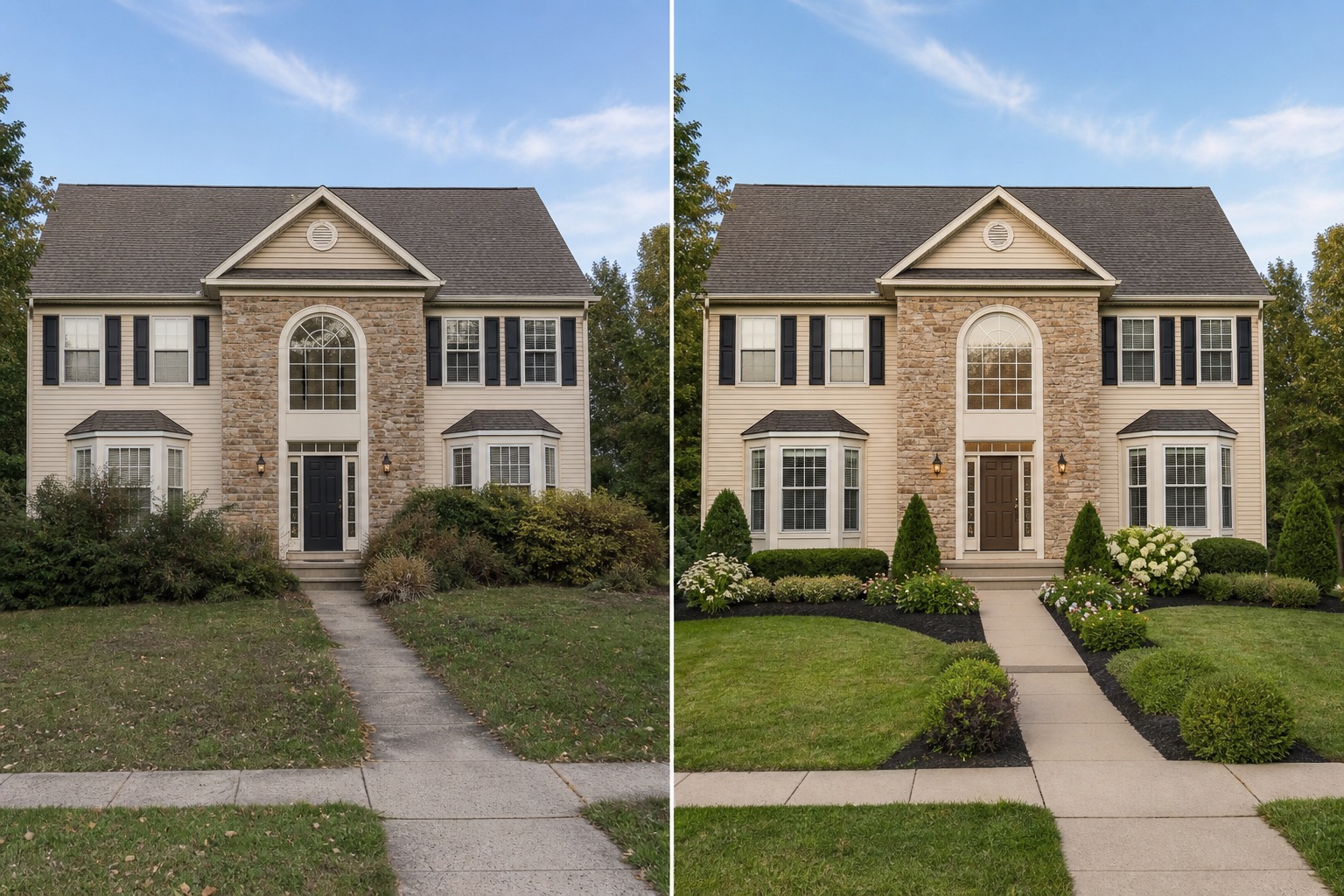
For a listing-ready version, try: “Improve curb appeal for a real estate listing while preserving the existing roofline, windows, siding layout, driveway, and porch footprint. Freshen the front door, add simple black exterior lights, prune overgrown shrubs, add clean mulch, brighten trim, and make the entrance feel clear and welcoming.”
For a higher-budget homeowner version, try: “Create a realistic exterior renovation concept for this suburban home with warm white siding, charcoal trim, a natural wood front door, updated garage door, simple foundation planting, and a cleaner walkway. Keep the roof shape and window openings unchanged.”
For an agent advising a seller, include honesty constraints: “Do not add structural changes, new rooms, different rooflines, or luxury landscaping. Focus on changes a seller could discuss as pre-listing improvements.” That wording reduces the chance of getting a fantasy render that looks attractive but cannot guide action.
Prompts should also mention what must stay. If the roof is not being replaced, say so. If the seller will only paint the door and trim, say so. If the driveway cannot change, say so. Constraints make the output more useful.
Build three practical curb appeal versions
One image can create false confidence. Three versions usually produce a better decision. Start with a cleanup version, a cosmetic refresh, and a renovation-planning version.
The cleanup version should remove distraction without changing the house. It can show trimmed shrubs, mulch, cleaned walkway, clearer entry, fewer obstacles, and porch styling.
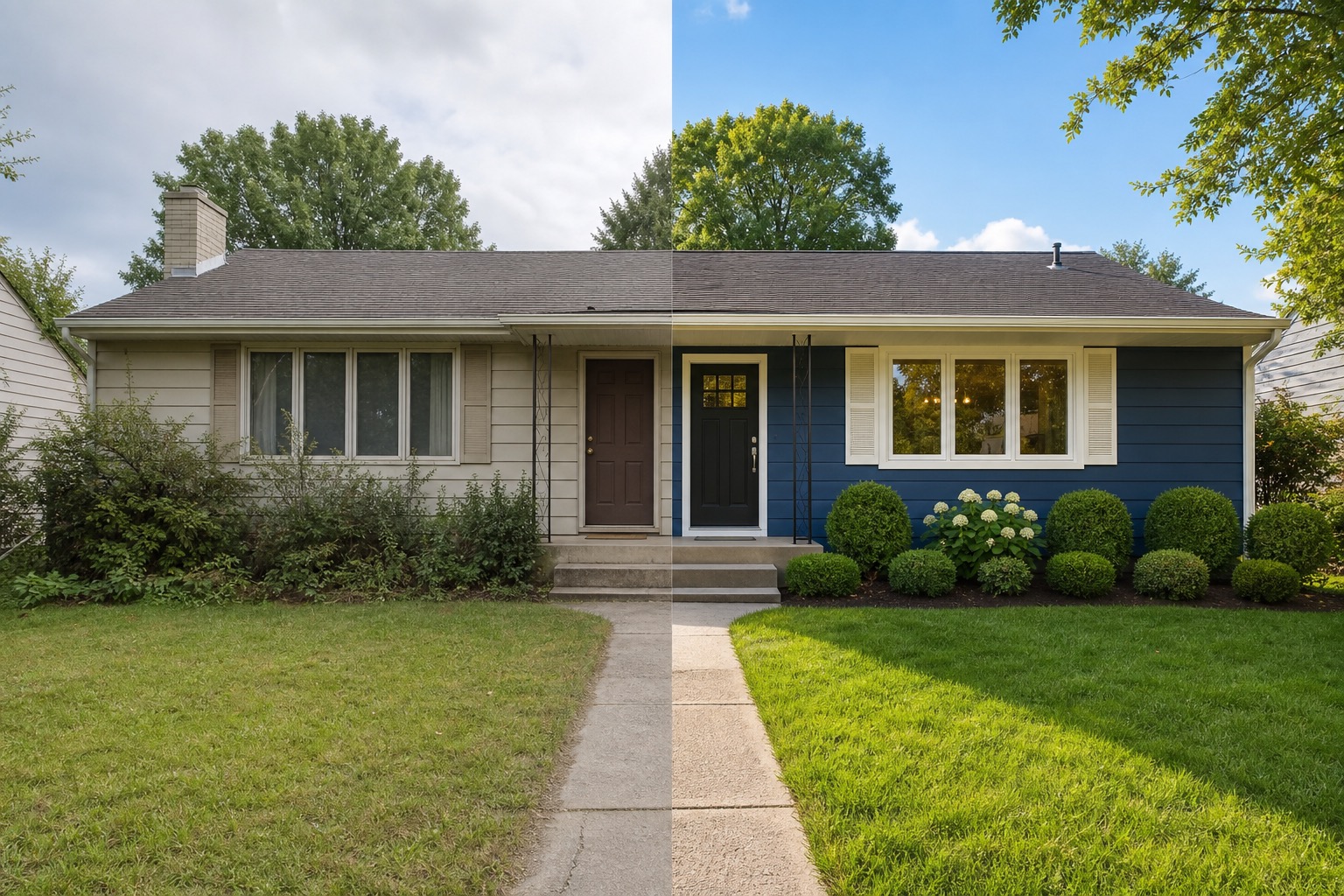
The cosmetic refresh can test paint and fixture choices. Door color, shutters, trim contrast, garage color, house numbers, porch light style, and planter placement can change the way buyers read the home.
The renovation-planning version can explore larger work without pretending it is a quick fix. This may include siding, columns, railings, entry changes, garage door replacement, walkway updates, and more structured landscaping. If a homeowner wants a larger design direction, compare this with a broader AI exterior home design workflow that includes style, materials, color, entry, and landscape context.
Keep notes with each version. Label them “listing prep,” “cosmetic refresh,” and “renovation concept” so fast prep does not get mixed with long-term renovation planning.
Use AI concepts carefully in real estate conversations
AI curb appeal concepts can be helpful in a listing consultation, but they need clear framing. An agent might show a seller how pruning, paint, lighting, and entry cleanup could improve the home’s first impression. A seller might use concepts to choose between two door colors before hiring a photographer.
The risk is misrepresentation. Do not use generated curb appeal images as if they are current listing photos unless the work has been completed and the photo accurately reflects the property. A concept image can support planning, pricing conversations, and seller education, but it should be labeled as a concept when shown externally.
This is especially important when the AI changes permanent features. A new garage door, new siding, different windows, or redesigned walkway can imply work that has not been done. Use the AI image to decide what to improve, then photograph the completed work honestly.
What to inspect before trusting a generated exterior
AI results can look polished while hiding practical problems. First, check whether the home is still the same home. The roof pitch, window rhythm, door location, garage size, porch footprint, steps, and main facade should remain recognizable unless you deliberately asked for renovation planning. If the AI moves windows or changes the massing in a listing-prep concept, reject or revise the prompt.
Second, check the small exterior details. Do railings connect correctly? Are lights placed where wiring could exist? Does the walkway meet the steps? Are shutters sized plausibly for the windows? Does the new trim color work with the roof color? Does the landscaping hide the foundation or block windows?
Third, compare the idea with time and budget. A fresh door color may be fast. New siding is not. Pruning and mulch may be simple. A new walkway requires planning. The best concept is the one that helps the owner choose the next realistic action.
How to use RedesAIgn as an AI curb appeal generator
RedesAIgn works well for curb appeal because it starts with an existing photo and lets you guide the result with prompts, remixing, reference images, saved prompts, and history. Choose the Exterior Editor, upload the main house photo, and begin with a restrained prompt that preserves the current architecture. Generate a few options, save the best prompt, then refine one variable at a time.
For sellers, start with visible listing prep: entrance clarity, pruning, mulch, porch styling, lights, house numbers, and small paint changes. For agents, create concepts that help clients see why some improvements matter in photos. For homeowners, add a second round for renovation planning after the quick curb appeal direction is clear.
RedesAIgn includes 10 AI editors, including the Exterior Editor, so the same account supports other visual planning needs. For a generator-focused comparison, see AI house exterior design generator. For this page, keep the workflow narrow: improve first impression, preserve truthfulness, and choose upgrades that match the timeline.
When you are ready to compare versions from your own house photo, try RedesAIgn for free with 5 free AI generations and no credit card required. Use the results before you buy paint, order fixtures, or schedule exterior work.
FAQ: AI curb appeal generator
What is an AI curb appeal generator?
An AI curb appeal generator uses a photo of a home exterior to create visual improvement ideas. It can show options for paint, trim, entry details, landscaping, lighting, garage doors, cleanup, and other visible changes.
Can realtors use AI curb appeal concepts with sellers?
Yes, as planning aids. Realtors can use concept images to discuss possible pre-listing improvements, but they should not present generated images as current listing photos unless the work has actually been completed and accurately photographed.
What curb appeal changes should sellers test first?
Start with changes that affect listing photos quickly: trimming shrubs, cleaning walkways, improving the front entry, adding mulch, testing door color, simplifying porch decor, updating lights, and improving contrast on trim or shutters.
Can an AI image tell me what renovations are affordable?
No. It can help you compare ideas visually, but contractors, suppliers, local rules, and site conditions determine cost, timing, and feasibility.
How many versions should I generate?
Create at least three: a cleanup version, a cosmetic refresh, and a larger renovation concept. Label them so fast listing prep does not get mixed with long-term renovation planning.
Before you spend money on exterior upgrades, sign up on RedesAIgn to create curb appeal concepts from your own photo. You get 5 free AI credits, no credit card required, and can keep prompts as you refine.
Try these prompts in redesAIgn
Refresh this house exterior with modern paint, black trim, and updated front door lighting.
Improve curb appeal with new siding color, shutters, and a clearer entry path.
Keep the roofline, but modernize windows, porch posts, and exterior finishes.
Related guides
- AI Exterior Design App for Homeowners and Remodelers
Use RedesAIgn as an exterior design app to preview paint, trim, roof, and curb appeal ideas from real house photos before you renovate.
- AI Exterior Before and After: Generate Home Makeover Concepts
Create AI exterior before and after previews from real home photos to compare curb appeal concepts, renovation scope, materials, and client options.
- AI Black Windows Exterior Ideas: See the Look on Your House
Use AI black windows exterior previews to see black frames, trim contrast, siding, roof color, and curb appeal on a real home photo before replacement.
- AI Exterior Remodel Visualizer for Siding, Paint, Doors, and Windows
Use an AI exterior remodel visualizer to compare siding, paint, doors, windows, trim, garage updates, and curb appeal ideas on a real house photo.
- AI House Color Visualizer: Test Exterior Color Palettes From a Photo
Use an AI house color visualizer to compare exterior paint palettes, trim contrast, undertones, and curb appeal from a real home photo before painting.