AI Interior Design App for Room Makeovers and Decor Planning
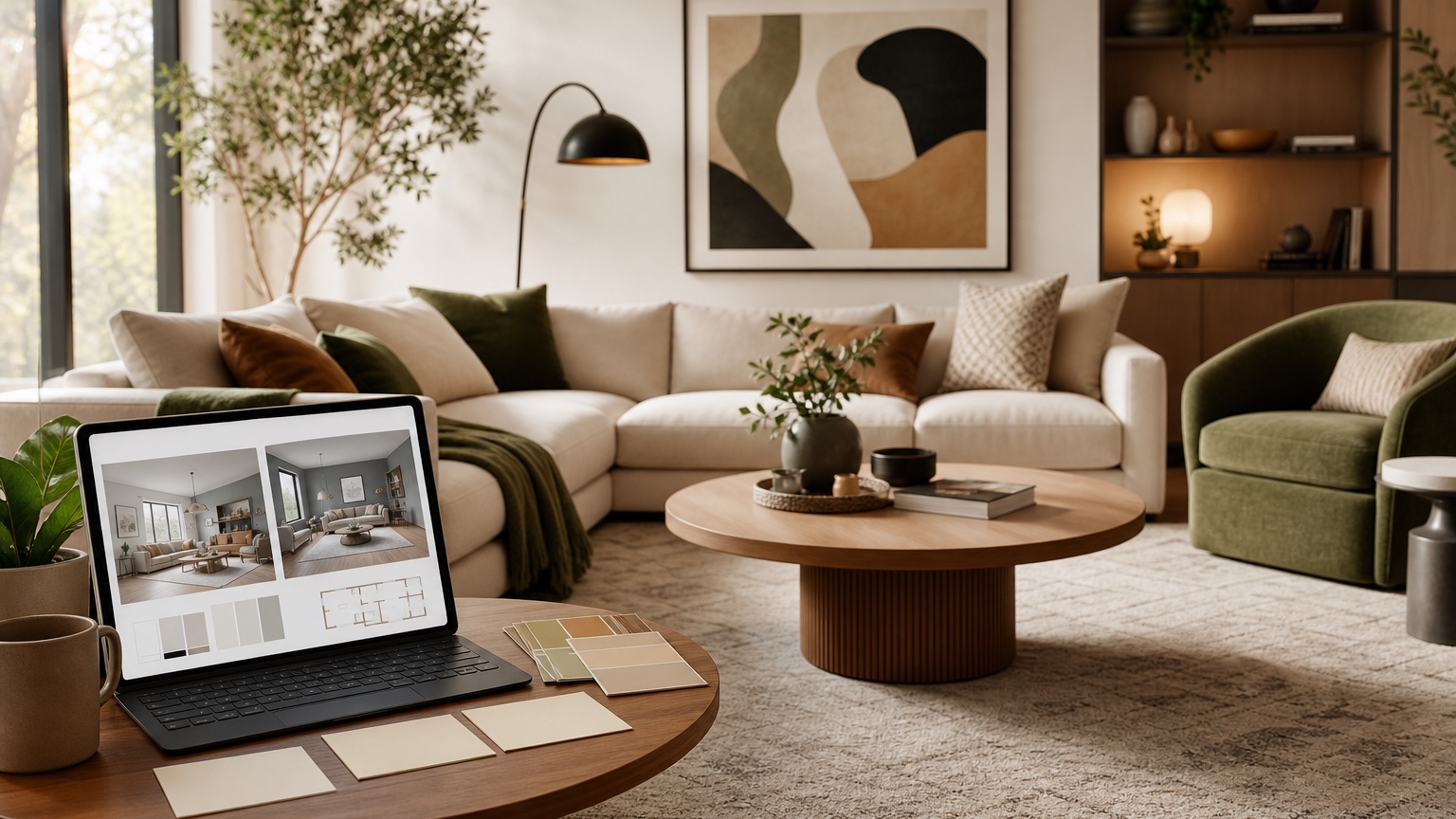
An AI interior design app is most useful when it becomes a place to work through options, not just a place to make one pretty room image. A living room may need five rounds before the sofa wall, rug size, lighting, and color palette begin to agree. A bedroom may need one practical version for the person who lives there and another moodier version for inspiration. A designer may need fast visual studies before presenting a tighter direction to a client. The value is in the iteration.
That is the better way to judge an app: does it help you think, compare, revise, and explain? A generic list of app features will not tell you whether the workflow supports a real room with bad lighting, fixed furniture, budget limits, and another decision-maker waiting for proof. The app should make it easy to upload a photo, describe what must stay, generate a direction, remix the useful parts, save prompt history, and return to earlier versions without starting over.
RedesAIgn supports this planning style with 10 AI editors, prompt-based generation, remix images, reference images, saved prompts, and history. You can start with 5 free AI credits and no credit card, which is enough to test whether the workflow fits your room before buying anything. If you need more comparison rounds, one-time credit packs are available. For designers, stagers, creators, and other client-facing users, generated images can be used commercially where relevant, while real-world installation still needs measurements, samples, product sourcing, and professional judgment.
Choose an app for the way you make decisions
The right app depends less on the trendiest output and more on your decision process. Some people need one visual to convince a spouse that the dining room should go warmer. Others need a structured comparison: keep the sectional, try two rugs, test paint, then change only lighting. A designer may need rough directions to guide a client meeting before building a measured plan. Those are different workflows, even if they all begin with one room photo.
For consumers, a good AI interior design app should reduce uncertainty. It should help you see whether a style direction fits your actual room, whether a color looks strange with your floor, whether a new chair overwhelms the corner, or whether the room only needs better decor layers. The app should not pressure you into a full renovation concept when the problem is curtains, lighting, or furniture scale.
For designers, the app should speed up exploration without replacing design judgment. Early concepts can show a client why one direction feels calmer, why another feels too expensive, or why a beloved reference image may not suit the room proportions. The designer still decides what is buildable, what fits the brief, and what products or materials belong in the final plan.
If your project is broader than one room, compare this workflow with AI room design generator and AI interior design from photo. If the app session turns into a purchase decision, AI furniture visualizer can help isolate specific pieces after the overall direction is clearer.
Prepare the room photo like a planning document
A strong app workflow starts before the upload. The photo should explain the room, not flatter it. Stand far enough back to include the main furniture, floor area, windows, doors, ceiling line, and the wall or zone you want to change. Keep the camera level so the app can read proportions. Avoid extreme wide-angle distortion if possible, because stretched rooms lead to unrealistic furniture and rug suggestions.
Clean the scene enough to remove distractions, but keep the facts. If the sofa must stay, it should be visible. If the window blinds are permanent, leave them in the photo. If there is a radiator, awkward column, pet crate, toy storage, ceiling fan, or open walkway that affects the plan, include it. A beautiful cropped shot can generate a beautiful fantasy; a useful planning photo shows the conditions you must design around.
For a living room, capture the seating, media wall or fireplace, rug area, side tables, windows, and walking path. For a bedroom, show the bed wall, closet doors, nightstand clearance, dresser, window, and lighting. For a kitchen or dining area, include cabinets, table position, adjacent flooring, light fixtures, and any nearby living space that affects color choices.
Before you open the app, write three lists: keep, change, and maybe. “Keep” might include the sofa, floors, cabinets, wall color, art, or existing layout. “Change” might include rug, curtains, lamps, bedding, paint, dining chairs, storage, or styling. “Maybe” is where iteration helps: coffee table shape, accent color, art scale, chair style, cabinet hardware, or whether to add a second seating zone.
Write prompts that make the app preserve the room
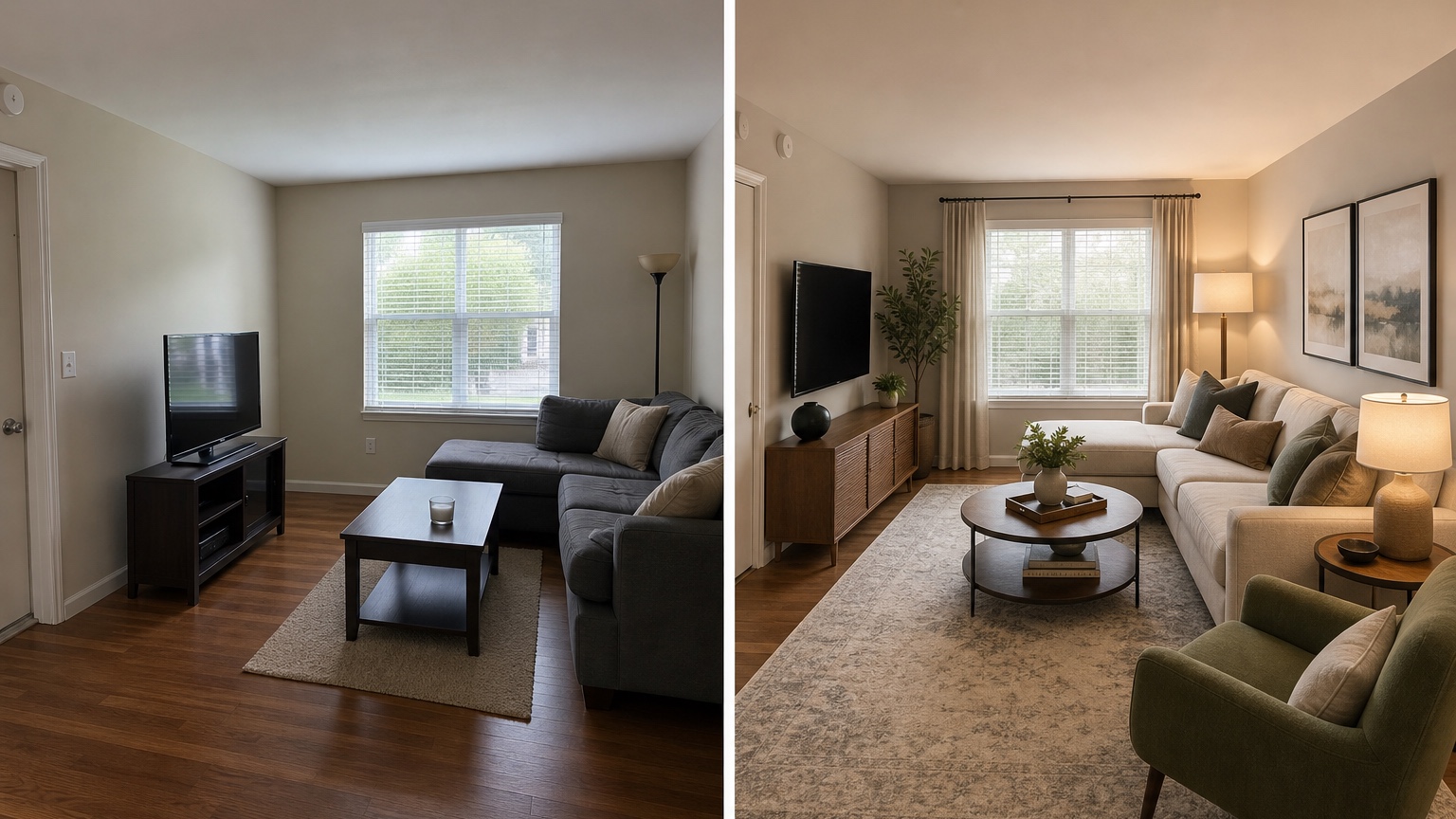
Prompts should give the app permission to improve the room while limiting what it can invent. The most common mistake is asking for a style without naming constraints. “Make this room modern and cozy” can produce a pleasant image that changes the windows, replaces the floor, shrinks the sofa, and adds lighting where no outlets exist. A useful prompt names the room type, fixed features, allowed changes, and intended result.
For a living room, try: “Use this room photo to create a realistic interior design concept. Keep the sofa, windows, floor, ceiling, fireplace, media wall, and room proportions. Improve rug scale, coffee table, side tables, lamps, curtains, art, pillows, storage, and color palette. Make it warm modern, practical for daily use, and not overdecorated.”
For a bedroom, try: “Redesign this bedroom from the photo while preserving the bed location, window, closet doors, floor, ceiling, and dresser. Improve bedding layers, nightstands, lamps, rug, curtains, wall art, and calm color palette. Keep walking paths believable and avoid luxury hotel furniture that would not fit the room.”
For a designer preparing client studies, try: “Create three distinct but realistic directions for this room: soft transitional, relaxed contemporary, and warmer organic modern. Preserve architecture, layout constraints, and main furniture. Vary palette, textiles, lighting, art, decor density, and accent pieces. Each option should feel achievable within a mid-range budget.”
Reference images are helpful when you control their role. Upload a reference for palette, material mood, cabinetry tone, art direction, or styling density, then state: “Use the reference for atmosphere and color only; do not copy the layout or replace the uploaded room.” RedesAIgn’s reference image tools are useful for this because the reference can guide taste while the room photo remains the anchor.
Use remix rounds instead of restarting every time
The first generated image rarely needs to be final. Treat it as a draft. If the layout is right but the palette is cold, remix for warmth. If the rug is strong but the chairs are wrong, keep the rug direction and adjust seating. If the app preserves the architecture well, save that prompt before experimenting further. Good iteration protects what works.
A practical sequence is to generate a baseline, then remix one category at a time. Round one: layout and major furniture. Round two: color palette. Round three: textiles and rugs. Round four: lighting and art. Round five: storage or styling. When every variable changes at once, comparison becomes noisy. When one category changes, the better choice is easier to spot.
Saved prompts and history matter here. They let you return to the strongest version instead of trying to remember the exact wording that produced it. If a later result becomes too glossy or ignores the room, go back to the saved prompt that preserved the photo best and revise from there. This is especially helpful for couples or clients because discussion can happen around named versions rather than vague preferences.
Designers can also use remix rounds as meeting structure. Show two or three directions, note what the client responds to, then remix only the accepted qualities. A client may reject a style label but love the warmer wood, larger rug, or lower-contrast palette. The app history becomes a record of decisions, not just a gallery of images.
Collaborate without turning the room into a vote
An AI interior design app can help spouses, roommates, clients, or stakeholders react to the same visual evidence. That is useful, but too many opinions can scatter the project. Share a small set of intentional options rather than every generated image. Label them by decision: “keep sofa and add contrast,” “lighter palette with new rug,” “same layout with stronger lighting,” or “client presentation option B.”
Ask reviewers to comment on what they can act on. Do they prefer the warmer palette or cooler one? Is the rug too bold? Should the room feel more formal or more relaxed? Does the desk need to stay? Is the proposed storage enough? Avoid asking only whether they “like” an image. Liking is vague; choosing between two practical directions moves the project forward.
For client work, make clear what the app image is and is not. It is a concept study, not a construction drawing or product guarantee. Use it to discuss mood, scale, color, layout, and priorities. Then translate it into specifications, sourcing, measurements, schedules, or design documents as needed. RedesAIgn-generated images can support commercial workflows where relevant, but the professional still owns the final recommendations.
For family decisions, keep one version close to reality. A dramatic concept may be fun, yet a practical version that keeps the existing sofa and flooring may be the one that leads to action. Save both if needed: inspiration for taste, practical plan for purchasing.
Evaluate app results before spending money
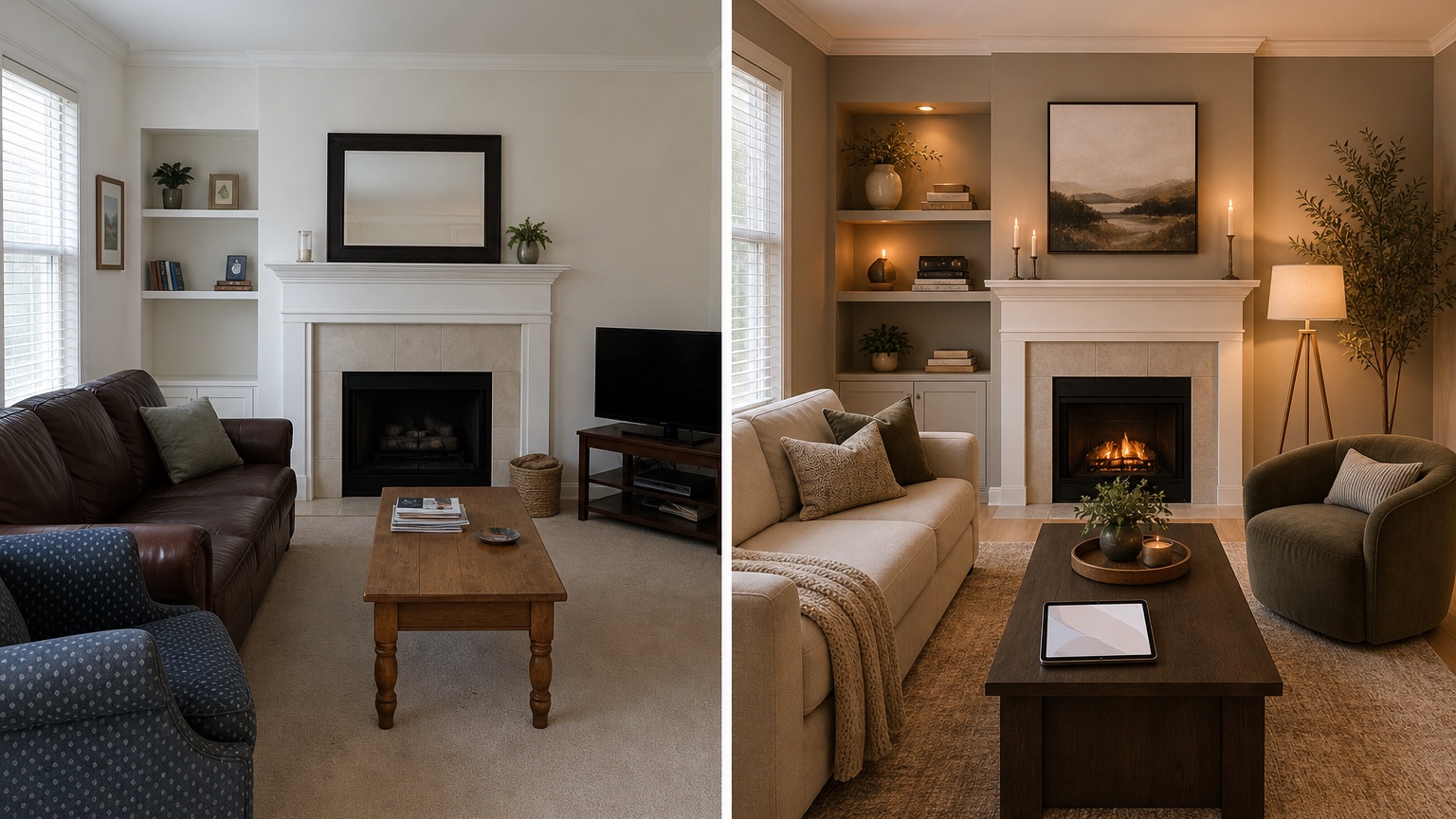
Review each output like a checklist. Did the room keep its windows, doors, floor, ceiling, and fixed features? Did furniture scale remain believable? Are rugs positioned where they could actually fit? Do lamps have outlets or surfaces? Did the app invent built-ins, larger windows, hidden storage, or a different ceiling height? If the answer is yes, enjoy the inspiration but do not treat it as a shopping plan.
Next, separate direction from exact product. The generated sofa, lamp, rug, or chair may not exist. Use the image to describe the qualities you need: low-profile tan sectional, muted wool rug, black metal floor lamp with fabric shade, warm oak coffee table, cream linen curtains, or oversized abstract art. Those words are better for sourcing than chasing a fictional item.
Budget should be tested early. Run separate remixes for budget tiers: decor-only, mid-range furniture swap, and renovation-level concept. A decor-only prompt might preserve floors, paint, sofa, and cabinets while changing textiles, lamps, art, and accessories. A mid-range prompt might add rug, chairs, table, window treatments, and lighting. A renovation-level prompt can explore built-ins, flooring, tile, cabinets, or structural changes, but only as a concept to review with professionals.
Finally, verify everything in the room. Measure, tape out rug and furniture footprints, order samples, check return policies, review lease rules, and confirm installation limits. An app can make decisions faster, but real materials, daylight, budget, and trades decide what works.
A focused RedesAIgn app workflow
Start with one honest photo and one prompt that protects the room. Use your 5 free AI credits to test whether the app understands the space: one baseline, two style directions, one practical remix, and one comparison round. No credit card is required for the initial test, so the first session can stay low-pressure.
If the first session is promising, save the best prompt and continue with one-time credit packs only when more rounds have a clear purpose. Do not generate endlessly. Decide what question each credit should answer: warmer palette, smaller budget, better storage, child-friendly fabrics, client-friendly presentation, or a version that keeps more existing furniture.
For adjacent decisions, move between focused guides. Use AI home decor generator when the room mainly needs styling layers, AI wall color visualizer interior when paint is the question, and AI flooring visualizer when the floor is driving the palette. The app is the workspace; the best result is a shorter, clearer list of what to measure, sample, keep, remix, and buy.
FAQ: AI interior design app
What can an AI interior design app do with a room photo?
It can generate visual concepts for layout, decor, color, furniture, lighting, rugs, art, and styling based on an uploaded room photo and prompt. The best results preserve the real room while testing realistic changes.
How should I prompt an AI interior design app?
Name the room, the fixed features, the allowed changes, and the style or budget goal. For example, ask the app to keep floors, windows, sofa, and room proportions while changing rug, lamps, curtains, art, and palette.
Is an AI interior design app useful for designers?
Yes. Designers can use it for early concept studies, client discussion, style comparison, and visual direction. It does not replace measurements, sourcing, drawings, codes, or professional judgment.
Can I start without paying?
RedesAIgn offers 5 free AI credits with no credit card. If you need more iterations, one-time credit packs are available.
Try these prompts in redesAIgn
Redesign this room with warm neutrals, layered lighting, and a functional seating layout.
Keep the architecture, but update furniture, rug, and wall color for a calm modern look.
Show a before-to-after concept with better traffic flow and fewer bulky pieces.
Related guides
- AI Bathroom Remodel Visualizer for Tile, Vanity, and Lighting Ideas
Visualize bathroom remodel ideas from a real photo with RedesAIgn. Compare finishes, fixtures, and layout limits before ordering materials.
- AI Bedroom Design Generator for Layout and Decor Ideas
Generate bedroom design concepts from your room photo with RedesAIgn. Compare layout and furniture directions before you buy or remodel.
- AI Dining Room Design Ideas From a Photo
Use AI dining room design to plan table size, chair clearance, chandelier alignment, rugs, storage, and lighting from a real room photo.
- AI Furniture Visualizer: Preview Furniture in Your Room Photo
Use an AI furniture visualizer to preview scale, placement, color, material, and fit in your room photo before buying or presenting furniture.
- AI Interior Design From Photo: Redesign Any Room Visually
Use AI interior design from photo workflows to preview room styles, furniture layouts, finishes, and decor ideas before buying anything.