AI Floor Plan Rendering: Create Concept Images From Plans
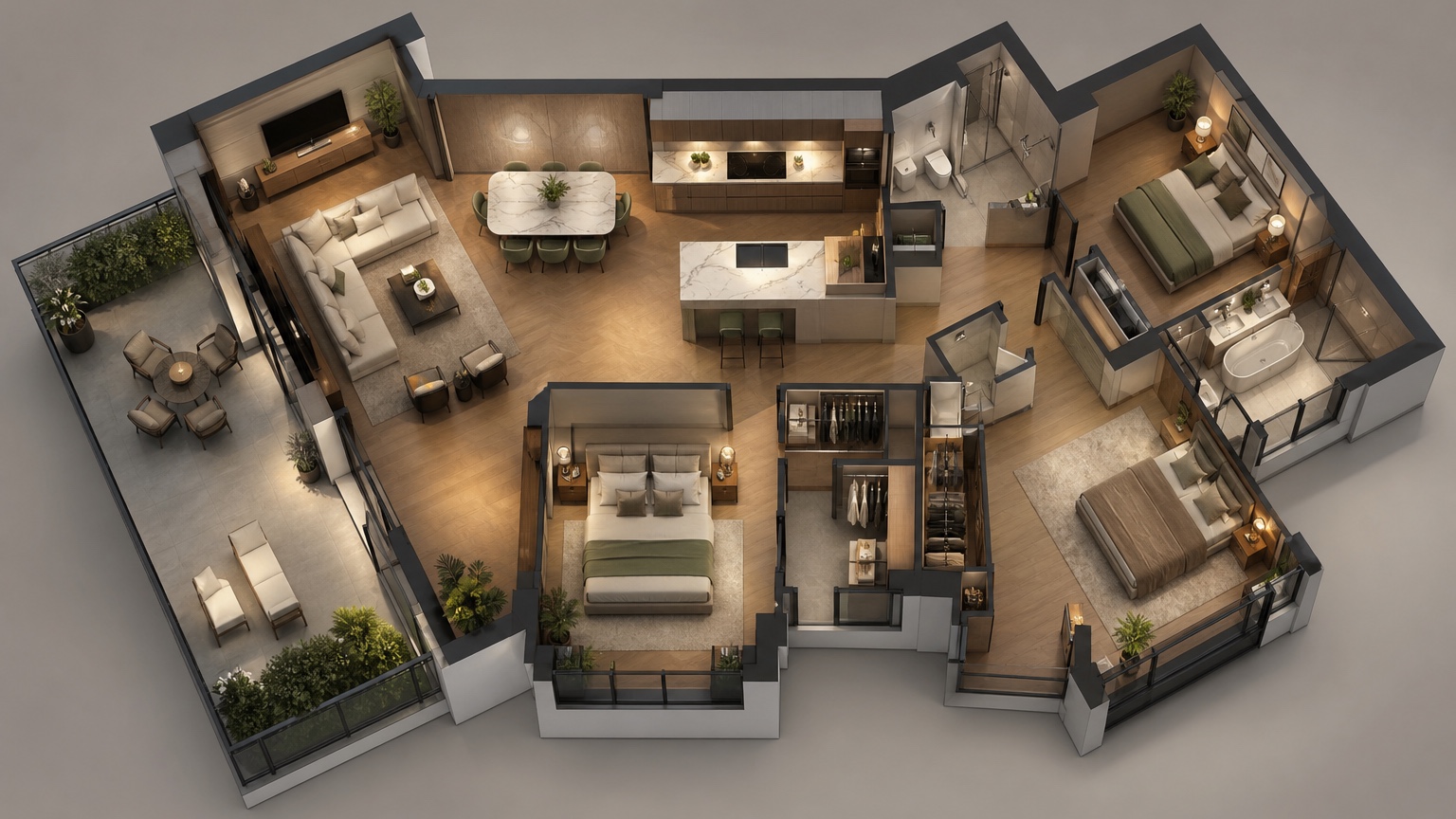
Ai Floor Plan Rendering is most useful when it helps drafters and builders decide which plan view will make a client understand the layout fastest. It helps explain a drawing, but the drawing still carries the measurements, notes, and buildable details.
Here the frame is a drafter-ready presentation board. The process starts with a readable plan, asks for a rendering that explains flow, checks furniture and circulation, then turns the selected visual into revision notes for a client or builder meeting.
RedesAIgn can support those presentation rounds with prompt editing, reference images, remixing, saved prompts, and a history trail. Drafters can test the workflow with 5 free credits and no credit card, then use one-time credit packs only when additional client-facing versions are worth creating.
Start from the client presentation problem
Floor plan rendering is valuable when it turns a flat drawing into a conversation people can understand.
A drafter may already know the plan is sensible, but the client may not understand hallway width, room adjacency, furniture scale, or how the kitchen connects to daily life. The rendering should answer that communication gap. Choose whether the first image should show furniture zones, an isometric room relationship, a simple material palette, or a before-after comparison of two layout options.
For drafters and builders, the practical test is whether the visual changes the next meeting. If it only looks impressive, it is not enough.
Clean the drawing before asking for visuals
Legible walls, openings, room names, and dimensions protect the output from guesswork.
Use the clearest plan available. Remove notes that are irrelevant to the visualization, but keep walls, doors, windows, stairs, cabinetry, bathroom fixtures, and major dimensions visible. If the plan is a phone photo, crop it squarely and avoid shadows. If several revisions exist, name the revision in the prompt so the team does not review the wrong concept.
For drafters and builders, the practical test is whether the visual changes the next meeting. If it only looks impressive, it is not enough. If the client still struggles with a flat drawing, compare this with AI floor plan to 3D or AI floor plan visualizer.
Render for flow before finishes
Furniture and circulation should be tested before the image becomes a style exercise.
Ask for practical furniture sizes, clear walking paths, door-swing awareness, and recognizable room purposes. A good floor plan rendering can reveal that the dining path is too tight, the sofa blocks a slider, the bedroom lacks a workable dresser wall, or the kitchen island is too large for the room. Those discoveries are more valuable than a trendy finish palette.
For drafters and builders, the practical test is whether the visual changes the next meeting. If it only looks impressive, it is not enough.
Use controlled variations for meetings
One overloaded prompt creates confusion; a sequence of focused versions creates useful choices.
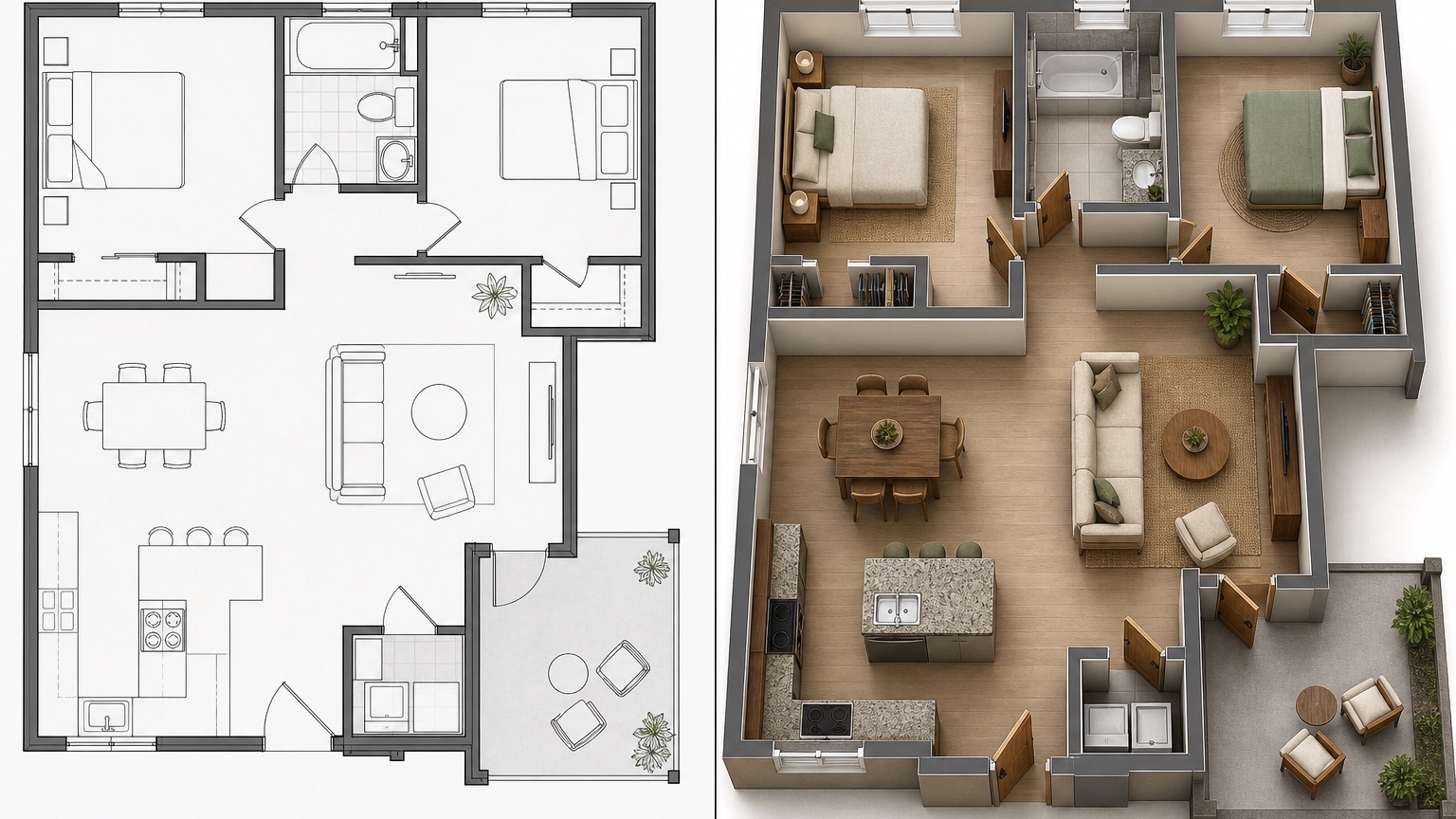
Generate a baseline furnished plan, then one option with alternate furniture, one with a layout change, and one with presentation polish. Keep prompt history so the team can trace why a later version changed. In RedesAIgn, saved prompts and generation history make this easier than restarting the whole brief every time.
For drafters and builders, the practical test is whether the visual changes the next meeting. If it only looks impressive, it is not enough.
Hand off the rendering with caveats
The image should support drawings, not replace them.
When the client chooses a direction, attach the rendering to a short scope note: what is preferred, what needs measurement, and what requires professional review. Builders can then price from drawings and specs instead of interpreting a pretty but incomplete picture.
For drafters and builders, the practical test is whether the visual changes the next meeting. If it only looks impressive, it is not enough.
How to make the review more useful
A rendering board can also prevent meeting drift. Put the original plan, the rendered plan, and the decision note on one page. If a client starts debating cabinet colors when the meeting is about circulation, point back to the board and capture the color request for a later round. If a builder spots a measurement conflict, mark the visual as a communication draft instead of defending it. The disciplined workflow makes AI useful for drafters because it shortens explanation time without pretending the image has the authority of a construction set.
A practical RedesAIgn workflow
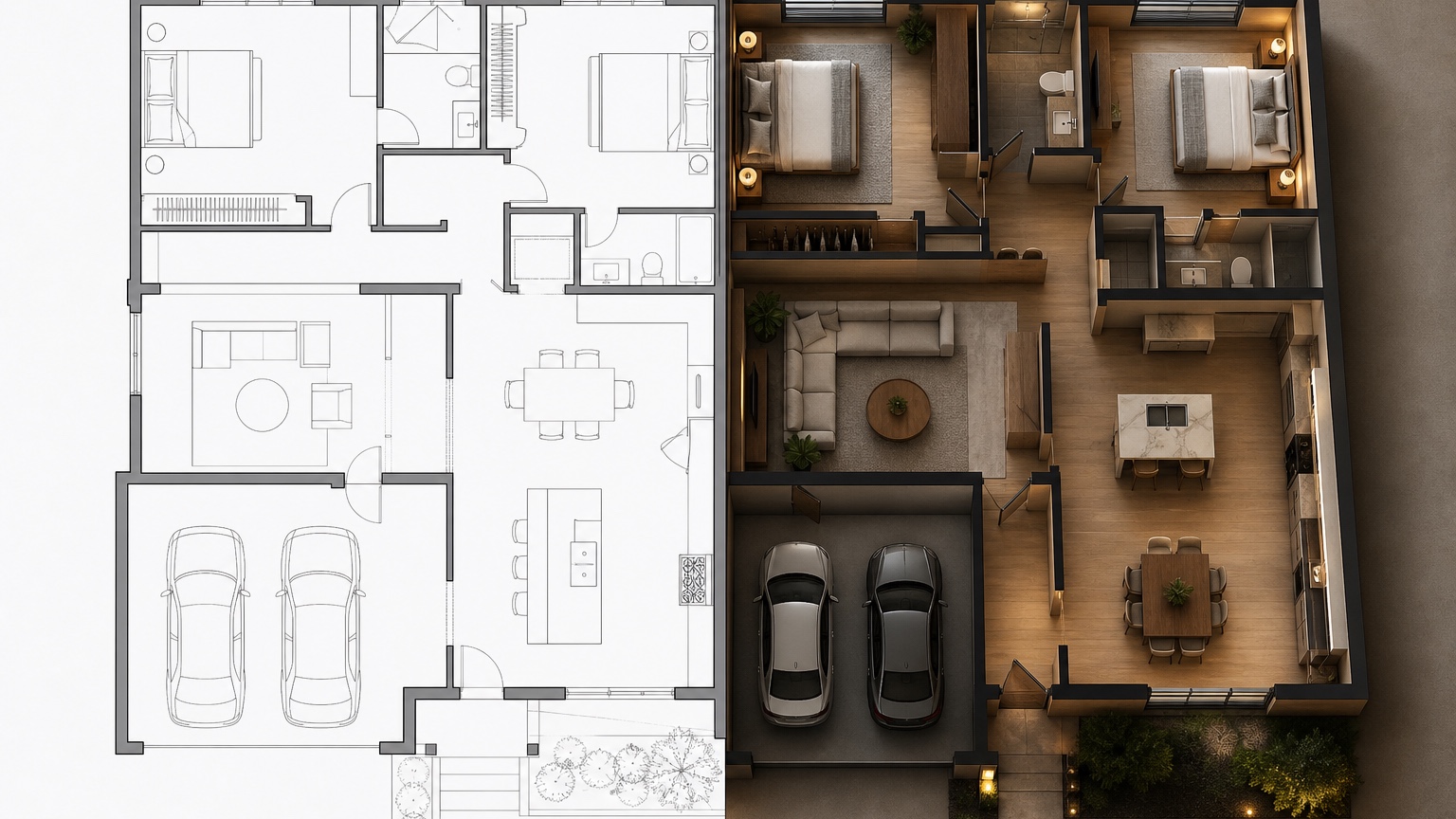
For floor plan rendering, begin with one faithful furnished version of the plan. Follow it with a circulation-focused alternative, a furniture-scale alternative, a cleaner presentation version, and one final image based on client feedback. Give each saved prompt a practical label so the drafter can tell which version solved which communication problem.
Use references for finish mood only after the plan reads clearly. A warm portfolio look is helpful, but it should not hide door conflicts, cramped paths, or missing storage. If the image becomes stylish yet vague, return to the drawing and ask for clearer walls, openings, and room relationships.
The final call to action is simple: use the free credits to see whether rendering makes the plan easier for the client to understand. If it does, keep iterating in controlled rounds and hand the preferred view back to the drafter or builder with exact notes.
Client presentation review notes
For drafters, the review should begin with orientation. Can the client quickly tell where the entry, kitchen, bedrooms, stairs, and outdoor connections are? If the answer is no, simplify the rendering before discussing style. The first purpose of a floor plan rendering is comprehension. Once the client understands the layout, the team can move to furniture, finishes, and pricing questions.
Use the rendering to capture plain-language comments. A client may say the dining area feels squeezed, the hall seems too long, or the living room needs a different focal point. Those comments can become drawing notes: widen the cased opening, test a smaller sectional, preserve the storage wall, or verify island clearances. The rendered image is valuable because it turns vague discomfort into specific revision requests.
RedesAIgn prompt history can keep these stages organized. Save a faithful plan rendering, a circulation study, a furniture study, and a presentation-polish version separately. If the builder later asks why a change was made, the sequence will show the decision trail.
Example scenario: turning a plan into client feedback
Consider a drafter preparing for a meeting about a new main-floor layout. The plan is technically clear, but the client keeps asking whether the kitchen, dining area, and living room will feel connected. A floor plan rendering can convert that abstract concern into a visual board. The prompt can preserve the walls, stairs, exterior doors, kitchen sink wall, and window locations while adding believable furniture and circulation.
In the meeting, the drafter can ask the client to point to what works and what feels wrong. Maybe the dining table appears too close to the island. Maybe the living room finally feels large enough. Maybe the entry path cuts across the seating group. Each response becomes a drawing note instead of a vague preference. The builder can also flag whether a suggested change affects plumbing, structure, or schedule.
This is where RedesAIgn history is helpful. The faithful rendering, the furniture-adjusted rendering, and the cleaner presentation rendering can remain separate. The drafter can return to the version that solved the communication problem without losing the original plan logic.
Before sending the board, add one sentence that explains the version. For example: this rendering tests whether the main living path remains clear with a six-seat dining table and a sectional. That framing helps clients review the plan as a decision instead of reacting only to finishes. It also tells the builder which assumption to verify first.
Keep the final board simple enough to print or attach to an email. A clean plan rendering with one decision note often works better than a crowded presentation page with every possible option.
FAQ: AI Floor Plan Rendering
What is AI floor plan rendering best for?
It is best for early presentation visuals that explain room flow, furniture scale, and layout intent before detailed drafting or pricing.
Can builders rely on AI floor plan renderings for measurements?
No. Use them for discussion and visual alignment. Measurements, codes, engineering, and construction details must come from professional drawings.
Why use RedesAIgn for floor plan rendering ideas?
RedesAIgn supports prompt-based visual iterations, remix/reference images, saved prompts, and history, with 5 free AI credits to test the workflow first.
Try these prompts in redesAIgn
Convert this floor plan into a bright open-concept living area with a kitchen island and natural light.
Show furniture placement for a 2-bedroom layout with a dining nook and entry storage.
Visualize this blueprint as a modern ADU with compact kitchen, loft bed, and bathroom.
Related guides
- AI Floor Plan With Furniture: See How Rooms Could Work
Add furniture to floor plans with RedesAIgn so scale and circulation stay realistic before you buy pieces or rearrange a real room layout.
- AI Kitchen Floor Plan Visualizer for Remodel Layout Ideas
Visualize kitchen floor plans with AI before remodeling. Compare work triangles, islands, storage, and circulation with realistic furniture scale.
- AI Open Concept Floor Plan Ideas From Existing Layouts
Compare open-concept floor plans with AI before removing walls. Preview kitchen, living, and dining flow plus furniture zones and circulation.
- AI ADU Floor Plan Visualizer for Backyard Homes and Rentals
Preview ADU floor plans with AI for backyard homes and rentals. Compare compact layouts, baths, kitchens, and access before permitting talks.
- AI Basement Floor Plan Design: Visualize Finished Basement Layouts
Design finished basement layouts with AI floor plans. Compare recreation, guest, office, and bath options before construction estimates.