AI Remodel Floor Plan Visualizer for Additions and Layout Changes
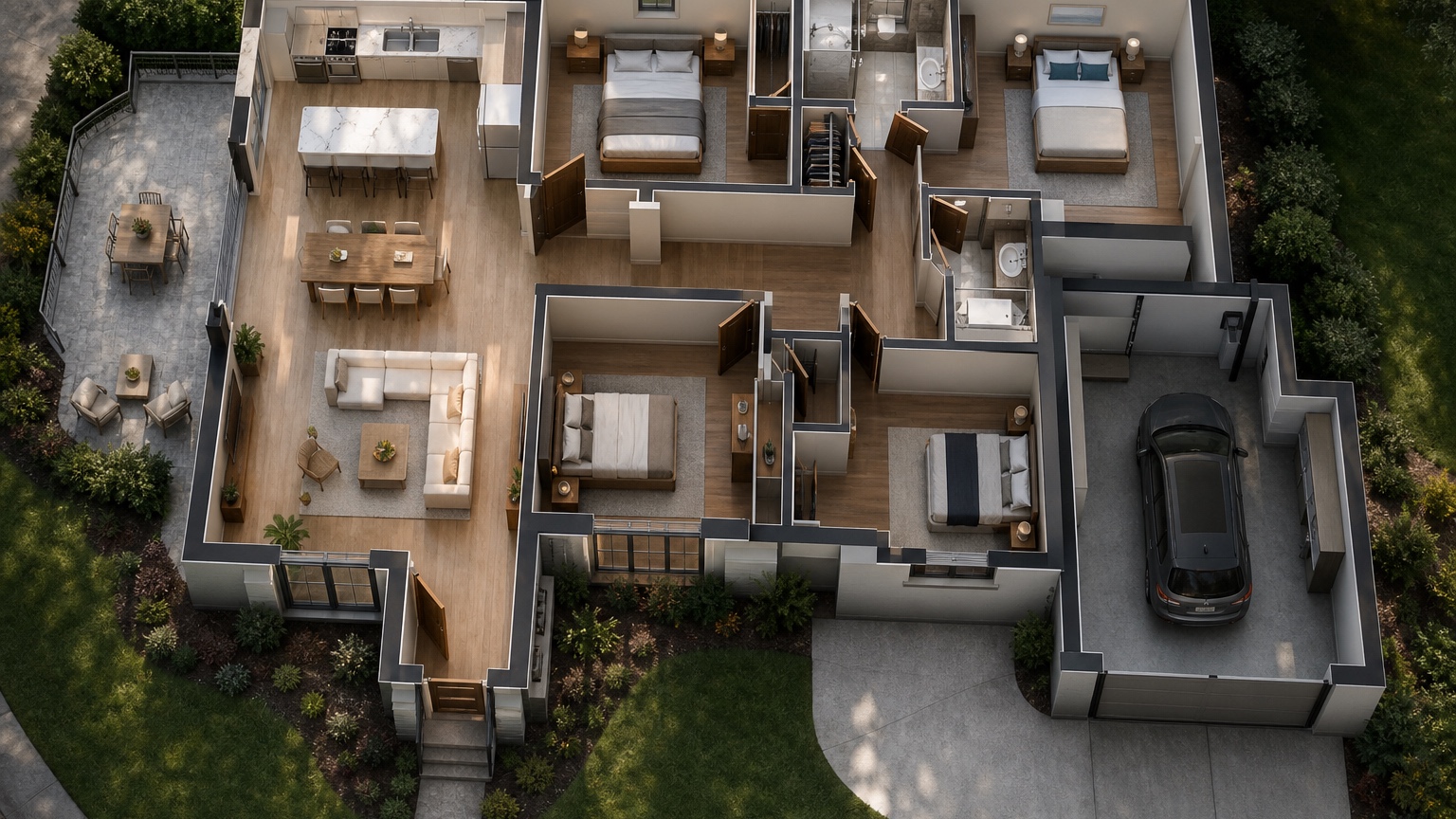
Ai Remodel Floor Plan Visualizer is most useful when it helps remodelers and homeowners decide which layout change is worth estimating, drafting, or rejecting. It can frame a remodel conversation, but it cannot approve structure, cost, permits, utilities, or construction scope.
This post uses a remodel scope-risk lens. The sequence is to separate existing conditions from proposed changes, compare minimal and bold options, look for hidden conflicts, and prepare a clearer brief for the remodeler or designer.
RedesAIgn is useful for this early comparison because it combines prompt-based visual edits, reference images, remixing, saved prompts, and history across its AI editors. Homeowners can start with 5 free credits and no credit card, then buy one-time credit packs only if more remodel options are worth exploring.
Use visuals before scope hardens
Remodels become expensive when unclear ideas turn into priced assumptions.
An AI remodel floor plan visualizer helps homeowners and remodelers compare layout changes while they are still cheap to discuss. It can show whether an addition improves daily flow, whether opening a wall creates a better kitchen-living relationship, or whether a basement layout needs more storage before finishes are selected. The goal is not to approve construction; it is to make the next professional conversation sharper.
For remodelers and homeowners, the practical test is whether the visual changes the next meeting. If it only looks impressive, it is not enough.
Separate existing conditions from proposed changes
The prompt should protect what is fixed and isolate the move being tested.
List exterior walls, stairs, major plumbing, structural clues, windows, doors, and rooms that must remain. Then describe one remodel move: expand the kitchen into dining, add a mudroom, finish the basement, create an open concept living area, add a bedroom suite, or reorganize circulation. One move per version makes the images easier to evaluate.
For remodelers and homeowners, the practical test is whether the visual changes the next meeting. If it only looks impressive, it is not enough. For adjacent remodel topics, compare AI exterior remodel visualizer, AI floor plan visualizer, and AI kitchen remodel visualizer.
Compare minimal, moderate, and bold options
A remodel visualizer is most useful when it exposes cost and disruption tradeoffs.
Generate a minimal-change version, a practical upgrade, and a bold version. The minimal option may preserve walls and improve furniture. The moderate option may widen an opening or move storage. The bold option may add square footage or reassign rooms. Score each against budget risk, construction complexity, daily function, and resale value.
For remodelers and homeowners, the practical test is whether the visual changes the next meeting. If it only looks impressive, it is not enough.
Look for hidden conflicts
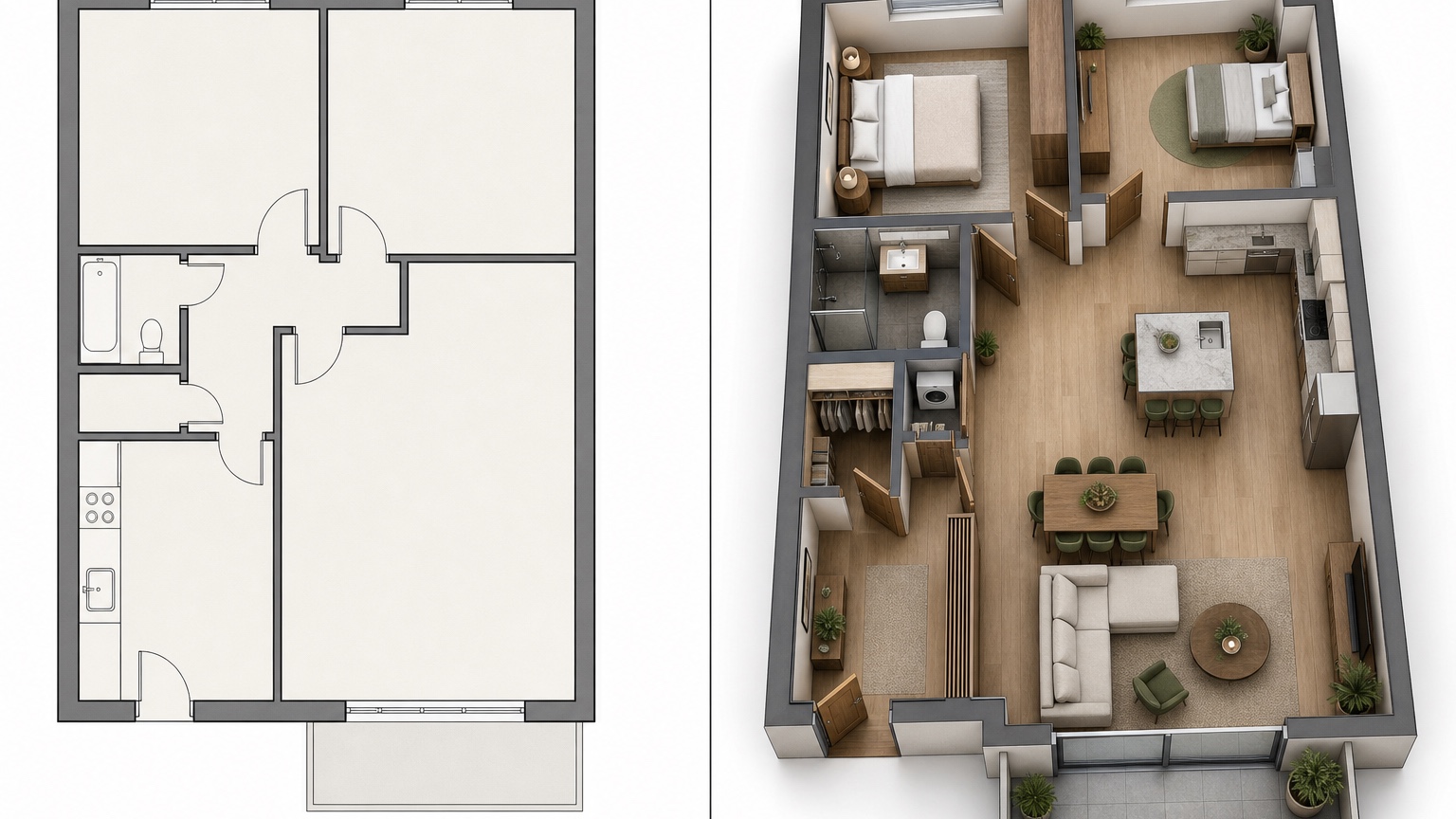
Pretty remodel visuals can hide door, window, utility, and circulation problems.
Check whether the new plan blocks windows, creates long awkward hallways, moves plumbing casually, removes needed storage, crowds stairs, or sends traffic through seating. If the image makes an addition look easy without showing transitions, treat it as a warning to ask better questions rather than a green light.
For remodelers and homeowners, the practical test is whether the visual changes the next meeting. If it only looks impressive, it is not enough.
Turn the winner into an estimate-ready brief
A contractor or designer needs decisions, constraints, and open questions.
Save the strongest visual and write a remodel brief: preferred option, existing elements to preserve, possible demolition, uncertain structural items, desired room purposes, and questions for pricing. RedesAIgn can keep prompt history and variations together so the homeowner can show how the direction evolved.
For remodelers and homeowners, the practical test is whether the visual changes the next meeting. If it only looks impressive, it is not enough.
How to make the review more useful
Remodelers can also use visual comparisons to expose assumptions before estimates become emotional. A homeowner may prefer the bold addition until the visual makes the roof transition, circulation, or lost yard space obvious. Another homeowner may reject a minimal option until they see that it solves the daily frustration with far less disruption. The image does not price the job, but it helps everyone discuss the same scope. That shared reference can reduce vague requests, prevent surprise expectations, and make the first professional estimate conversation more realistic.
A practical RedesAIgn workflow
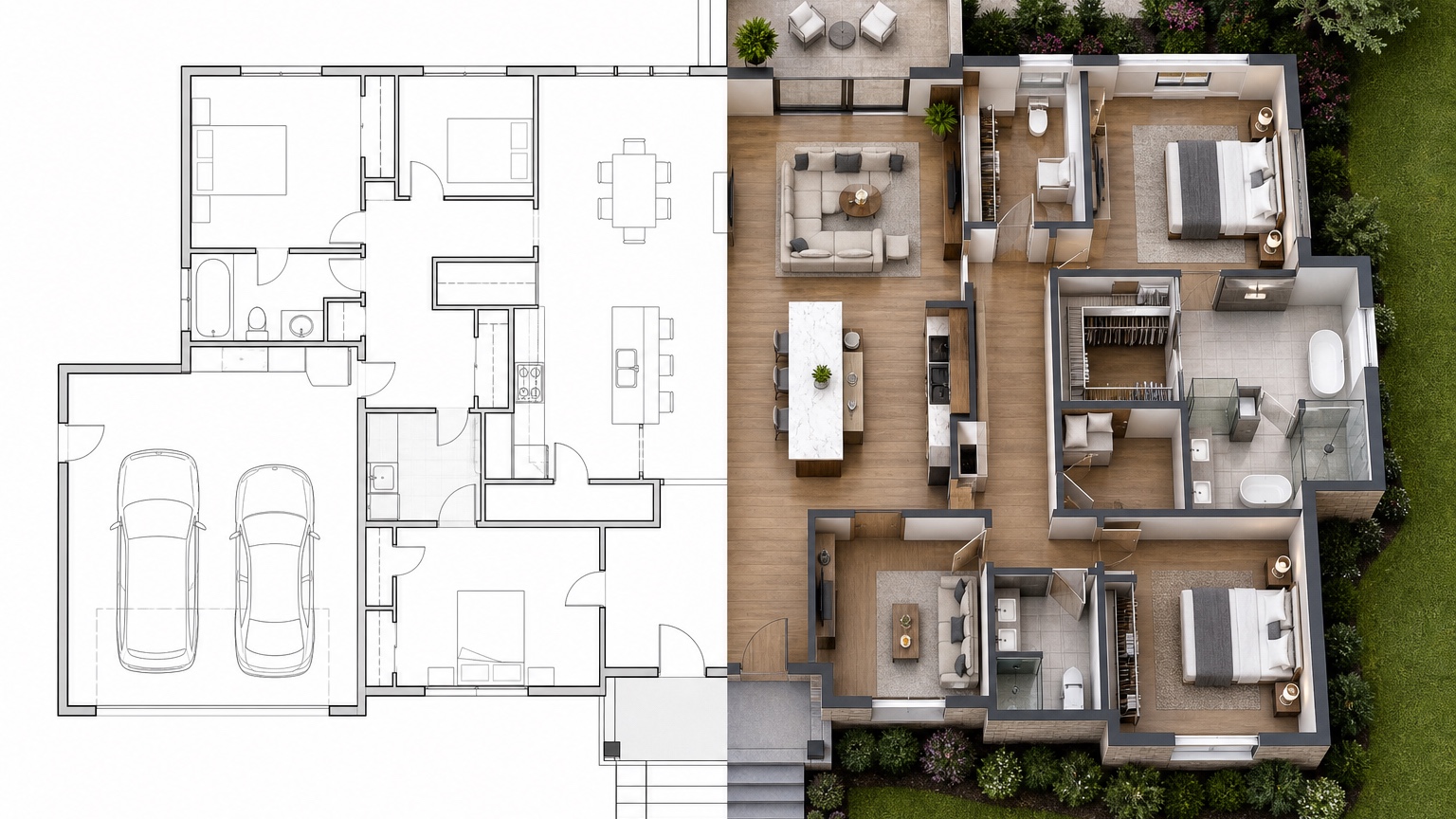
For a remodel floor plan, generate a baseline, a minimal-change option, a moderate scope option, a bold option, and one refined direction. Label each prompt by scope level so the homeowner and remodeler can discuss disruption, budget risk, and functional benefit without mixing the alternatives.
References can show mood or finish direction, but they should not distract from the layout decision. If a concept casually moves plumbing, erases storage, or makes an addition look effortless, treat that as a cue to ask a remodel professional better questions.
The best use of RedesAIgn is a sharper first conversation. Bring the strongest image, the rejected options, and a written caveat list to the contractor, architect, designer, or engineer who can translate the idea into drawings, cost ranges, and feasibility checks.
Remodel scope review notes
A remodel visualization should be reviewed against disruption. Which walls appear to move? Which rooms lose storage? Does the concept imply plumbing, electrical, HVAC, roof, foundation, or exterior work? Does an addition change yard use or natural light? These questions are not reasons to avoid the idea; they are the reason to use the image before scope becomes expensive.
Ask the homeowner to rank the versions by daily benefit, not by drama. A minimal-change layout may solve the irritation with less cost. A bold option may be worth exploring if it fixes circulation, storage, and resale value at once. A moderate option may be the best candidate for an estimate because it balances improvement with fewer unknowns.
RedesAIgn history can preserve this scope ladder. Keep baseline, minimal, moderate, bold, and refined versions together. When the remodeler reviews them, the conversation can focus on feasibility and budget instead of trying to decode a verbal wish list.
Example scenario: comparing remodel scope levels
Imagine a homeowner who wants a larger kitchen and better connection to the living room. One option keeps the footprint and changes furniture. Another widens a wall opening. A third relocates storage and adjusts the dining area. A fourth suggests an addition. An AI remodel floor plan visualizer can show those scope levels side by side before the homeowner asks for a detailed estimate.
The review should focus on tradeoffs. The minimal option may be affordable but only partly solve the problem. The moderate option may improve daily flow while preserving much of the existing structure. The bold option may be compelling but trigger roof, foundation, utility, permit, and budget questions. Seeing those differences visually helps the homeowner discuss priorities without assuming every idea is equally simple.
RedesAIgn is useful because each scope level can be saved as its own prompt. When the remodeler joins the conversation, the homeowner can show the baseline, rejected ideas, preferred direction, and caveats. That is a stronger starting point than a single wish-list sentence.
Before estimating, turn the preferred remodel image into a short scope paragraph. State what stays, what may change, what the homeowner likes, and what must be verified. A remodeler can respond to that paragraph much faster than to a collection of disconnected inspiration pictures.
If none of the options feel right, that is still useful. The rejected visuals reveal which scope assumptions need to change before the next remodel discussion. Save the rejection reason beside the image so the next prompt changes scope intentionally instead of generating another version of the same weak idea. That small note also helps a remodeler understand what the homeowner already considered.
FAQ: AI Remodel Floor Plan Visualizer
What can an AI remodel floor plan visualizer help decide?
It can help compare layout changes, additions, wall-opening ideas, room reassignment, circulation, and furniture fit before detailed estimates or drawings.
Can AI tell me whether a remodel is feasible?
No. AI visuals cannot confirm structure, code, utilities, permits, or exact cost. Use them as discussion references for qualified remodelers, designers, architects, or engineers.
How should I use RedesAIgn for remodel concepts?
Start with 5 free credits and no credit card. Create a baseline, minimal-change, moderate-change, bold-change, and refined version, then use saved prompts and history to keep the comparison organized.
Try these prompts in redesAIgn
Convert this floor plan into a bright open-concept living area with a kitchen island and natural light.
Show furniture placement for a 2-bedroom layout with a dining nook and entry storage.
Visualize this blueprint as a modern ADU with compact kitchen, loft bed, and bathroom.
Related guides
- AI Floor Plan With Furniture: See How Rooms Could Work
Add furniture to floor plans with RedesAIgn so scale and circulation stay realistic before you buy pieces or rearrange a real room layout.
- AI Kitchen Floor Plan Visualizer for Remodel Layout Ideas
Visualize kitchen floor plans with AI before remodeling. Compare work triangles, islands, storage, and circulation with realistic furniture scale.
- AI Open Concept Floor Plan Ideas From Existing Layouts
Compare open-concept floor plans with AI before removing walls. Preview kitchen, living, and dining flow plus furniture zones and circulation.
- AI ADU Floor Plan Visualizer for Backyard Homes and Rentals
Preview ADU floor plans with AI for backyard homes and rentals. Compare compact layouts, baths, kitchens, and access before permitting talks.
- AI Basement Floor Plan Design: Visualize Finished Basement Layouts
Design finished basement layouts with AI floor plans. Compare recreation, guest, office, and bath options before construction estimates.