AI ADU Floor Plan Visualizer for Backyard Homes and Rentals
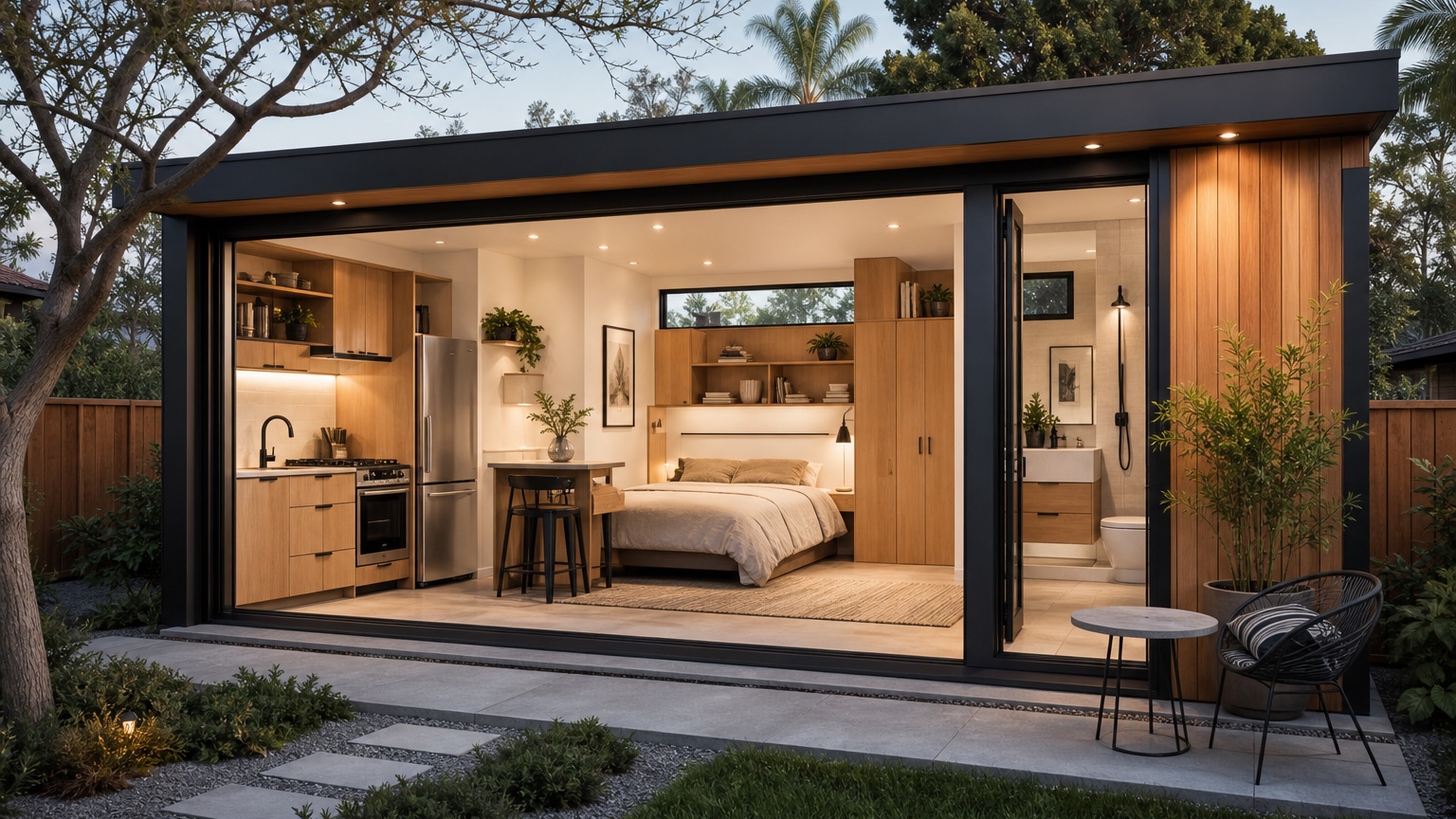
For ADU review, write down occupant type, entry privacy, storage adequacy, parking assumptions, utility route, and the code questions a local expert must check. If the image clarifies those items, it has done useful work.
Protect the small-unit constraints
Tiny plans punish vague prompts because every door swing, cabinet run, and closet affects daily comfort.
Prepare a readable plan scan, lot photo, setback notes, existing driveway context, and any utility assumptions. Tell RedesAIgn which walls, windows, plumbing zones, and entries must remain recognizable. Reference images can clarify a warm modern, cottage, or minimalist look, but the reference should not overrule the plan geometry.
For ADU review, write down occupant type, entry privacy, storage adequacy, parking assumptions, utility route, and the code questions a local expert must check. If the image clarifies those items, it has done useful work.
If the ADU study needs another angle, compare it with AI house plan visualizer for whole-home context and AI 3D floor plan generator for presentation style.
Compare livability before finishes
The useful ADU visual answers whether furniture, storage, and circulation fit without magical space.
Generate one furnished baseline, one storage-heavy option, one accessible or aging-in-place option, and one rental presentation view. Look for a bed that can be made, a table that does not block the kitchen, a real path from entry to bath, and a place for coats, cleaning supplies, trash, and luggage. Reject pretty outputs that erase those everyday details.
For ADU review, write down occupant type, entry privacy, storage adequacy, parking assumptions, utility route, and the code questions a local expert must check. If the image clarifies those items, it has done useful work.
Use the image as an investor conversation tool
A clear ADU concept can help owners, builders, and lenders discuss value before drawings become expensive.
Bring the strongest image to the builder or designer with notes about assumptions: approximate square footage, entry side, patio privacy, parking, utility route, and code questions. The image is not a permit drawing, but it can focus the next estimate meeting around fewer, better options.
For ADU review, write down occupant type, entry privacy, storage adequacy, parking assumptions, utility route, and the code questions a local expert must check. If the image clarifies those items, it has done useful work.
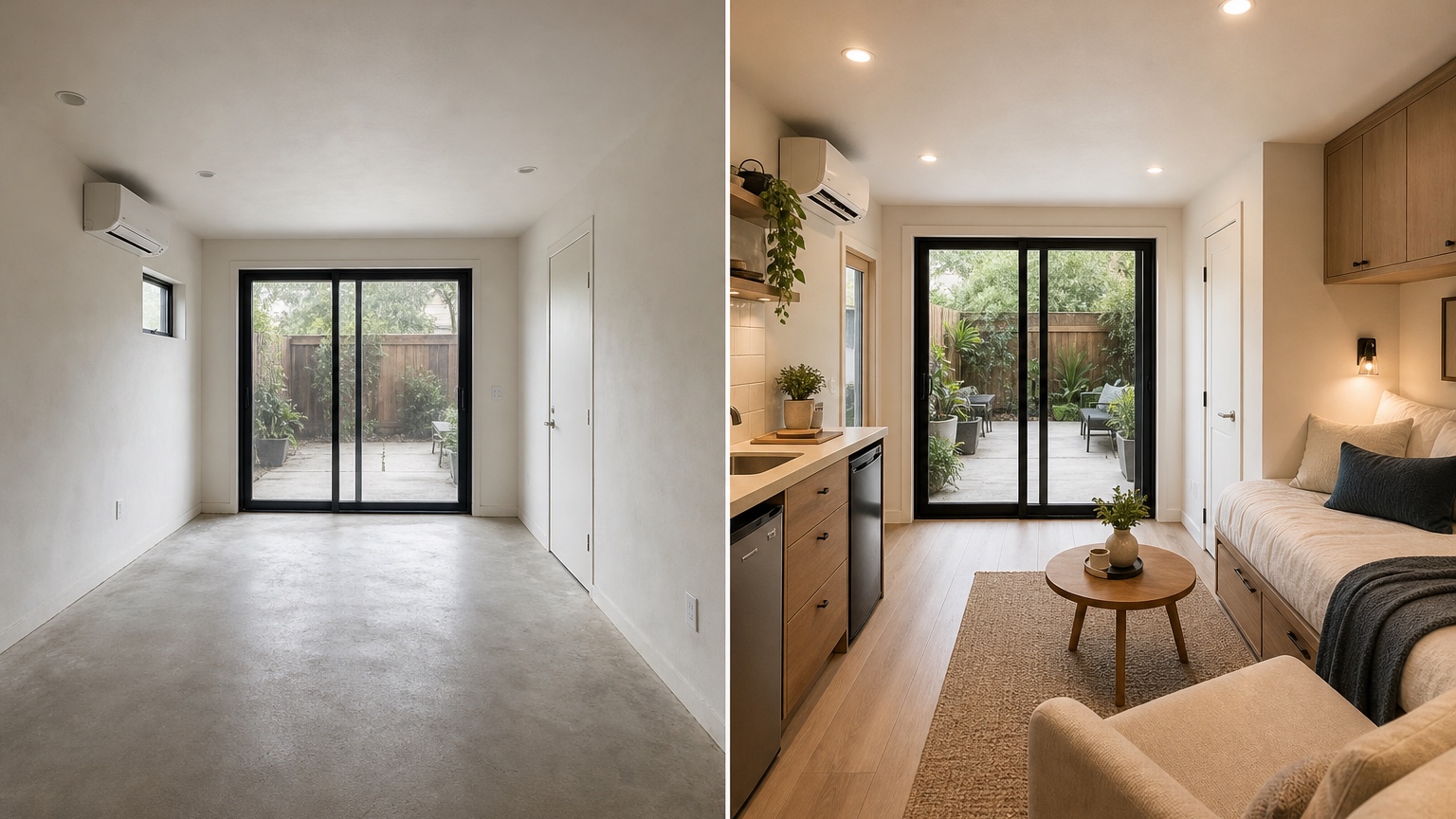
Keep privacy and site context visible
Detached units succeed when the tiny house and the main house feel planned together.
Review window placement, fence relationship, path lighting, trash access, and outdoor seating. A polished interior is not enough if the plan creates awkward sightlines or a tenant route through the main family yard.
For ADU review, write down occupant type, entry privacy, storage adequacy, parking assumptions, utility route, and the code questions a local expert must check. If the image clarifies those items, it has done useful work.
A practical RedesAIgn workflow for this decision
For ADU planning in RedesAIgn, make the baseline a conservative furnished unit that respects entry, storage, bath, kitchen, and sleeping zones. Follow it with a privacy version, a storage version, and a rental-presentation version. Name each saved prompt after the constraint it tested so the owner, builder, and planner can review the history together. Use the ADU output as a backyard feasibility reference while local zoning, setbacks, utilities, and professional drawings decide what can actually be built.
Review the concept before anyone acts
Before you choose a favorite ADU option, run a small scorecard with five columns: livability, privacy, site fit, rental appeal, and verification burden. Livability covers sleeping, eating, bathing, working, storage, and a comfortable path through the unit. Privacy covers the relationship between the ADU entry, the main house, windows, fences, and outdoor seating. Site fit covers parking, trash, utilities, drainage, and whether the visual respects the actual backyard. Rental appeal covers whether the plan feels understandable to a future tenant without overselling square footage. Verification burden covers the unknowns that require a designer, builder, planner, or engineer. This scorecard keeps the most charming image from winning for the wrong reason. If two concepts are close, prefer the one with fewer hidden assumptions and clearer next steps.
What to save after the first generation
Save the ADU image that best balances livability and backyard fit, plus one rejected output that ignored entry, storage, or privacy. The handoff should name intended occupant, approximate size, site assumptions, parking or utilities, and zoning/code verification needs.
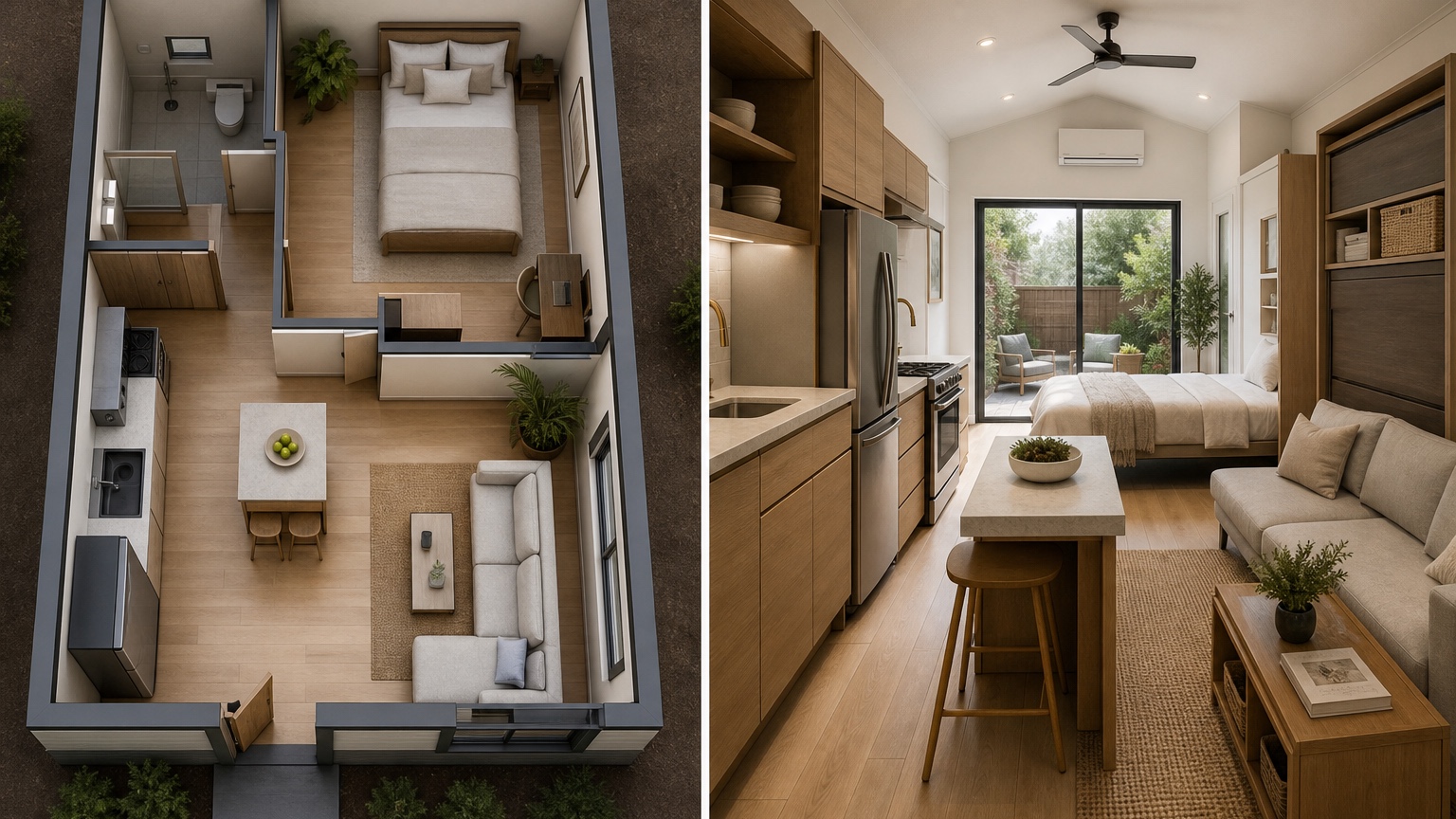
ADU feasibility scorecard
Score each ADU image against five practical checks before anyone falls in love with finishes. First, check occupant comfort: can a person sleep, cook, bathe, work, store belongings, and move through the unit without awkward compromises? Second, check owner privacy: does the entry path respect the main house, fences, windows, patio, pets, children, and garbage access? Third, check site reality: does the concept acknowledge parking, drainage, utility routes, setbacks, and the way construction equipment may reach the backyard? Fourth, check rental communication: could a future tenant understand the size and purpose of each zone without misleading staging? Fifth, check professional workload: which items still require a planner, builder, designer, or engineer?
This scorecard makes the visual safer to use. A charming tiny home image can still fail if it hides laundry, shrinks the bathroom, invents a closet, or makes the patio relationship uncomfortable. A plainer concept may win because it makes the next estimate meeting honest. In RedesAIgn, save the prompt for each option and add a short note such as baseline rental, privacy-first entry, storage-heavy plan, or accessible parent suite. Those names help everyone remember why the image exists.
The ADU concept should also show restraint with materials. A warm modern cottage, simple stucco unit, or small contemporary rental can all be useful, but the style should not distract from livability. Ask for realistic daylight, modest furniture, and plausible outdoor connection. If the generated image changes the number of rooms, confuses the kitchen and bath, or creates a view that ignores the lot, regenerate with a stricter prompt. The end product is a visual brief for real due diligence, not a shortcut around it.
Common ADU prompt mistakes to avoid
Avoid prompts that ask for a luxury tiny house without naming the boring constraints. ADUs live or die on the boring constraints: where the door is, where the bathroom fits, whether the kitchen has enough working room, whether storage exists, and whether a person can move from bed to bath without squeezing around furniture. Do not ask the AI to maximize everything. Ask it to protect the few things that matter most for the intended use.
Also avoid treating the yard as empty decoration. A backyard ADU changes privacy, shade, drainage, trash routes, pets, deliveries, and the way the main house uses outdoor space. A useful visual should show enough context to discuss those issues. If the image crops too tightly around the unit, regenerate a site-aware version before making decisions.
Final handoff note
Before sharing the ADU concept, create a short owner note with target rent or family use, desired privacy level, storage must-haves, backyard areas that cannot be lost, and the first professional call to make. That note prevents the image from becoming a fantasy tiny home detached from the lot. It also helps compare two options that look equally polished. The better option is the one that leaves fewer unanswered questions about living comfort, site access, and approvals.
A final ADU sanity check is seasonal use. Consider summer heat, winter access, nighttime lighting, package delivery, bike storage, and whether the tenant or family member has a dignified route to the door. Small homes are unforgiving when those details are ignored.
Keep the first shared package simple: one image, one rejected alternative, and one list of site questions. That is easier for a builder to answer than a folder full of disconnected tiny-house fantasies.
FAQ: AI Adu Floor Plan Visualizer
Can an AI ADU floor plan visualizer confirm code compliance?
No. Use it for concept comparison and stakeholder discussion, then verify zoning, setbacks, utilities, fire access, structure, and permits with qualified local professionals.
What should I upload for an ADU concept?
Use a legible plan, site or backyard photo, rough dimensions, entry notes, parking context, and a prompt that states what must remain fixed.
How can RedesAIgn help with ADU planning?
RedesAIgn lets you test prompt-based concepts with remix or reference images, saved prompts, generation history, and 5 free AI credits with no credit card.
Try these prompts in redesAIgn
Convert this floor plan into a bright open-concept living area with a kitchen island and natural light.
Show furniture placement for a 2-bedroom layout with a dining nook and entry storage.
Visualize this blueprint as a modern ADU with compact kitchen, loft bed, and bathroom.
Related guides
- AI Floor Plan With Furniture: See How Rooms Could Work
Add furniture to floor plans with RedesAIgn so scale and circulation stay realistic before you buy pieces or rearrange a real room layout.
- AI Kitchen Floor Plan Visualizer for Remodel Layout Ideas
Visualize kitchen floor plans with AI before remodeling. Compare work triangles, islands, storage, and circulation with realistic furniture scale.
- AI Open Concept Floor Plan Ideas From Existing Layouts
Compare open-concept floor plans with AI before removing walls. Preview kitchen, living, and dining flow plus furniture zones and circulation.
- AI Basement Floor Plan Design: Visualize Finished Basement Layouts
Design finished basement layouts with AI floor plans. Compare recreation, guest, office, and bath options before construction estimates.
- AI Remodel Floor Plan Visualizer for Additions and Layout Changes
Visualize remodel floor plans with RedesAIgn to clarify addition, circulation, and scope before hiring pros or building the next phase.