AI Outdoor Living Design Ideas for Patios, Decks, and Backyards
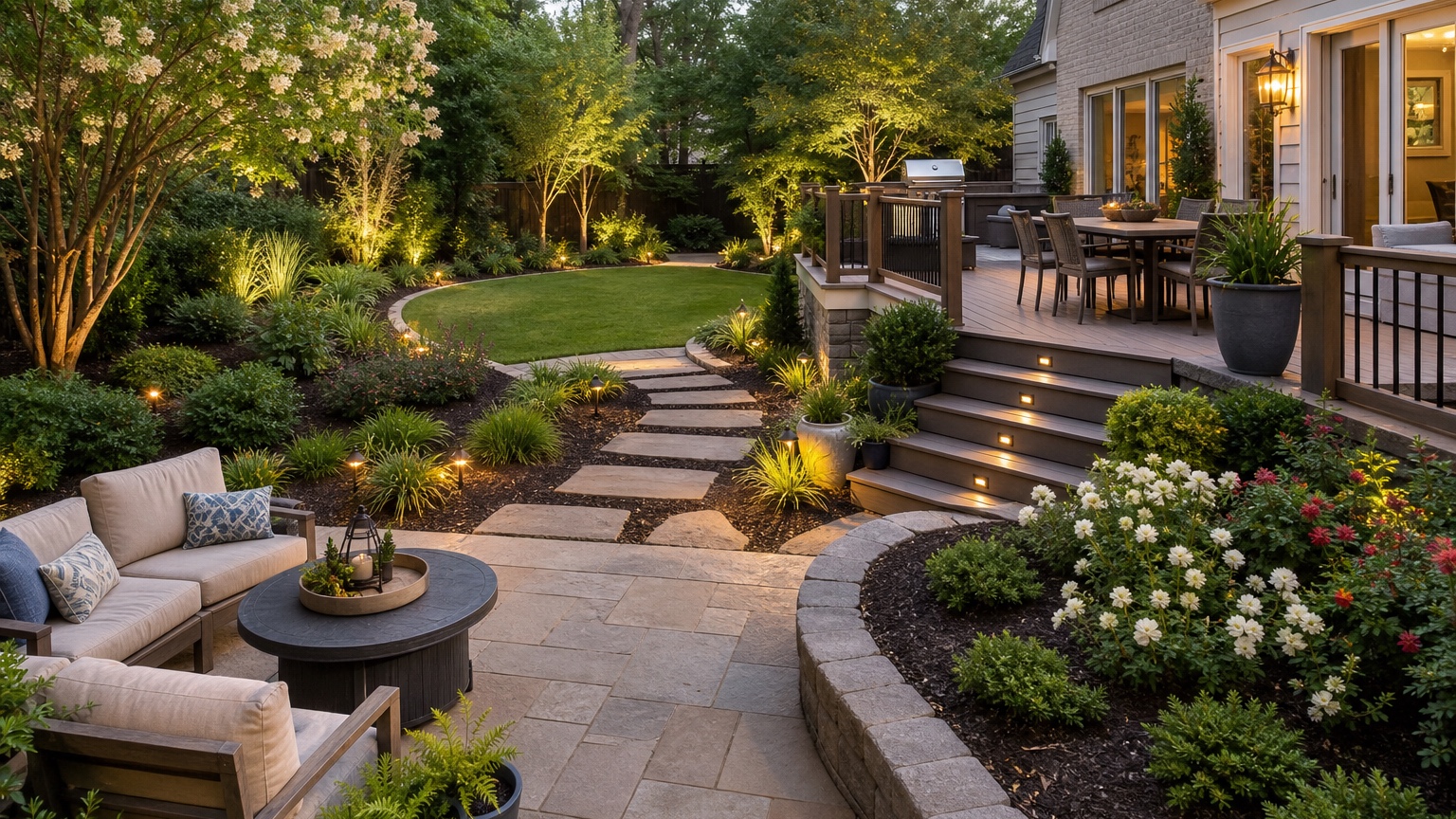
AI outdoor living design is most useful when it helps a yard feel usable, not just decorated. Hosts, homeowners, and contractors need to see whether a patio, deck, dining area, lounge zone, fire feature, planting screen, or lighting plan will actually work in the space they have. A beautiful image that ignores the house door, sun exposure, slope, drainage, fence line, or walking path can be inspiring, but it is not enough to guide a real outdoor upgrade.
The practical question is simple: how should this outdoor space support the way people gather? A host may need a backyard that photographs well and moves guests naturally from the kitchen to seating. A homeowner may want a calmer space for weeknight dinners and weekend entertaining. A contractor may need to turn a client’s vague “outdoor living” idea into a clearer scope before pricing materials and labor.
RedesAIgn helps with this early visual planning stage because you can upload a real yard, patio, or deck photo and test ideas with prompts, remix images, reference images, saved prompts, and history. If you want to explore your own space, start free with RedesAIgn and use 5 free AI credits with no credit card required.
What AI outdoor living design should help you decide
Outdoor living design is not one object. It is the relationship between the house, the ground surface, the furniture, the shade, the planting, the view, and the route people take through the space. AI can help when it turns that relationship into visible options. It is less helpful when it simply adds luxury furniture, string lights, and a fire pit to every yard.
For hosts, the decision is often about flow. Where do guests arrive? Where do they put drinks? Can someone move between the grill, dining table, and lounge chairs without squeezing behind furniture? Is the best seating zone close enough to the house to feel convenient but far enough away to avoid crowding the door? A preview can expose those issues before you buy furniture or build a patio.
For homeowners, the decision may be comfort. A deck might be too hot in the afternoon. A dining table may sit in the windiest part of the yard. A lounge zone may need a privacy screen from the neighbor’s second-story window. A generated image can help compare whether shade, planting, a pergola, a different furniture layout, or a smaller hardscape change solves the problem.
For contractors, the decision is scope. A client may say they want a backyard for entertaining, but the budget might support only a patio extension and lighting this year. A controlled visual concept helps separate the must-have outdoor room from optional upgrades. If the project begins with broader landscaping, related guides such as AI backyard design generator, AI landscape design from photo, and AI garden design generator can help break the plan into smaller decisions.
When to test outdoor living design visually first
Test an outdoor living idea visually before spending money on changes that will affect how people use the yard. Patio expansion, deck replacement, pergola placement, privacy screens, built-in seating, outdoor kitchens, fire pits, dining pads, lighting, pavers, gravel, raised planters, and major furniture layouts are all easier to evaluate in an image than from a material sample or a product page.
A preview is especially useful when several stakeholders need to compare the same option. One homeowner may care most about entertaining, another about maintenance, and another about resale. A host may want a camera-friendly patio that still functions for real guests. A contractor may need to align a designer, salesperson, installer, and client. An AI concept creates a common reference for those conversations.
Visual testing is also valuable when the site has constraints. Climate, water use, drainage, maintenance, sun exposure, local codes, HOA rules, access for construction, and furniture storage can all shape the right design. Use AI to compare a conservative version, a realistic upgrade, and a more ambitious concept, but label each one honestly. The goal is not to pretend every image is buildable. The goal is to understand which direction deserves a quote, a sketch, or a professional site review.
Use outdoor living design as a decision workflow
A useful workflow starts with what the image must decide. Are you choosing the dining location? Testing whether a pergola belongs near the house? Deciding if a fire pit should be built-in or movable? Comparing a deck against a paver patio? Improving a short-term rental listing photo without misrepresenting completed work? Each question needs a different prompt.
If the main issue is furniture layout, preserve the existing patio or deck and ask for better zones. If the issue is heat, test shade options without changing every other part of the yard. If the issue is privacy, keep the seating area consistent while comparing planting, screens, fencing, and trellis ideas. If the issue is entertaining capacity, generate one intimate layout and one larger hosting layout so you can see the tradeoffs.
Judge each output by function first. Can people walk through the space? Is the dining area close enough to the kitchen? Does the lounge zone face a pleasant view? Are chairs too close to the fire feature? Does the image leave room for planters, doors, steps, and storage? A design that photographs well but blocks the back door is not a good outdoor living plan.
Then judge the mood. Outdoor living spaces need atmosphere, but mood should follow function. Warm lighting, planted edges, cushions, wood tones, stone textures, and shade structures can make the space inviting only if the basic layout works.
Prepare the right input photo for a believable result
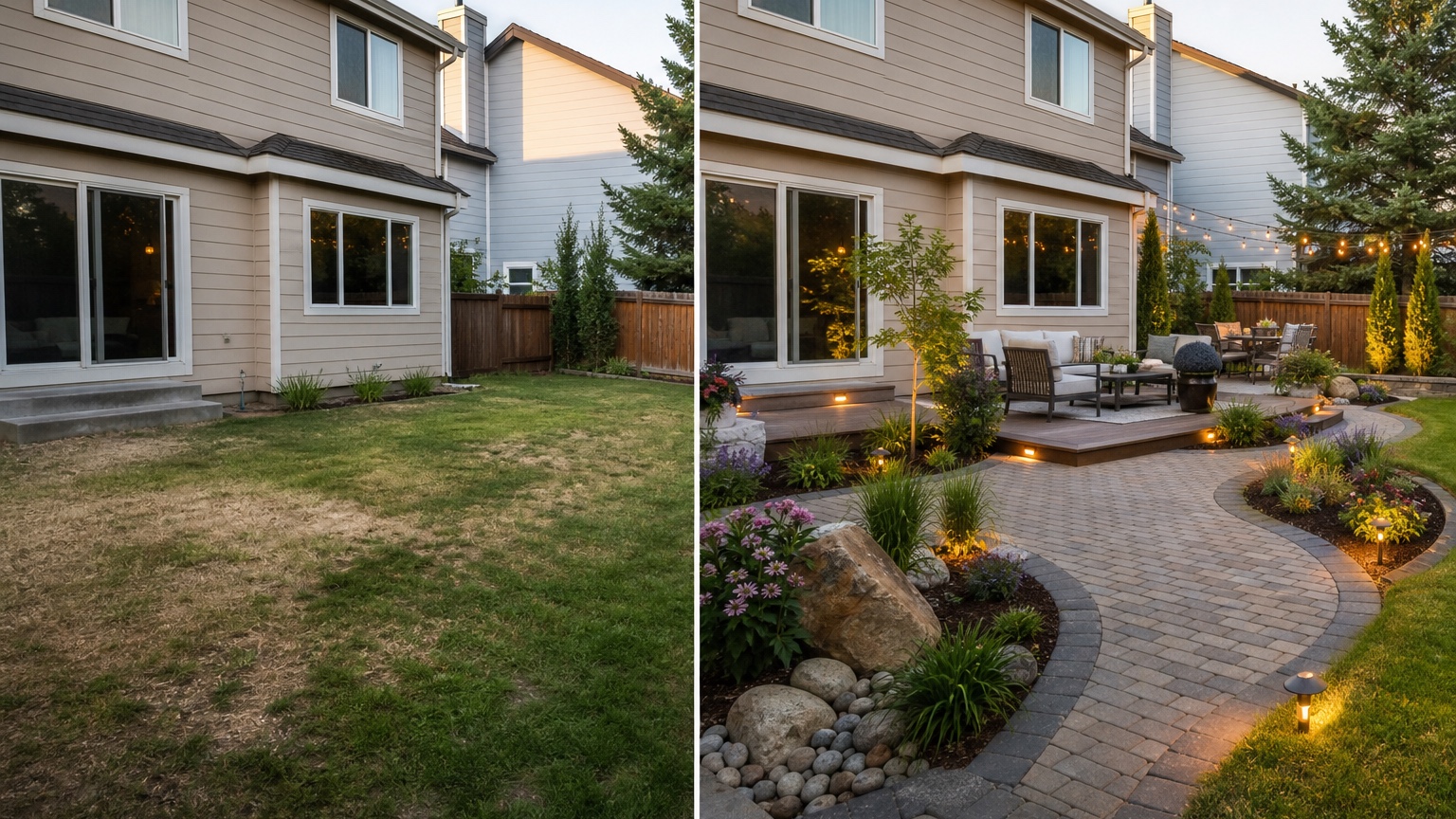
Use a wide daylight photo that shows the area where outdoor living will happen and the fixed elements around it. Include the house wall, back door, patio or deck edge, steps, fence, side access, existing trees, slope, drainage areas, utilities, pool equipment, outdoor outlets, grill location, and any path people use. If the yard is large, take one photo from the house looking out and another from the back of the yard looking toward the house.
Sun and shade matter more than many prompts acknowledge. If the afternoon sun makes the patio unusable, show or describe that condition. If the best view faces west, the design may need shade, tree placement, curtains, screens, or a different seating orientation. If the yard is windy, narrow, overlooked, or noisy, include that in the prompt.
Decide what must stay recognizable before generating. Most practical outdoor living previews should preserve the house, door locations, deck or patio if it is staying, fence line, grade, mature trees, fixed paths, and major hardscape. If the AI moves a door, erases steps, changes the slope, invents a pool, or expands the yard beyond the property line, do not treat that result as a near-term plan.
Reference images are useful when they clarify a specific design language: a paver pattern, pergola shape, outdoor sofa style, privacy screen, planting mood, or lighting temperature. Use them carefully. The real photo should remain the source of truth, and the reference should support the decision rather than replace the site.
Prompt for patios, decks, and backyards with constraints
A strong AI outdoor living design prompt reads like a compact project brief. It names the outcome, the activities, the fixed elements, and the constraints.
For a homeowner patio plan, try: “Create a realistic outdoor living design for this backyard. Preserve the house, back door, existing fence, grade, mature trees, and main access path. Add a comfortable dining zone near the house, a separate lounge area, warm low-voltage lighting, low-maintenance planting for privacy, and a shade solution that fits the scale of the yard. Keep the design contractor-feasible and avoid major structural changes.”
For a host-focused layout, try: “Design this patio for small gatherings. Keep the existing deck footprint, steps, railing, fence, and lawn. Improve guest flow from the door to seating, add a dining table, conversational lounge chairs, subtle lighting, durable planters, and a cleaner backdrop for photos. Do not block doors, stairs, or the path to the side gate.”
For a contractor reference, try: “Generate three controlled outdoor living design options: a furniture-and-lighting refresh, a patio expansion with dining and lounge zones, and a pergola-and-privacy concept. Keep the original house, access points, fence lines, grade, and existing trees recognizable. Prioritize climate suitability, water use, drainage, maintenance, and contractor feasibility.”
Generate controlled variations instead of one overloaded dream scene. Test dining placement first, then shade, then privacy, then hardscape. In RedesAIgn, saved prompts and history make it easier to compare these revisions, and remix images help refine a promising layout without losing the parts that worked.
Review the AI outdoor living output before acting on it
Start with scale. Outdoor furniture often looks smaller in generated images than it is in real life. Check whether there is room to pull out dining chairs, walk behind a sofa, open the back door, use stairs safely, move around a grill, and access storage or utilities. A fire pit should have safe clearance. A pergola should not overwhelm a small patio or block windows that need light.
Next, check consistency with the original image. Door locations, steps, railings, patio edges, fence lines, trees, slope, and house proportions should still make sense. Lighting should not hide impossible transitions. Pavers, decking, gravel, and planters should meet existing surfaces at believable edges.
Then compare the concept against climate, water, drainage, maintenance, and feasibility. A roofed structure may need permits. A low patio may need drainage work. Dense privacy planting may require irrigation and pruning. Gravel can be uncomfortable under dining chairs. Wood decking may need regular maintenance in exposed climates. The AI concept is a direction-setting image, not a substitute for measurements or construction review.
Save the strongest outdoor living version as a short brief. Note the preferred zones, approximate furniture scale, shade approach, privacy treatment, planting areas, lighting locations, materials to sample, and questions for a landscaper, hardscape contractor, or deck builder. That brief is the bridge between an attractive image and a useful next step.
Common mistakes that make outdoor living concepts generic
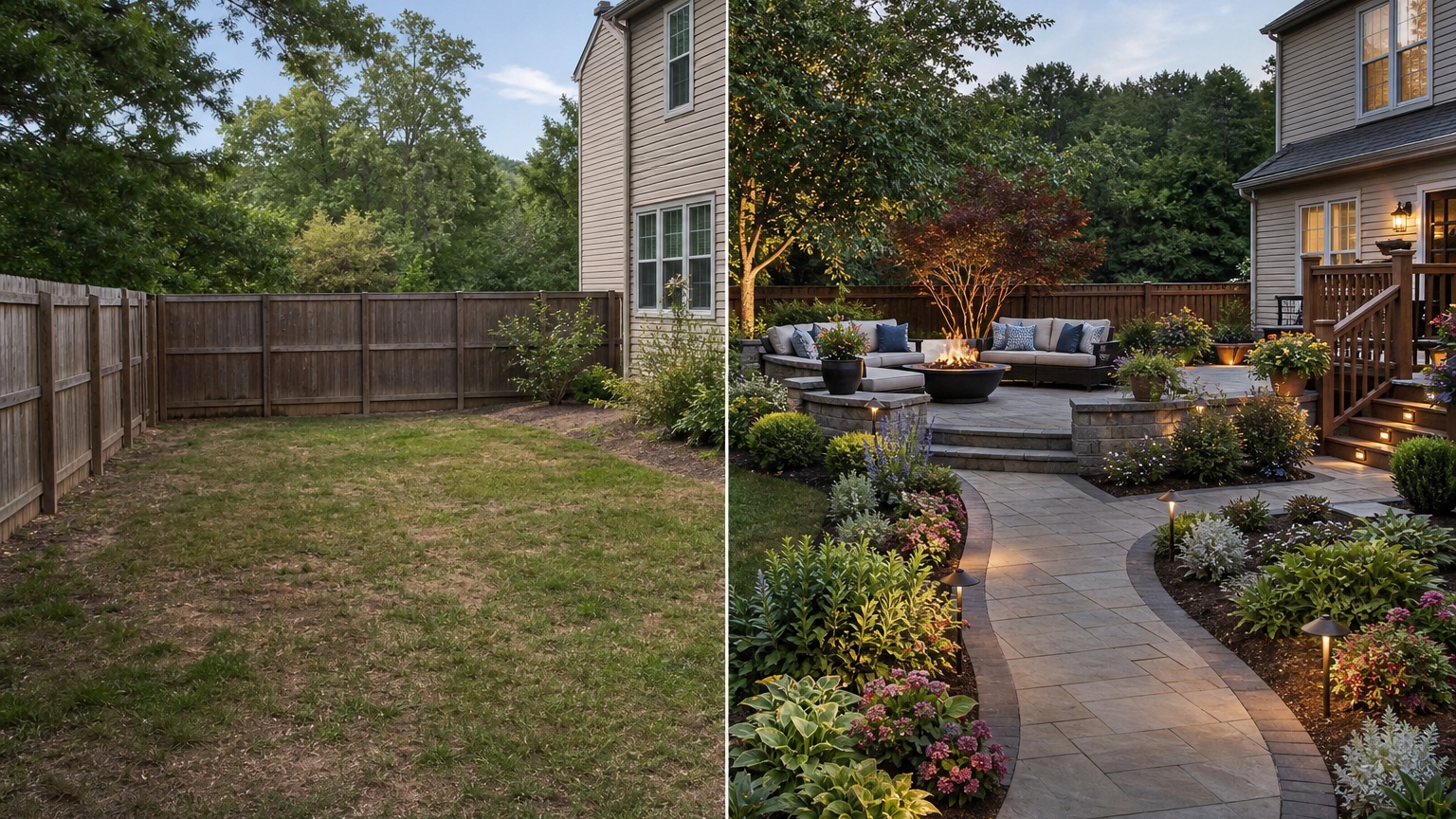
The first mistake is uploading a weak photo. If the image crops out the back door, patio edge, fence, or slope, the AI may arrange a pretty outdoor room that does not fit the real yard.
The second mistake is asking for every outdoor feature at once. Outdoor kitchen, pool, pergola, fire pit, deck, dining table, lounge sofa, water feature, and new garden beds can make one impressive render, but it will not reveal which investment matters most. Separate the decision into smaller versions.
The third mistake is ignoring comfort. Shade, wind, privacy, mosquitoes, glare, noise, furniture clearance, and nighttime lighting determine whether people actually use the space. If the prompt only asks for style, the output may miss the reason the patio currently feels unused.
The fourth mistake is treating the image as a build plan. AI can help visualize direction, but it does not confirm structure, permits, drainage, utilities, fire safety, local plant performance, or exact material quantities.
How to use RedesAIgn for AI outdoor living design
In RedesAIgn, choose the editor built for the yard or garden task, upload a clear photo, and write a prompt around the outdoor living decision. Generate focused options: one for layout, one for shade, one for privacy, and one for hardscape or lighting. Remix the best version and use history to compare what changed.
RedesAIgn includes 10 AI editors, so the same account can support related visual planning beyond one patio or backyard image. Prompts, remix images, reference images, saved prompts, and history help keep revisions organized. One-time credit packs are available if you need more generations after the free start. Commercial use is relevant for hosts, contractors, realtors, landscapers, and hospitality marketers who need visual concepts for client conversations, listings, guest experience planning, or stakeholder approvals.
When you are ready to preview patios, decks, and backyard layouts from your own photo, try RedesAIgn for free. You get 5 free credits, no credit card required, and a practical way to compare outdoor living concepts before you buy furniture, order materials, or request quotes.
FAQ: AI outdoor living design
Can AI design an outdoor living space from a photo?
Yes. AI can use a real patio, deck, or backyard photo to preview dining zones, lounge seating, shade, privacy, planting, lighting, and hardscape ideas.
What makes an outdoor living concept realistic?
A realistic concept preserves fixed site elements, respects walking paths and furniture clearances, accounts for sun, shade, drainage, maintenance, and keeps the design believable for the property.
Can hosts use AI outdoor living concepts for rentals or hospitality spaces?
Yes, as planning references. Hosts can compare layouts, photo-friendly backdrops, seating capacity, and guest flow, but should not present generated images as completed spaces unless the work is real.
Should contractors rely on AI images for construction?
No. Contractors can use the image to clarify direction and scope, but measurements, materials, structural details, permits, drainage, utilities, and pricing require professional review.
Try these prompts in redesAIgn
Redesign this front yard with a stone walkway, low-water plants, and clean planting beds.
Create a backyard seating patio with string lights, shrubs, and a simple lawn edge.
Add curb-appeal landscaping with layered greenery while keeping the driveway clear.
Related guides
- AI Landscape Architecture Generator for Early Outdoor Concepts
Use an AI landscape architecture generator for early outdoor concept exploration, studio reviews, feasibility checks, and photo-based design iteration.
- AI Landscape Visualizer: Preview Yard Changes Before You Commit
Use an AI landscape visualizer to preview realistic yard changes from a photo, compare landscaping options, and reduce decision risk before outdoor work.
- AI Lawn Makeover Ideas: Turn a Plain Yard Into a Plan
Use an AI lawn makeover to preview lawn shape, planting borders, paths, edging, seating, and practical yard upgrades before hiring or starting work.
- AI Xeriscape Design Ideas for Low-Water Yards
Use AI xeriscape design to preview low-water planting, gravel, paths, shade, irrigation zones, and maintenance tradeoffs before changing your yard.
- AI Backyard Makeover: Generate Outdoor Design Before and Afters
Use an AI backyard makeover workflow to preview layout zones, maintenance tradeoffs, before-and-after options, and practical next steps from a real yard.