AI Landscape Visualizer: Preview Yard Changes Before You Commit
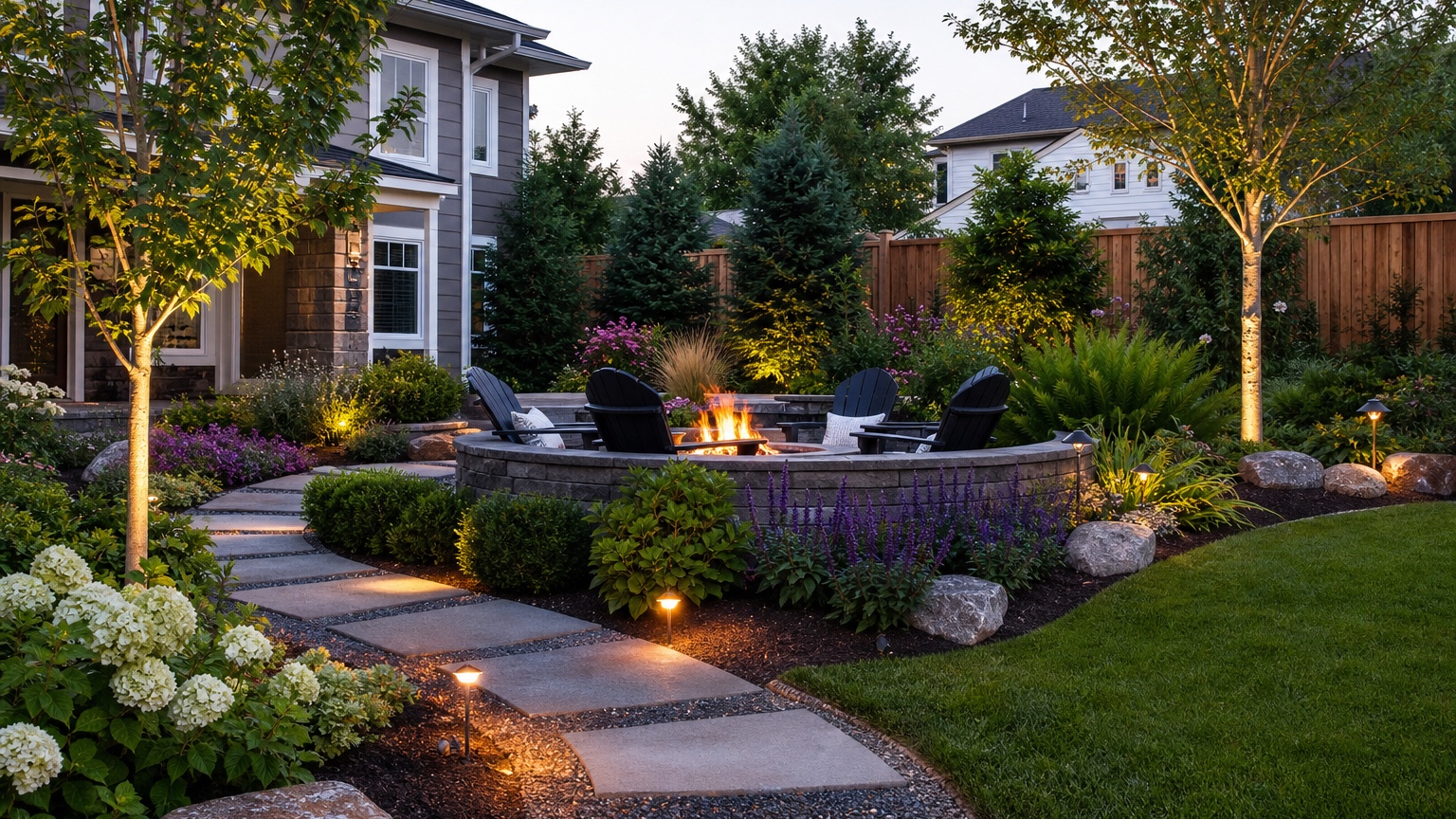
An AI landscape visualizer is most valuable when a yard decision feels expensive, permanent, or hard to explain from words alone. Homeowners may be choosing between a larger lawn, deeper planting beds, a privacy screen, a patio extension, a cleaner walkway, or a lower-maintenance front yard. Contractors may need to show why one layout is more buildable than another before a client approves materials and labor. In both cases, a photo-based preview can reduce landscaping decision risk before anyone orders plants, cuts sod, moves soil, or signs a proposal.
The point is not to produce a fantasy yard that ignores the property. A useful AI landscape visualizer keeps the existing home, grade, trees, driveway, fences, access points, and outdoor traffic patterns recognizable. It helps people compare choices while the cost of changing direction is still low. If the first visual answer shows that a hedge blocks a window, a patio crowds a walkway, or a planting bed makes mowing worse, that is a success. You found the problem before it became a change order.
RedesAIgn supports this early visual planning stage with photo-based editing, prompts, remix images, reference images, saved prompts, and history. The platform includes 10 AI editors, so yard visualization can stay separate from other design tasks. You can start with 5 free AI credits and no credit card requirement, then use one-time credit packs if you need more rounds for a property, client review, or contractor comparison.
What an AI landscape visualizer should help you decide
The best use of an AI landscape visualizer is a specific decision, not a vague request to make the yard nicer. Ask what you are trying to reduce: uncertainty about style, budget, layout, maintenance, contractor scope, resale appearance, water use, privacy, or how the yard connects to the house. A clear goal gives the image a job.
For a homeowner, the decision might be whether the front bed should expand, whether the side yard needs a path, whether turf should be replaced with low-water planting, or whether a patio belongs closer to the kitchen door. For a contractor, the decision might be how to present two feasible options without drawing a full plan set. For a realtor or property manager, the decision may be whether curb appeal improvements are worth pricing before listing or turnover.
A strong visualization should answer practical questions. Does the new planting make the entry easier to read? Does the patio leave enough circulation? Is the privacy screen too tall for the house? Does the lighting feel helpful or excessive? Is the low-maintenance direction actually easier to maintain, or did the AI simply add more plants? If the image does not clarify a next step, the prompt was probably too broad.
When the project is part of a larger exterior plan, compare the yard preview with related scopes such as AI backyard design generator, AI front yard landscaping, or AI driveway landscaping. Keeping those decisions connected prevents a nice garden image from conflicting with the driveway, entry walk, or outdoor living plan.
Start with photos that make the yard legible
A landscape visualizer can only work from the information it can see. Use daylight photos taken from enough distance to show the house, yard edges, existing beds, lawn, trees, fences, gates, driveways, walkways, slopes, downspouts, utilities, and outdoor furniture. If the yard wraps around the house, capture each zone separately instead of forcing one wide image to do everything.
Take at least one photo from the main approach and one from the place people use the yard. For a front yard, photograph from the street or driveway looking toward the door. For a backyard, photograph from the house looking out and from the far end looking back. For a side yard, include both gates or destinations. If there is a slope, drainage problem, large tree, retaining wall, pool, deck, or patio, make sure it appears clearly.
Avoid photos that hide the decision. A tight plant close-up will not help with bed shape. A dark evening image may make lighting look dramatic while hiding drainage and plant spacing. A tilted camera can make a yard appear steeper, flatter, wider, or narrower than it is. Before running multiple prompts, retake the photo if the existing conditions are not understandable.
It also helps to write down what cannot change. Fixed items may include mature trees, property lines, septic areas, easements, drainage swales, fences, gates, utilities, irrigation, steps, retaining walls, foundations, windows, and parking areas. Include those constraints in the prompt. A pretty image that moves a fence or erases a tree may be visually interesting, but it is not a reliable planning reference.
Build prompts around constraints, not decoration
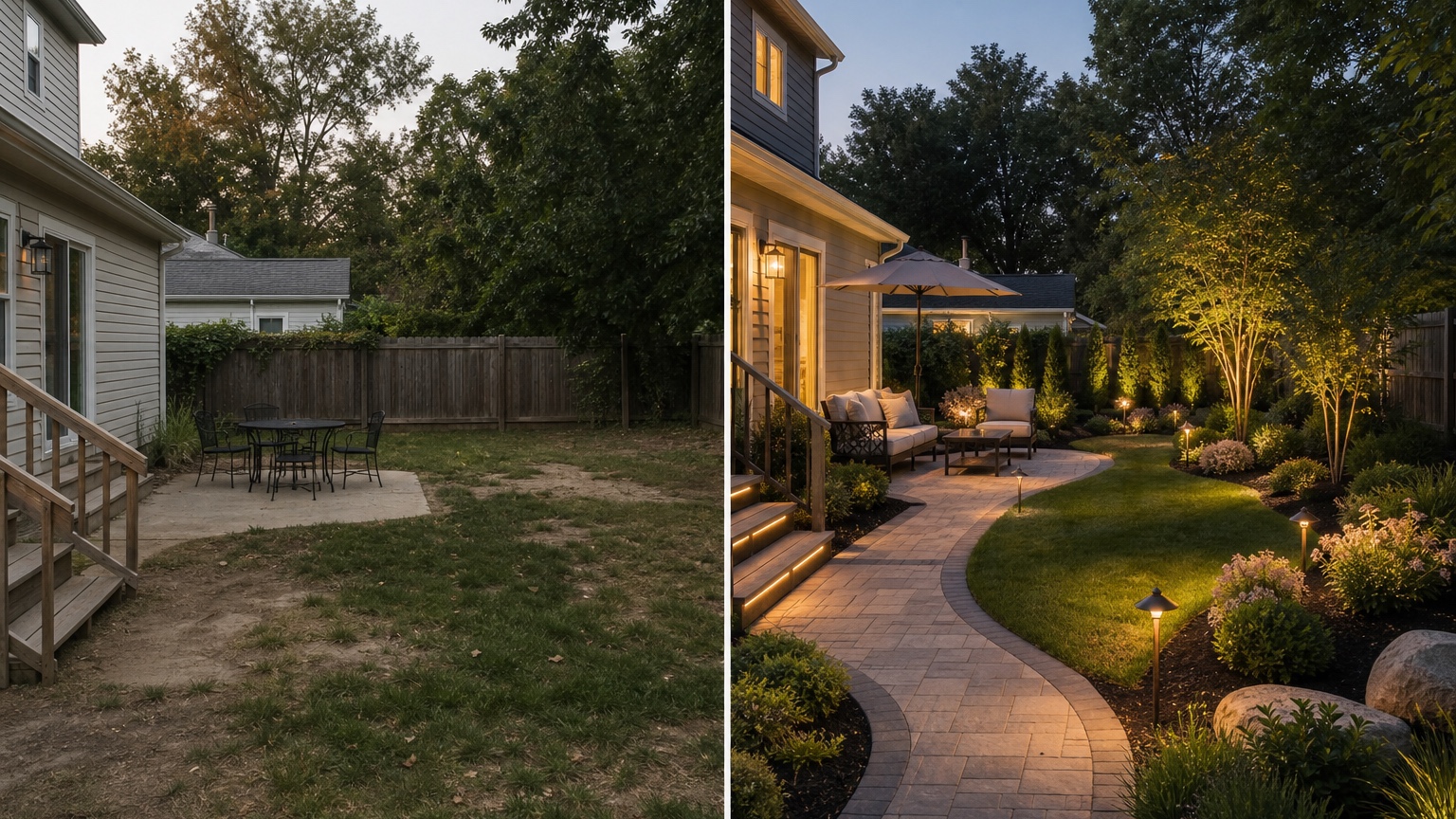
Start the prompt with the exact outcome: “Create a realistic landscape visualization from this yard photo.” Then state what should stay, what can change, and what the image should help decide. This structure is more reliable than asking for a beautiful garden, modern yard, or luxury makeover.
For a homeowner comparing a front yard upgrade, try: “Use this photo to preview realistic front yard landscaping. Preserve the house facade, driveway, walkway, porch, mature tree, property slope, and existing entry route. Add layered low-maintenance planting, clean bed edges, seasonal color near the door, simple path lighting, and a clearer view of the front entry. Keep the design feasible for a homeowner to price with a landscaper.”
For a contractor preparing options, try: “Create three controlled landscape visualization directions from the same photo: one simple curb appeal refresh, one drought-tolerant planting concept, and one more structured design with defined beds and path lighting. Do not change the house, driveway, grade, fence, large trees, or walkway location.”
For a backyard decision, try: “Preview a realistic backyard landscape update that improves seating, shade, and planting without changing the deck, fence, pool, tree, or door locations. Show practical circulation from the house to the seating area and keep maintenance moderate.”
Name the budget level and maintenance expectation. “Low-maintenance” should mean wider plant spacing, durable groundcover, simple bed shapes, fewer fussy annuals, and realistic access for pruning and irrigation. “Contractor-ready” should mean clear zones, visible hardscape edges, and no invented structures that would require engineering. “Student concept” can be more exploratory, but it should still respect scale and site context.
Review the output like a field checklist
Do not approve an AI landscape visualizer result because the colors look good. First check whether the image preserves the important site conditions. The house should still be the same house. The yard shape should not quietly expand. The driveway should not narrow. Trees should not jump to new locations. A retaining wall should not disappear. If the AI changes fixed conditions, save the image as inspiration and generate again with tighter constraints.
Next, check circulation. People need to move from the driveway to the door, from the house to the patio, from gates to storage, and around furniture without stepping through planting beds. Contractors need access for wheelbarrows, mowers, repairs, and maintenance. If a bed line looks elegant but blocks the route everyone uses, the design is not ready.
Then review water, shade, and exposure. A sunny strip beside pavement may need heat-tolerant plants and irrigation planning. A shaded area under trees may need root-sensitive planting and fewer thirsty plants. A low spot may need drainage work before mulch or turf replacement. AI can suggest rain gardens, gravel strips, permeable surfaces, or swales, but those are directions to evaluate, not engineering answers.
Finally, look at maintenance. Dense planting can look mature in a visualization, but real plants grow, lean, drop leaves, and need pruning. Mulch edges need renewal. Gravel migrates. Lighting needs wiring and access. A good preview should make the future work visible enough to discuss, not hide it behind a perfect render.
Use remix rounds to compare one variable at a time
The fastest way to get confused is to change style, layout, plant density, hardscape, lighting, privacy, and furniture in every version. Instead, treat each remix as a controlled test. Keep the strongest base image, then change one variable: bed shape, plant palette, path material, patio size, privacy level, lighting, or water-use direction.
A homeowner might run one version with deeper planting beds, one with more lawn, and one with a low-water meadow edge. A contractor might compare “basic refresh,” “mid-level upgrade,” and “premium hardscape plus planting” while preserving the same driveway and entry. A designer might test formal symmetry against a softer naturalistic layout. Because RedesAIgn provides saved prompts and history, you can return to the version that stayed most faithful to the site instead of losing it after several experiments.
Reference images are useful when they guide style, material, or mood. Use a reference for paver color, planting density, modern simplicity, cottage character, or xeriscape texture. Do not let a reference image overwrite the actual property. If the source photo has a narrow side yard, a reference showing a broad estate path should inspire material choices, not create impossible space.
Remix rounds also help with communication. A client may reject a concept because it feels too formal, not because the layout is wrong. A spouse may like the bed shape but dislike the plant color. A contractor may like the visual direction but spot drainage or access issues. Saving each round makes those conversations specific.
Common mistakes that increase decision risk
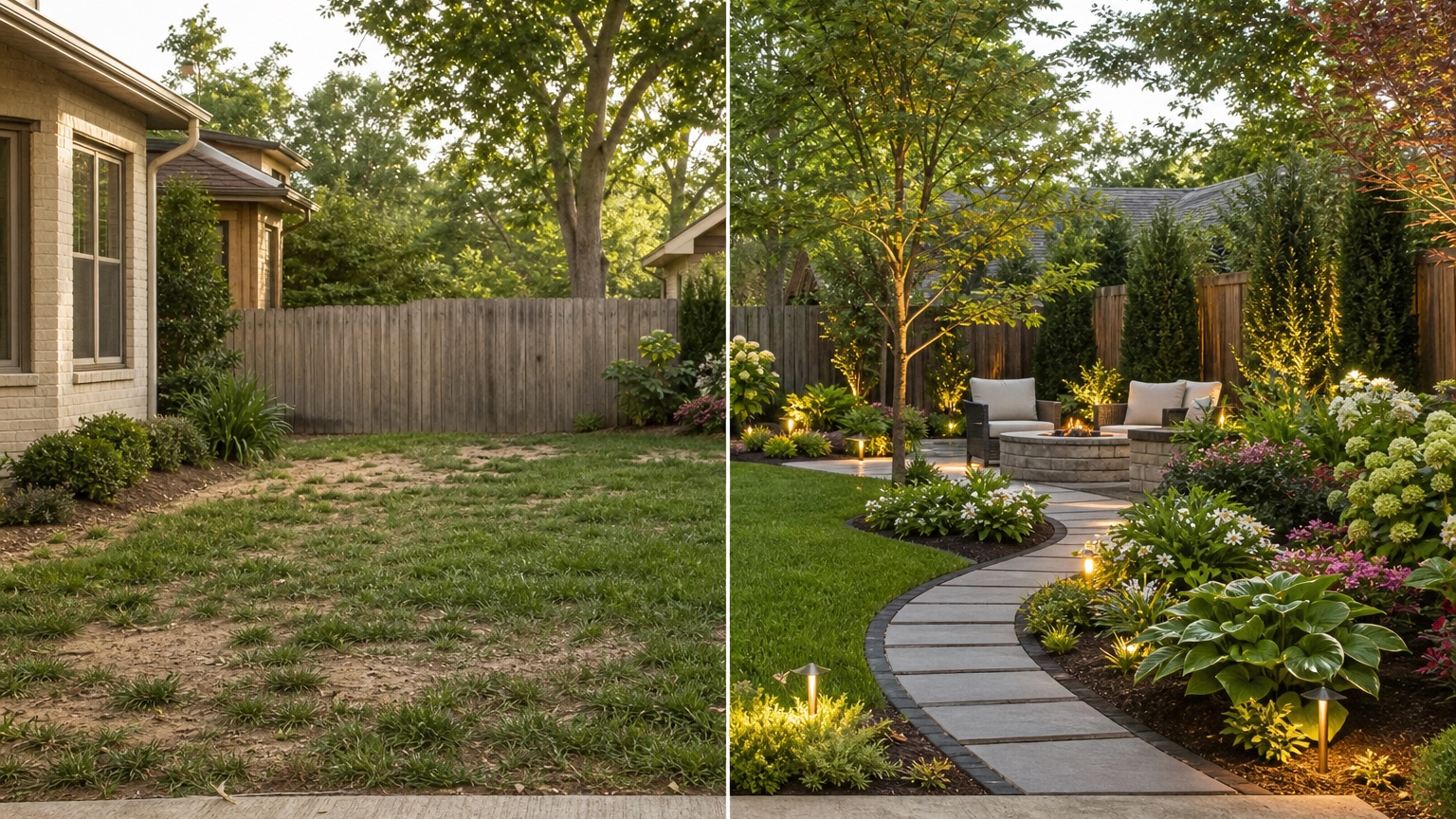
The first mistake is treating the visualizer like a final landscape plan. A generated image can guide scope, style, and conversation, but it does not replace measurements, grading, soil evaluation, utility marking, local code, plant availability, irrigation design, or contractor judgment. Use it to ask better questions before work starts.
The second mistake is asking for a complete yard transformation when the real decision is smaller. If the question is whether to extend a planting bed, do not also ask for a pool, pergola, outdoor kitchen, new facade, retaining wall, fountain, and full lighting plan. Big prompts make impressive images and vague decisions. Smaller prompts make useful comparisons.
The third mistake is ignoring negative results. If every version makes the yard feel crowded, that may mean the site needs restraint. If a privacy hedge overwhelms the house, consider fencing, spacing, or smaller plants. If a patio extension blocks circulation, test furniture layout before hardscape. The image is useful when it exposes limits.
The fourth mistake is forgetting seasonal reality. A spring-like visualization may look lush, but the yard also has winter, drought, heat, leaf drop, shade, pets, children, deliveries, and maintenance schedules. Ask whether the concept still works when plants are small, dormant, or mature.
Turning a visualization into a safer project conversation
After choosing the strongest image, convert it into a short action brief. Mark what stays unchanged, what changes, what needs measuring, and what requires professional review. List the zones: entry planting, lawn edge, path, patio, privacy screen, lighting, drainage, and maintenance access. Then separate choices into phases.
A low-risk phase might include cleaning edges, refreshing mulch, adjusting bed lines, and planting a small entry group. A medium phase might add path lighting, shrubs, gravel, or a modest paver edge. A higher-cost phase might involve patio work, retaining walls, drainage correction, irrigation changes, or tree work. Visualizing the whole direction can help, but phasing keeps the project manageable.
Bring the image to the person who will price or approve the work. Ask specific questions: Where would this bed line be staked? Does the drainage need correction first? Which plants fit this exposure? How much maintenance will this require after two years? What should be installed before lighting? Which parts are realistic now and which should wait?
In RedesAIgn, the practical workflow is simple: upload the best yard photo, write a constrained prompt, use remix images to compare controlled alternatives, save the strongest prompt, and use history to revisit versions that kept the site accurate. Start a small set of landscape previews free, then add credits only when more iterations are worth the decision clarity. The winning result is not the most dramatic picture. It is the version that helps you commit with fewer surprises.
FAQ: AI landscape visualizer
What is an AI landscape visualizer?
An AI landscape visualizer uses a real yard photo and a written prompt to preview possible outdoor changes, such as planting beds, paths, lighting, seating zones, privacy planting, or lawn replacement. It is best used for early comparison before design drawings, contractor pricing, or installation.
Can an AI landscape visualizer replace a landscaper?
No. It can reduce uncertainty and improve communication, but a landscaper or qualified professional still needs to confirm measurements, drainage, soil, utilities, plant choices, construction details, code requirements, and budget.
How do I get more realistic yard previews?
Use wide daylight photos, preserve fixed site features in the prompt, describe maintenance and budget constraints, and remix one variable at a time. Reference images can guide style, but the original property photo should control scale and layout.
Try these prompts in redesAIgn
Redesign this front yard with a stone walkway, low-water plants, and clean planting beds.
Create a backyard seating patio with string lights, shrubs, and a simple lawn edge.
Add curb-appeal landscaping with layered greenery while keeping the driveway clear.
Related guides
- AI Landscape Architecture Generator for Early Outdoor Concepts
Use an AI landscape architecture generator for early outdoor concept exploration, studio reviews, feasibility checks, and photo-based design iteration.
- AI Lawn Makeover Ideas: Turn a Plain Yard Into a Plan
Use an AI lawn makeover to preview lawn shape, planting borders, paths, edging, seating, and practical yard upgrades before hiring or starting work.
- AI Xeriscape Design Ideas for Low-Water Yards
Use AI xeriscape design to preview low-water planting, gravel, paths, shade, irrigation zones, and maintenance tradeoffs before changing your yard.
- AI Backyard Makeover: Generate Outdoor Design Before and Afters
Use an AI backyard makeover workflow to preview layout zones, maintenance tradeoffs, before-and-after options, and practical next steps from a real yard.
- AI Walkway Design Generator for Paths, Pavers, and Garden Entries
Generate walkway design ideas from a yard photo with RedesAIgn. Compare edges, materials, and planting before any hardscape work begins.