AI Backyard Design Generator: Preview Outdoor Living Ideas
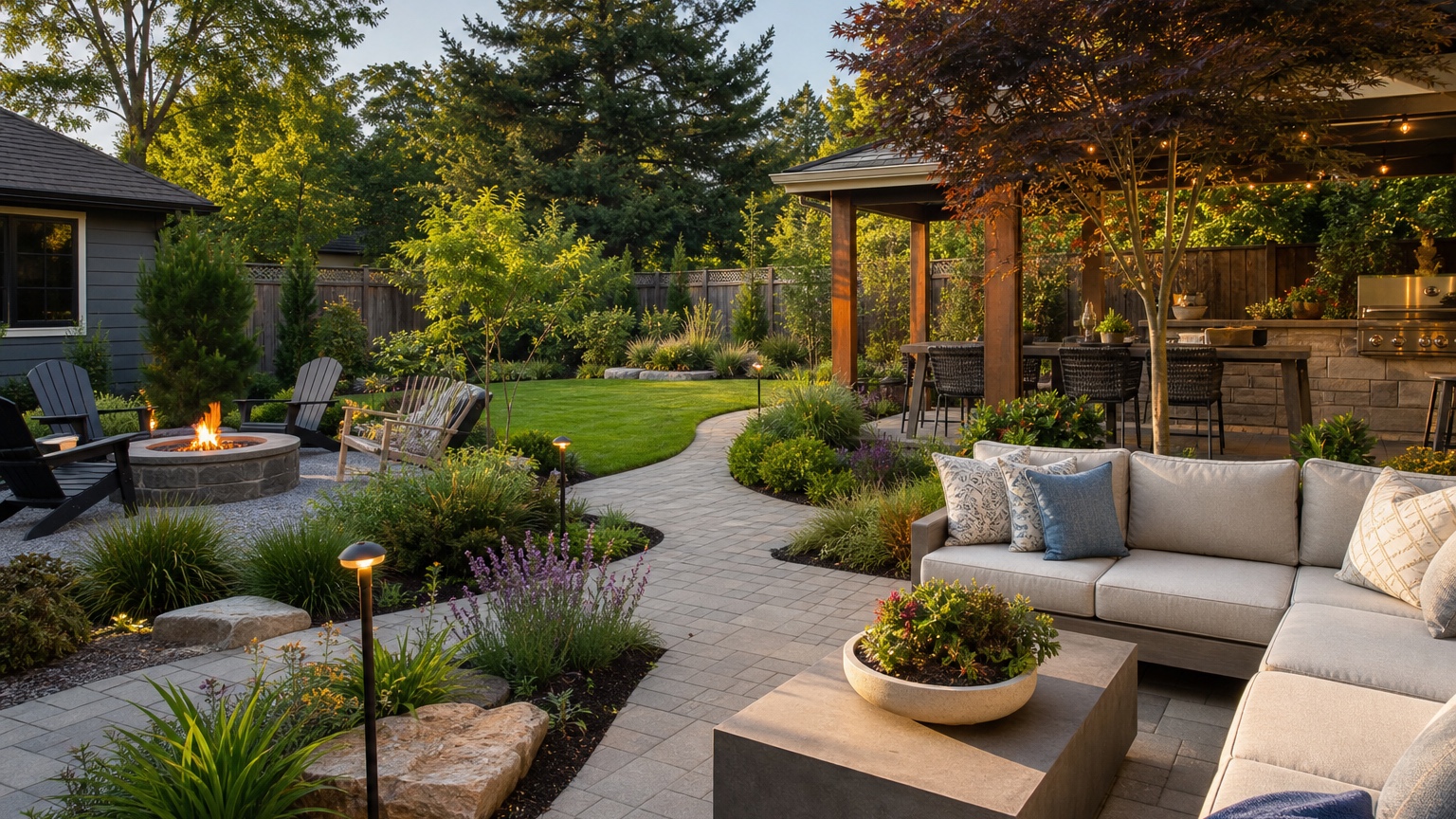
An AI backyard design generator is most useful when it helps a homeowner or patio builder decide how an outdoor living area should actually work. Backyards are easy to romanticize. A single inspiration photo may show a perfect patio, a glowing fire pit, a green lawn, layered planting, and built-in seating, but your yard has its own dimensions, drainage, slope, sun exposure, access points, fences, neighbors, pets, and budget.
The practical question is not whether AI can make a backyard look impressive. The better question is whether the image can clarify a buildable outdoor upgrade plan. Should the patio sit against the house or closer to the shade? Is there enough room for dining and a fire pit? Should lawn stay central, move to one side, or shrink? Does the seating area need privacy screening? Should hardscape be phased before planting?
RedesAIgn can help with that visual planning stage. Upload a real backyard photo, use the outdoor or exterior-focused editor that fits the project, and create controlled versions with prompts, remixing, reference images, saved prompts, and history. You can try RedesAIgn for free with 5 free AI credits and no credit card required. If you need more generations, one-time credit packs are available.
AI Backyard Design Generator: the real decision this article should help with
Homeowners and patio builders usually need to visualize patios, seating, fire pits, lawns, planting, and circulation together. Each choice affects the others. A fire pit that looks great in the center of a rendering may be too close to the house, trees, fence, or dining area. A large patio can make entertaining easier but reduce lawn space for children or pets. A privacy screen can help the yard feel finished but may shade planting beds or block airflow.
A useful backyard preview reduces uncertainty around the outdoor upgrade plan. It should show where people move, where they sit, what remains open, and how hardscape and planting frame the space. If the AI creates a resort scene that ignores the original yard shape, the image may be fun to look at but poor for planning.
The useful answer is a concrete next step. A strong concept might help you ask a patio builder to price a 12-by-16 paver area, move the fire pit away from overhanging branches, keep lawn in the sunniest rectangle, add privacy planting along one fence, or phase lighting after the main hardscape. The image should make the next conversation clearer.
AI Backyard Design Generator: outdoor layout and maintenance tradeoffs
Backyard design starts with zones. The common zones are dining, lounging, fire, lawn, planting, storage, grill, play, pets, and circulation. Some yards can hold all of them. Many cannot. An AI preview is valuable because it lets you compare priorities before anyone excavates soil or orders materials.
Traffic paths matter more than many first concepts admit. People need to move from the house to the grill, from the patio to the lawn, from the gate to the back door, and around furniture without squeezing between planters. Ask the generator to preserve practical paths. If a design blocks the gate, narrows the steps, or places chairs in the only route to the yard, it is not ready for execution.
Shade, privacy, and upkeep should guide the design. A west-facing patio may need a pergola, shade tree, umbrella strategy, or lighter paving. A yard overlooked by neighbors may need layered screening, not just taller fencing. A low-maintenance homeowner may prefer fewer perennial beds, larger plant masses, mulch or gravel zones, and simple edging. A gardener may want more planting complexity and seasonal change.
Budget and seasons are connected to material choices. Pavers, concrete, gravel, decking, retaining walls, fire pits, built-in seating, lighting, drainage, irrigation, sod, and mature plants all carry different costs. The AI image can help you compare the feel of these options, but contractors and suppliers determine actual pricing. The preview should help you decide what deserves a quote.
Climate and drainage need separate attention. A cozy sunken fire area may be wrong in a yard that collects water. A lush lawn may be unrealistic in a dry climate or deep shade. A gravel patio may be practical in one region and difficult with snow removal in another. Treat the image as a layout and style reference that still needs local review.
AI Backyard Design Generator prompt brief for stronger backyard design results
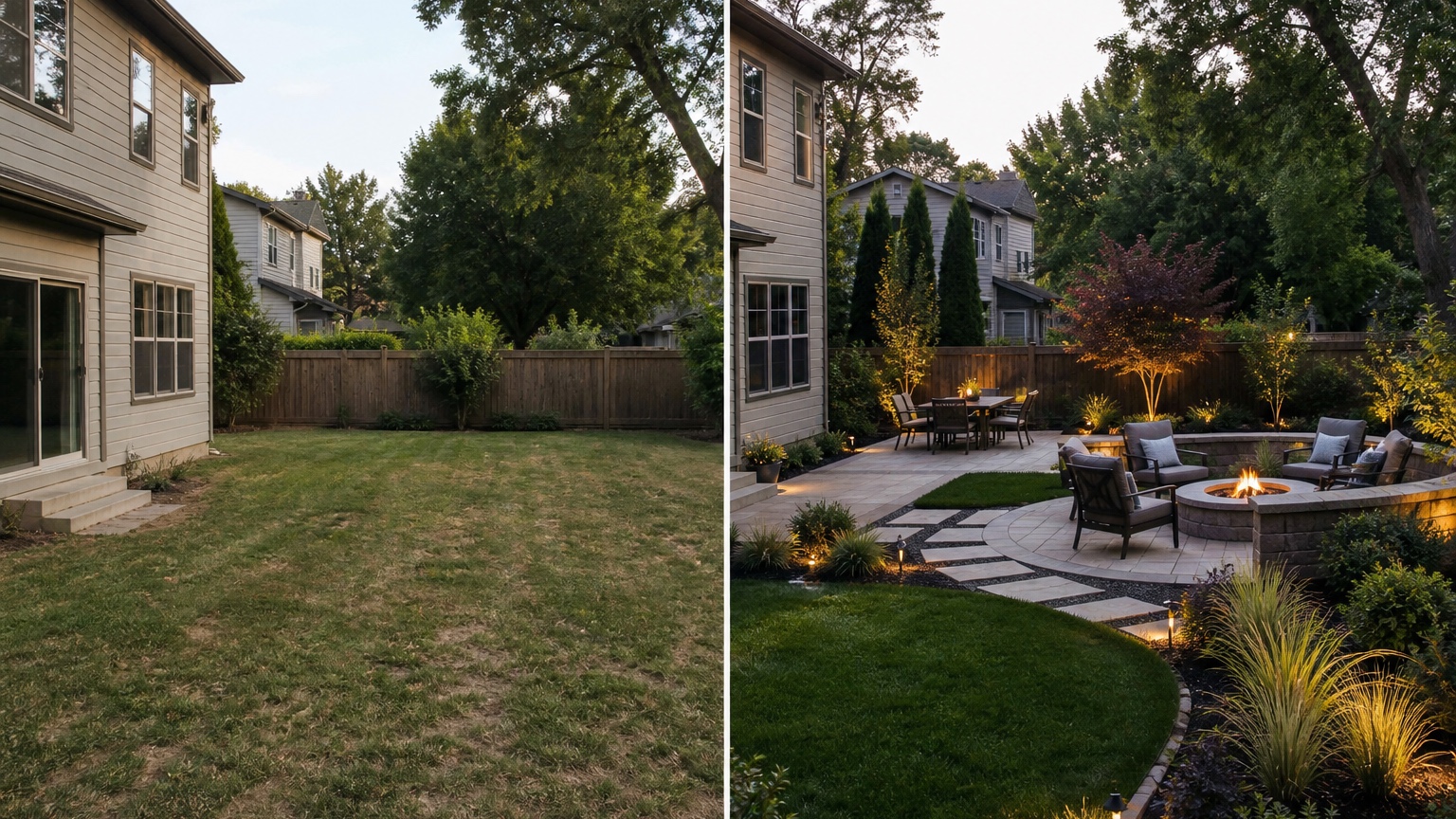
Start the prompt with the outcome: “Create a realistic backyard outdoor living plan from this photo.” Then specify the desired zones and what should remain unchanged. A focused prompt gives the AI a planning assignment instead of asking for generic decoration.
For a patio and seating concept, try: “Use this backyard photo to create a realistic outdoor living design. Preserve the house wall, fence, gate, existing trees, grade, and main lawn boundary. Add a practical paver patio for dining, a separate small lounge area, simple planting along the fence, low-voltage lighting, and a clear path from the back door to the yard. Keep the design buildable for a homeowner working with a patio contractor.”
For a fire pit concept, try: “Show a backyard design with a modest fire pit seating zone, safe circulation, open lawn, privacy planting along the rear fence, and simple hardscape. Do not place the fire pit under trees or too close to the house. Keep the existing fence, house, steps, and yard shape recognizable.”
Name constraints such as climate, water, drainage, maintenance, and contractor feasibility. If you need room for pets, say so. If the design must work for short-term rental guests, say so. If you want commercial-use reference images for a hospitality plan, RedesAIgn-generated images can be used commercially where relevant, but safety and construction details still need professional review.
Generate controlled backyard design variations instead of one overloaded prompt. Create a safe version with modest patio cleanup, a practical upgrade with defined zones, and a bold version with more hardscape or built-ins. This makes cost and feasibility easier to discuss.
AI Backyard Design Generator output review before anyone trusts the image
First, check scale. Patio furniture should fit with walking clearance. A dining table should not block the back door. Fire seating needs room around it. Lawn should be large enough to serve its intended use. Planting beds should not be squeezed into strips that cannot support mature plants.
Second, check edges, lighting, and consistency with the original photo. Hardscape should meet the house, steps, fence, and lawn in believable ways. Pavers should follow the perspective of the yard. Retaining walls should not appear without a reason. Shadows should align. If the AI flattens a slope or hides an awkward grade transition with dense plants, note that problem before sharing the concept.
Third, compare the idea against real constraints: climate, water, drainage, maintenance, utilities, fire safety, access for equipment, permitting, and contractor feasibility. A builder needs measurements, elevations, base preparation, material specifications, and code-aware details. The AI image helps choose a direction; it does not replace a site visit.
Save the strongest backyard design version as a zone plan, planting and hardscape comparison, and maintenance note set. Label what stays: fence, house, trees, gate, grade, or existing patio. Label what changes: paver area, seating, fire pit, lawn boundary, beds, lighting, privacy, or outdoor kitchen ideas. If the project includes wider landscape planning, compare this workflow with an AI garden design generator once that page is live. For front-facing property improvements, the process overlaps with AI curb appeal generator.
AI Backyard Design Generator mistakes that make results look generic
The first mistake is uploading a weak photo of the yard. If the image is cropped, taken at night, blocked by furniture, distorted by an extreme wide angle, or missing the house-to-yard relationship, the output will be less useful. Take a wide daylight photo from the back door and another from the far corner when possible.
The second mistake is asking for unrelated backyard design changes that blur the decision. “Add a pool, pergola, outdoor kitchen, fire pit, new deck, full landscape, putting green, privacy wall, and modern patio” may produce a dramatic image, but it will not help you decide what to build first. Use separate generations for separate questions.
The third mistake is ignoring the gap between visual appeal and actionability. A concept may look balanced on screen while requiring extensive grading, retaining walls, drainage work, or expensive utility changes. Ask whether each version can be priced, phased, maintained, and used safely.
AI Backyard Design Generator workflow in RedesAIgn from first image to action
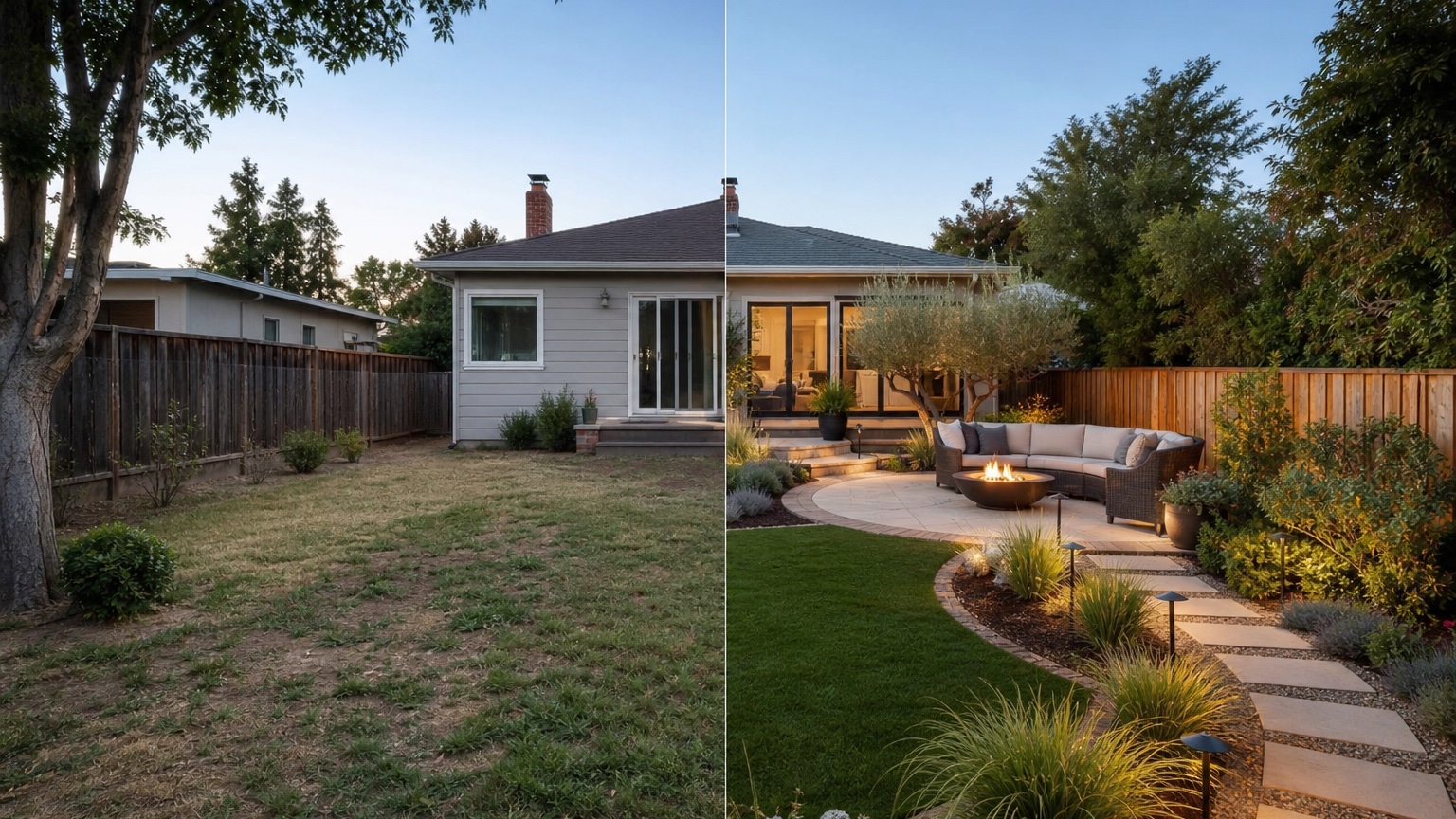
In RedesAIgn, choose the editor built for the yard or exterior scene and upload the clearest backyard angle. Start with a restrained prompt that preserves the house, fence, steps, trees, and grade. Generate one version that solves circulation first. Then remix the best result to test patio material, seating layout, lawn size, privacy, fire pit location, lighting, or planting density.
Use saved prompts and history to avoid losing the best direction. Backyard projects often evolve through small revisions: move the lounge area, reduce the planting, keep more grass, simplify the path, or switch from built-in features to movable furniture. Reference images can help define a paver color, pergola mood, or planting style, but the original photo should control scale.
Share the final reference with the right person. A patio builder can discuss base, drainage, edge restraints, materials, equipment access, and quote ranges. A landscaper can respond to planting, soil, irrigation, and maintenance. A realtor, host, or hospitality marketer can use the concept to plan outdoor appeal, while clearly treating it as a concept until the work is completed and photographed honestly.
RedesAIgn includes 10 AI editors, prompt-based editing, remixing, reference images, saved prompts, and history, so the same workflow can support related exterior planning. If the backyard work affects the house elevation, review AI exterior home design. If the decision is mainly paint or facade color around a patio, AI exterior paint visualizer is a better companion.
AI Backyard Design Generator questions to answer before you commit
Ask what the preview can show accurately for homeowners: overall zone relationships, patio shape, lawn balance, seating direction, privacy intent, planting mood, and visual style. Then ask what still needs samples, measurements, products, quotes, or professional review: exact dimensions, grading, drainage, fire setbacks, utilities, structural loads, material performance, and local rules.
The selected backyard design concept should guide the next real-world step. Measure the area, mark furniture clearances with tape or stakes, collect patio material samples, ask for a drainage opinion, or request a quote for the simplest phase. The best AI backyard design generator result is the one that clarifies the decision fastest, not the one with the most features.
Backyard design comparison framework for homeowners
Compare three versions before committing. The safe version keeps most of the existing yard and improves furniture, planting edges, lighting, and cleanup. The practical-upgrade version defines the patio, path, lawn, planting, and privacy in a way a contractor can discuss. The bold version explores a larger transformation such as a bigger patio, pergola, built-in seating, outdoor kitchen, or more structured landscape.
Score each version by usefulness, realism, cost, and fit. Usefulness asks whether the image answers the original question. Realism asks whether the yard still matches the photo. Cost asks whether the changes belong in your likely budget range. Fit asks whether the layout supports how you actually live outdoors.
Keep the version that clarifies the decision fastest. If the safe plan proves enough, you may avoid unnecessary hardscape. If the practical upgrade clearly solves circulation and seating, get it priced. If the bold option is the only one that fixes the yard, use it as a reason to seek professional design help before construction.
Try these prompts in redesAIgn
Redesign this front yard with a stone walkway, low-water plants, and clean planting beds.
Create a backyard seating patio with string lights, shrubs, and a simple lawn edge.
Add curb-appeal landscaping with layered greenery while keeping the driveway clear.
Related guides
- AI Landscape Architecture Generator for Early Outdoor Concepts
Use an AI landscape architecture generator for early outdoor concept exploration, studio reviews, feasibility checks, and photo-based design iteration.
- AI Landscape Visualizer: Preview Yard Changes Before You Commit
Use an AI landscape visualizer to preview realistic yard changes from a photo, compare landscaping options, and reduce decision risk before outdoor work.
- AI Lawn Makeover Ideas: Turn a Plain Yard Into a Plan
Use an AI lawn makeover to preview lawn shape, planting borders, paths, edging, seating, and practical yard upgrades before hiring or starting work.
- AI Xeriscape Design Ideas for Low-Water Yards
Use AI xeriscape design to preview low-water planting, gravel, paths, shade, irrigation zones, and maintenance tradeoffs before changing your yard.
- AI Backyard Makeover: Generate Outdoor Design Before and Afters
Use an AI backyard makeover workflow to preview layout zones, maintenance tradeoffs, before-and-after options, and practical next steps from a real yard.