AI Living Room Design Ideas From Your Photo
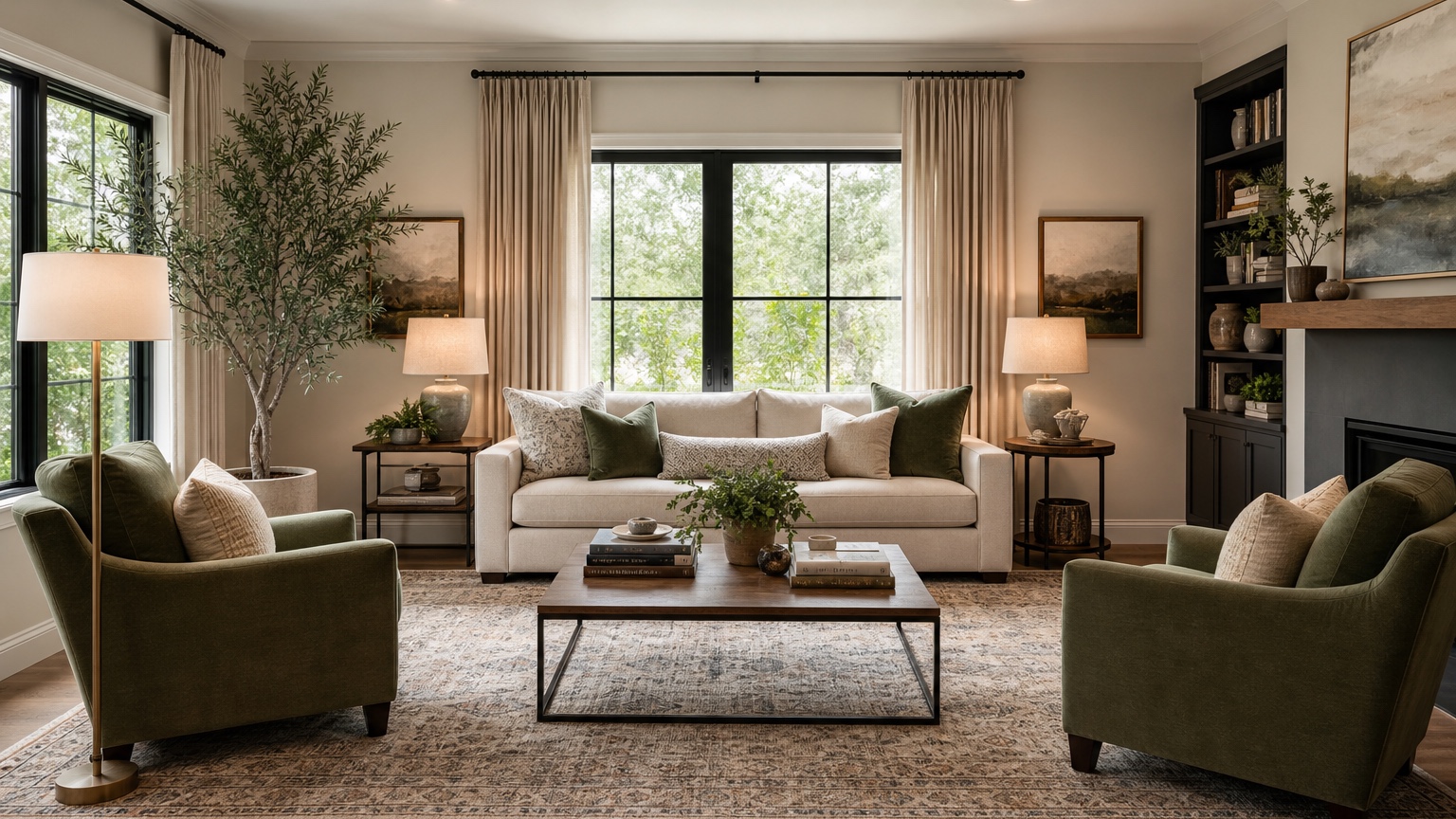
AI living room design is most useful when you are staring at your own room and cannot tell whether the sofa is wrong, the rug is too small, the wall color is fighting the floor, or the whole layout simply needs a reset. Inspiration boards are helpful, but they rarely answer the practical question homeowners and decorators face: what would this actual living room look like with different furniture placement, color, lighting, and decor?
A photo-based workflow gives you a faster way to compare ideas before moving heavy furniture or buying pieces that may not fit. You can upload a current room photo, describe what should stay, ask for a more comfortable arrangement, and test several visual directions. The goal is not to pretend an AI image is a measured interior design plan. The goal is to see enough possibilities from your real space to make better layout, palette, and shopping decisions.
RedesAIgn supports this exploration with 10 AI editors, prompts, remix, reference images, saved prompts, and history. You can start with 5 free AI credits with no credit card, then use one-time credit packs only if you need more rounds. That matters for living rooms because the first image often reveals the real problem, while later remixes refine the seating, color, rug size, media wall, shelving, curtains, or lighting.
Start with the living room problem, not the style label
The phrase “modern living room” is too broad to solve much. A better prompt begins with the decision you need to make. Are you testing whether the sofa should face the fireplace or the television? Are you trying to make an open-plan room feel less like a hallway? Do you need a pet-friendly layout, a reading corner, a better place for a piano, or a calmer palette that works with existing wood floors?
Before generating images, write down the fixed elements. Usually this includes windows, doors, ceiling height, flooring, fireplace, built-ins, radiators, wall-mounted television, electrical constraints, and any furniture that must stay. If the room is rented, note that paint, hardwired lighting, or built-in changes should be limited. If you are decorating for a client, separate “must keep” items from “could replace” items so your visual options do not drift into an unrealistic renovation.
A useful living room prompt might read: “Use this photo to create a realistic AI living room design. Preserve the windows, doorways, fireplace, wood floor, ceiling height, and existing sofa. Improve the furniture layout for conversation and television viewing. Add a larger rug, warm neutral wall color, layered lighting, simple curtains, and storage that keeps the room practical for a family.”
If you need broader room planning help, compare this workflow with AI interior design from photo. For more room-by-room experiments, AI room design generator can help you think beyond one seating area while still keeping the source photo central.
Choose a source photo that shows layout constraints
A living room image should show more than the prettiest corner. Stand far enough back to capture the main seating area, windows, circulation paths, fireplace or TV wall, and transitions to nearby rooms. Daylight is best because it makes wall colors, flooring, and furniture tone easier to read. If the room is long or L-shaped, take two photos from opposite corners and run separate tests for each view.
Also capture scale clues. Include the full sofa if it stays, the rug edges, coffee table, side chairs, window height, and doorway widths. If the current rug is too small, say so. If the sofa is new and must remain, say that too. The generator can suggest better surroundings, but it cannot know your purchasing limits unless you name them.
Test furniture layout before buying anything
Furniture placement is the highest-value use case because it affects comfort more than any single accessory. Ask for two or three controlled options instead of one perfect scene. One option can prioritize conversation, another media viewing, and another flexible entertaining. In a small living room, you might compare a sofa with two lightweight chairs against a sectional with one ottoman. In a larger space, test whether the room needs two zones: a main seating group and a reading or game table area.
Pay attention to circulation. A design that blocks a doorway, squeezes a path behind the sofa, or places a chair where people naturally walk may look balanced in an image but feel awkward at home. Good living room layouts leave clear routes between entries, seating, windows, and adjacent rooms. They also avoid forcing every seat to turn away from conversation just to face a screen.
Use prompts that include spacing logic. For example: “Keep a clear walkway from the entry to the dining room. Do not block the patio doors. Place seating so four people can talk comfortably while still allowing television viewing. Use furniture scaled for a 12-by-16-foot room, not oversized showroom pieces.” Even if the image is not dimensionally exact, this language nudges the result toward practical choices.
Use color tests to avoid expensive repainting mistakes
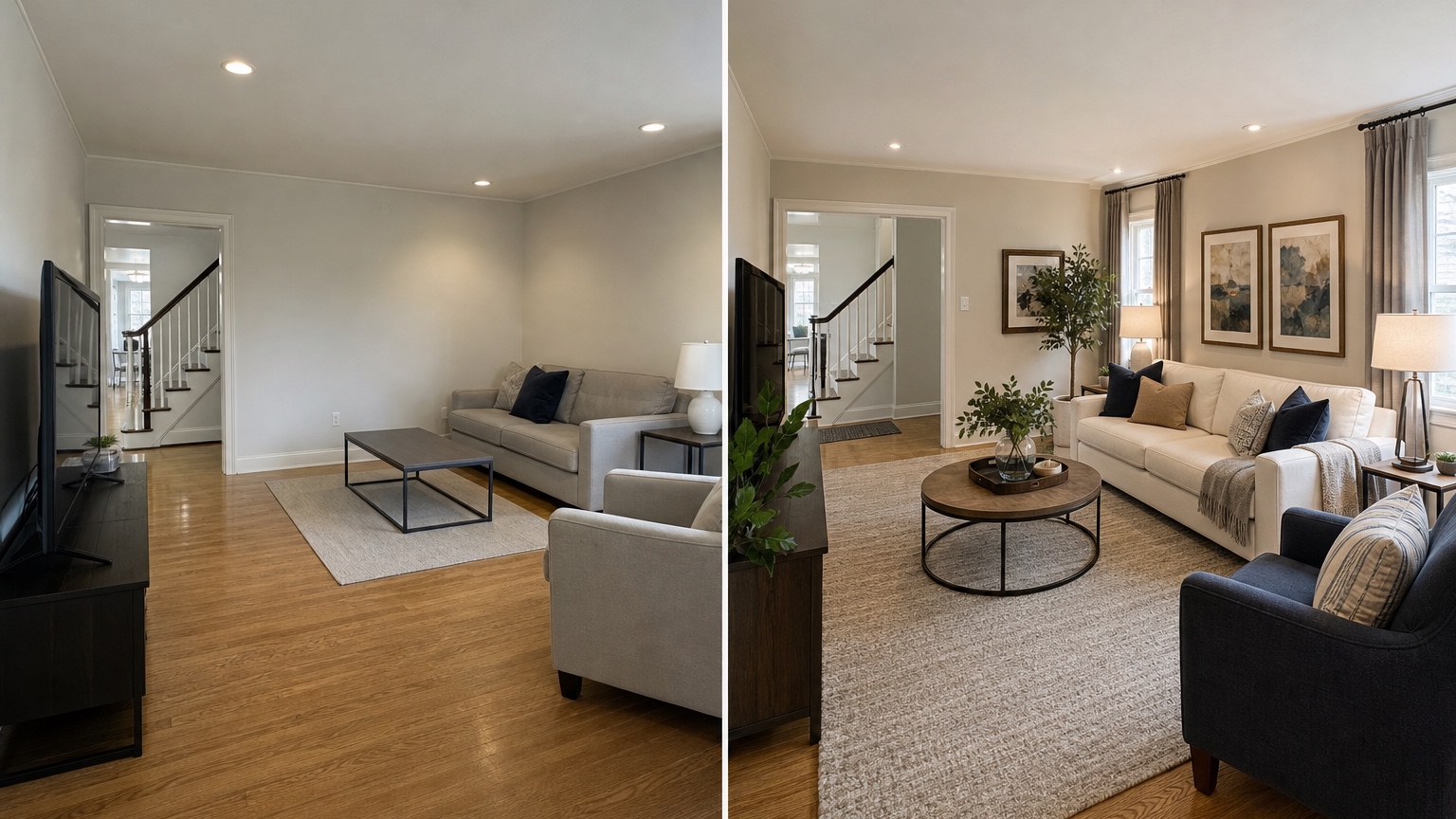
Wall color is hard to judge from a tiny swatch, especially in a living room with mixed daylight, lamps, wood floors, and upholstery. A photo-based design test can show whether warm white, greige, deep green, clay, soft blue, or charcoal supports the existing materials. It can also reveal when the problem is not wall color at all but poor lighting, mismatched bulbs, or a rug that clashes with the floor.
Be specific about what should not change. If the oak floor, brown leather sofa, brick fireplace, or dark window trim stays, tell the prompt to preserve it. Then ask for palettes that coordinate with those elements rather than replacing them. For example: “Test a calm living room palette that works with honey oak floors, a tan sofa, black metal window frames, and a cream fireplace. Avoid cool gray walls. Use warm whites, muted greens, natural textures, and brass or black accents.”
Run small variations. One image might use warm white walls and a patterned rug. Another might use muted olive walls and lighter curtains. A third might keep the walls neutral but add color through pillows, art, and a larger rug. This is where remixing helps: keep the layout constant, then change only the palette. If the layout changes every time, you cannot isolate the color decision.
Reference images can guide mood without copying a room that has different architecture. Upload a reference for “soft coastal palette” or “warm modern materials,” but tell RedesAIgn to keep your windows, flooring, ceiling, fireplace, and room shape recognizable. That prevents the result from turning your modest living room into an unrelated magazine space.
Plan the rug, lighting, and storage together
Many living rooms feel unfinished because the rug, lighting, and storage are treated as separate purchases. A too-small rug makes the furniture float. One ceiling fixture creates flat light. Open shelves without closed storage show every cable, remote, toy, and charger. AI living room design is helpful because it can show these decisions together.
Ask for a rug that supports the seating group. In many rooms, at least the front legs of the sofa and chairs should sit on the rug. If the AI result shows a better rug size, note the likely dimensions and test them physically. For renters or budget-conscious updates, the image can help decide whether a larger neutral rug will do more than repainting.
Lighting should be layered. Prompt for ambient light, task light, and accent light: a floor lamp near a reading chair, table lamps near seating, subtle picture lighting, or warm sconces if wiring is realistic. If hardwired changes are not possible, ask for plug-in solutions. Also specify bulb warmth if the room currently feels cold. A prompt such as “use warm 2700K-style lighting with floor and table lamps, not harsh overhead light” can produce a more believable direction.
Storage is the difference between a styled image and a living room that works. Ask for closed media storage, baskets, a console, built-ins only if they are plausible, or freestanding bookcases if you rent.
Prompt examples for common living room situations
For a narrow living room, try: “Create a realistic AI living room design for this narrow room. Preserve the windows, floor, doors, and radiator. Use slim furniture, a clear walkway along one side, a properly scaled rug, wall-mounted or compact storage, and warm layered lighting. Avoid oversized sectionals and do not block the window.”
For an open-plan living area, try: “Use this photo to define the living zone within an open living and dining space. Keep the kitchen, dining table, flooring, windows, and columns unchanged. Add a rug, sofa placement, accent chairs, lighting, and low storage that create a clear conversation area without cutting off circulation.”
For a decorator preparing options, try: “Generate three realistic living room design directions from this client photo: one warm minimal, one layered traditional, and one relaxed contemporary. Keep the sofa, fireplace, flooring, windows, and main circulation unchanged. Vary rug, wall color, chairs, curtains, lamps, art, and accessories only.”
Save the prompts that produce realistic scale. In RedesAIgn, saved prompts and history make it easier to return to a useful version instead of losing it after several experiments. If one image has the right layout and another has the right palette, remix around those specific strengths rather than starting from scratch.
How to review AI living room design results
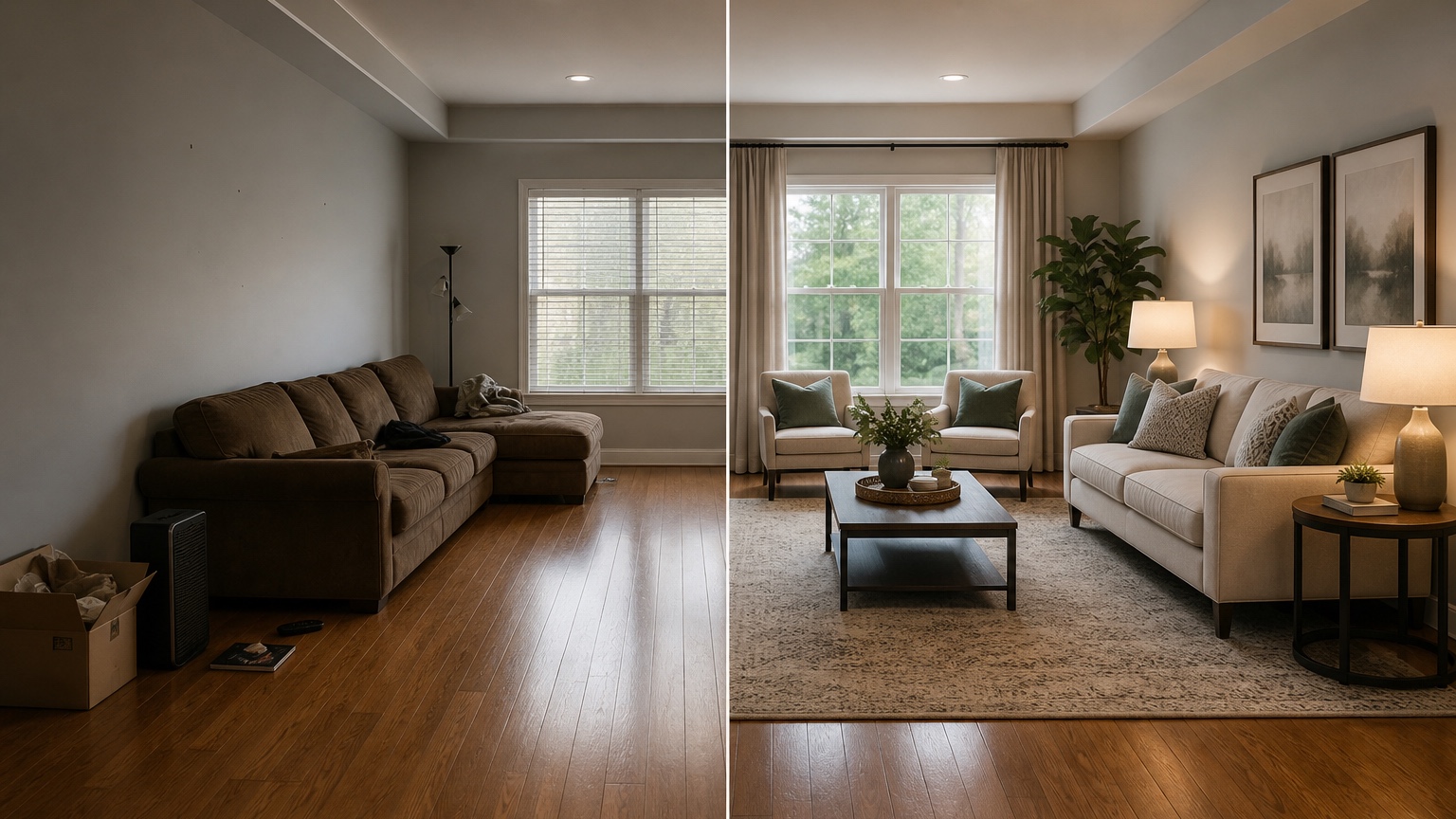
Review each image like a practical checklist. First, ask whether the layout solves the original problem. Does it improve conversation, TV viewing, traffic flow, storage, or comfort? Second, check what changed. If the image moved a window, widened a room, replaced a fixed fireplace, or invented an impossible built-in, treat it as inspiration only and revise the prompt.
Fourth, test the mood against real life. A pale sofa may be wrong for pets and toddlers. A glass coffee table may not suit a family room. Open shelving may frustrate someone who hates dusting. A dark wall color may look elegant in the generated image but feel heavy in a north-facing room. The best AI living room design is not the most dramatic; it is the one you can live with.
Finally, turn the chosen direction into a short action list: move sofa, test rug size, order fabric samples, paint two large swatches, compare lamp heights, measure storage wall, source curtains, and decide which furniture must stay. If decor is the main issue, AI home decor generator can help explore art, textiles, accessories, and styling after the room plan is settled.
When to use more credits and when to stop
A good stopping point is when three things are clear: the furniture arrangement you prefer, the palette family that works with the fixed materials, and the first purchases or changes to make. You do not need a perfect final image before taking action. You need a direction that survives measurement, budget, and daily life.
RedesAIgn is strongest as a practical visual partner for this stage. Upload a clear living room photo, name your constraints, prompt for the decision you are actually making, use remix to compare controlled variations, save prompts that keep the room realistic, and use history when an earlier option had better scale. The result is a clearer path from uncertainty to a room that feels planned.
FAQ: AI living room design
What is AI living room design?
AI living room design uses a photo and prompt to create visual concepts for your actual living room. It can help test furniture layout, colors, rugs, lighting, storage, and decor before you rearrange the room or buy new pieces.
Can it replace an interior designer?
It can support early idea testing and homeowner decision-making, but it does not replace measured drawings, professional design judgment, building code review, electrical work, custom millwork planning, or detailed purchasing specifications.
What photo should I upload?
Use a wide, well-lit photo that shows the main seating area, windows, doors, flooring, fireplace or TV wall, and circulation paths. For large or awkward rooms, upload more than one angle and test each view separately.
How do I keep the AI from changing my room too much?
Tell the prompt exactly what must stay: windows, doors, floors, fireplace, built-ins, ceiling height, sofa, rug, or rental restrictions. Ask for realistic changes only, then use remix to refine one variable at a time.
Is RedesAIgn free to try for living room ideas?
RedesAIgn lets a living-room project start with 5 free AI credits and no credit card. If the seating plan, palette, or wall treatment needs another pass, you can add one-time credits instead of starting a subscription.
Try these prompts in redesAIgn
Redesign this room with warm neutrals, layered lighting, and a functional seating layout.
Keep the architecture, but update furniture, rug, and wall color for a calm modern look.
Show a before-to-after concept with better traffic flow and fewer bulky pieces.
Related guides
- AI Bathroom Remodel Visualizer for Tile, Vanity, and Lighting Ideas
Visualize bathroom remodel ideas from a real photo with RedesAIgn. Compare finishes, fixtures, and layout limits before ordering materials.
- AI Bedroom Design Generator for Layout and Decor Ideas
Generate bedroom design concepts from your room photo with RedesAIgn. Compare layout and furniture directions before you buy or remodel.
- AI Dining Room Design Ideas From a Photo
Use AI dining room design to plan table size, chair clearance, chandelier alignment, rugs, storage, and lighting from a real room photo.
- AI Furniture Visualizer: Preview Furniture in Your Room Photo
Use an AI furniture visualizer to preview scale, placement, color, material, and fit in your room photo before buying or presenting furniture.
- AI Interior Design From Photo: Redesign Any Room Visually
Use AI interior design from photo workflows to preview room styles, furniture layouts, finishes, and decor ideas before buying anything.