AI Room Design Generator: Turn a Room Photo Into Decor Ideas
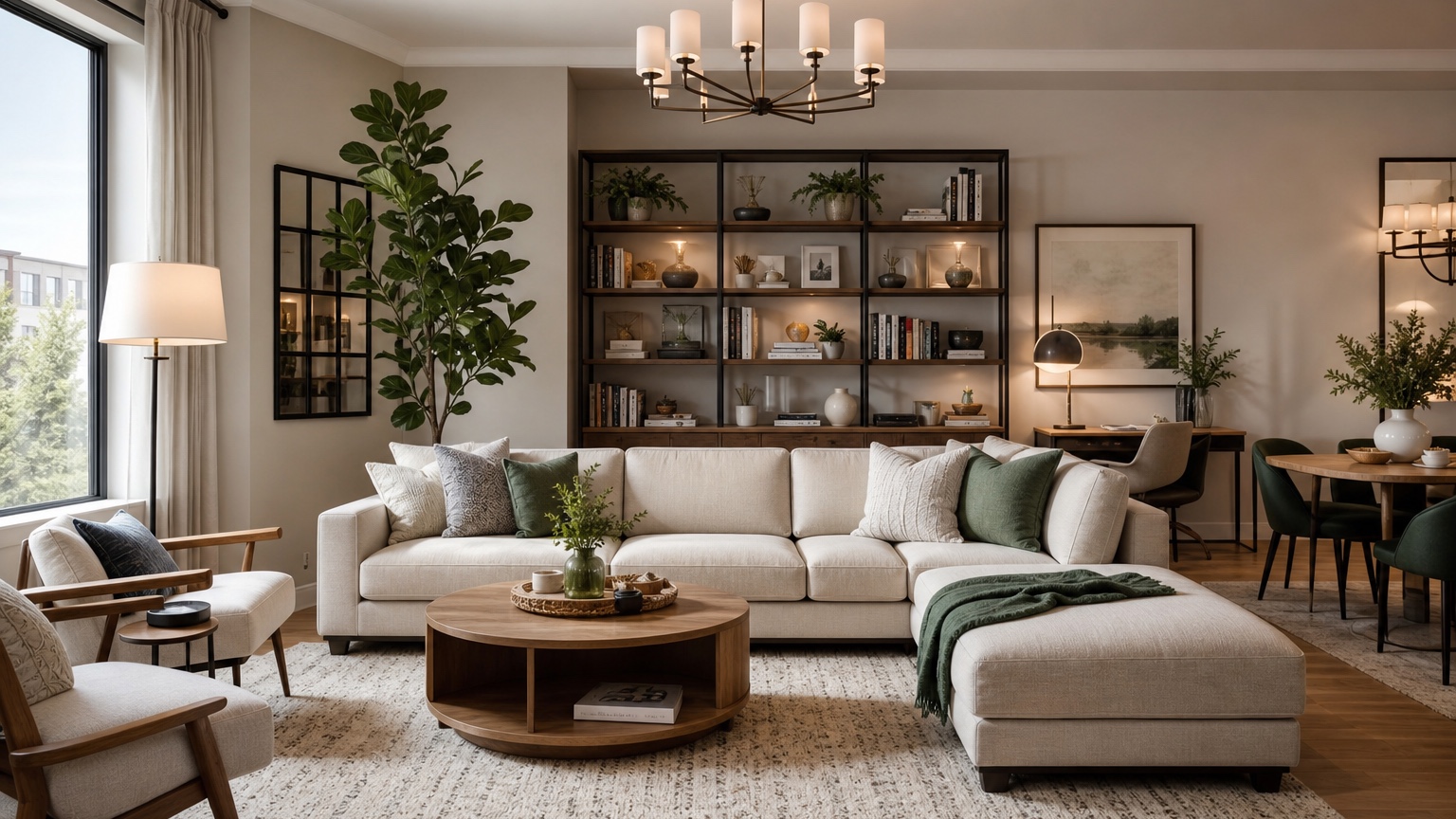
An AI room design generator helps homeowners and renters turn an existing room photo into concrete decor ideas. Instead of browsing hundreds of inspiration images that show someone else’s house, you can start with the room you actually have: the awkward window, the old floor, the small bedroom, the rental wall color, the bulky sofa, or the dining nook that never feels finished. The value is practical visualization, not fantasy.
Most room projects begin with uncertainty. You may know the room feels dull, crowded, cold, mismatched, or unfinished, but not know which change will make the biggest difference. Should you repaint, add a rug, swap lighting, move the sofa, buy curtains, add storage, or change the art scale? A generator can show several directions quickly so you can compare them before spending money.
RedesAIgn supports this type of photo-based exploration with 10 AI editors, prompts, remix images, reference images, saved prompts, and history. You can begin with 5 free AI credits and no credit card requirement. If a project needs more variations, one-time credit packs are available. That keeps the workflow flexible for a single Saturday refresh, a rental upgrade, or a full-room planning session.
What an AI room design generator is best at
A good AI room design generator is best at turning visible conditions into design options. It can suggest furniture arrangement, color palette, rug size, lighting mood, wall decor, curtains, storage, textiles, and overall style. It can show a plain room as warm and layered, a cluttered room as calmer, a dark room as brighter, or a mismatched room as more intentional.
It is not a replacement for measurement, shopping, electrical work, code review, or a professional designer when the project becomes complex. The image may imply a sofa size, pendant height, or shelf depth, but those details still need to be checked. The right mindset is to use the output as a planning sketch: specific enough to guide choices, flexible enough to revise.
This is especially useful for homeowners and renters who do not want to redesign from scratch. Many people need decor ideas that respect existing pieces. You might keep the bed, dresser, cabinets, flooring, wall color, or sofa. You might need pet-friendly fabrics, child-safe storage, or a landlord-friendly plan. A prompt can name those boundaries so the design stays relevant.
If you are working on a specific area, combine this broad room workflow with deeper references such as AI furniture visualizer, AI bedroom design generator, and AI kitchen remodel visualizer. Those internal guides can help you focus on product scale, bedroom layout, or kitchen-specific constraints after the first room concept is clear.
Prepare the room before taking the photo
The photo you upload affects the quality of the ideas. Clean enough to reveal the room, but do not erase reality. If shoes, toys, laundry, and random mail are the actual storage problem, remove temporary clutter but keep the furniture and storage pieces that shape the room. The generator needs to understand the real size and use of the space.
Use daylight when possible. Stand in a corner, doorway, or opposite wall so the image shows the largest portion of the room. Hold the camera level. Include windows, doors, flooring, ceiling line, major furniture, built-ins, heating units, outlets if visible, and any feature that must stay. Avoid close-up shots unless you are only testing a wall vignette.
Take more than one photo for complicated rooms. A long living-dining space may need one view from each end; a bedroom with a closet wall and window wall may need both. Even if you generate from one image, extra photos help you write a more accurate prompt.
Before uploading, decide what cannot change. Renters may need to preserve paint, flooring, blinds, cabinetry, and lighting locations. Homeowners may keep a sofa or dining table for budget reasons. Families may need closed storage, washable rugs, or clear play space. Write these details into the prompt. Constraints make the result more useful, not less creative.
Write prompts that produce usable decor ideas
A strong room prompt describes the space, the desired outcome, the fixed elements, and the type of changes allowed. Start with the room type. Then name the problem. Then set the boundary. Finally, ask for realistic decor ideas instead of a cinematic makeover.
For a living room, try: “Use this room photo to create a realistic decor plan for a small living room that feels warmer and less cluttered. Preserve the windows, flooring, wall color, ceiling, doorways, and existing sofa. Suggest a better rug, coffee table, side table, curtains, lamps, wall art, and storage. Keep circulation open and avoid construction.”
For a rental bedroom, try: “Generate renter-friendly bedroom decor ideas from this photo. Keep the wall color, carpet, blinds, closet doors, bed frame, and dresser. Add layered bedding, plug-in lighting, a rug, art, curtains if possible, and compact storage. The result should feel calm, practical, and reversible.”
For a dining nook, try: “Turn this dining area photo into three decor concepts: bright casual breakfast nook, warm modern dining corner, and colorful apartment-friendly dining space. Preserve flooring, windows, walls, and table size. Change chairs, lighting style, rug, art, centerpiece, and nearby storage only.”
Reference images can help when you already know the mood. Use them carefully. If you love a hotel bedroom, a Paris apartment, or a relaxed California living room, tell the generator what to borrow: palette, softness, furniture silhouettes, or styling density. Also tell it what not to borrow: room size, architecture, expensive built-ins, or structural changes. RedesAIgn’s reference image support is useful because the reference can guide taste while the uploaded photo keeps the design grounded.
Compare options by problem solved
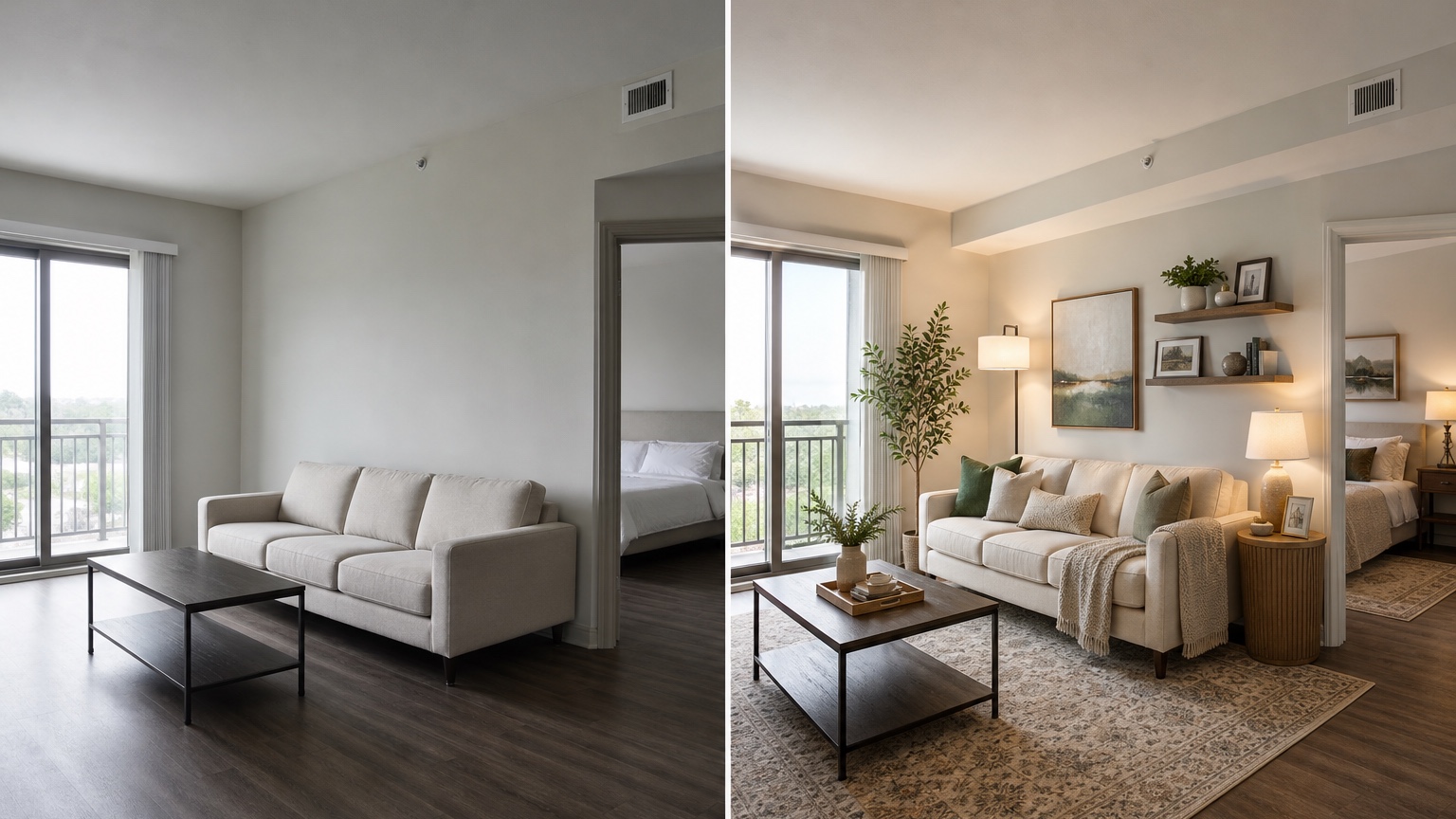
Generated room images are easy to like or dislike quickly, but a more useful review asks what problem each option solved. If the original room feels crowded, did the new layout improve walking paths? If it feels cold, did the palette add warmth? If it feels unfinished, did larger art, curtains, or a rug create a complete composition? If storage is the issue, did the result add realistic storage or just hide clutter?
Check the fixed elements first. The room should still have the same windows, doors, floor, ceiling, and major constraints. If the generator adds a new window, removes a radiator, changes the floor, or invents a larger room, the decor ideas may not translate. Revise the prompt to preserve fixed features and try again.
Then check scale. Rugs should be large enough to connect furniture but not so large they ignore door swings. Coffee tables should leave walking clearance. Nightstands should fit beside the bed. Dining chairs need space to pull out. Curtains need a real rod location and length. Wall art should match the wall size. These checks turn a nice image into a shopping plan.
Finally, check lifestyle. A pale rug under a toddler’s snack table may be a problem. Open shelving may not work for someone who dislikes dusting. A low coffee table may be awkward for older adults. A dramatic dark bedroom may feel cozy at night and gloomy in the morning. AI room design should help you examine those tradeoffs before you buy.
Use remixing to move from inspiration to a plan
Remixing is the bridge between inspiration and decision. Save the best result, then ask for targeted changes. If the layout is right but the colors are too beige, remix with deeper accents. If the palette is right but the furniture feels oversized, remix with smaller-scale pieces. If the room looks good but lacks storage, remix with closed cabinets, a storage bench, or wall-mounted shelves.
The key is to change one variable at a time. For example, keep the same furniture arrangement and test three rug styles. Keep the same rug and test curtain colors. Keep the same palette and test art scale. If every remix changes everything, you will not know what made the room better.
Homeowners can use this to phase a project. Phase one might be rug, curtains, lamps, and art. Phase two might be seating, storage, and paint. Phase three might be built-ins or electrical upgrades if needed. A generated image can show the long-term direction while the prompt can ask for a “first phase using decor-only changes.”
Renters can use remixing to stay lease-safe. Ask for removable wallpaper instead of paint, plug-in sconces instead of hardwired fixtures, freestanding shelves instead of built-ins, and area rugs instead of new flooring. If a result adds permanent changes, remix with “reversible only” and name the restrictions again.
RedesAIgn’s saved prompts and history are helpful during this process. When an image finally gets the room scale right, save that prompt. If later variations drift or become unrealistic, return to the saved version instead of starting over. For small projects, this can be the difference between a confusing pile of images and a clear decision path.
Turn decor ideas into a shopping checklist
After choosing a direction, translate the image into categories. List what the room needs: rug, curtains, lamps, art, throw pillows, bedding, dining chairs, storage, side tables, plants, or paint samples. Next to each item, write the intended size, color, material, and role. For example: “8 by 10 warm neutral rug to connect sofa and chairs,” or “tall closed cabinet near entry to hide shoes and bags.”
Measure the room before you buy. Use painter’s tape to mark rug edges, sofa depth, dining chair clearance, or storage cabinet footprint. Check door swings, outlet locations, vents, baseboards, window trim, and radiator clearance. If the AI image shows a floor lamp where there is no outlet, plan a cord route.
Build a palette from the image, but confirm it physically. Pull samples for paint, fabric, rug texture, wood tone, and metal finish. View them in morning and evening light. A generator can suggest a direction, but real light decides whether a color feels clean, muddy, warm, or harsh.
When shopping, search by qualities rather than exact AI objects. The generated chair may not exist, but it can tell you to look for “low-profile oak dining chair with woven seat,” “cream linen drum shade table lamp,” or “closed walnut storage cabinet with simple doors.” That is more useful than trying to match every pixel.
If you share the image with a partner, roommate, landlord, designer, or contractor, explain what is flexible. You might love the curtain height but not the exact color, or the storage idea but not the style. The image should create shared language: lighter, warmer, less cluttered, more storage, better scale.
Room-by-room tips
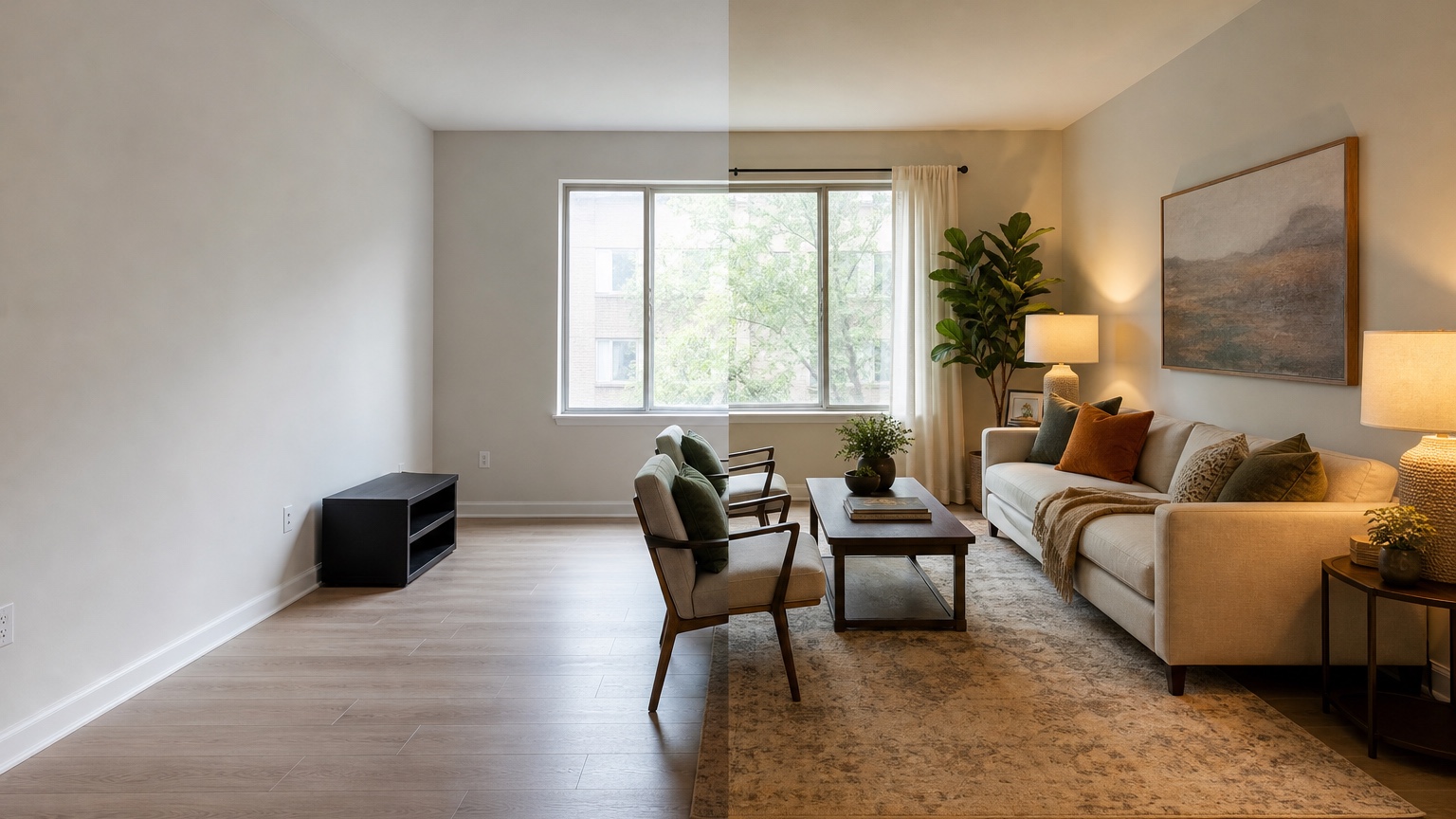
Living rooms usually improve fastest through rug scale, lighting layers, seating placement, and storage. Bedrooms need calm, clearance, bed wall treatment, nightstand scale, and practical clothing storage. Kitchens and dining rooms can use decor ideas for stools, runners, hardware direction, lighting mood, and table shape, but cabinetry, plumbing, electrical, appliance moves, and structural changes need real-world review. Home offices should be prompted around ergonomics, glare, outlets, video-call background, cable management, and storage, not appearance alone.
Common mistakes to avoid
The first mistake is asking for an expensive renovation when you need decor ideas. If your budget is for textiles, lighting, and storage, say that. The result should not depend on new flooring or moving walls.
The second mistake is using a poor photo. A dark, angled, cropped image can produce unrealistic ideas. Retake the room in better light before spending credits on guesses.
The third mistake is skipping constraints. If the sofa stays, say so. If the wall color stays, say so. If you need pet-friendly, washable, child-safe, or rental-friendly choices, say so. Practical prompts create practical results.
The fourth mistake is buying from the image without measuring. Always verify dimensions, samples, return policies, installation needs, and durability.
A simple RedesAIgn workflow for one room
Start by uploading the clearest room photo. Run one prompt that preserves fixed features and asks for realistic decor ideas. Choose the result that best respects the room, then remix it for two or three controlled alternatives, such as lighter palette, more storage, or different rug style. Save prompts that handle scale well and use history to return to strong versions if later rounds drift.
Then create a checklist: keep, move, buy, measure, sample, and verify. Keep existing pieces that work, move furniture before buying more, measure every large item, sample color and texture, and verify anything involving installation, electrical work, landlord approval, or contractor cost.
Start with RedesAIgn’s 5 free AI credits if you are testing one room. No credit card is required. If the project grows into multiple rooms or you want additional variations, use one-time credit packs rather than guessing from inspiration boards.
FAQ: AI room design generator
What is an AI room design generator?
An AI room design generator uses a room photo and prompt to create visual decor or design concepts. It can help explore layouts, colors, rugs, lighting, storage, furniture mood, and styling before you shop.
Can renters use an AI room design generator?
Yes. Renters should prompt for reversible changes such as rugs, curtains, plug-in lighting, removable wallpaper, freestanding storage, bedding, art, and furniture rearrangement. They should also state what the lease does not allow.
How many room photos should I upload?
One clear photo can work for a simple concept, but multiple views are better for rooms with hidden corners, unusual layouts, connected spaces, or important fixed features outside the main camera angle.
Are AI-generated decor ideas accurate enough to buy from?
They are useful for direction, but not enough for final buying decisions by themselves. Measure the room, check product dimensions, order samples when needed, and verify installation details before purchasing.
What makes RedesAIgn useful for room design ideas?
RedesAIgn offers 10 AI editors, prompts, remix images, reference images, saved prompts, and history. It starts with 5 free AI credits, requires no credit card, and offers one-time credit packs for more iterations.
Try these prompts in redesAIgn
Redesign this room with warm neutrals, layered lighting, and a functional seating layout.
Keep the architecture, but update furniture, rug, and wall color for a calm modern look.
Show a before-to-after concept with better traffic flow and fewer bulky pieces.
Related guides
- AI Bathroom Remodel Visualizer for Tile, Vanity, and Lighting Ideas
Visualize bathroom remodel ideas from a real photo with RedesAIgn. Compare finishes, fixtures, and layout limits before ordering materials.
- AI Bedroom Design Generator for Layout and Decor Ideas
Generate bedroom design concepts from your room photo with RedesAIgn. Compare layout and furniture directions before you buy or remodel.
- AI Dining Room Design Ideas From a Photo
Use AI dining room design to plan table size, chair clearance, chandelier alignment, rugs, storage, and lighting from a real room photo.
- AI Furniture Visualizer: Preview Furniture in Your Room Photo
Use an AI furniture visualizer to preview scale, placement, color, material, and fit in your room photo before buying or presenting furniture.
- AI Interior Design From Photo: Redesign Any Room Visually
Use AI interior design from photo workflows to preview room styles, furniture layouts, finishes, and decor ideas before buying anything.