AI Home Decor Generator: Style a Room From One Photo
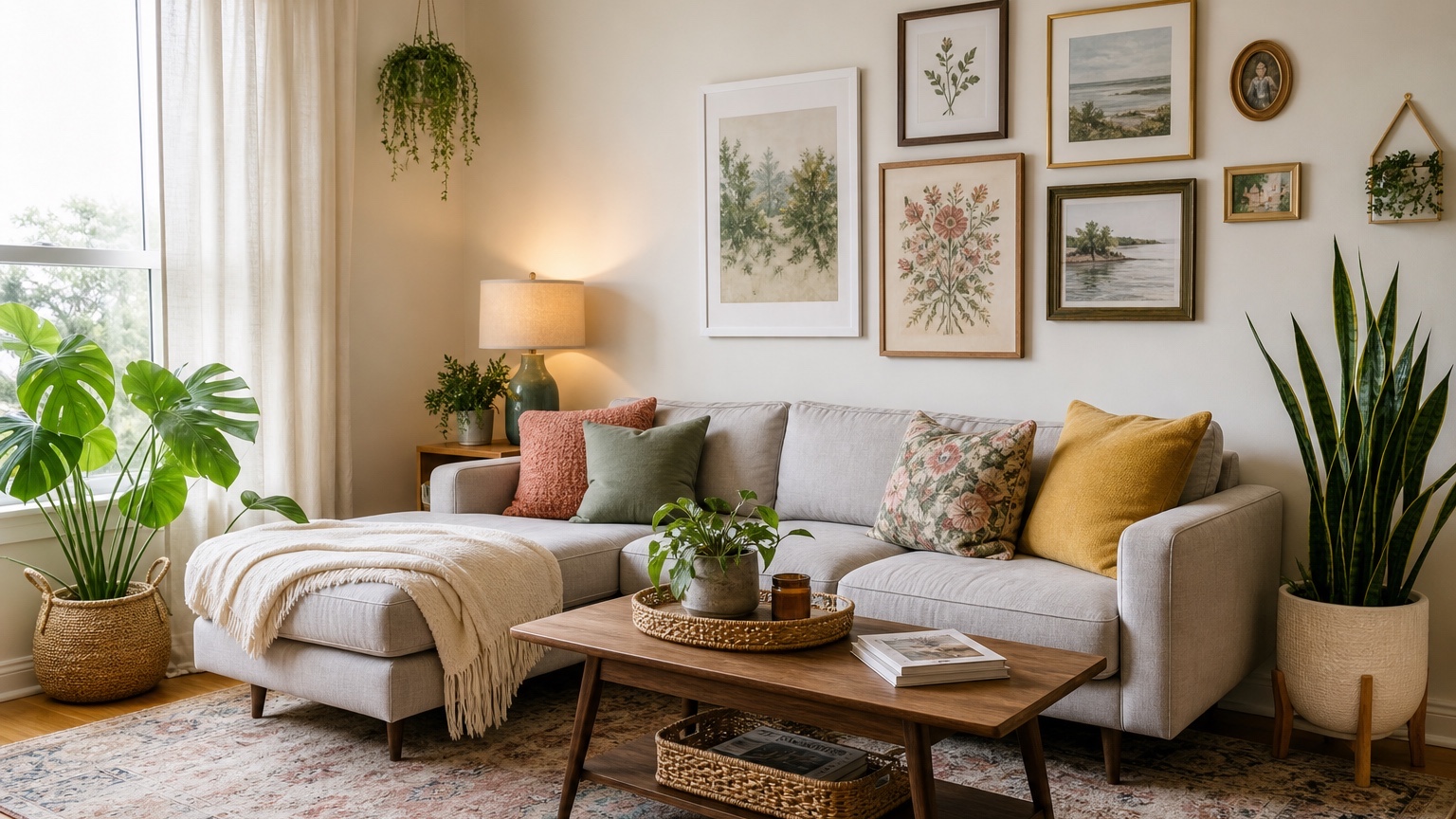
An AI home decor generator is most helpful when the room already exists, the budget is real, and the next step feels unclear. You may not need a full renovation or a designer-led plan. You may need to see whether a warmer rug, better lamps, larger art, calmer curtains, or different bedding would finally make the room feel intentional. Starting from one photo keeps that process attached to the actual room instead of an idealized inspiration image.
This is useful for renters, homeowners, and creators because decor decisions often sit between taste and logistics. A sofa may have to stay. The wall color may be dictated by a lease. A kitchen may need styling rather than construction. A bedroom may feel unfinished because the textiles are too thin, not because the whole layout is wrong. A photo-based workflow helps you separate what needs to change from what only needs better layering.
RedesAIgn supports this kind of room styling with 10 AI editors, prompt-based generation, remix images, reference images, saved prompts, and history. You can start with 5 free credits and no credit card. If you want more rounds after the first test, one-time credit packs are available. That makes it practical for a single apartment corner, a listing backdrop, a content shoot, or a whole-room refresh.
What a home decor generator should change
A good home decor result changes the layer you would actually shop for or move: rugs, curtains, lamps, bedding, pillows, throws, art, plants, baskets, small tables, shelves, mirrors, hardware style, countertop styling, and tabletop pieces. It may suggest a different furniture mood, but it should not casually replace the room with a larger, brighter, more expensive version of itself.
For most people, the room shell should remain recognizable. Windows, doorways, ceiling height, flooring, cabinets, fixed lighting locations, radiators, and built-ins should stay close to the photo unless you ask for a renovation concept. If an output removes a window or invents a huge custom wall system, it may be attractive, but it is no longer a practical decor plan.
The best use is decision-making. You can test whether the room wants a high-contrast palette or a softer one. You can compare a patterned rug against a plain jute texture. You can see whether two tall lamps balance a sofa wall better than one small table lamp. You can decide if a gallery wall is too busy before putting holes in the wall.
For broader room planning, it can pair well with AI room design generator and AI interior design from photo. If the room is a specific area, use more focused references such as AI living room design, AI bedroom design generator, or AI kitchen remodel visualizer after the first decor direction is clear.
Take one photo that explains the room
The input photo does not need to look like a magazine shoot. It needs to explain the room accurately. Stand in a corner, doorway, or far wall position so the image shows the main furniture, floor, windows, ceiling line, and the wall you want to style. Hold the camera level and avoid heavy filters. Daylight is best, but turn on lamps if the room is dim.
Do a quick edit before shooting, but do not erase the design problem. Remove temporary clutter such as dishes, mail, laundry, and random packaging. Keep the furniture, storage pieces, pet items, toys, work equipment, or awkward fixtures that are part of daily life. If the generator cannot see the real conditions, it cannot create realistic decor advice.
For a living room, include the sofa, coffee table area, rug area, windows, media wall, and main walking path. For a bedroom, include the bed wall, nightstand zones, dresser, closet doors, windows, and floor clearance. For a rental dining nook, show the table, chairs, nearby wall, light source, and adjacent kitchen or living area if it affects the look.
Write down the non-negotiables before you upload. Examples: keep the beige carpet, keep the white blinds, keep the sofa, no painting, no drilling, no new ceiling fixtures, no new flooring, pet-friendly textiles, washable rug, storage for toys, or backdrop suitable for video content. Constraints are not creativity killers; they are what make the output usable.
Prompt for layers, not magic
The prompt should tell the generator which decor layers to work on. A vague request like “make this room stylish” often produces a generic scene with changed architecture and imaginary products. A better request gives the room type, the mood, the fixed pieces, the allowed changes, and the practical need.
For a rental living room, try: “Style this living room from the photo using renter-safe decor only. Keep the sofa, flooring, wall color, blinds, windows, ceiling, and media console. Add a correctly scaled rug, curtains or curtain alternative, lamps, pillows, throw blanket, wall art, plant placement, baskets, and a small side table. Make it warm, practical, and reversible.”
For a homeowner’s bedroom, try: “Use this bedroom photo to create a finished decor direction without construction. Keep the bed frame, dresser, flooring, window placement, and ceiling light. Improve bedding layers, nightstand styling, lamps, rug, art over the bed, curtains, and accent colors. The room should feel calm and grown-up, with realistic proportions.”
For a creator studio corner, try: “Turn this corner into a camera-friendly decor setup. Preserve the walls, floor, window, desk location, and existing chair. Add removable art, soft lighting, shelves or freestanding storage, cable-friendly styling, plants, and a color palette that looks good on video. Keep the result realistic for a small apartment.”
Reference images can help if they are treated as style guidance rather than room replacement. Upload a reference for palette, textile mix, art mood, or styling density, then state: “Use the reference for color and atmosphere only; preserve the uploaded room layout and fixed features.” RedesAIgn’s reference image and remix tools are especially useful when you want the same room tested in several taste directions.
Renter-safe updates that still look finished
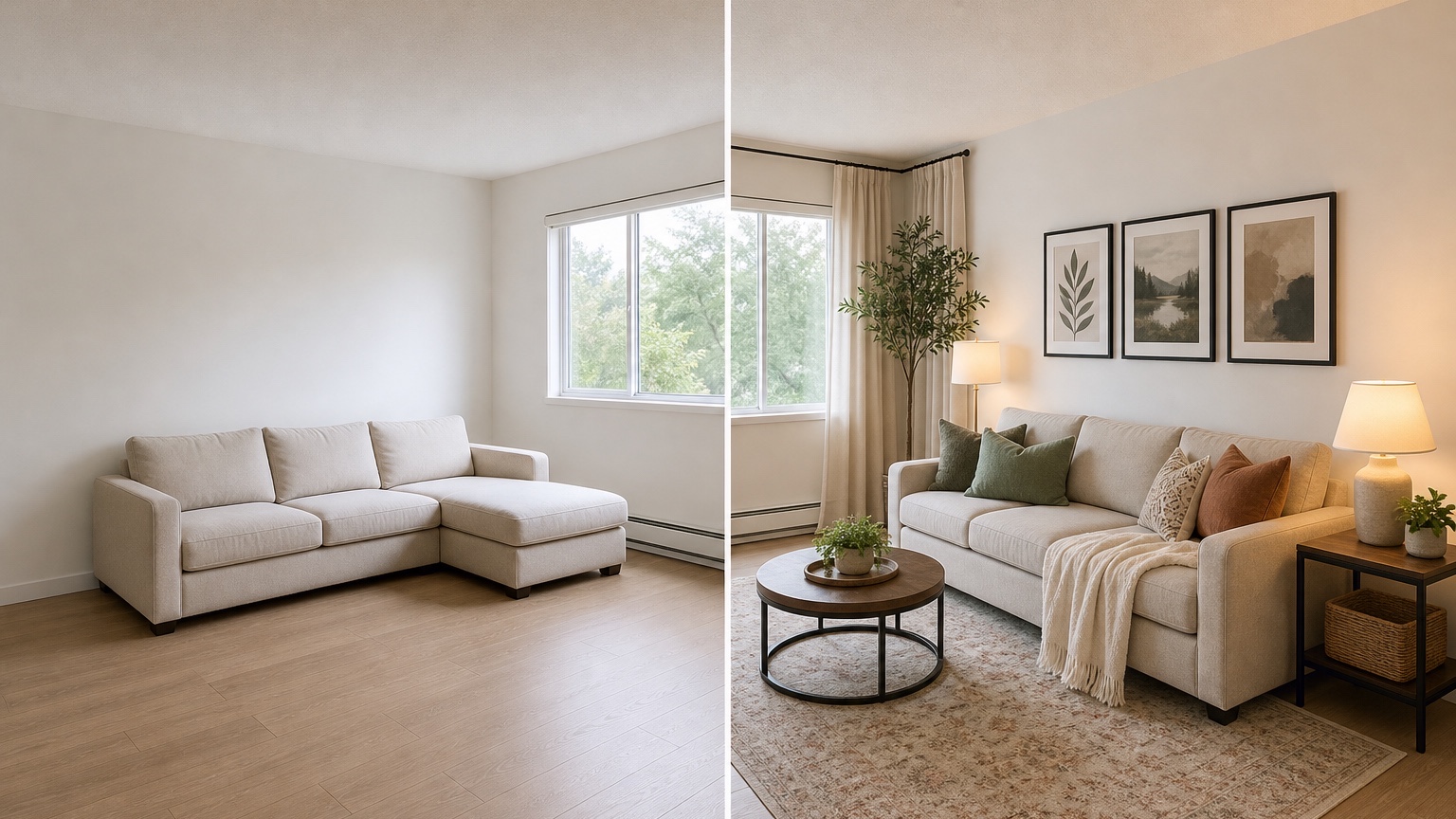
Renter-safe decor is often dismissed as temporary, but it can change a room dramatically when the layers are chosen together. The key is to ask for reversible moves that have enough visual weight: large rugs, full-length curtains on tension or no-drill hardware where appropriate, plug-in lamps, leaning mirrors, freestanding shelves, peel-and-stick accents if allowed, removable art solutions, and better bedding or upholstery covers.
A photo-based generator can help renters avoid the “many small things” problem. Ten tiny accessories rarely fix a room that needs one large rug and two properly scaled lamps. Ask for fewer, larger moves. For example: “Prioritize a rug large enough to connect the sofa and chair, two warm light sources, one oversized art piece, and closed baskets for clutter.” This keeps the concept from turning into a scattered shopping list.
Lease limits should be named clearly. If drilling is not allowed, say no drilling. If paint is not allowed, say preserve wall color. If the floor is unattractive but cannot change, ask for rugs that reduce its impact. If blinds must remain, ask for curtains that layer over them without replacing them. If the kitchen cabinets cannot be painted, ask for countertop styling, runner, lighting warmth, and hardware-like visual direction only if hardware changes are permitted.
Before buying, check the lease, weight limits, adhesive rules, and move-out expectations. Generated decor can make removable wallpaper or stick-on tile look effortless, but products vary. Some damage paint or fail in humid rooms. Use the image to decide whether the effect is worth investigating, then verify the product and surface conditions.
Color, textile, and accessory direction
Color is where a home decor generator can save time. Instead of guessing from isolated swatches, you can test a palette against the floor, existing furniture, daylight, and wall color visible in the photo. Ask for specific palette families: warm neutrals with olive accents, cream and rust, black and natural wood, soft blue and linen, or colorful eclectic with controlled saturation.
Textiles usually carry the room faster than accessories. Rugs, curtains, bedding, pillows, throws, upholstery, and table linens create most of the visible softness. A useful prompt asks for textile roles: “Use a durable patterned rug to hide wear, linen-look curtains to soften the window, two pillow sizes on the sofa, and a textured throw.” The output becomes more actionable when each item has a job.
Accessories should support scale, not fill every surface. Ask for a small number of stronger pieces: one large mirror, one plant with height, one tray, one lamp pair, one art grouping, or one sculptural bowl. If the image shows dozens of vases and books, remix with “reduce accessories, keep surfaces functional, prioritize daily use.”
Creators can use this same logic for content backdrops. A shelf behind a desk should not become visual noise. Ask for clear negative space, non-glare art, warm but not yellow lighting, cable management, and decor that looks good both in a wide room shot and a tight video crop. The image can guide what belongs in frame and what should stay outside it.
Review the result before you shop
Start by checking whether the generated room still matches your photo. Are the windows in the same place? Did the wall length change? Did the tool remove a door, radiator, closet, outlet, or sloped ceiling? If the room shell drifted, the decor may not translate. Remix with stronger preservation instructions before making decisions.
Then check the scale of each major layer. Rugs should be large enough to anchor furniture, but not block doors. Curtains should have a believable rod location and length. Art should fit the wall, not float in impossible proportions. Lamps need surfaces or floor space. Plants need light and walking clearance. Storage baskets need somewhere to sit without becoming clutter themselves.
Next, separate “direction” from “exact object.” The generated rug may not exist. The lamp may not be a purchasable product. Use the image to describe qualities: low-profile wool-look rug with muted pattern, tall black floor lamp with fabric shade, cream linen curtains, walnut side table, woven storage basket. Those words are more useful for shopping than trying to match a fictional item perfectly.
Finally, test the plan physically. Measure the room, mark rug sizes with painter’s tape, check curtain height, compare fabric samples, and confirm return policies. For colors, look at samples in morning, afternoon, and evening light. AI decor images are excellent for narrowing options, but real materials still decide the final feel.
A focused RedesAIgn workflow for one-room styling
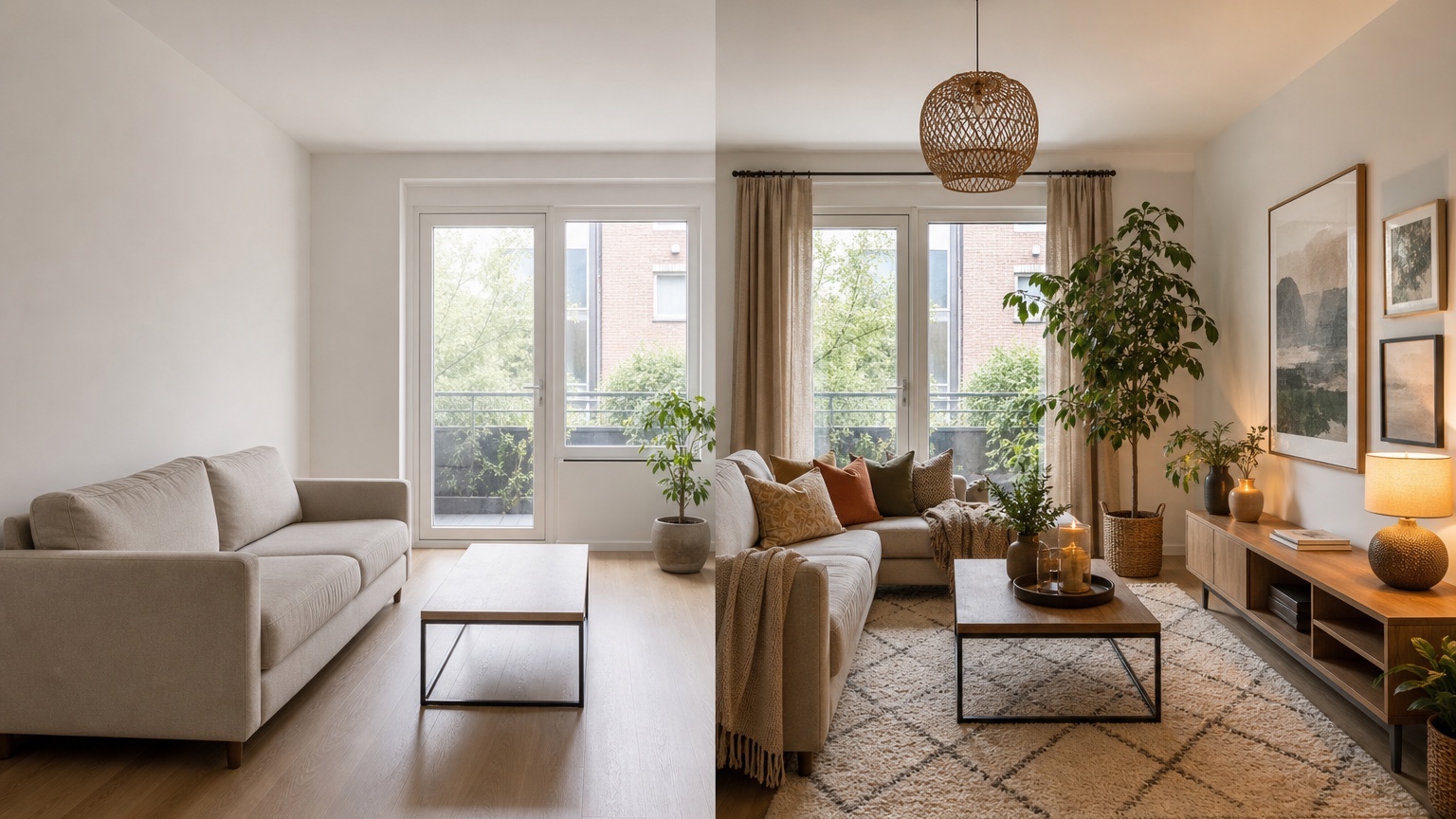
Upload the clearest room photo and run one realistic prompt that preserves the fixed features. Pick the result that handles the room best, even if the colors are not perfect. Save that prompt. Then remix in controlled rounds: one for palette, one for textiles, one for lighting, one for storage or accessories. Avoid changing every variable at once.
Use history to compare versions without losing the stronger base. If the second result has the right rug and the fourth has the right curtains, return to the prompt that best preserved the room and combine those requests. If a remix becomes too luxurious, ask for budget-conscious, easy-to-source decor. If it becomes too plain, ask for more texture and larger statement pieces while keeping the same constraints.
For a small room, stop when the next action is clear. You do not need endless images. A good final output should tell you what to measure, what to sample, what to keep, what to move, and what to buy first. Start with RedesAIgn’s 5 free credits if you only need to test one room; no credit card is required. Use one-time credit packs if you decide to explore more rooms or more variations.
Common mistakes to avoid
Do not ask for a luxury redesign when your budget is decor-only. If the plan cannot include new floors, custom cabinetry, or hardwired lighting, say so.
Do not upload a cropped photo of only one wall unless you only want that wall styled. Most rooms need context: floor, window, furniture, traffic path, and adjacent colors.
Do not let a reference image override the room. Tell the generator what to borrow from the reference and what to preserve from the uploaded photo.
Do not buy directly from the image without measuring. Treat the output as a visual brief, then verify dimensions, materials, installation, cleaning needs, and returns.
FAQ: AI home decor generator
What is an AI home decor generator?
An AI home decor generator uses a room photo and prompt to create visual styling ideas. It can suggest rugs, curtains, lighting, art, textiles, accessories, color palettes, and renter-safe updates.
Can I use one photo to style a whole room?
Yes, if the photo shows enough of the room. A corner or doorway view that includes walls, floor, windows, main furniture, and traffic paths usually works better than a tight close-up.
Is it useful for renters?
Yes. Ask for reversible changes such as rugs, plug-in lighting, removable art, freestanding storage, curtains, textiles, and accessories. Name lease limits clearly in the prompt.
Should I follow the AI image exactly?
No. Use it as a visual plan. Translate the result into categories, dimensions, materials, colors, and shopping terms, then measure and sample before buying.
How does RedesAIgn help with home decor ideas?
RedesAIgn provides 10 AI editors, prompts, remix images, reference images, saved prompts, and history. You can start with 5 free credits and no credit card, then use one-time credit packs if you want more variations.
Try these prompts in redesAIgn
Redesign this room with warm neutrals, layered lighting, and a functional seating layout.
Keep the architecture, but update furniture, rug, and wall color for a calm modern look.
Show a before-to-after concept with better traffic flow and fewer bulky pieces.
Related guides
- AI Bathroom Remodel Visualizer for Tile, Vanity, and Lighting Ideas
Visualize bathroom remodel ideas from a real photo with RedesAIgn. Compare finishes, fixtures, and layout limits before ordering materials.
- AI Bedroom Design Generator for Layout and Decor Ideas
Generate bedroom design concepts from your room photo with RedesAIgn. Compare layout and furniture directions before you buy or remodel.
- AI Dining Room Design Ideas From a Photo
Use AI dining room design to plan table size, chair clearance, chandelier alignment, rugs, storage, and lighting from a real room photo.
- AI Furniture Visualizer: Preview Furniture in Your Room Photo
Use an AI furniture visualizer to preview scale, placement, color, material, and fit in your room photo before buying or presenting furniture.
- AI Interior Design From Photo: Redesign Any Room Visually
Use AI interior design from photo workflows to preview room styles, furniture layouts, finishes, and decor ideas before buying anything.