AI Bedroom Design Generator for Layout and Decor Ideas
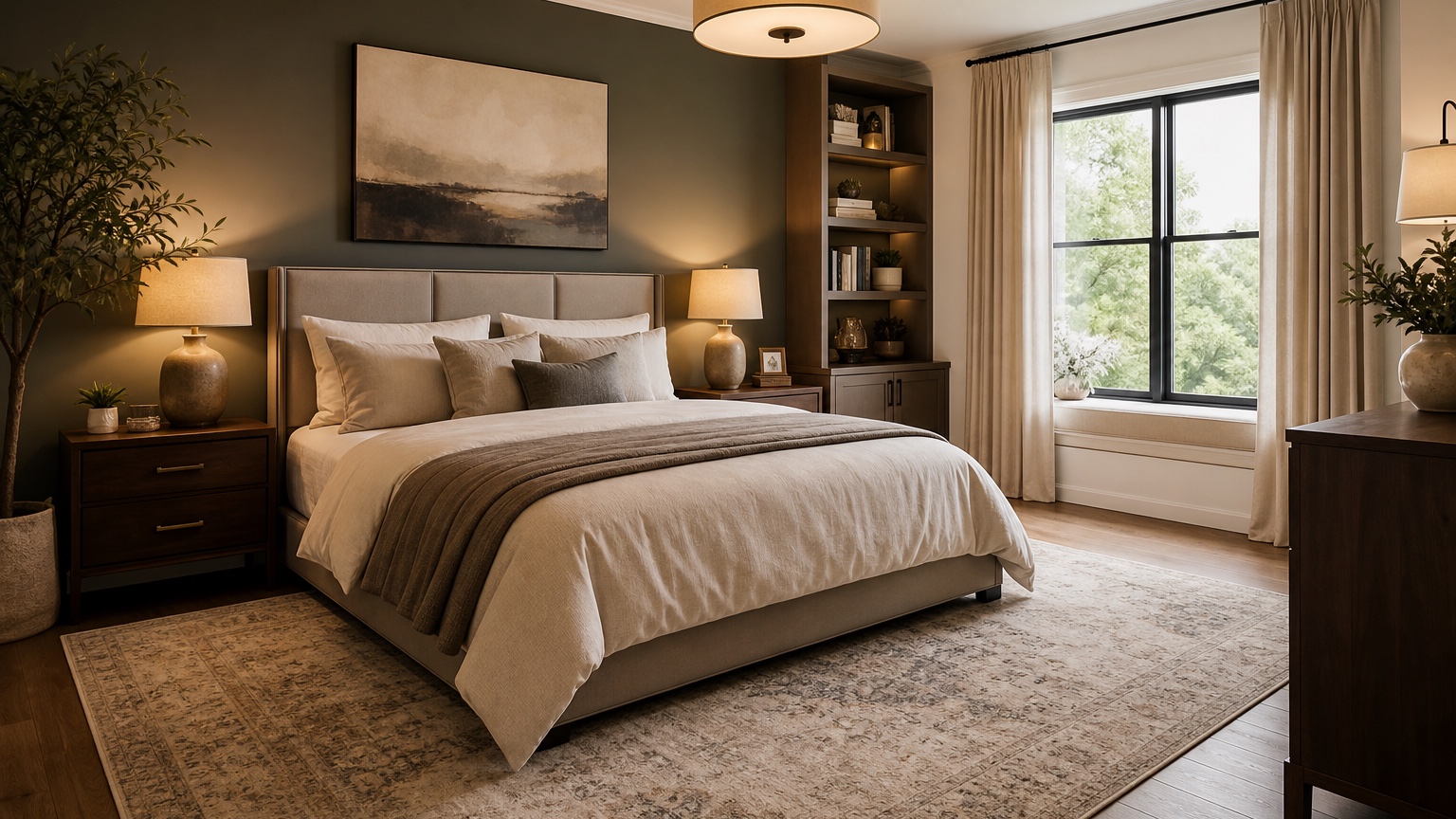
An AI bedroom design generator helps homeowners and renters preview bedroom styles and furniture ideas before committing to a layout, paint color, bed frame, rug, nightstands, or storage plan. Bedrooms are personal spaces, but they are also full of constraints: awkward windows, small closets, low ceilings, radiators, rental rules, oversized beds, mismatched dressers, limited outlets, and the constant need to keep the room calm enough for sleep.
The advantage of a photo-based workflow is that it starts with your room instead of an idealized catalog scene. You can upload a current photo, explain what must stay, and test whether a bed should move, whether a darker wall color feels cozy or cramped, whether a dresser can become a vanity, or whether renter-friendly lighting and curtains would make the biggest difference. The image is a planning tool, not a construction document, but it can make decisions visible quickly.
RedesAIgn includes 10 AI editors plus prompts, remix, reference images, saved prompts, and history. You can begin with 5 free AI credits and no credit card, then add one-time credit packs only when extra iterations are useful. That structure fits bedroom design because you may want one round for layout, another for palette, and another for decor details after the practical plan is settled.
Define the bedroom decision before choosing a style
Bedroom design prompts often fail when they start with only a style phrase such as “luxury hotel,” “Japandi,” or “boho.” Those words can help with mood, but they do not tell the generator what problem to solve. Begin with the real decision: bed placement, storage, work corner, rental refresh, guest room flexibility, better lighting, warmer colors, or a more grown-up primary bedroom.
List the fixed elements first. Most bedrooms have doors, windows, closets, baseboard heaters, radiators, ceiling fans, sloped ceilings, outlets, and awkward wall lengths that limit furniture placement. If you rent, include no paint, peel-and-stick options only, no hardwired lighting, or no wall-mounted heavy items. If the bed, mattress, dresser, desk, crib, or wardrobe must stay, say so clearly.
A practical prompt might read: “Use this photo to create a realistic bedroom design. Preserve the windows, closet doors, entry door, floor, ceiling fan, and queen bed. Improve furniture placement, add two narrow nightstands, a larger rug, warm neutral bedding, blackout curtains, better lamps, and closed storage. Keep changes renter-friendly and avoid built-ins.”
If you are still learning how photo-based interior tools fit into a broader workflow, AI interior design from photo is a helpful companion. For experimenting across multiple room types, AI room design generator can help you compare bedroom ideas with living rooms, offices, and multipurpose spaces.
Upload photos that reveal the awkward parts
Do not upload only the cleanest corner. A good bedroom source photo shows the bed wall, window position, closet doors, main walking path, dresser, ceiling height, and any problem areas. If the room is small, step into the doorway and capture as much of the floor as possible. If the room is long, narrow, or has dormer walls, take an additional angle from the opposite corner.
Daylight photos are best for reading paint, flooring, and furniture tone. Turn on lamps too if lighting is part of the problem, but avoid dramatic filters. The generator needs to understand the real color temperature and shadows. If the bedroom feels cold at night, mention that in the prompt rather than trying to photograph the exact mood.
Test bed placement and walking clearance first
The bed is the anchor of the room, so layout should come before decor. Ask the AI bedroom design generator to compare realistic bed positions if you are unsure. In many bedrooms, the bed belongs on the longest uninterrupted wall, but windows, closets, vents, radiators, or door swings may change that. A generated image can reveal whether centering the bed improves symmetry or whether an off-center solution is more practical.
Review walking clearance closely. Can you reach both sides of the bed? Can closet doors open? Is the dresser accessible without squeezing sideways? Is there a clear path from the entry to the bed? A pretty room that traps someone against the wall may not work for two adults. In a rental or small apartment, one side of the bed against a wall may be acceptable, but it should be an intentional tradeoff rather than an accidental result.
Use prompts that include scale and daily routines. Try: “Design this small bedroom around a queen bed with at least one accessible side path, a clear route to the closet, compact nightstands, and a dresser that does not block the door. Keep the window usable and avoid oversized furniture.” If you have a king bed in a tight room, ask for honest solutions: fewer pieces, wall-mounted shelves if allowed, a storage bed, or a narrower dresser.
Preview bedroom styles without losing the room
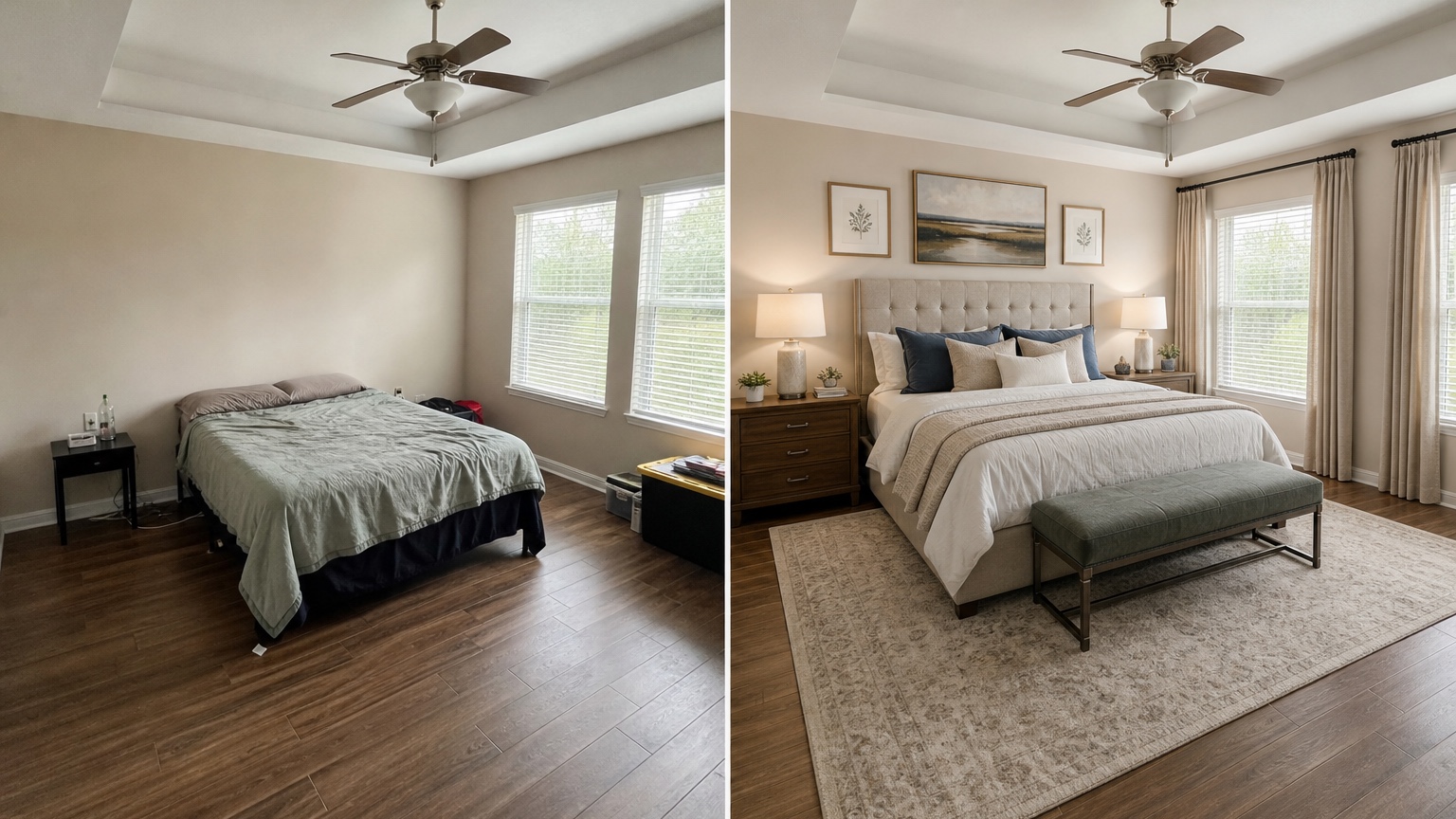
Once layout is reasonable, style exploration becomes more useful. A bedroom can feel calm, tailored, earthy, romantic, minimal, traditional, or colorful, but the style should respect the architecture and furniture you actually have. Ask for style variations while preserving the same layout so you can compare mood rather than accidentally comparing different room plans.
For a calm primary bedroom, try: “Keep the bed on the same wall and preserve the flooring, windows, closet doors, and ceiling. Create a warm, quiet bedroom with layered neutral bedding, wood nightstands, soft curtains, a large rug, shaded table lamps, and minimal wall art. Avoid glossy luxury finishes.”
For a renter-friendly refresh, try: “Redesign this rental bedroom without painting, replacing flooring, or adding hardwired lighting. Use peel-and-stick or removable decor only if needed, plug-in lamps, curtains, bedding, art, a rug, and freestanding storage. Keep the room realistic and affordable.”
For a bolder style test, narrow the experiment: “Show this bedroom with a deep green accent wall behind the bed, warm white remaining walls, brass or black lamps, linen bedding, a natural rug, and walnut furniture. Preserve the windows, doors, floor, bed size, and dresser location.” A specific palette is easier to judge than a vague request for “moody.”
Reference images can be powerful here. Upload a hotel room, boutique guest room, or saved decor image, but give it a limited job: bedding texture, wall color mood, lamp style, or wood tone. Do not ask the reference to override your room. The prompt should say, “Use the reference for color and textile mood only; keep my room layout and fixed features recognizable.”
Solve storage visually, not as an afterthought
Most bedroom frustration comes from storage. Clothes pile up because the dresser is too small, the closet is inefficient, nightstands lack drawers, the laundry hamper has no place, or the bed area has no landing spot for books and chargers. An AI bedroom design generator can help test storage as part of the design instead of hiding it outside the frame.
Ask for the type of storage you need. Closed storage creates a calmer sleep environment. Open shelving can work for styled items but may feel busy in a small room. A storage bed can help renters or homeowners without closet space, but it may change the visual weight of the room. Tall wardrobes can solve clothing overflow but may crowd windows or make low ceilings feel lower.
Try a prompt such as: “Improve storage in this bedroom while keeping the queen bed, window, closet doors, and floor. Add a narrow dresser, nightstands with drawers, under-bed storage, a covered hamper, and a small wall shelf only if it does not block circulation. Keep the room calm and uncluttered.”
Plan color, lighting, and textiles for sleep
Bedrooms are judged differently from living rooms. A dramatic color may photograph beautifully but feel overstimulating at night. A white room may look clean but feel cold if the lighting is harsh. A dark room may feel cozy but cramped if the bedding, rug, and curtains do not balance it. Use AI previews to test mood at the room level.
Prompt for sleep-supportive lighting. Ask for warm bedside lamps, shaded bulbs, dimmable-looking layers, plug-in sconces if you rent, and no harsh overhead glare. If the ceiling fan must stay, say so. If the room lacks outlets, note that battery or plug-in options are preferred. The generated image will not solve wiring, but it can show whether the lighting concept feels balanced.
Color should coordinate with fixed materials. If you have orange-toned floors, a gray wall may turn flat or cold. If you have black furniture, warm bedding and textured curtains can soften the contrast. If you have a brick wall, ask for palettes that work with red, brown, or terracotta rather than pretending the wall is gone.
Use remixing to compare controlled options
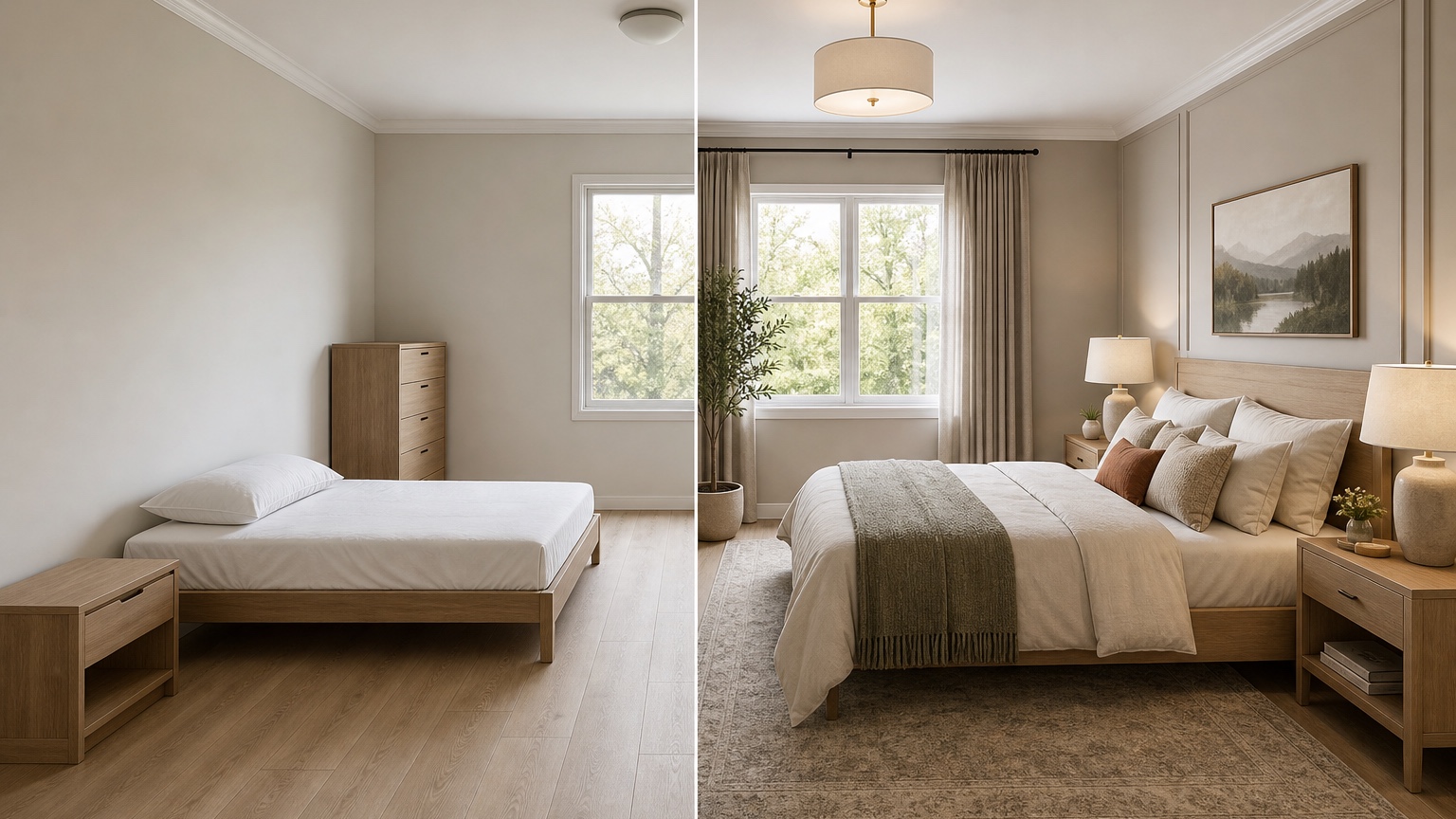
Remix is most useful when each round changes one decision. Keep the bed placement constant and test three palettes. Keep the palette constant and test two storage arrangements. Keep the storage constant and test curtain length, rug size, or lamp style. This method produces useful comparisons instead of a folder of unrelated pretty bedrooms.
Saved prompts and history are important because bedroom images can drift. A later version might accidentally widen the room, remove a closet, or replace a required bed. When that happens, return to the earlier prompt that respected the room. In RedesAIgn, history helps you recover the useful stage, and saved prompts help you reuse constraint language that worked.
If decor is the main question after layout and storage are settled, AI home decor generator can help explore bedding, art, pillows, mirrors, plants, and styling details without reopening every major layout decision.
Review AI bedroom results with a practical checklist
Start by checking whether the result preserves the fixed room. Did the window move? Did the closet disappear? Did the bed shrink? Did the ceiling height change? Did the AI add built-ins that are not in the budget? If so, revise the prompt or treat that element as loose inspiration.
Next, judge the layout. Confirm bed access, closet access, drawer clearance, walking paths, outlet needs, and room for making the bed. A bedroom can look calm in a still image and still be irritating every morning if a drawer hits the nightstand or the laundry hamper blocks the closet.
Finally, test the style against maintenance. White bedding may be easy to bleach or impossible with pets. A low platform bed may not suit someone with mobility needs. A floating shelf may not work in a rental. A heavily styled bench may become a clothing pile. Good bedroom design supports real habits instead of fighting them.
Turning a preview into a bedroom plan
Once you choose a direction, make a short implementation list. Measure the rug size, nightstand width, dresser depth, curtain rod height, bed wall width, lamp height, and any clearance issues. Order paint samples if painting is allowed. Compare fabric swatches for bedding and curtains. Check return policies before buying large furniture.
Use the included free credits for a focused first pass. If you need more confidence, one-time credit packs can support extra remixes around the exact unresolved decisions. Avoid generating endless variations once the plan is clear. At some point, the next best tool is a tape measure, a sample pot, or a returnable rug order.
RedesAIgn fits the early bedroom planning stage because it turns your existing room photo into visual options quickly while still letting you control prompts, reference images, remixes, saved prompts, and history. Use it to preview bedroom styles and furniture ideas, then verify everything with measurements and real-life constraints before buying.
FAQ: AI bedroom design generator
What does an AI bedroom design generator do?
An AI bedroom design generator creates visual bedroom concepts from a photo and prompt. It can help preview bed placement, furniture scale, storage, wall colors, bedding, curtains, lighting, rugs, and decor styles.
Is it useful for renters?
Yes. Renters can prompt for no paint, no hardwired lighting, no flooring changes, removable decor, plug-in lamps, freestanding storage, and furniture arrangements that do not require permanent alterations.
Can it tell me the exact furniture size to buy?
It can suggest visual scale and layout direction, but you should measure the room before purchasing. Tape furniture footprints on the floor and confirm bed, dresser, drawer, closet, and walking clearances.
How do I get realistic bedroom results?
Upload a wide, well-lit photo and name the fixed elements: windows, doors, closet, flooring, bed size, furniture that must stay, rental limits, and storage needs. Then remix one decision at a time.
Does RedesAIgn require a credit card to try bedroom ideas?
No. RedesAIgn starts with 5 free AI credits and no credit card requirement. One-time credit packs are available if you want more iterations.
Try these prompts in redesAIgn
Redesign this room with warm neutrals, layered lighting, and a functional seating layout.
Keep the architecture, but update furniture, rug, and wall color for a calm modern look.
Show a before-to-after concept with better traffic flow and fewer bulky pieces.
Related guides
- AI Bathroom Remodel Visualizer for Tile, Vanity, and Lighting Ideas
Visualize bathroom remodel ideas from a real photo with RedesAIgn. Compare finishes, fixtures, and layout limits before ordering materials.
- AI Dining Room Design Ideas From a Photo
Use AI dining room design to plan table size, chair clearance, chandelier alignment, rugs, storage, and lighting from a real room photo.
- AI Furniture Visualizer: Preview Furniture in Your Room Photo
Use an AI furniture visualizer to preview scale, placement, color, material, and fit in your room photo before buying or presenting furniture.
- AI Interior Design From Photo: Redesign Any Room Visually
Use AI interior design from photo workflows to preview room styles, furniture layouts, finishes, and decor ideas before buying anything.
- AI Kitchen Remodel Visualizer: See Cabinet, Floor, and Color Ideas
Visualize kitchen remodel ideas from a real photo with RedesAIgn. Compare cabinets, counters, and backsplash before buying any materials.