AI Interior Design From Photo: Redesign Any Room Visually
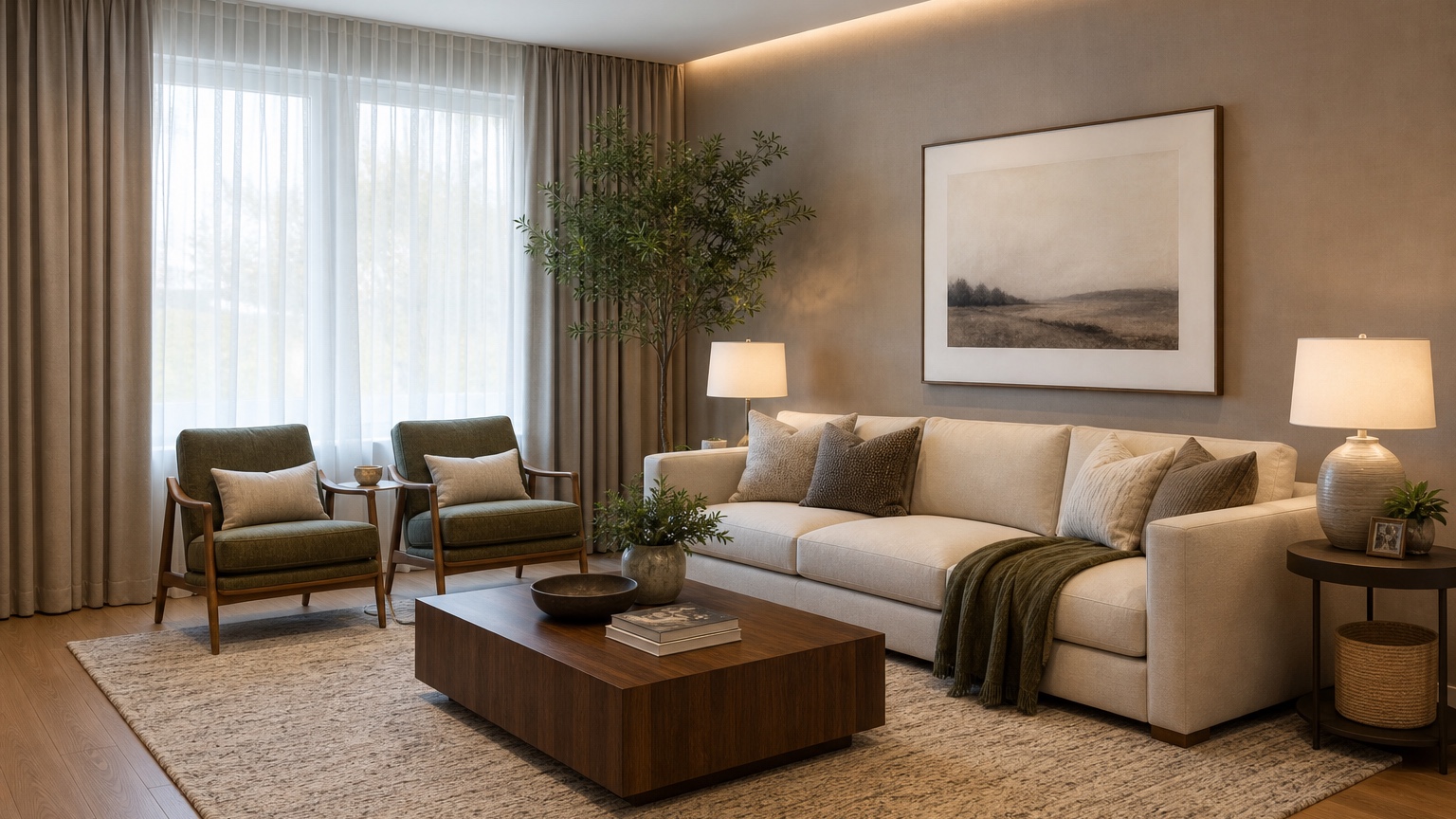
AI interior design from photo tools are most useful when you need to see a room direction before buying furniture, paint, lighting, rugs, or built-ins. A homeowner may wonder whether warm minimalism fits an older living room. A renter may need a reversible bedroom refresh that keeps the existing floor and wall color. A designer may want to show a client several early directions before sourcing actual pieces. In each case, the photo matters because the design begins with the real room instead of a blank fantasy board.
The goal is not to make a perfect construction document. The goal is to preview decisions visually enough that you can avoid expensive guessing. A sofa that looks compact online may dominate a narrow room. A dark accent wall may feel elegant in a sample image but heavy beside your actual windows. A dining table may block circulation once chairs are pulled out. Photo-based redesigns help reveal those issues early, when it is still easy to adjust.
RedesAIgn supports this exploration with 10 AI editors, prompts, remix images, reference images, saved prompts, and history. You can start with 5 free AI credits, no credit card required, then add one-time credit packs only if more rounds are useful. That makes the workflow practical for a single room refresh, a rental upgrade, or an early client concept without committing to a subscription before you know what you need.
What “AI interior design from photo” should actually do
A useful AI interior design from photo workflow should keep the recognizable room and change the design layer around it. Walls, windows, doors, ceiling height, fireplace locations, major openings, stairs, and awkward corners should remain believable unless you explicitly ask for a renovation concept. If the output ignores the room and invents a new architecture, it may be pretty, but it will not help you choose furniture or finishes.
Think of the generated image as a visual test. It can compare Scandinavian, Japandi, transitional, modern farmhouse, coastal, industrial, or colorful eclectic directions inside your room. It can show whether a large area rug anchors the seating, whether built-in shelves would balance a blank wall, whether lighter curtains soften the window, or whether a different lighting plan changes the mood. It should turn taste into something you can inspect.
This is especially helpful before purchases. Online carts are abstract: dimensions, fabric names, finish swatches, and isolated product photos. Your actual room has daylight, shadows, floor tone, ceiling height, outlets, traffic paths, pet needs, kids’ storage, and existing pieces you may keep. The image does not replace measuring, but it makes the design conversation concrete before money is spent.
For more focused rooms, pair this broad workflow with specific planning references such as AI living room design, AI bedroom design generator, and AI interior design app. Those narrower guides can help turn a general redesign image into room-by-room decisions.
Start with the right room photo
The strongest input photo is not always the prettiest one. Use a clear, level, daylight image taken from a corner or doorway that shows as much of the room as possible. Avoid extreme wide-angle distortion if you can. If the room is dark, turn on lights and open curtains, but do not use filters that change color. The tool needs honest information: wall tone, floor tone, window placement, furniture size, door swings, and visual clutter.
For a living room, capture the sofa wall, media wall, windows, traffic route, and any fireplace or built-in feature. For a bedroom, include the bed wall, closet doors, windows, nightstand zones, and walking clearance. For a kitchen or dining area, show fixed cabinets, islands, appliances, table size, and circulation. For a small apartment, include adjacent openings because the design may need to work across zones.
Before generating, decide what must stay. A renter may need to preserve wall color, flooring, blinds, and major furniture. A homeowner may keep the sofa and dining table but replace lighting, rug, and storage. A designer may preserve architectural features while testing a new palette. Write these constraints down. If the prompt does not name them, the output may casually remove the exact thing you needed to keep.
Also decide how adventurous the first round should be. If you are close to purchasing, ask for a realistic, budget-aware version. If you are still exploring identity, ask for three style directions. If the room feels broken, ask the AI to solve the layout before it applies decor. That sequence keeps the work practical.
Prompt for decisions, not just a vibe
A vague prompt like “make this room beautiful” usually produces a generic makeover. A better prompt names the room, what stays, what changes, the style range, budget level, and the specific decision you are trying to preview. The more practical the prompt, the more useful the image becomes.
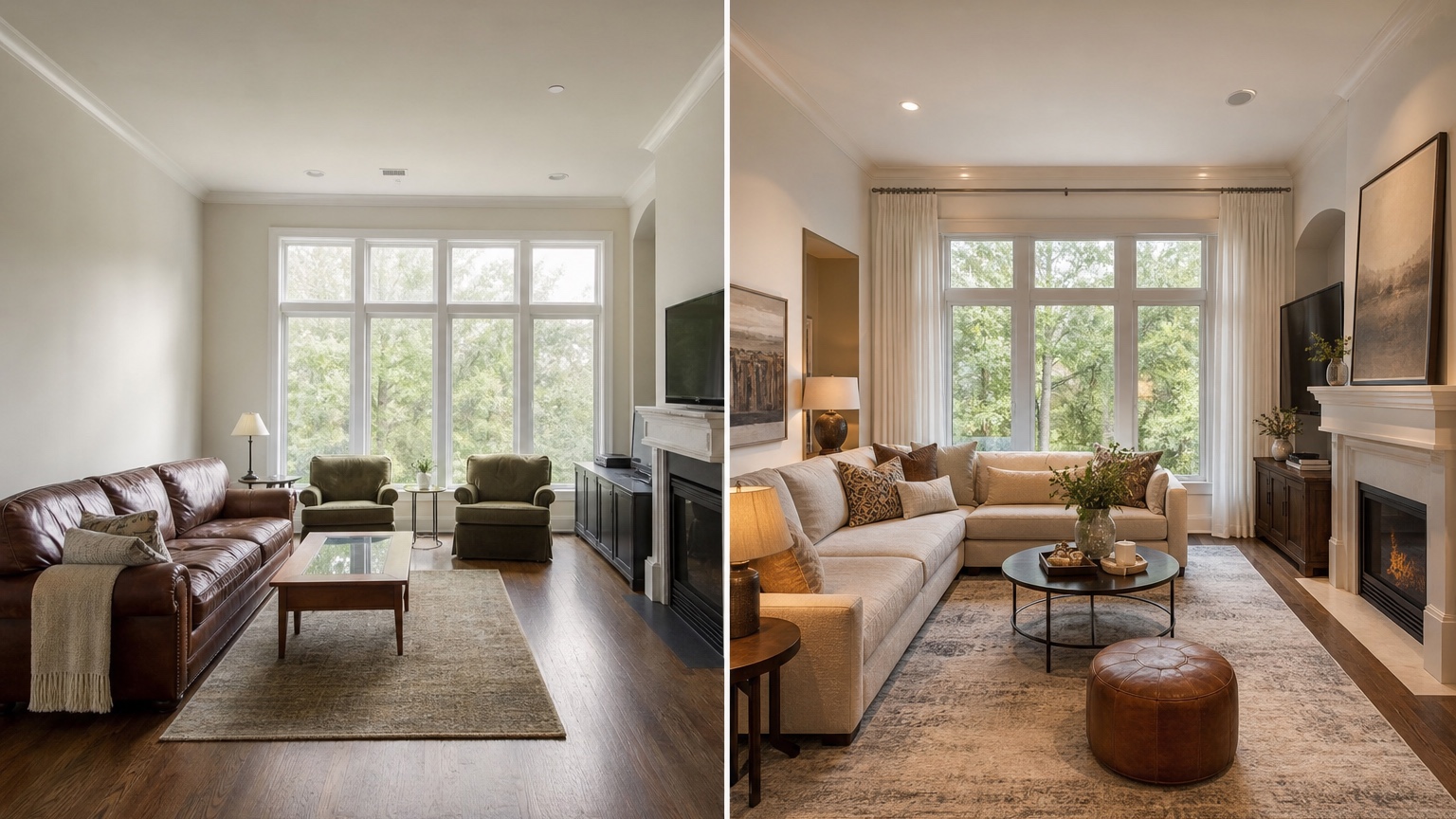
For a homeowner testing purchases, try: “Redesign this living room from the photo in a warm modern style. Preserve the windows, flooring, fireplace, ceiling, doorways, and sofa position. Show a realistic new rug, coffee table, side tables, curtains, lighting, wall art, and storage. Keep walking paths clear and use furniture sizes that fit the room. Avoid structural changes.”
For a renter, try: “Create a renter-friendly bedroom redesign from this photo. Keep the wall color, flooring, blinds, closet doors, bed frame, and no-drill limitations. Add removable decor, layered bedding, plug-in lighting, a rug, small-space storage, and a calm color palette. Do not show built-ins, new flooring, or permanent construction.”
For a designer working with a client, try: “Use this room photo to create three early interior design directions: quiet neutral transitional, tailored contemporary, and warm collected modern. Preserve architecture, window placement, flooring, ceiling height, and main circulation. Change furnishings, lighting, textiles, art, and styling only. Make each option realistic enough for client preference review.”
Reference images are useful when they have a specific job. A reference can guide color palette, furniture silhouette, material warmth, or styling density. Do not let it overwrite the original room. A strong instruction is: “Use the reference image for the mood and palette only; preserve the uploaded room layout and architecture.” RedesAIgn’s reference image and remix features are helpful here because you can keep a base room and test one variable at a time.
Read the result like a buyer, not a spectator
Once you have an image, resist the urge to judge it only by whether it looks impressive. Evaluate it as if you must act on it. First, check the room shell. Are the windows still in the right place? Did a door disappear? Did ceiling height change? Did the tool add a fireplace, built-in, or extra wall that you do not have? If the architecture shifted, revise the prompt before trusting decor choices.
Second, check scale and clearance. Sofas need walking room around them. Dining chairs need pull-out space. Nightstands need to fit beside the bed. Coffee tables should not float unrealistically far away or block movement. Large rugs can be excellent, but they need real dimensions. A generated image is a direction, not a measurement; use it to decide what to measure next.
Third, check finish compatibility. Paint, flooring, cabinets, and existing furniture all have undertones. A cool gray room may not support a warm beige palette without adjustment. A red-toned wood floor may clash with orange leather. A white sofa may look serene in the image but be impractical with children, pets, or heavy use. Good AI interior design from photo work should help you ask these questions before ordering.
Finally, separate the “buy soon” ideas from the “investigate” ideas. Pillows, lamps, art, curtains, and removable shelves may be low-risk. Custom millwork, new flooring, stone counters, and electrical changes require quotes, trades, and possibly permits. If a result suggests structural or built-in changes, treat it as inspiration until a professional reviews feasibility.
Use remixing to narrow the room direction
The first image is rarely the final answer. Remixing is where the workflow becomes useful. Save the version that best preserves the room, then create controlled variations: same layout with a lighter palette; same palette with different rug size; same furniture plan with better lighting; same bedroom but more storage; same kitchen concept with warmer cabinet color. Change one or two variables at a time so you can understand what improved.
Homeowners can use this method before a large purchase. If you are considering a green sofa, remix the room with green, tan, navy, and cream options while keeping the rug and wall color similar. If you are unsure about paint, remix the same furniture plan with warm white, greige, sage, and deep blue walls. Seeing options inside your actual room is more reliable than comparing product photos on separate tabs.
Renters can remix for reversibility. Test peel-and-stick backsplash, plug-in sconces, freestanding wardrobes, curtains, rugs, and art arrangements without adding permanent built-ins. Ask for “no drilling,” “no painting,” “existing floor preserved,” or “landlord-friendly changes only.” The best renter redesign is one that improves the room without creating move-out problems.
Designers can use saved prompts and history to manage client feedback. If a client likes the second option’s palette but the third option’s furniture arrangement, return to the saved prompt that handled the room correctly and remix from there. This prevents the common problem of losing the original room logic while chasing a new style.
Turn the image into a practical next-step plan
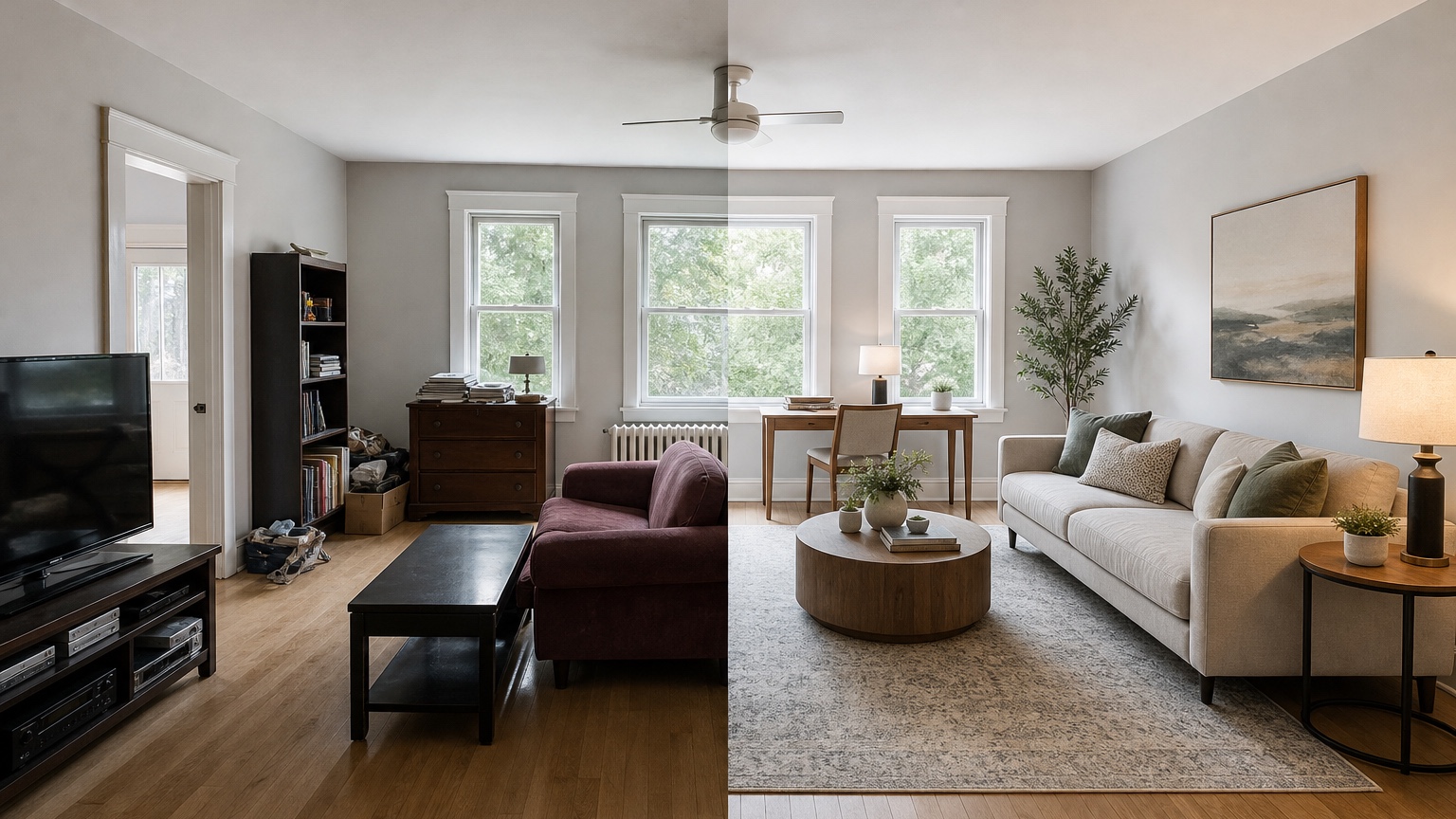
After choosing a direction, make a decision list. Start with layout: what moves, what stays, and what must be measured? Then note the main purchases: rug size, sofa or chair dimensions, table shape, lighting type, curtain length, storage needs, art scale, and paint samples. A generated image becomes useful when it turns into actions.
Measure before buying. Use the image to estimate intent, then confirm dimensions with tape. Mark walking paths on the floor with painter’s tape. Compare rug sizes with the actual furniture footprint. Check door swings, outlets, radiator clearance, HVAC vents, and window treatments. If the AI shows a floor lamp where there is no outlet, decide whether a cord solution is acceptable.
Create a small material palette from the result. Pull three to five decisions: main wall color, wood tone, metal finish, textile color, and accent color. Then compare real samples in the room at different times of day. AI previews can make a palette feel coherent, but physical light changes everything. Samples are still necessary.
If you are working with a designer, contractor, or furniture retailer, share the original photo and the generated direction together. Explain what you like: “the lighter curtains,” “the built-in feel,” “the round table,” “the calmer palette,” or “the lower-profile sofa.” Avoid asking suppliers to copy an image exactly. Ask them to translate the intent into available products, correct dimensions, and safe installation.
RedesAIgn fits this practical middle step: upload a real room photo, test a few directions, save the prompt language that works, remix around specific decisions, and return to history when an option goes off track. Begin with the free credits if you are exploring one room. Use one-time credit packs if you need more comparisons for multiple rooms or client rounds. The value is seeing enough to choose wisely before the costly part begins.
Common mistakes to avoid
The first mistake is changing too much at once. If you ask for a new layout, new color palette, new furniture style, new lighting, new flooring, and new architecture in one prompt, you may get a dramatic image that teaches you very little. Start with the decision that matters most.
The second mistake is ignoring constraints. Renters should state what cannot change. Homeowners should identify budget limits and fixed features. Designers should define the scope of the concept. A beautiful image that depends on removing a wall or replacing every surface may not help a near-term refresh.
The third mistake is treating AI selections as exact shopping links. Use the image to define shape, scale, tone, and mood, then source real products that fit the dimensions and budget. If the generated lamp or chair does not exist, find an equivalent rather than forcing a match.
The fourth mistake is skipping the original photo during review. Always compare before and after. The original photo keeps you honest about lighting, clutter, ceiling height, traffic paths, and existing pieces. The redesign image should improve the room you have, not distract you from it.
FAQ: AI interior design from photo
Can AI redesign a room from one photo?
Yes, one clear room photo can produce useful visual redesign ideas, especially for style, palette, furniture mood, lighting, rugs, and decor. Multiple photos are better when the room has hidden corners, connected spaces, or important fixed features outside the main view.
Is AI interior design from photo accurate enough for buying furniture?
It is useful for narrowing direction, but you should still measure before buying. Treat the image as a visual concept, then verify dimensions, clearances, fabric samples, finishes, outlet locations, and delivery requirements.
How can renters use this without making permanent changes?
Renters should prompt for no-drill, no-paint, reversible changes such as rugs, curtains, freestanding storage, plug-in lighting, removable wallpaper, art, bedding, and furniture rearrangement. Name every lease constraint in the prompt.
What should I do if the AI changes the room structure?
Revise the prompt to preserve architecture, windows, doors, ceiling, flooring, and fixed features. Use remixing from a version that kept the room accurate, then adjust furniture or decor separately.
Does RedesAIgn require a credit card to try this?
No. For an interior-from-photo workflow, RedesAIgn lets you begin with 5 free AI credits without entering a credit card. Extra concept rounds can be purchased through one-time credit packs when the room needs more testing.
Try these prompts in redesAIgn
Redesign this room with warm neutrals, layered lighting, and a functional seating layout.
Keep the architecture, but update furniture, rug, and wall color for a calm modern look.
Show a before-to-after concept with better traffic flow and fewer bulky pieces.
Related guides
- AI Bathroom Remodel Visualizer for Tile, Vanity, and Lighting Ideas
Visualize bathroom remodel ideas from a real photo with RedesAIgn. Compare finishes, fixtures, and layout limits before ordering materials.
- AI Bedroom Design Generator for Layout and Decor Ideas
Generate bedroom design concepts from your room photo with RedesAIgn. Compare layout and furniture directions before you buy or remodel.
- AI Dining Room Design Ideas From a Photo
Use AI dining room design to plan table size, chair clearance, chandelier alignment, rugs, storage, and lighting from a real room photo.
- AI Furniture Visualizer: Preview Furniture in Your Room Photo
Use an AI furniture visualizer to preview scale, placement, color, material, and fit in your room photo before buying or presenting furniture.
- AI Kitchen Remodel Visualizer: See Cabinet, Floor, and Color Ideas
Visualize kitchen remodel ideas from a real photo with RedesAIgn. Compare cabinets, counters, and backsplash before buying any materials.