AI Furniture Visualizer: Preview Furniture in Your Room Photo
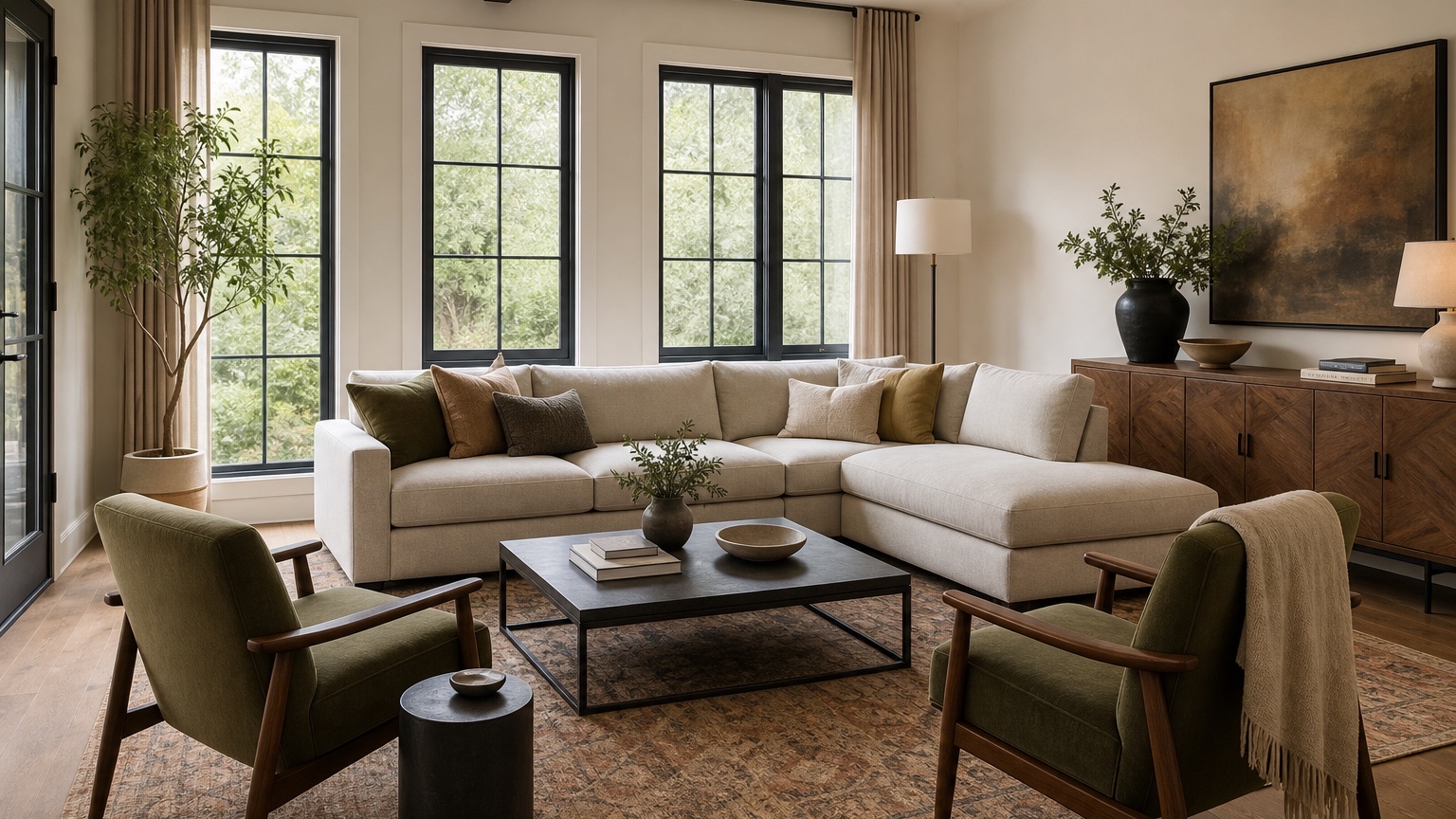
An AI furniture visualizer helps answer the question that product pages rarely settle: will this piece work in this room? A sofa may look compact in a catalog and huge in a narrow apartment. A walnut dining table may look rich online but orange beside an existing floor. A cream boucle chair may photograph beautifully and still be the wrong material for a family room with pets. Furniture decisions involve size, placement, color, texture, existing pieces, walking paths, delivery access, and confidence that the purchase will not feel wrong once it arrives.
For shoppers, the value is lower uncertainty before checkout. For furniture retailers, the value is clearer pre-purchase conversations and fewer customers forced to imagine scale from isolated product images. A room-photo workflow lets people test whether a sectional blocks the patio door, whether a round table improves circulation, whether a rug is large enough, or whether a darker finish makes the space feel heavy.
RedesAIgn can support this decision stage with 10 AI editors, prompts, remix, reference images, saved prompts, and history. You can start with 5 free AI credits and no credit card. If a shopper, salesperson, or design team needs more variations, one-time credit packs allow extra rounds without a subscription. Commercial use may be relevant for retailers preparing product previews, merchandising concepts, or client-facing room ideas.
Begin with the purchase risk, not the prettiest product
Furniture visualization works best when you identify the risk behind the decision. A buyer looking at a sectional may worry about walking clearance. Someone choosing dining chairs may worry about color and proportion. A retailer may need to show how the same sofa reads in a small apartment, a warm traditional room, and a brighter contemporary setting. Each situation needs a different prompt.
Start by naming what is fixed. In a living room, the fixed pieces may include the existing sofa, fireplace, TV wall, windows, rug, floor, built-ins, and media console. In a bedroom, the bed frame, closet doors, nightstand width, and walkway around the mattress may matter. In a dining room, the table size, chair pull-out space, buffet depth, chandelier location, and route to the kitchen are practical constraints.
A useful first prompt could be: “Use this room photo to preview a new 86-inch tan fabric sofa. Preserve the windows, flooring, rug, coffee table, fireplace, TV wall, and room size. Place the sofa against the long wall with realistic scale, enough walking clearance, and natural shadows. Do not change the architecture or add unrelated decor.”
That prompt does more than ask for a pretty scene. It tells the visualizer what decision the image must support. If you need broader styling around the purchase, AI interior design from photo is a helpful companion. If the furniture question is mostly in a seating area, AI living room design can help compare layout, rug, lighting, and storage at the same time.
Use a room photo that includes scale clues
A furniture preview depends on scale clues. Photograph the room from a corner or doorway so the floor area, ceiling, windows, doors, existing furniture, and traffic paths are visible. Keep the camera level. Avoid extreme wide-angle distortion if possible because it can make a sofa wall look larger than it is. Include the current rug, coffee table, bed, dining table, or other pieces that need to coordinate with the new item.
Before generating, measure the main area. You do not need a full floor plan, but write down the wall length, door width, sofa length, table diameter, rug size, or clearance requirement that matters. Then include those numbers in the prompt. AI images are not measurement tools, but measurement language helps prevent absurd scale. A prompt that says “place a 72-inch writing desk on this 9-foot wall and leave room for the closet door to open” is more useful than “add a stylish desk.”
Lighting matters too. A product’s color will look different in north light, warm lamps, or a room with dark flooring. Use a clear daylight photo when possible, then ask for natural color handling. If the room is mostly used at night, run a second version with warm evening lamps. The goal is not perfect color calibration; it is to see whether the direction still looks plausible in your actual conditions.
Preview scale before style details
Scale is the first filter. If the piece is too large, no fabric choice will save it. Use the visualizer to compare dimensions and placements before debating whether the legs should be black metal or tapered oak. For a living room, test an apartment sofa, full sofa, sectional, and two-chair arrangement. For dining, test a rectangular table, round table, bench side, and different chair profiles. For bedrooms, compare a queen bed with two nightstands against a king bed with smaller tables.
Ask for practical clearance. “Keep at least a clear walking path between the sofa and media console,” “leave dining chairs room to pull out,” “do not block the balcony door,” or “keep both closet doors usable” are the kinds of instructions that make the image more useful. Even if the result is not dimensionally exact, it helps you catch obvious mistakes.
When reviewing the output, look at paths first. Can someone walk through the room without turning sideways? Can drawers open? Does the coffee table sit at a believable distance? Are chair backs too close to the wall? Does the bed leave room to make it on both sides? If the answer is unclear, measure again and generate a stricter version.
Retailers can use the same process for customer support. Instead of only showing a product cutout, ask for the piece in a typical room with clear scale markers: rug, window, side table, lamp, and walkway. The preview should make the customer more informed, not simply more excited.
Place new pieces around what the customer already owns
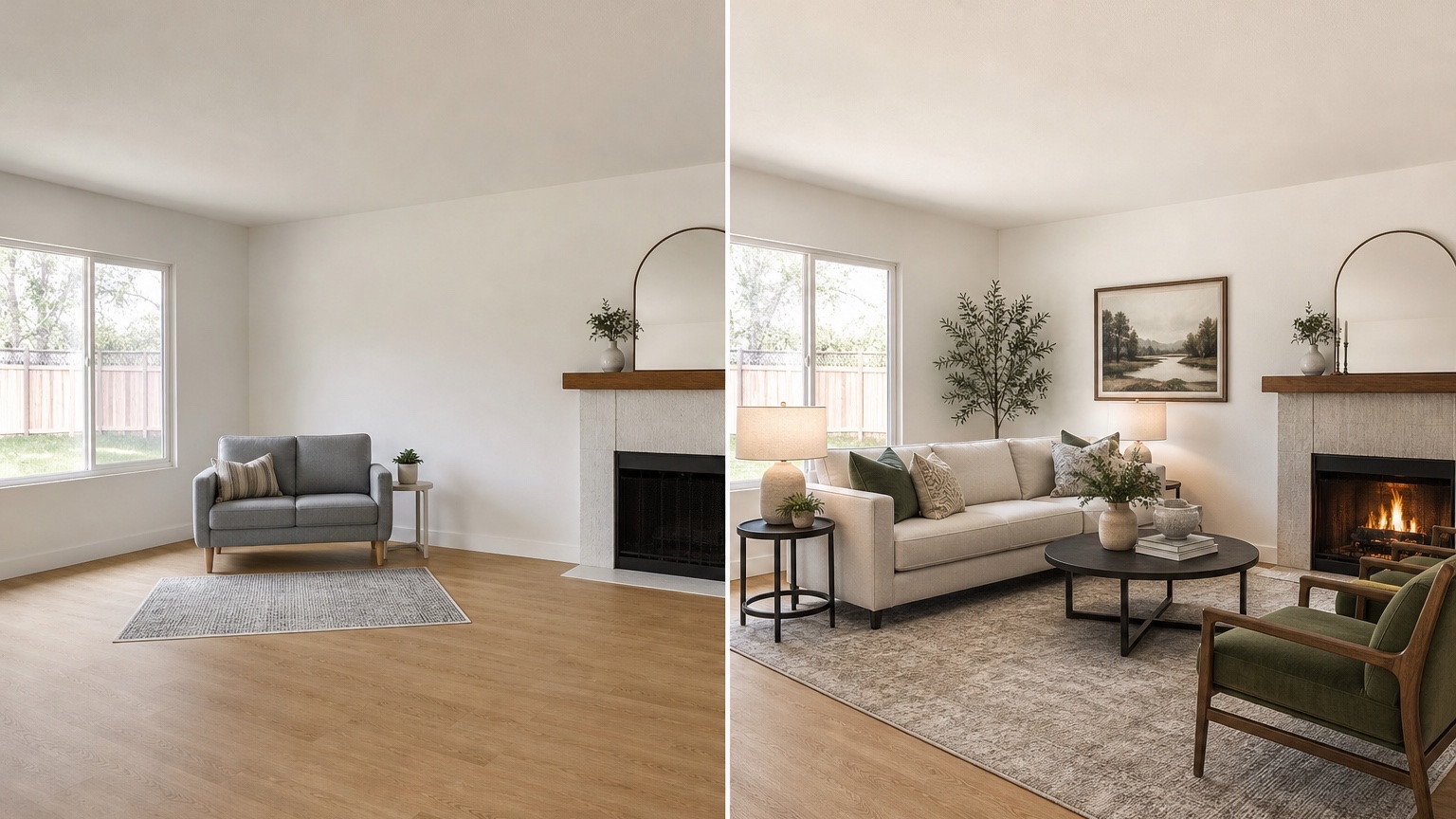
Most furniture purchases do not happen in an empty room. The new item must work with existing floors, wall color, window treatments, art, lighting, pets, children, storage needs, and furniture that is not being replaced. Prompting should respect that reality. If the oak dining table stays and only chairs are changing, say so. If the gray sectional stays and you are adding accent chairs, tell the tool not to replace the sectional. If a retailer is showing a sofa to a customer who already owns a warm wood coffee table, include that information.
Material compatibility is a major source of regret. A cool gray fabric can look flat against warm beige walls. Black leather can dominate a pale room. Pale upholstery may be beautiful but unrealistic for a high-use family space. Rattan, boucle, velvet, oak, walnut, marble, glass, chrome, and painted finishes all change the room differently. Use reference images to guide a specific material, but keep the original room in control.
A good reference prompt: “Use the reference image only for the sofa shape and olive fabric color. Apply a similar sofa to the uploaded room photo while preserving the existing floor, rug, coffee table, wall color, windows, and room layout.” This prevents the visualizer from copying the reference room’s architecture or decor.
For bedrooms, pair furniture previews with AI bedroom design generator if you need help balancing bed size, nightstands, storage, lighting, and textiles. A new bed frame affects more than the bed wall; it changes walking paths, lamp height, rug size, and dresser placement.
Compare color and material in controlled sets
Once scale and placement are plausible, use remixes for color and material. Keep the same room, same camera angle, same layout, and same furniture dimensions. Change only the material or color family: tan linen, rust velvet, olive performance fabric, navy woven fabric, walnut wood, black-stained oak, white oak, or warm leather. This lets you judge the piece rather than the entire redesigned scene.
For shoppers, make a short lineup. Label each image by product decision: “86-inch tan sofa,” “86-inch olive sofa,” “small walnut round table,” “light oak rectangular table,” or “cream swivel chairs.” Avoid labels like “Option A: cozy” because vague names make comparisons harder later.
For retailers, controlled sets can improve merchandising conversations. A sofa shown in three fabric families inside the same room tells a clearer story than three unrelated lifestyle images. It can also help sales teams discuss why a customer might choose performance fabric, a darker wood, a lower-profile arm, or a smaller footprint.
Do not overtrust generated texture. The image can communicate direction, not exact weave, durability, rub count, cushion firmness, stain resistance, or cleaning performance. Always connect the visual direction back to real product specifications, swatches, and return policies.
Use the image to plan measurement and delivery decisions
A furniture preview should lead to action. If the image suggests a 96-inch sofa works, verify wall length, stair turns, elevator size, doorway width, hallway corners, and packaging dimensions before ordering. If a round dining table appears to improve flow, confirm the table diameter and chair pull-out space with painter’s tape on the floor. If a king bed looks comfortable in the image, measure nightstand width and walking clearance.
Create a simple checklist after each promising image:
- Product dimensions to confirm
- Existing pieces that must stay
- Clearance around doors, drawers, and walkways
- Material or fabric swatches to order
- Delivery route concerns
- Return or exchange policy questions
- Assembly or installation needs
This step is especially important for heavier items such as sectionals, sleeper sofas, dining tables, wardrobes, media cabinets, and large rugs. The visualizer reduces uncertainty, but delivery logistics and measurements still decide whether the purchase succeeds.
Retailers can turn the same checklist into a customer service advantage. A preview image paired with measurement reminders feels more trustworthy than a purely aspirational render. It helps customers make decisions with their room in mind rather than treating the product as an isolated object.
Prompt examples for common furniture decisions
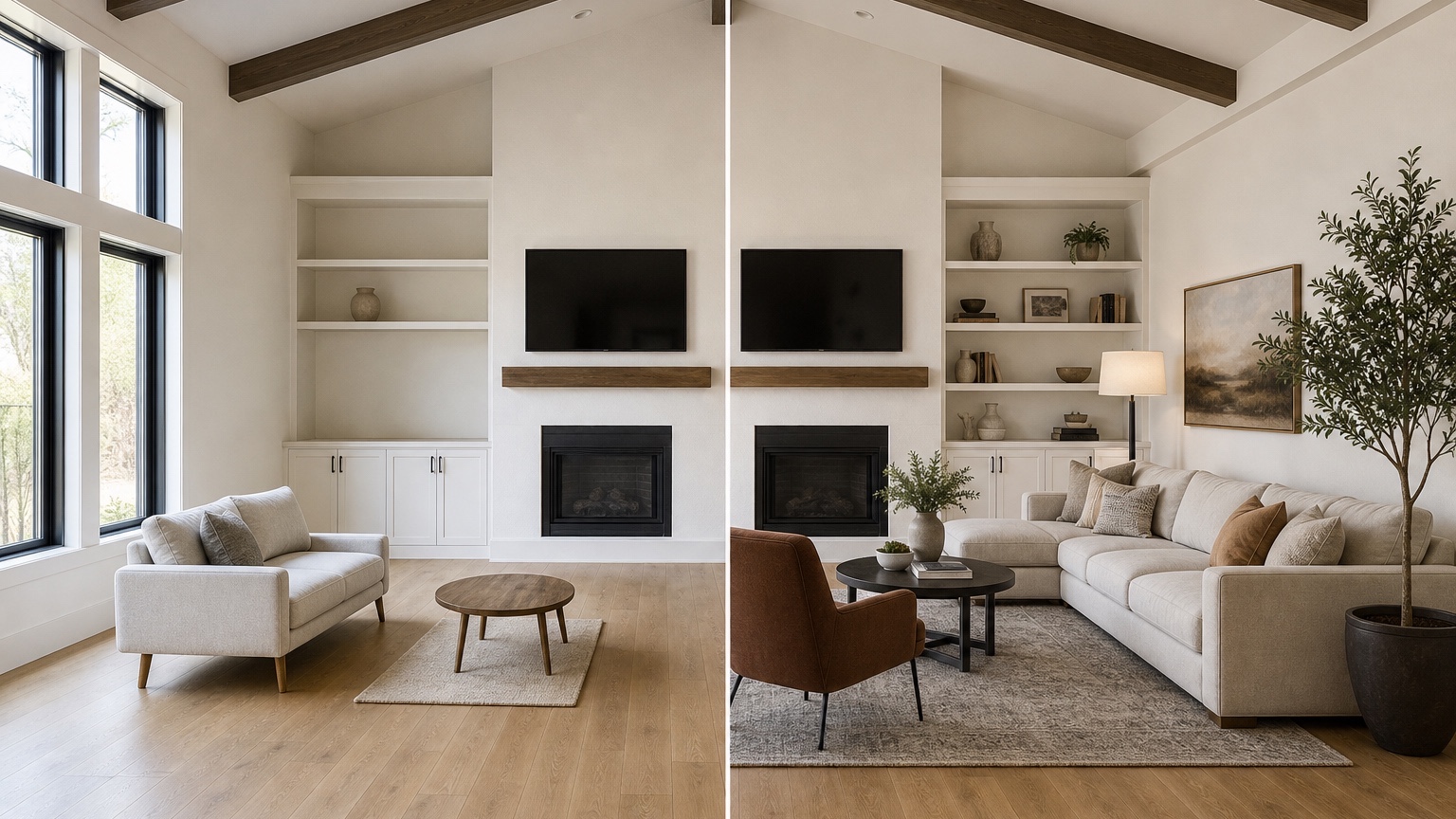
For a sofa purchase: “Use this living room photo to preview an 84-inch warm beige fabric sofa in the current sofa location. Preserve the floor, windows, rug, coffee table, TV wall, wall color, and room size. Keep scale believable, leave clear walking space, and use realistic shadows. Do not redesign the whole room.”
For accent chairs: “Keep the existing sofa, rug, coffee table, media console, windows, and wall color. Add two compact swivel chairs near the window in olive performance fabric. Show enough clearance around the coffee table and do not block the walkway to the dining area.”
For dining furniture: “Preview a 48-inch round white oak dining table with four simple upholstered chairs in this dining area. Preserve the floor, light fixture, window, wall color, and nearby kitchen opening. Leave realistic chair pull-out space and do not add a larger room or new windows.”
For a retailer product concept: “Place this product reference sofa into the uploaded living room photo. Match the sofa shape and fabric color from the reference, but preserve the original room architecture, flooring, windows, wall color, rug, and lighting. Keep the image realistic for a customer deciding whether the sofa fits their home.”
For a furniture-and-finish conflict: “Keep the current room layout and furniture except for the coffee table. Compare a round walnut coffee table against the existing oak floor, tan sofa, cream rug, and black metal floor lamp. Make the wood tone realistic and do not change the sofa or rug.”
Where RedesAIgn fits for shoppers and retailers
Use RedesAIgn before the order is placed, before a showroom visit, or before a retailer presents options to a customer. Upload a clear room photo, write the product decision into the prompt, use reference images for exact style cues, and remix color, material, or size one variable at a time. Saved prompts and history are useful because a good scale-preserving prompt is worth reusing as you test related products.
For a single shopper, the 5 free credits with no credit card can be enough to compare a few high-stakes options. For retailers, designers, or sales teams creating more customer previews, one-time credit packs keep the workflow flexible. The practical goal is not to make every image look like a catalog spread. It is to help someone decide whether a real item belongs in a real room.
FAQ: AI furniture visualizer
What is an AI furniture visualizer?
An AI furniture visualizer uses a room photo and prompt to preview furniture size, placement, color, material, and coordination with existing pieces before buying, presenting, or rearranging furniture.
Can it guarantee that furniture will fit?
No. It can make scale and placement easier to judge visually, but you still need product dimensions, room measurements, doorway and delivery checks, chair clearance, return policy review, and physical swatches when color or texture matters.
How should retailers use furniture visualization responsibly?
Retailers should use it to help customers understand scale, placement, and material direction in realistic rooms, while still providing accurate dimensions, fabric details, care information, availability, pricing, delivery requirements, and return terms.
Try these prompts in redesAIgn
Redesign this room with warm neutrals, layered lighting, and a functional seating layout.
Keep the architecture, but update furniture, rug, and wall color for a calm modern look.
Show a before-to-after concept with better traffic flow and fewer bulky pieces.
Related guides
- AI Bathroom Remodel Visualizer for Tile, Vanity, and Lighting Ideas
Visualize bathroom remodel ideas from a real photo with RedesAIgn. Compare finishes, fixtures, and layout limits before ordering materials.
- AI Bedroom Design Generator for Layout and Decor Ideas
Generate bedroom design concepts from your room photo with RedesAIgn. Compare layout and furniture directions before you buy or remodel.
- AI Dining Room Design Ideas From a Photo
Use AI dining room design to plan table size, chair clearance, chandelier alignment, rugs, storage, and lighting from a real room photo.
- AI Interior Design From Photo: Redesign Any Room Visually
Use AI interior design from photo workflows to preview room styles, furniture layouts, finishes, and decor ideas before buying anything.
- AI Kitchen Remodel Visualizer: See Cabinet, Floor, and Color Ideas
Visualize kitchen remodel ideas from a real photo with RedesAIgn. Compare cabinets, counters, and backsplash before buying any materials.