AI Office Design Generator for Home Offices and Small Workspaces
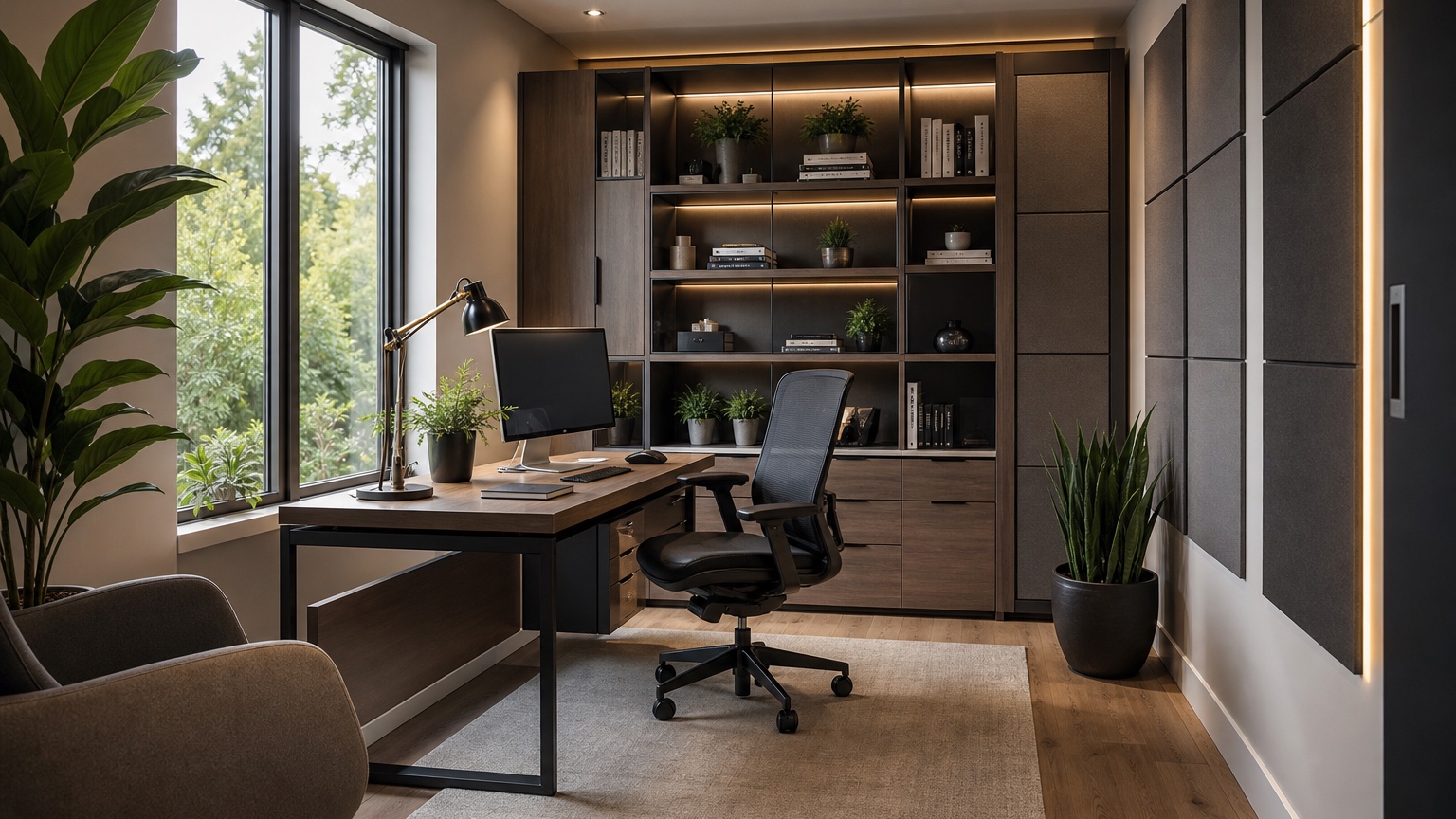
An AI office design generator can help remote workers, founders, and small teams turn an awkward work area into a more productive, attractive space before buying a desk, shelves, task chair, rug, lamps, or acoustic panels. Offices are different from decorative rooms because the layout has to support repeated work: sitting for hours, joining calls, reaching supplies, managing cables, controlling glare, and keeping the background presentable when the camera turns on.
The best use of an office visualizer is not to chase a glossy executive suite. It is to test whether your real room can handle the work you need it to do. A spare bedroom may need to become a quiet home office without losing guest storage. A living-room corner may need a desk that looks intentional after hours. A small business office may need client-facing polish, file storage, and circulation for more than one person. Starting from a photo makes those constraints visible.
RedesAIgn supports this early planning stage with 10 AI editors, prompts, remix, reference images, saved prompts, and history. You can start with 5 free AI credits and no credit card, then add one-time credit packs only if extra iterations are worth testing. Commercial use can also matter for designers, real estate marketers, decorators, and businesses preparing workspace concepts for client or internal review.
Start with the way the office must perform
Before choosing a style, write down what the office needs to accomplish during a normal week. A workspace for bookkeeping, creative work, podcast calls, client meetings, tutoring, product packing, or shared coworking has different priorities. The image should solve the work pattern first and decorate second.
Name the fixed conditions in the prompt. Include windows, doors, closets, outlets, radiators, baseboard heaters, built-ins, existing flooring, ceiling lights, and furniture that must stay. If the office is inside a rental, state that changes must be freestanding, plug-in, and removable. If the room belongs to a business, add brand tone, visitor flow, storage needs, and whether the result should look professional on a website or in team photos.
A practical first prompt might be: “Use this photo to design a realistic small office for daily remote work. Preserve the window, door, flooring, closet, wall color, and existing desk size. Improve desk placement, glare control, closed storage, cable management, task lighting, and a clean video-call background. Keep the room calm, practical, and achievable without built-in construction.”
If you are comparing several rooms or mixed-use spaces, AI room design generator is a useful companion. For broader photo-to-concept workflows, AI interior design from photo can help when the office sits inside a bedroom, living room, or flex room rather than a dedicated workspace.
Photograph the workspace from the decision point
The source image should show the layout problem, not just the neatest wall. Stand in the doorway or a far corner and capture the desk wall, window direction, floor area, storage, entry path, ceiling light, and any furniture that blocks movement. For a business office, include the client or employee approach path if it affects where the desk, chairs, shelves, or display area should sit.
Daylight is important because glare and screen comfort often depend on window orientation. Turn on the normal work lights too if the room is used early in the morning or at night. Avoid filters and wide-angle distortion that make the room look larger than it is. If a second angle is necessary, use it for your own review or run a separate generation; do not expect one prompt to merge every wall into a reliable floor plan.
Add notes that a photo cannot explain. Mention if a monitor arm clamps to the desk, if a printer needs a reachable shelf, if confidential files need closed storage, if clients sit across from the desk, or if a pet bed must remain under a window. These details may sound small, but office comfort is built from small repeated actions.
Place the desk for focus, light, and access
Desk placement is the first serious decision. A beautiful office can still fail if the screen faces glare, the chair blocks the door, drawers cannot open, or the camera points into clutter. Ask the AI office design generator to keep the room recognizable while comparing desk orientations. For example, test the desk facing a wall, floating partly into the room, perpendicular to the window, or positioned so the background is controlled behind the user.
Glare deserves direct prompt language. “Avoid direct window glare on the monitor” is more useful than “make it comfortable.” If the desk must face a window, ask for side curtains, solar shades, a monitor position slightly off the brightest axis, and layered task lighting. If the window is behind the user, ask for a background plan that avoids overexposure during video calls.
Circulation matters in small offices. Leave room to pull the chair out, open the door, reach shelves, and move around the desk without squeezing between sharp corners. In a shared business workspace, consider whether someone can pass behind the seated person and whether visitor chairs block storage. Generated images can make a tight setup look effortless, so review clearances with a tape measure before buying.
A focused layout prompt could read: “Create a compact office layout from this photo. Keep the window, door, closet, floor, and desk size. Place the desk perpendicular to the window to reduce screen glare, keep a clear path from the door, add a slim storage cabinet, and leave enough chair clearance. Do not enlarge the room or add built-ins.”
Design the video-call background on purpose
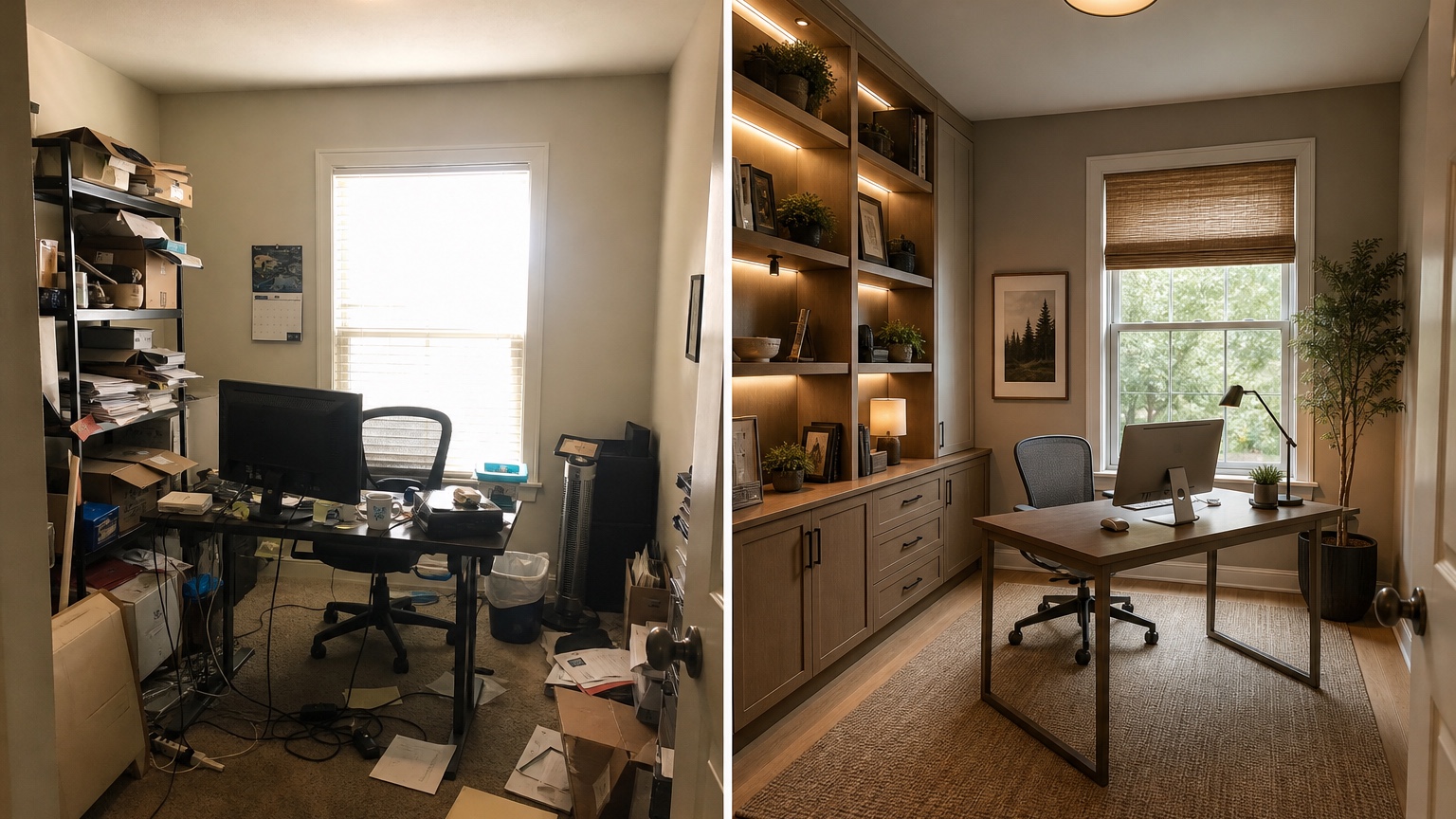
Remote workers often judge an office by what the camera sees. The best background is usually simple, layered, and believable: a wall with art, shelves with controlled objects, a plant, a lamp, or closed cabinets. It should not expose laundry, kitchen traffic, private paperwork, messy cables, or bright windows that make the face look dark.
Prompt the generator from the webcam’s point of view. If you know where the computer sits, describe what should appear behind the chair. Ask for a calm professional background, not a staged showroom. For a home office, the background can feel warm and personal without being distracting. For a business office, it may need a more polished brand tone, a logo wall, product shelf, or neutral hospitality feel.
Reference images are helpful here when used narrowly. Upload a favorite studio, coworking space, or office shelf photo and say, “Use the reference for shelf styling and lighting mood only; preserve my room layout, desk location, window, and storage needs.” That prevents the reference from replacing your real office with a fantasy conference room.
If the office also has to photograph well for listing images, staff profiles, or a branded website, AI virtual staging can provide useful perspective on camera-facing design. For home offices, the goal is usually more modest: a background that looks intentional even when the rest of the house is busy.
Plan storage where work actually happens
Office storage should match the work, not just fill a blank wall. Closed cabinets hide paper, cables, printer supplies, tax files, samples, shipping materials, and spare equipment. Open shelves can display books, binders, plants, and brand objects, but they become visual noise if every item is different. A small office often needs both: closed storage for clutter and a few open surfaces for daily access.
Tell the prompt what must be stored. “Add storage” may produce decorative shelves that hold three vases and no files. Instead, ask for lateral file drawers, a printer cabinet, wall shelves for books, a rolling cart, a credenza behind the desk, or a tall cabinet that does not block the window. If confidential client files are involved, specify closed storage. If the room doubles as a guest room, ask for storage that does not make guests feel like they are sleeping in a supply closet.
Cable management is another visual and practical issue. Ask for a desk position near outlets, a cable tray, cord cover, floor lamp placement, and a clean route for chargers. The image will not confirm electrical safety or outlet capacity, but it can reveal whether the plan depends on cords crossing a walking path.
Use AI furniture visualizer after the layout direction is clear. It can help compare desk sizes, chair silhouettes, storage cabinets, shelving styles, and rug scale without changing the whole office concept every time.
Control lighting, glare, and acoustics
Office lighting should serve the screen, the face, and the task surface. Overhead-only lighting can create harsh shadows during calls. A desk lamp alone can leave the background dark. Ask for layered lighting: a task lamp, soft ambient lamp, floor lamp, shaded fixture, or plug-in sconce if the room is a rental. Keep the color temperature warm enough to feel comfortable but not so yellow that video calls look muddy.
Glare control belongs in the same conversation. Curtains, roller shades, blinds, or a monitor shift may be more important than a new paint color. Ask the generator to show window treatments that reduce glare while keeping daylight. If the office gets hot afternoon sun, note that thermal shades or a lighter palette may be useful, then verify actual products outside the image.
Acoustics rarely show up unless you ask. For calls, recording, tutoring, or team meetings, prompt for a rug, curtains, upholstered chair, acoustic panels, fabric pinboard, bookcase, or wall treatment that looks integrated rather than technical. In a small business office, consider privacy between workstations. In a home office, consider noise from kitchens, laundry rooms, kids’ spaces, or street-facing windows.
Home office constraints versus business office constraints
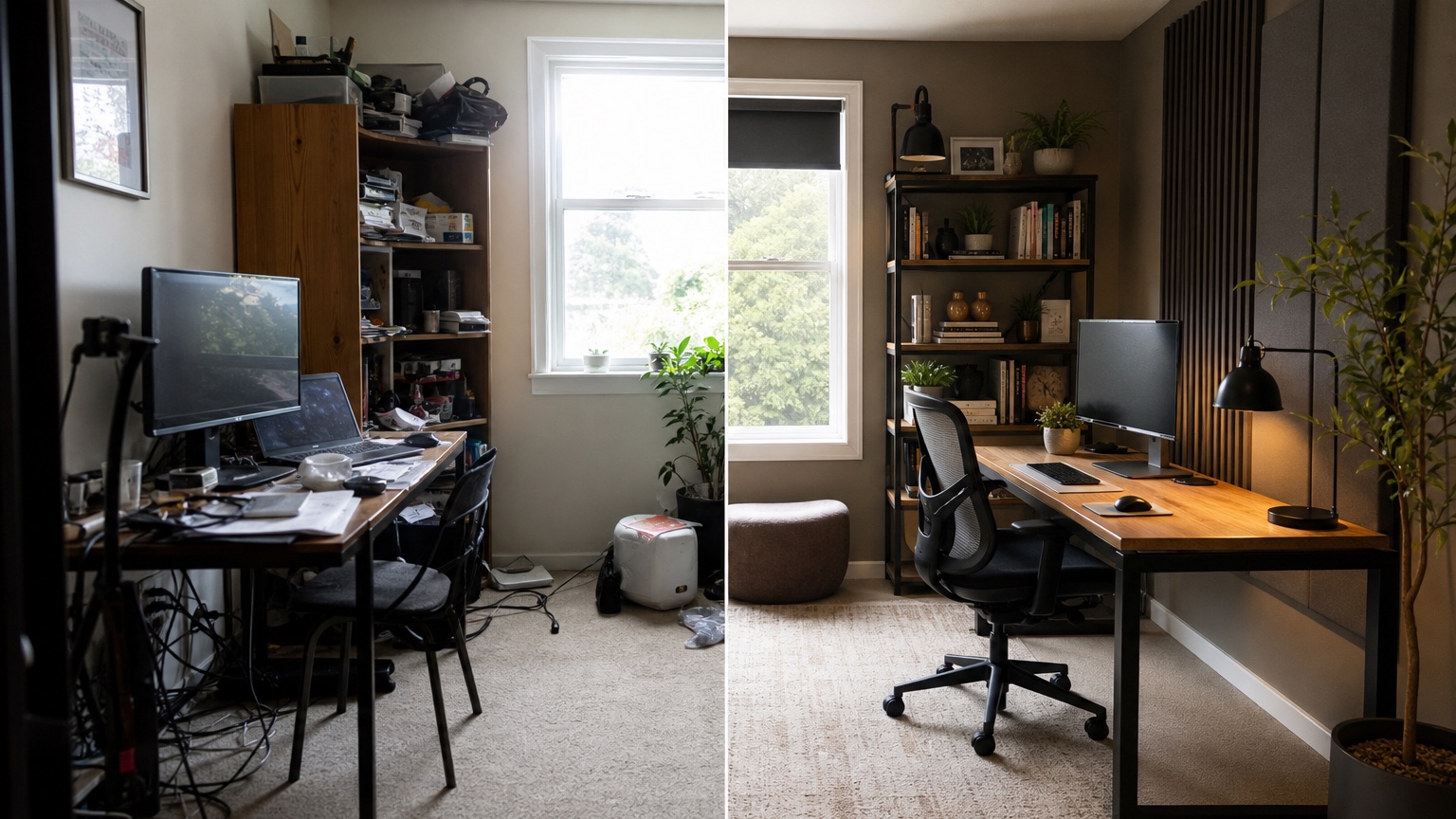
A home office has to cooperate with the rest of the home. It may share space with a guest bed, exercise equipment, craft supplies, or a living room. Prompts should include after-hours appearance: “Make the desk corner look tidy and integrated when not in use,” or “Keep the room suitable for guests with concealed office storage and a sleeper sofa.” For renters, request removable lighting, no wall-mounted heavy cabinets, and freestanding storage.
A business office has different rules. It may need commercial durability, clear walking paths, seating for clients, accessibility review, brand consistency, and furniture that can handle daily use. An AI office image can help align people on visual direction, but it does not replace code review, ergonomics, fire egress, electrical planning, lease restrictions, or procurement standards. Treat the image as a communication tool before professional checks.
For small businesses, the most useful prompt is often practical and restrained: “Design this small office for two employees and occasional client meetings. Preserve doors, windows, flooring, ceiling, and wall locations. Add two compact desks, closed storage, two guest chairs, a clean branded wall, warm professional lighting, and clear circulation. Keep the result realistic for a modest business budget.”
Remix one workplace decision at a time
Remix is valuable when the office plan changes in controlled rounds. Keep the desk location fixed and compare storage. Keep storage fixed and test wall color. Keep the background fixed and test lighting. This makes the review useful because you know what changed. If each version invents a new desk, new window, new shelving wall, and new floor, the comparison becomes decoration rather than planning.
Saved prompts and history help prevent drift. If one prompt preserves the room accurately, save it and reuse its constraint language. If a later version removes the closet, widens the room, adds impossible built-ins, or turns a compact office into a luxury boardroom, return to the better earlier result and remix from there.
A good office review ends with measurements. Check desk depth, chair clearance, monitor height, shelf reach, file cabinet width, rug size, lamp cords, outlet locations, and door swings. For ergonomics, confirm chair support, keyboard height, screen height, and lighting with real products. For acoustics, compare panel dimensions and mounting requirements. The image helps you choose a direction; the final workspace still depends on real dimensions.
Turning the preview into an office plan
Once you have a direction, make a short buying and action list. Separate what must move, what must be purchased, what must be measured, and what must be verified. Start with the layout pieces that affect everything else: desk, chair, storage, rug, window treatment, and lighting. Then choose decor for the camera background.
RedesAIgn is useful because you can begin with free credits, test the room without a credit card, and continue only if additional one-time credit packs are worth the next decision. Use prompts to state the actual work habits, remix to compare controlled options, reference images for narrow visual guidance, and history to recover the version that respected the room. A good office preview should make the next purchase less risky and the next workday easier.
FAQ: AI office design generator
What does an AI office design generator do?
An AI office design generator uses a workspace photo and prompt to preview desk placement, storage, lighting, video-call backgrounds, color direction, furniture style, and small office layouts before purchases are made.
Can it help with a home office used for video calls?
Yes. Prompt for the webcam view, glare control, a clean background, closed storage, layered lighting, and any items that must stay. Then verify chair position, camera angle, and lighting in the actual room.
Is it suitable for a small business office?
It can help visualize client-facing polish, storage, workstation placement, meeting chairs, and brand tone. Businesses should still verify code, accessibility, lease rules, electrical requirements, ergonomics, and commercial product specifications.
How do I get more realistic office results?
Use a wide, well-lit photo and name fixed elements, work habits, desk size, storage needs, glare problems, rental or business limits, and what should appear behind the chair. Remix one decision at a time.
Try these prompts in redesAIgn
Redesign this room with warm neutrals, layered lighting, and a functional seating layout.
Keep the architecture, but update furniture, rug, and wall color for a calm modern look.
Show a before-to-after concept with better traffic flow and fewer bulky pieces.
Related guides
- AI Bathroom Remodel Visualizer for Tile, Vanity, and Lighting Ideas
Visualize bathroom remodel ideas from a real photo with RedesAIgn. Compare finishes, fixtures, and layout limits before ordering materials.
- AI Bedroom Design Generator for Layout and Decor Ideas
Generate bedroom design concepts from your room photo with RedesAIgn. Compare layout and furniture directions before you buy or remodel.
- AI Dining Room Design Ideas From a Photo
Use AI dining room design to plan table size, chair clearance, chandelier alignment, rugs, storage, and lighting from a real room photo.
- AI Furniture Visualizer: Preview Furniture in Your Room Photo
Use an AI furniture visualizer to preview scale, placement, color, material, and fit in your room photo before buying or presenting furniture.
- AI Interior Design From Photo: Redesign Any Room Visually
Use AI interior design from photo workflows to preview room styles, furniture layouts, finishes, and decor ideas before buying anything.