AI Interior Design Ideas: Get Personalized Room Concepts From Your Photo
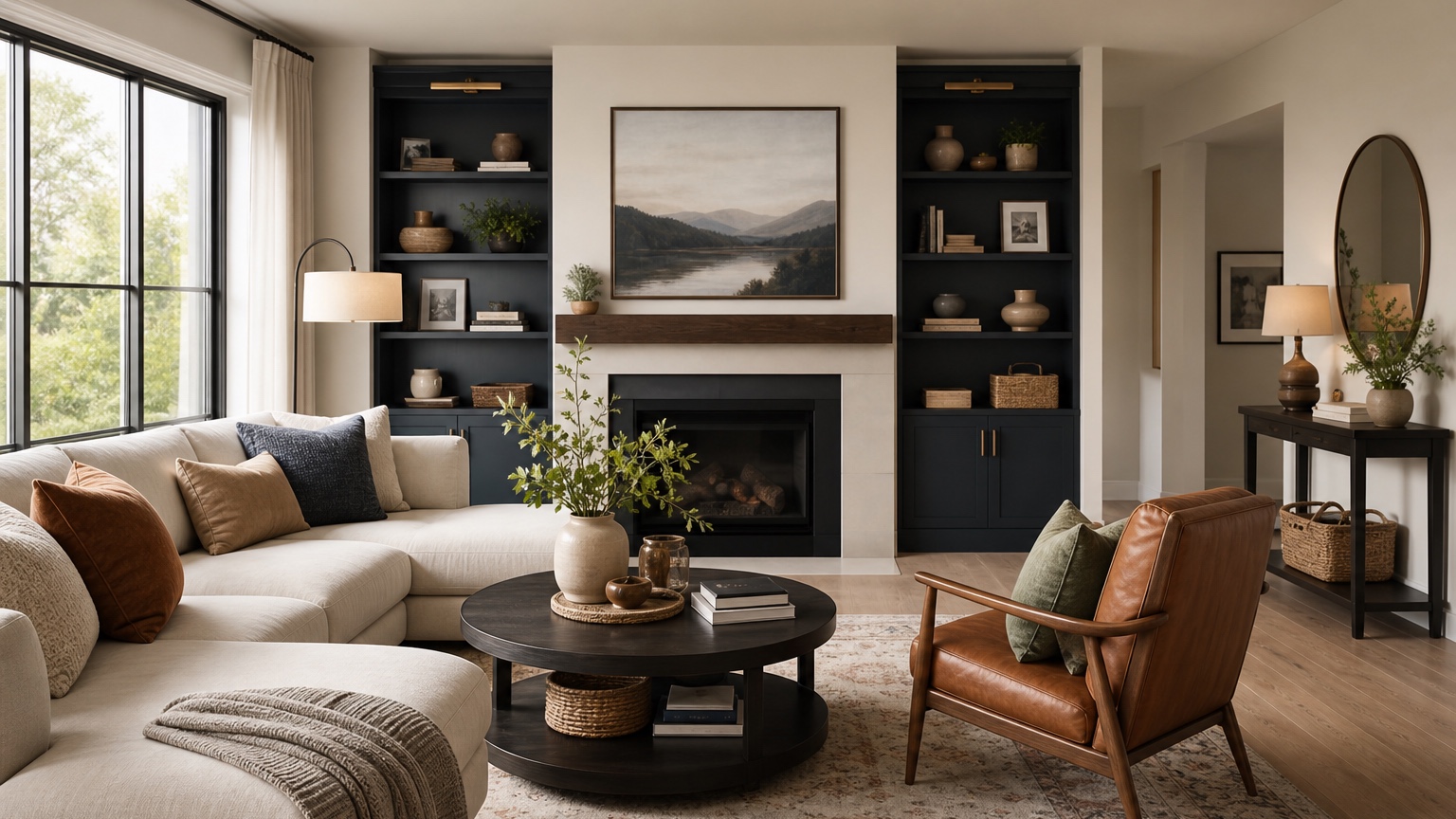
AI interior design ideas become much more useful when they start with your own room instead of a folder of saved images. A mood board can tell you that you like warm wood, curved furniture, plaster walls, or dark green paint. It cannot tell you whether those choices work with your window placement, floor color, ceiling height, sofa size, rental limits, or the awkward blank wall you keep ignoring.
That is the gap a photo-based workflow fills. You upload the room as it exists, describe what feels wrong, and ask for several concept directions that respond to the actual space. The goal is not to receive one perfect finished image. The better goal is to turn vague preference into a small set of testable ideas: a calmer palette, a better rug scale, a different furniture silhouette, a stronger focal wall, or a lighting plan that makes the room feel finished after dark.
RedesAIgn supports this kind of exploration with 10 AI editors, prompts, remix and reference images, saved prompts, and history. You can start with 5 free AI credits with no credit card required. If you want to keep comparing directions, one-time credit packs are available. The practical advantage is that you can test style families around your real constraints before you spend money, move furniture, paint walls, or ask a contractor for pricing.
Start by naming the room problem in plain language
Most people begin with style words: modern, cozy, minimalist, colorful, organic, Scandinavian, coastal, traditional, moody. Those labels are useful later, but they are not the best first instruction. A room can be modern and still feel cold. A cozy room can still be cluttered. A colorful room can still lack a focal point. Before asking for AI interior design ideas, write one sentence about what the room is failing to do.
Try phrases such as: “the living room has decent furniture but no clear focal wall,” “the bedroom feels like separate purchases instead of one idea,” “the rental dining nook needs personality without paint,” “the entry feels narrow and underlit,” or “the home office looks practical but not camera-ready.” This language tells the AI what kind of answer you need.
Then add what must stay. Keep the sofa, preserve the floors, do not change the windows, no new ceiling fixture, no painting, keep the TV, keep the desk, leave the fireplace surround, or avoid anything that blocks the balcony door. These constraints prevent the output from drifting into a fantasy room. They also make each image easier to judge because you can see whether the concept solved the real issue.
A strong first prompt might read: “Use this photo to create three realistic interior design idea directions for this small living room. Keep the sofa, floor, windows, ceiling, TV location, and main walkway. The room currently feels unfinished and flat. Compare different approaches for rug size, wall color direction, lighting, art, side tables, textiles, and decor. Make each direction practical for a renter.”
For a broader renovation-style workflow, compare this with AI interior design from photo. If you already know you want a whole-room layout generator, AI room design generator is a useful next step after the concept direction is clearer.
Use one honest photo before collecting more references
A clear room photo usually teaches the AI more than ten inspiration images. Stand far enough back to include the main walls, floor, ceiling line, windows, doors, existing furniture, and the route people walk through. Keep the camera level. Use daylight when possible. Remove temporary clutter, but leave the design facts: the too-small rug, the bulky recliner, the exposed cords, the narrow pass-through, the radiator, the blinds, or the dated tile that cannot change yet.
If the room has two important sides, upload the best wide view first and describe what is outside the frame. For example: “There is a doorway on the right wall that must stay clear,” or “the wall behind the camera opens to the kitchen.” If you are testing ideas for an open-plan space, mention the adjacent room palette so the result does not make one corner look unrelated to everything around it.
Reference images can help after the first round, but they should not take over. Use them to communicate color temperature, material mix, or atmosphere. Say, “Use this reference for palette and texture only; preserve the uploaded room layout, windows, floors, furniture footprint, and constraints.” Without that instruction, an AI tool may borrow the reference room too aggressively and stop responding to your actual photo.
This is where saved prompts and history matter. When a first prompt produces one direction that respects the room well, save it. Then remix from that base instead of starting over with a new style phrase every time. You will learn more from controlled changes than from a random stream of attractive images.
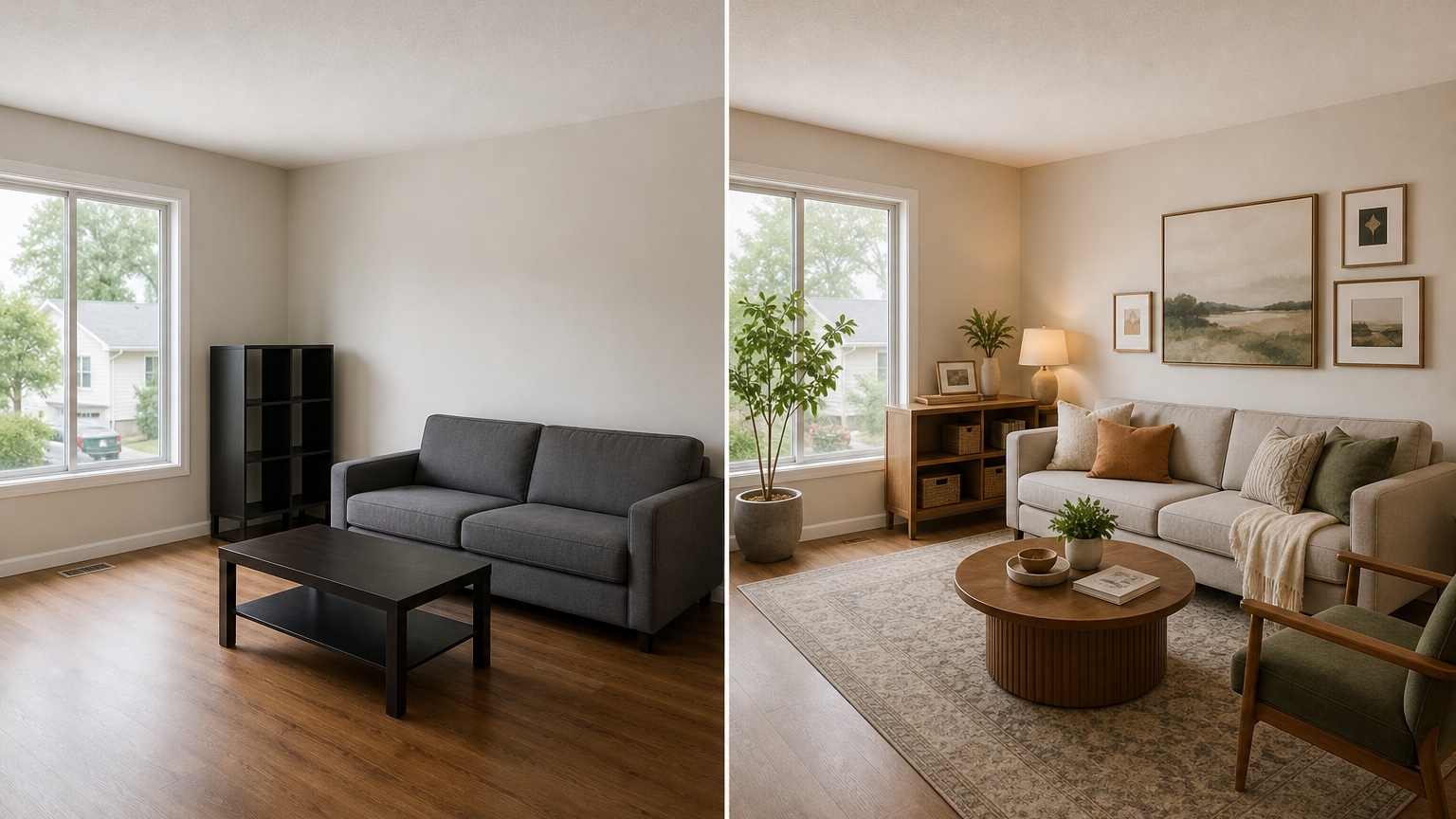
Compare style families by what they change, not by what they are called
Style labels overlap. “Japandi,” “warm minimal,” and “organic modern” might all show light wood, low contrast, simple shapes, and textured fabrics. “Transitional,” “classic contemporary,” and “tailored traditional” might all show symmetry, lamps, framed art, and calmer upholstery. Instead of asking which label you like, ask what each family would actually change in your room.
For a first comparison, pick three families with different design moves: soft neutral and texture-led, colorful with stronger art, and darker with more architectural lighting. Ask the AI to keep the layout mostly consistent so you are judging direction rather than a completely new room each time.
A helpful prompt: “Create three distinct concept directions from this photo: 1) warm neutral with natural textures, 2) colorful eclectic with controlled clutter and larger art, and 3) moody modern with darker accents and layered lighting. Keep the major furniture positions similar. Show realistic rug, curtain, lamp, wall decor, and accessory ideas. Do not alter windows, doors, flooring, or ceiling height.”
When the images return, look past the prettiest one. What changed? Did the neutral version calm the floor color? Did the colorful version make the sofa look intentional? Did the moody version solve lighting but shrink the room? Did one direction require too many purchases? The value is in the comparison.
If you are focused on a specific room, branch into more targeted guides. For seating zones, AI living room design can help with sofa placement, rugs, and focal walls. For bedrooms, AI bedroom design generator is better for bed walls, nightstands, textiles, and storage. For dining spaces, AI dining room design adds table scale, chair clearance, and lighting alignment.
Extract ideas as decisions, not as decoration names
The common disappointment with inspiration boards is that they produce many nouns and few decisions: arched mirror, boucle chair, marble tray, olive paint, linen curtains, black lamp. Those items may be attractive, but they do not explain the room. A photo-based concept is more useful when you translate it into decisions.
After each generated image, write a short “idea extraction” list. Divide it into five categories: keep, change, measure, sample, and ignore. Keep might include the current sofa position or a wood tone that already works. Change might include a larger rug, taller curtains, a pair of lamps, warmer bulbs, one oversized art piece, or fewer small accessories. Measure might include rug dimensions, console depth, walkway clearance, or curtain height. Sample might include paint, fabric, wood finish, tile, or wallpaper. Ignore includes anything the image invented that does not fit your budget or room.
This method turns the output into a practical design brief. For example, you might learn that every successful image uses a rug large enough to reach under the front legs of the sofa and chair. That is a stronger insight than “buy a beige rug.” You might notice that the best version uses vertical art because the ceiling feels low, or that the room needs two warm light sources before new accessories will matter.
Use RedesAIgn’s remix feature for one category at a time. If the layout is good but the colors are wrong, remix for palette only. If the palette is right but the room looks cluttered, ask for fewer accessories and more negative space. If the decor feels too expensive, ask for budget-conscious, easy-to-source alternatives while preserving the same concept.
Avoid the Pinterest-board trap
Pinterest-style inspiration often fails because it removes context. You may save a room for its paint color, but the saved image has taller ceilings, different sunlight, no TV, custom built-ins, and a floor tone that makes the paint look better. When copied into your home, the idea can feel disappointing even if the taste is good.
AI interior design ideas from your own photo reduce that mismatch, but only if you keep the prompt grounded. Ask for realistic daylight, believable room proportions, and changes that match your budget. If you cannot replace flooring, say so. If the sofa must stay, say so. If the room needs storage for toys, books, work equipment, shoes, pet supplies, or exercise gear, say so. A beautiful image that removes daily life is not a useful plan.
Also watch for subtle impossibilities. Did a generated cabinet block an outlet, vent, or door swing? Did a curtain rod float with no wall space? Did the rug extend under a door? Did the AI shrink the sofa, widen the room, or raise the ceiling? These issues do not ruin the image, but they tell you which parts to ignore or revise.
A practical review prompt can help: “Remix this idea while preserving the exact room size, existing sofa, window locations, door clearance, flooring, and ceiling height. Keep the same warm neutral concept, but make the scale and walking paths more realistic.”
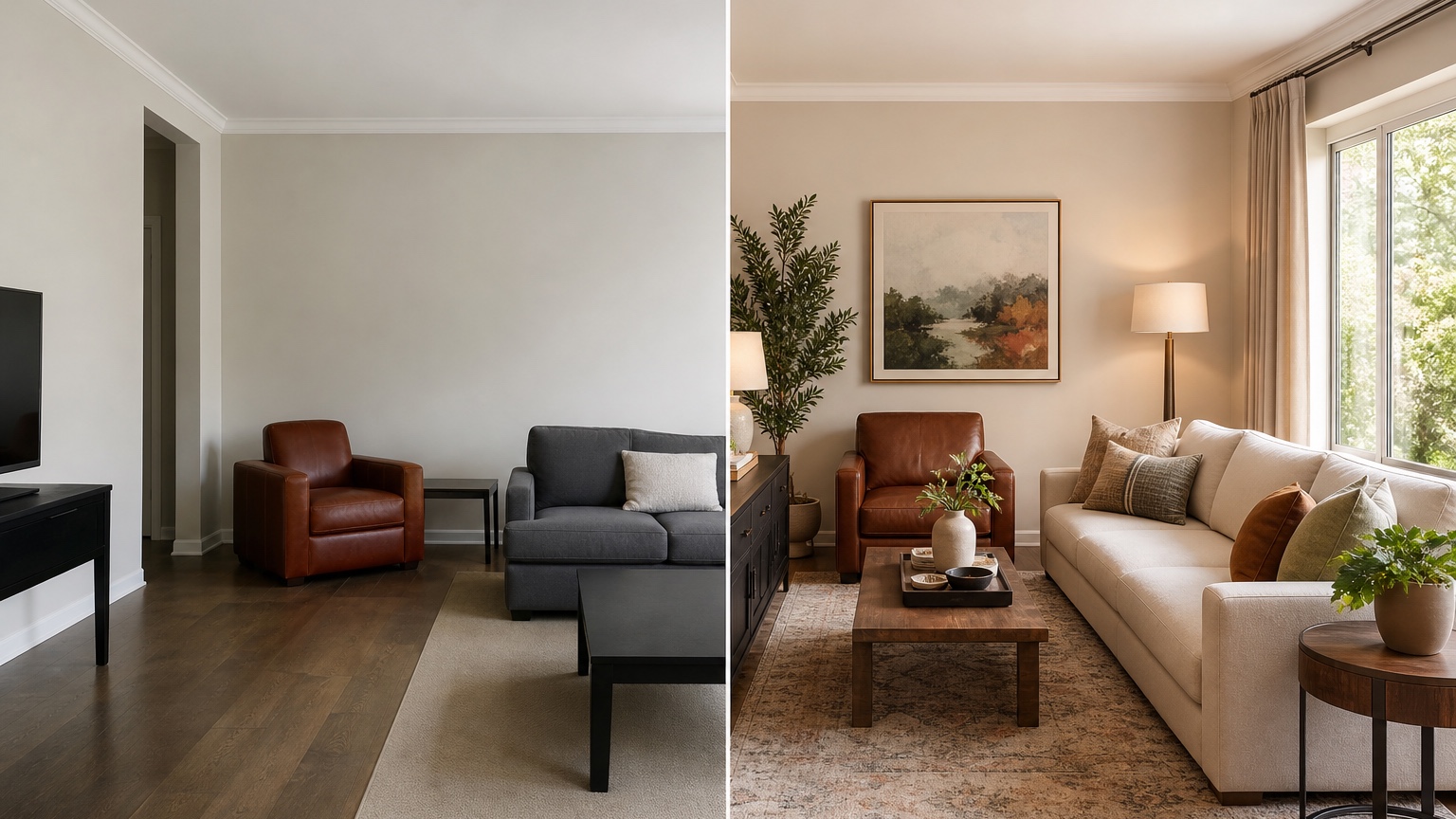
Pick the next experiment instead of chasing endless options
The best outcome from an AI idea session is not a hundred images. It is one next experiment you can do in the real room. That experiment might be taping a larger rug size on the floor, moving the sofa six inches, testing two paint samples, borrowing a floor lamp, removing small accessories for a week, ordering curtain fabric swatches, or comparing one larger artwork against a gallery wall.
Choose the experiment by looking for repeated signals across the images. If every good concept includes taller curtains, start there. If the room improves whenever the rug gets larger, measure rugs before buying pillows. If the best directions all use warm lamps, fix lighting before repainting. If the strongest version removes half the decor, try editing before shopping.
For homeowners planning larger updates, this same approach can reduce risk before expensive decisions. You can test whether the room wants a darker cabinet color before opening AI kitchen remodel visualizer, whether a bathroom concept needs new tile or only better color through AI bathroom remodel visualizer, or whether new furniture shapes should be compared in AI furniture visualizer.
For decorators and property professionals, generated concepts can be useful in commercial work when presented as visual direction, not measured construction documentation. RedesAIgn allows commercial use, but the usual professional checks still apply: dimensions, building codes, product sourcing, installation details, material performance, and client approvals.
A simple RedesAIgn workflow for personalized ideas
Start with one wide photo and one honest problem statement. Run a prompt that asks for three concept directions while preserving fixed features. Save the best prompt, even if the first images are imperfect. Then remix in rounds: first style family, then color, then lighting, then textiles, then storage or decor. Keep notes as decisions rather than product names.
Use reference images only after you know what the room needs. If you like the feel of a reference, explain what to borrow: matte black accents, warm plaster color, linen texture, walnut furniture, saturated art, quiet styling, or hotel-like lighting. Then tell the tool what must remain from the uploaded photo.
Stop when the next physical step is clear. The point is to replace vague inspiration with a concrete test. With 5 free AI credits and no credit card required, you can usually learn enough to decide whether the room wants a bigger gesture, a different palette, a lighting fix, or simply a more disciplined decor edit. If you want to keep developing the direction, one-time credit packs let you explore without a subscription-style commitment.
FAQ: AI interior design ideas
What are AI interior design ideas?
AI interior design ideas are visual room concepts generated from a photo and prompt. They can help compare style directions, color palettes, furniture shapes, lighting, rugs, textiles, and decor while keeping the existing room in view.
Why use my own room photo instead of inspiration images?
Your own photo keeps ideas connected to real constraints such as windows, floors, ceiling height, furniture, walkways, rental rules, and fixed features. Inspiration images are still useful, but they work best as references for mood rather than replacements for your room.
How many style directions should I test first?
Three is usually enough for a useful first round. Choose directions that change different things, such as warm neutral, colorful eclectic, and moody modern. Too many options can make the decision harder instead of clearer.
Can AI interior design ideas help before I buy furniture?
Yes. Use the images to identify proportions, shapes, colors, and layout problems before shopping. Still measure the room, tape furniture footprints, check materials, and confirm return policies before purchasing.
Is RedesAIgn free to try for interior design ideas?
RedesAIgn starts with 5 free AI credits and does not require a credit card. It also includes prompts, remix and reference images, saved prompts, history, and one-time credit packs if you want more variations.
Try these prompts in redesAIgn
Redesign this room with warm neutrals, layered lighting, and a functional seating layout.
Keep the architecture, but update furniture, rug, and wall color for a calm modern look.
Show a before-to-after concept with better traffic flow and fewer bulky pieces.
Related guides
- AI Bathroom Remodel Visualizer for Tile, Vanity, and Lighting Ideas
Visualize bathroom remodel ideas from a real photo with RedesAIgn. Compare finishes, fixtures, and layout limits before ordering materials.
- AI Bedroom Design Generator for Layout and Decor Ideas
Generate bedroom design concepts from your room photo with RedesAIgn. Compare layout and furniture directions before you buy or remodel.
- AI Dining Room Design Ideas From a Photo
Use AI dining room design to plan table size, chair clearance, chandelier alignment, rugs, storage, and lighting from a real room photo.
- AI Furniture Visualizer: Preview Furniture in Your Room Photo
Use an AI furniture visualizer to preview scale, placement, color, material, and fit in your room photo before buying or presenting furniture.
- AI Interior Design From Photo: Redesign Any Room Visually
Use AI interior design from photo workflows to preview room styles, furniture layouts, finishes, and decor ideas before buying anything.