AI Makeup Generator for Natural, Glam, Bridal, and Creative Looks
Last updated: March 20, 2026.
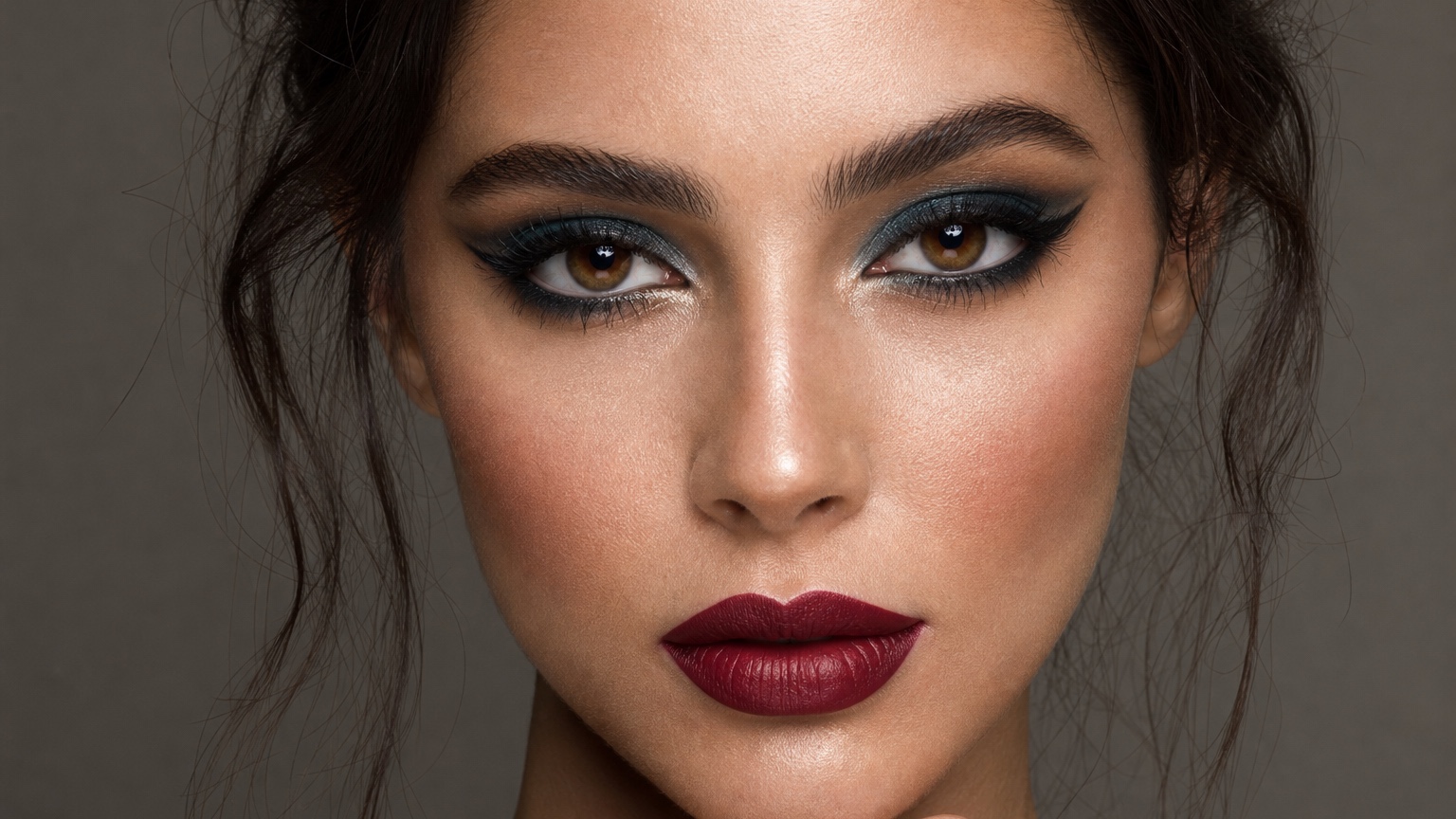
Ai Makeup Generator is valuable only when it helps beauty creators and consumers building several looks quickly make a concrete beauty decision. This guide uses the creator lookboard generator frame, which asks which natural, glam, bridal, or creative direction deserves a tutorial, campaign, or appointment brief. For a generator article, the workflow begins with a face photo or reference direction, produces several named beauty routes, and ends with a lookboard small enough to choose from.
RedesAIgn combines the Makeup editor with prompts, remix/reference images, saved prompts, and generation history so generated beauty ideas can be compared as a sequence. Generated looks should inspire direction, but they cannot verify product formulas, skin response, undertone accuracy, or the hand skill needed to recreate the look. Use the generated set to decide which look family deserves a tutorial, shopping list, or appointment plan.
What an AI makeup generator should produce
A generator workflow succeeds when it creates a small set of usable beauty directions, not a pile of unrelated pretty portraits. In the creator lookboard generator frame, begin by writing the one decision the image must answer: which natural, glam, bridal, or creative direction deserves a tutorial, campaign, or appointment brief. That line matters because AI makeup generator can become generic beauty decoration if the prompt does not separate fixed identity from test variables. Keep the face angle, expression, lighting direction, and recognizable features stable, then ask RedesAIgn to vary makeup choices tied to content theme and palette family.
A useful prompt for AI Makeup Generator for Natural, Glam, Bridal, and Creative Looks usually has three layers. Start by naming the fixed portrait conditions: crop, visible eye area, brow shape, complexion finish, and whether hair crosses the face. Next, request distinct routes such as clean girl glow, soft bridal rose, graphic liner, warm bronze glam, or creative color-blocked lids. Third, name review criteria around camera crop and series consistency so the output can be judged instead of merely admired.
Review the generated set as a grid first, then open the two strongest options for close inspection. Generator outputs should be rejected when one option invents facial features, turns skin into porcelain, adds unreadable text-like accessories, or ignores the lighting of the original photo. A generator result should be treated as a candidate only if it keeps identity stable enough for real planning. Use the saved prompt trail to keep the winning route and regenerate only the color or intensity that still feels unresolved.
Building a useful beauty lookboard prompt
A useful prompt for AI Makeup Generator for Natural, Glam, Bridal, and Creative Looks usually has three layers. Start by naming the fixed portrait conditions: crop, visible eye area, brow shape, complexion finish, and whether hair crosses the face. Next, request distinct routes such as clean girl glow, soft bridal rose, graphic liner, warm bronze glam, or creative color-blocked lids. Third, name review criteria around camera crop and series consistency so the output can be judged instead of merely admired.
Review the generated set as a grid first, then open the two strongest options for close inspection. Generator outputs should be rejected when one option invents facial features, turns skin into porcelain, adds unreadable text-like accessories, or ignores the lighting of the original photo. A generator result should be treated as a candidate only if it keeps identity stable enough for real planning. Use the saved prompt trail to keep the winning route and regenerate only the color or intensity that still feels unresolved.
The lookboard should make the next content or appointment choice easier, not louder. The right next step depends on the audience. A consumer can turn the generated route into a few shade families and product categories to research. An MUA can use it as a first consultation lookboard, then translate the image into real products and brushwork. A beauty creator can turn the best route into a content outline with palette, thumbnail crop, and tutorial sequence. The generator earns its place when it cuts a broad beauty brainstorm down to a few directions worth testing.
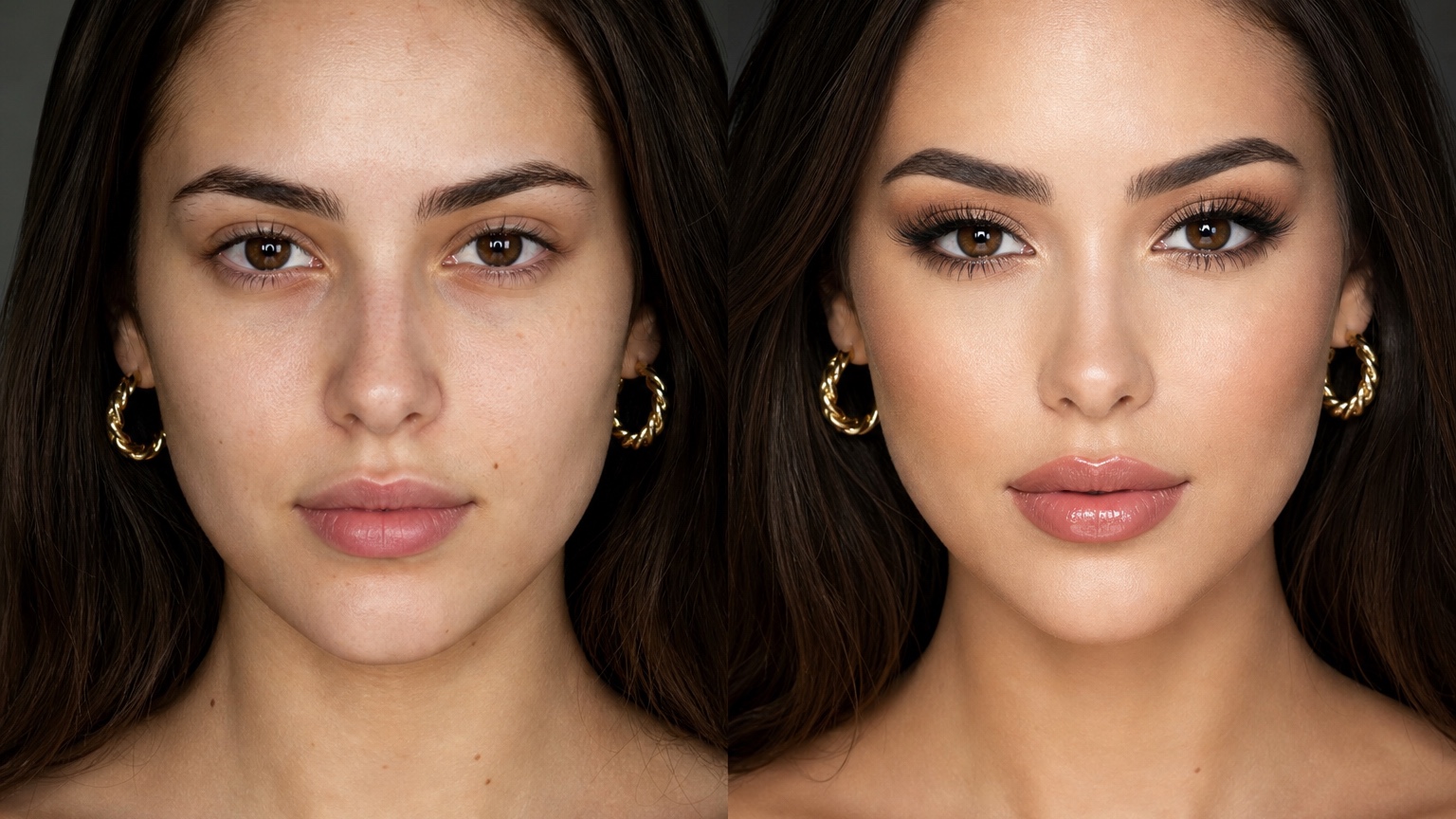
Comparing natural, glam, bridal, and creative routes
Review the generated set as a grid first, then open the two strongest options for close inspection. Generator outputs should be rejected when one option invents facial features, turns skin into porcelain, adds unreadable text-like accessories, or ignores the lighting of the original photo. A generator result should be treated as a candidate only if it keeps identity stable enough for real planning. Use the saved prompt trail to keep the winning route and regenerate only the color or intensity that still feels unresolved.
The lookboard should make the next content or appointment choice easier, not louder. The right next step depends on the audience. A consumer can turn the generated route into a few shade families and product categories to research. An MUA can use it as a first consultation lookboard, then translate the image into real products and brushwork. A beauty creator can turn the best route into a content outline with palette, thumbnail crop, and tutorial sequence. The generator earns its place when it cuts a broad beauty brainstorm down to a few directions worth testing.
A generator workflow succeeds when it creates a small set of usable beauty directions, not a pile of unrelated pretty portraits. In the creator lookboard generator frame, begin by writing the one decision the image must answer: which natural, glam, bridal, or creative direction deserves a tutorial, campaign, or appointment brief. That line matters because AI makeup generator can become generic beauty decoration if the prompt does not separate fixed identity from test variables. Keep the face angle, expression, lighting direction, and recognizable features stable, then ask RedesAIgn to vary makeup choices tied to content theme and palette family.
Reviewing generated makeup like a creator or MUA
The lookboard should make the next content or appointment choice easier, not louder. The right next step depends on the audience. A consumer can turn the generated route into a few shade families and product categories to research. An MUA can use it as a first consultation lookboard, then translate the image into real products and brushwork. A beauty creator can turn the best route into a content outline with palette, thumbnail crop, and tutorial sequence. The generator earns its place when it cuts a broad beauty brainstorm down to a few directions worth testing.
A generator workflow succeeds when it creates a small set of usable beauty directions, not a pile of unrelated pretty portraits. In the creator lookboard generator frame, begin by writing the one decision the image must answer: which natural, glam, bridal, or creative direction deserves a tutorial, campaign, or appointment brief. That line matters because AI makeup generator can become generic beauty decoration if the prompt does not separate fixed identity from test variables. Keep the face angle, expression, lighting direction, and recognizable features stable, then ask RedesAIgn to vary makeup choices tied to content theme and palette family.
A useful prompt for AI Makeup Generator for Natural, Glam, Bridal, and Creative Looks usually has three layers. Start by naming the fixed portrait conditions: crop, visible eye area, brow shape, complexion finish, and whether hair crosses the face. Next, request distinct routes such as clean girl glow, soft bridal rose, graphic liner, warm bronze glam, or creative color-blocked lids. Third, name review criteria around camera crop and series consistency so the output can be judged instead of merely admired.
RedesAIgn workflow for organized makeup iterations
A generator workflow succeeds when it creates a small set of usable beauty directions, not a pile of unrelated pretty portraits. In the creator lookboard generator frame, begin by writing the one decision the image must answer: which natural, glam, bridal, or creative direction deserves a tutorial, campaign, or appointment brief. That line matters because AI makeup generator can become generic beauty decoration if the prompt does not separate fixed identity from test variables. Keep the face angle, expression, lighting direction, and recognizable features stable, then ask RedesAIgn to vary makeup choices tied to content theme and palette family.
A useful prompt for AI Makeup Generator for Natural, Glam, Bridal, and Creative Looks usually has three layers. Start by naming the fixed portrait conditions: crop, visible eye area, brow shape, complexion finish, and whether hair crosses the face. Next, request distinct routes such as clean girl glow, soft bridal rose, graphic liner, warm bronze glam, or creative color-blocked lids. Third, name review criteria around camera crop and series consistency so the output can be judged instead of merely admired.
Review the generated set as a grid first, then open the two strongest options for close inspection. Generator outputs should be rejected when one option invents facial features, turns skin into porcelain, adds unreadable text-like accessories, or ignores the lighting of the original photo. A generator result should be treated as a candidate only if it keeps identity stable enough for real planning. Use the saved prompt trail to keep the winning route and regenerate only the color or intensity that still feels unresolved.
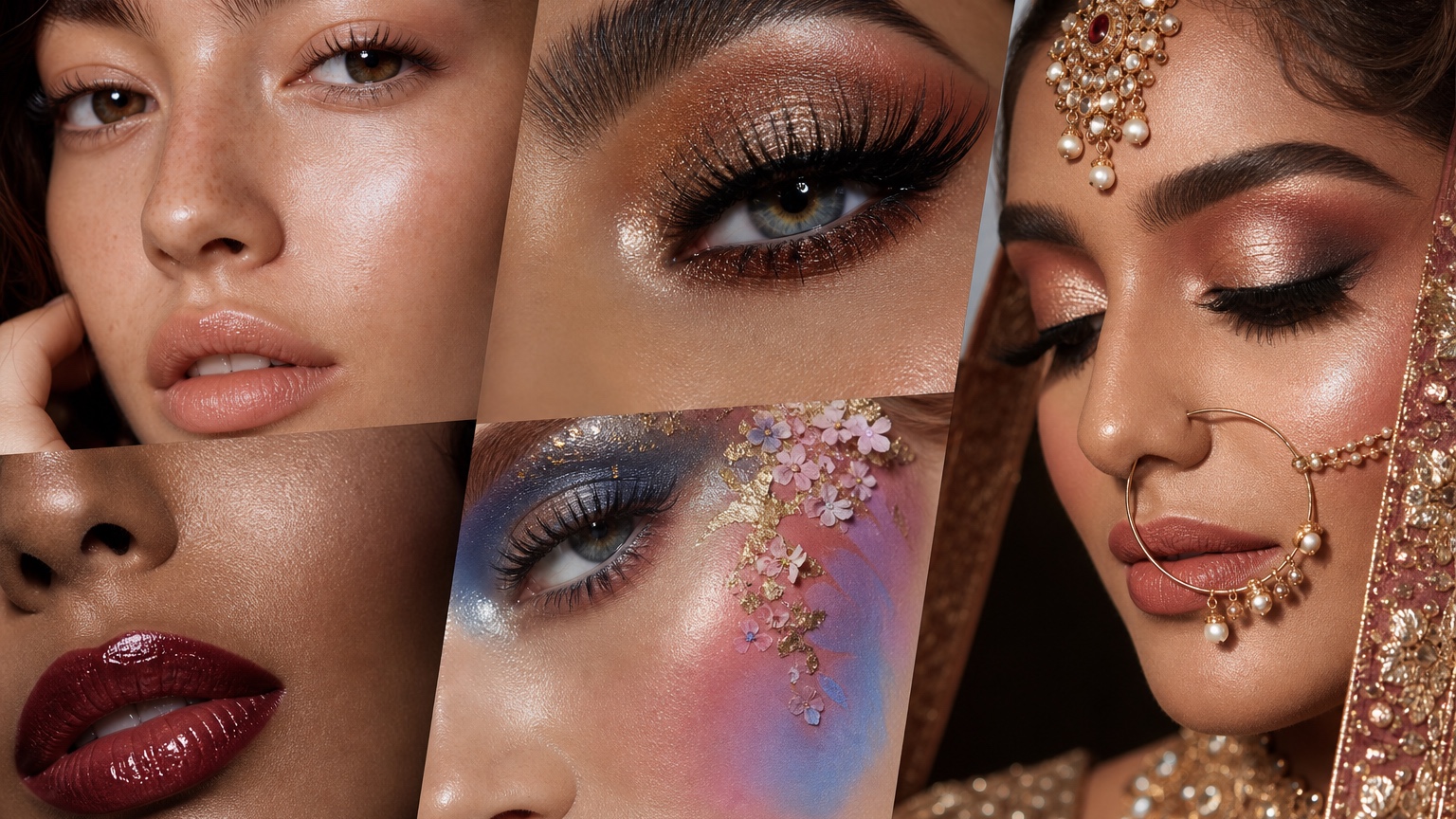
What still needs product and skin testing
A useful prompt for AI Makeup Generator for Natural, Glam, Bridal, and Creative Looks usually has three layers. Start by naming the fixed portrait conditions: crop, visible eye area, brow shape, complexion finish, and whether hair crosses the face. Next, request distinct routes such as clean girl glow, soft bridal rose, graphic liner, warm bronze glam, or creative color-blocked lids. Third, name review criteria around camera crop and series consistency so the output can be judged instead of merely admired.
Review the generated set as a grid first, then open the two strongest options for close inspection. Generator outputs should be rejected when one option invents facial features, turns skin into porcelain, adds unreadable text-like accessories, or ignores the lighting of the original photo. A generator result should be treated as a candidate only if it keeps identity stable enough for real planning. Use the saved prompt trail to keep the winning route and regenerate only the color or intensity that still feels unresolved.
The lookboard should make the next content or appointment choice easier, not louder. The right next step depends on the audience. A consumer can turn the generated route into a few shade families and product categories to research. An MUA can use it as a first consultation lookboard, then translate the image into real products and brushwork. A beauty creator can turn the best route into a content outline with palette, thumbnail crop, and tutorial sequence. The generator earns its place when it cuts a broad beauty brainstorm down to a few directions worth testing.
Packaging the chosen generated direction
Review the generated set as a grid first, then open the two strongest options for close inspection. Generator outputs should be rejected when one option invents facial features, turns skin into porcelain, adds unreadable text-like accessories, or ignores the lighting of the original photo. A generator result should be treated as a candidate only if it keeps identity stable enough for real planning. Use the saved prompt trail to keep the winning route and regenerate only the color or intensity that still feels unresolved.
The lookboard should make the next content or appointment choice easier, not louder. The right next step depends on the audience. A consumer can turn the generated route into a few shade families and product categories to research. An MUA can use it as a first consultation lookboard, then translate the image into real products and brushwork. A beauty creator can turn the best route into a content outline with palette, thumbnail crop, and tutorial sequence. The generator earns its place when it cuts a broad beauty brainstorm down to a few directions worth testing.
A generator workflow succeeds when it creates a small set of usable beauty directions, not a pile of unrelated pretty portraits. In the creator lookboard generator frame, begin by writing the one decision the image must answer: which natural, glam, bridal, or creative direction deserves a tutorial, campaign, or appointment brief. That line matters because AI makeup generator can become generic beauty decoration if the prompt does not separate fixed identity from test variables. Keep the face angle, expression, lighting direction, and recognizable features stable, then ask RedesAIgn to vary makeup choices tied to content theme and palette family.
Start with a low-risk RedesAIgn makeup pass
RedesAIgn supports prompt, remix/reference-image, saved-prompt, and generation-history workflows, which helps a creator keep makeup variations organized instead of losing the best look in a chat thread. Users can start with 5 free AI credits and no credit card required, then add one-time credit packs for larger lookboard sessions.
Related RedesAIgn guides: AI clothes try on, AI hairstyle generator, and AI fashion photoshoot.
Try these prompts in redesAIgn
Preview a soft layered haircut on this photo while keeping the face shape natural.
Try a subtle color change that still looks realistic in daylight.
Show a polished hairstyle option for a special event without changing identity.
Related guides
- AI Eyeshadow Try-On: Test Eye Looks Before Buying Products
Try eyeshadow looks on your selfie with RedesAIgn. Compare soft, bold, and event color stories before buying palettes or booking makeup.
- AI Lipstick Try-On: Preview Lip Colors on Your Photo
Try lipstick shades on your selfie with RedesAIgn. Compare everyday nudes and bold colors before buying products or locking a makeup look.
- AI Makeup Before and After Generator for Beauty Ideas
Create makeup before-and-after previews with RedesAIgn for clients, content, or appointment planning without overpromising final results.
- AI Makeup Filter From Photo: Create Realistic Beauty Look Concepts
Apply realistic makeup filters from your photo with RedesAIgn. Compare soft and glam looks before buying products or booking appointments.
- AI Soft Glam Makeup Ideas From Your Face Photo
Preview soft glam makeup looks on your selfie with RedesAIgn. Compare polished options before buying products or booking beauty appointments.