AI Lipstick Try-On: Preview Lip Colors on Your Photo
Last updated: March 21, 2026.
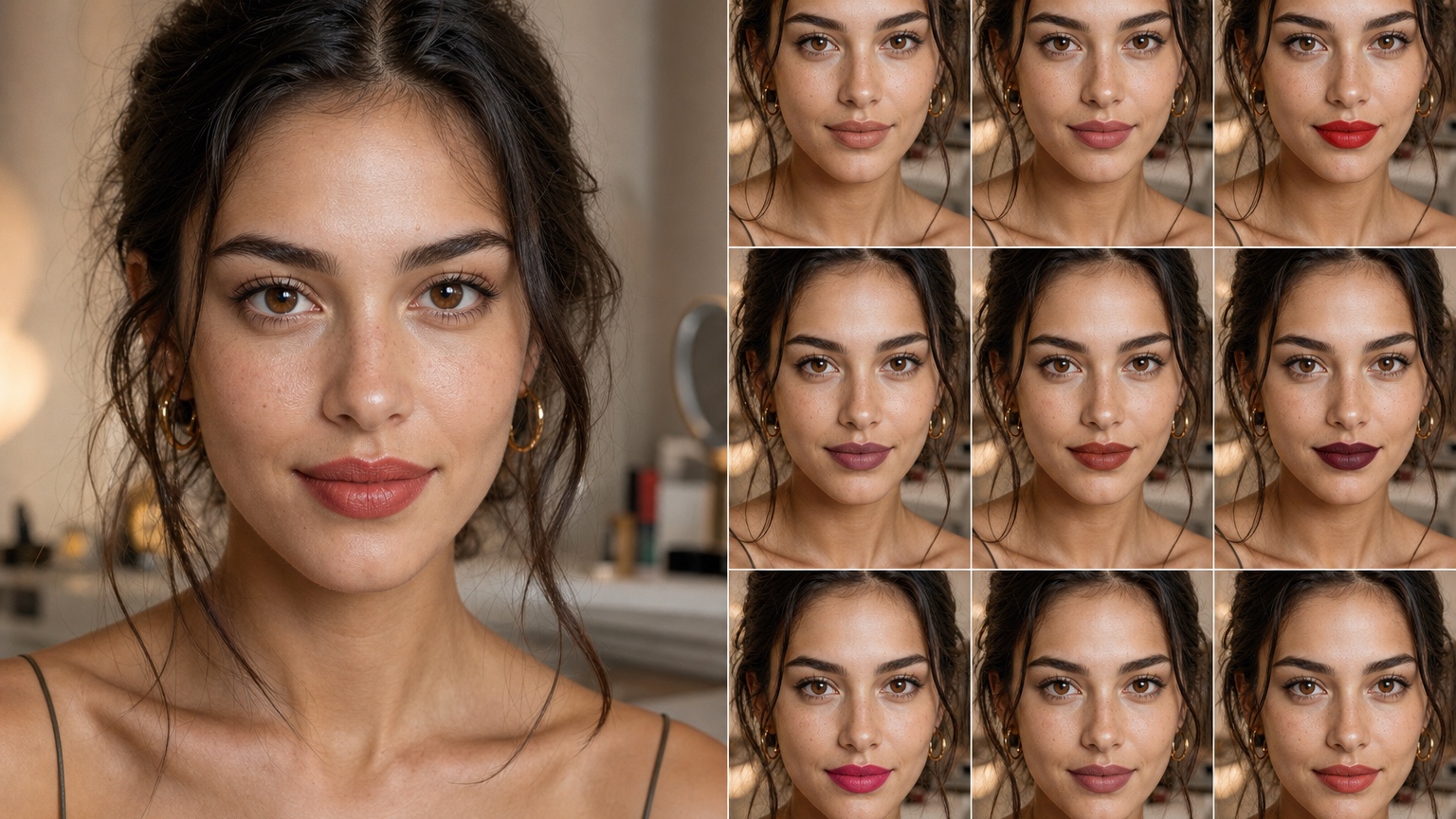
Ai Lipstick Try On is most useful when it helps lipstick shoppers, beauty advisors, and cosmetics brands make one concrete beauty decision. This guide uses the shade-risk shopping frame: which lip color family is worth buying or recommending before shade, undertone, outfit, and lighting create regret. That frame keeps the article practical. Start with a daylight face photo, compare three lip families, and turn the strongest option into a focused shopping shortlist or counter consultation note.
RedesAIgn's Makeup editor can turn a face photo, a prompt, or a reference shade into fast lipstick concept images. For lipstick shopping, its prompt workflow, remix/reference images, saved prompts, and generation history are most useful when every round keeps the same face photo and changes only the lip variable being tested. The output can narrow a shade family quickly, but real products still need swatching, undertone checks, and wear testing before a final purchase.
What AI lipstick try-on should actually decide
Lipstick looks simple until undertone, opacity, finish, and lighting make the same shade feel flattering in one photo and wrong in another. In the shade-risk shopping frame, the first step is to write the real decision in plain language: which lip color family is worth buying or recommending before shade, undertone, outfit, and lighting create regret. That single line keeps AI lipstick try on from becoming generic beauty decoration. For lipstick, hold the smile, crop, and light steady while RedesAIgn changes undertone, opacity, edge softness, and finish. The preview should answer a practical question for lipstick shoppers, beauty advisors, and cosmetics brands, not simply produce a prettier portrait.
A useful prompt for AI Lipstick Try-On: Preview Lip Colors on Your Photo has source-photo details, desired makeup direction, and review criteria. Describe undertone, natural lip color, tooth brightness, lip shape, camera distance, and whether the lipstick needs daytime, bridal, or evening use. Then specify nude, berry, red, coral, gloss, matte, satin, blurred edge, or crisp liner variables so the shade test stays concrete. Add review terms tied to undertone contrast and lip edge definition so the result can be judged against the actual face instead of admired abstractly.
Judge the lipstick preview first as a full-face impression, then zoom into the lip border and skin contrast. Watch for smeared lip lines, odd tooth color, over-smoothed skin near the mouth, fake package text, and shadows that make the shade look richer than it would in daylight. If a flattering output changes the mouth shape or complexion, discard it as a buying guide. Use RedesAIgn generation history to compare whether a narrower revision protects tooth and skin brightness and day-to-night lighting better.
Preparing a face photo for believable lip color previews
A useful prompt for AI Lipstick Try-On: Preview Lip Colors on Your Photo has source-photo details, desired makeup direction, and review criteria. Describe undertone, natural lip color, tooth brightness, lip shape, camera distance, and whether the lipstick needs daytime, bridal, or evening use. Then specify nude, berry, red, coral, gloss, matte, satin, blurred edge, or crisp liner variables so the shade test stays concrete. Add review terms tied to undertone contrast and lip edge definition so the result can be judged against the actual face instead of admired abstractly.
Judge the lipstick preview first as a full-face impression, then zoom into the lip border and skin contrast. Watch for smeared lip lines, odd tooth color, over-smoothed skin near the mouth, fake package text, and shadows that make the shade look richer than it would in daylight. If a flattering output changes the mouth shape or complexion, discard it as a buying guide. Use RedesAIgn generation history to compare whether a narrower revision protects tooth and skin brightness and day-to-night lighting better.
A lipstick workflow works best as a tight shade ladder rather than a single dramatic makeover. Make a wearable nude, a bolder statement shade, and a middle option, then compare them against outfit color and planned lighting. A shopper may care about buying fewer products. A makeup artist may care about consultation language. A brand may care about shade-family storytelling and whether the preview helps a buyer ask better product questions. The output becomes useful only when it points to a sample, cart decision, counter question, or artist note.
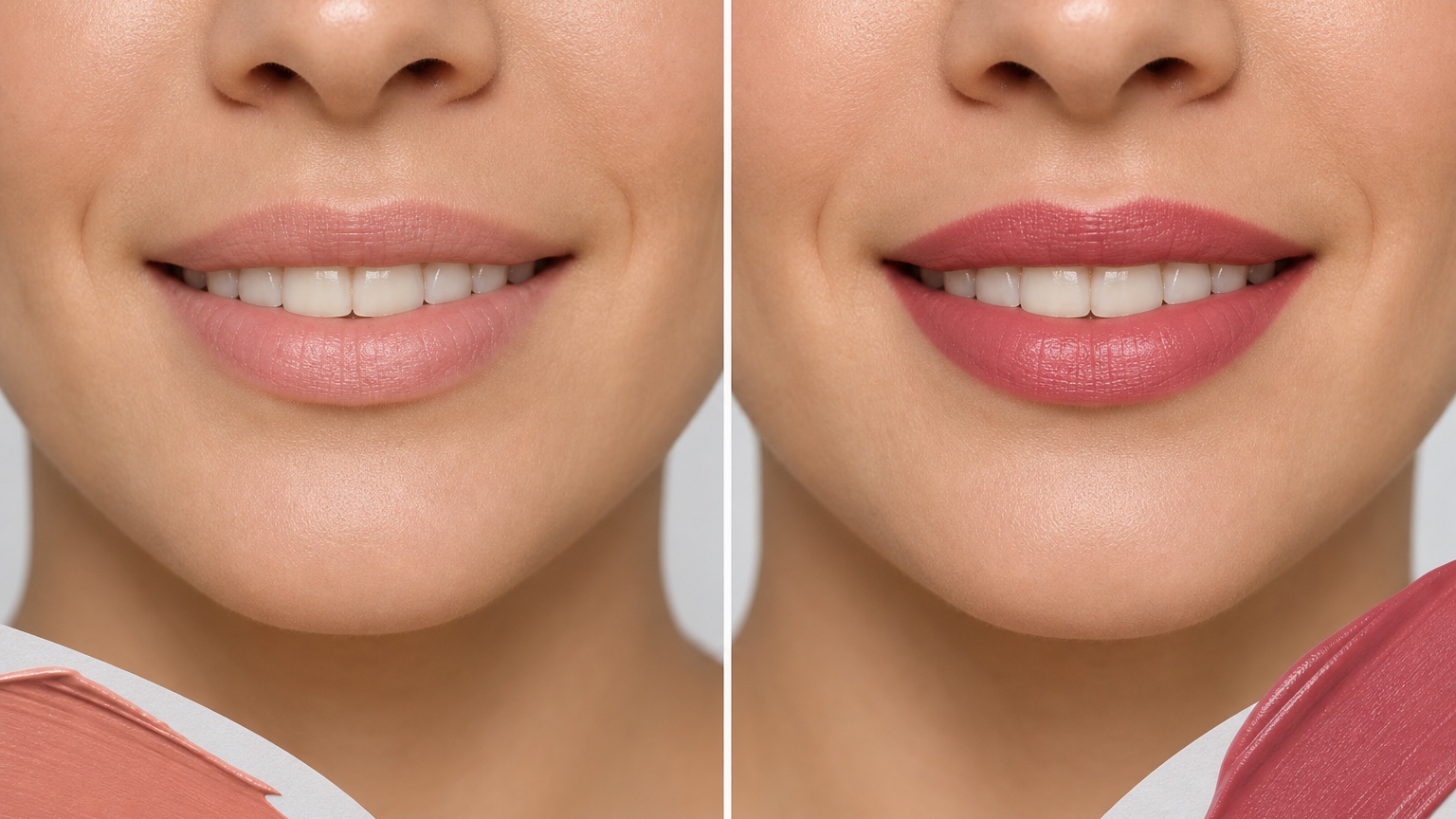
Testing undertone, finish, and occasion without buying first
Judge the lipstick preview first as a full-face impression, then zoom into the lip border and skin contrast. Watch for smeared lip lines, odd tooth color, over-smoothed skin near the mouth, fake package text, and shadows that make the shade look richer than it would in daylight. If a flattering output changes the mouth shape or complexion, discard it as a buying guide. Use RedesAIgn generation history to compare whether a narrower revision protects tooth and skin brightness and day-to-night lighting better.
A lipstick workflow works best as a tight shade ladder rather than a single dramatic makeover. Make a wearable nude, a bolder statement shade, and a middle option, then compare them against outfit color and planned lighting. A shopper may care about buying fewer products. A makeup artist may care about consultation language. A brand may care about shade-family storytelling and whether the preview helps a buyer ask better product questions. The output becomes useful only when it points to a sample, cart decision, counter question, or artist note.
A good lipstick preview is not a promise that one tube will match perfectly; it is a way to narrow the shade conversation before money is spent. For lipstick, RedesAIgn is a visual planning aid rather than a shade-matching machine or cosmetic chemist. Confirm undertone, transfer, scent, ingredients, liner pairing, and wear time with real products before committing. The preview earns its place when it keeps the buyer from buying five almost-right tubes just to find one wearable color.
Reviewing lip previews for realism and shopping value
A lipstick workflow works best as a tight shade ladder rather than a single dramatic makeover. Make a wearable nude, a bolder statement shade, and a middle option, then compare them against outfit color and planned lighting. A shopper may care about buying fewer products. A makeup artist may care about consultation language. A brand may care about shade-family storytelling and whether the preview helps a buyer ask better product questions. The output becomes useful only when it points to a sample, cart decision, counter question, or artist note.
A good lipstick preview is not a promise that one tube will match perfectly; it is a way to narrow the shade conversation before money is spent. For lipstick, RedesAIgn is a visual planning aid rather than a shade-matching machine or cosmetic chemist. Confirm undertone, transfer, scent, ingredients, liner pairing, and wear time with real products before committing. The preview earns its place when it keeps the buyer from buying five almost-right tubes just to find one wearable color.
Lipstick looks simple until undertone, opacity, finish, and lighting make the same shade feel flattering in one photo and wrong in another. In the shade-risk shopping frame, the first step is to write the real decision in plain language: which lip color family is worth buying or recommending before shade, undertone, outfit, and lighting create regret. That single line keeps AI lipstick try on from becoming generic beauty decoration. For lipstick, hold the smile, crop, and light steady while RedesAIgn changes undertone, opacity, edge softness, and finish. The preview should answer a practical question for lipstick shoppers, beauty advisors, and cosmetics brands, not simply produce a prettier portrait.
RedesAIgn workflow for lipstick shade comparison
A good lipstick preview is not a promise that one tube will match perfectly; it is a way to narrow the shade conversation before money is spent. For lipstick, RedesAIgn is a visual planning aid rather than a shade-matching machine or cosmetic chemist. Confirm undertone, transfer, scent, ingredients, liner pairing, and wear time with real products before committing. The preview earns its place when it keeps the buyer from buying five almost-right tubes just to find one wearable color.
Lipstick looks simple until undertone, opacity, finish, and lighting make the same shade feel flattering in one photo and wrong in another. In the shade-risk shopping frame, the first step is to write the real decision in plain language: which lip color family is worth buying or recommending before shade, undertone, outfit, and lighting create regret. That single line keeps AI lipstick try on from becoming generic beauty decoration. For lipstick, hold the smile, crop, and light steady while RedesAIgn changes undertone, opacity, edge softness, and finish. The preview should answer a practical question for lipstick shoppers, beauty advisors, and cosmetics brands, not simply produce a prettier portrait.
A useful prompt for AI Lipstick Try-On: Preview Lip Colors on Your Photo has source-photo details, desired makeup direction, and review criteria. Describe undertone, natural lip color, tooth brightness, lip shape, camera distance, and whether the lipstick needs daytime, bridal, or evening use. Then specify nude, berry, red, coral, gloss, matte, satin, blurred edge, or crisp liner variables so the shade test stays concrete. Add review terms tied to undertone contrast and lip edge definition so the result can be judged against the actual face instead of admired abstractly.
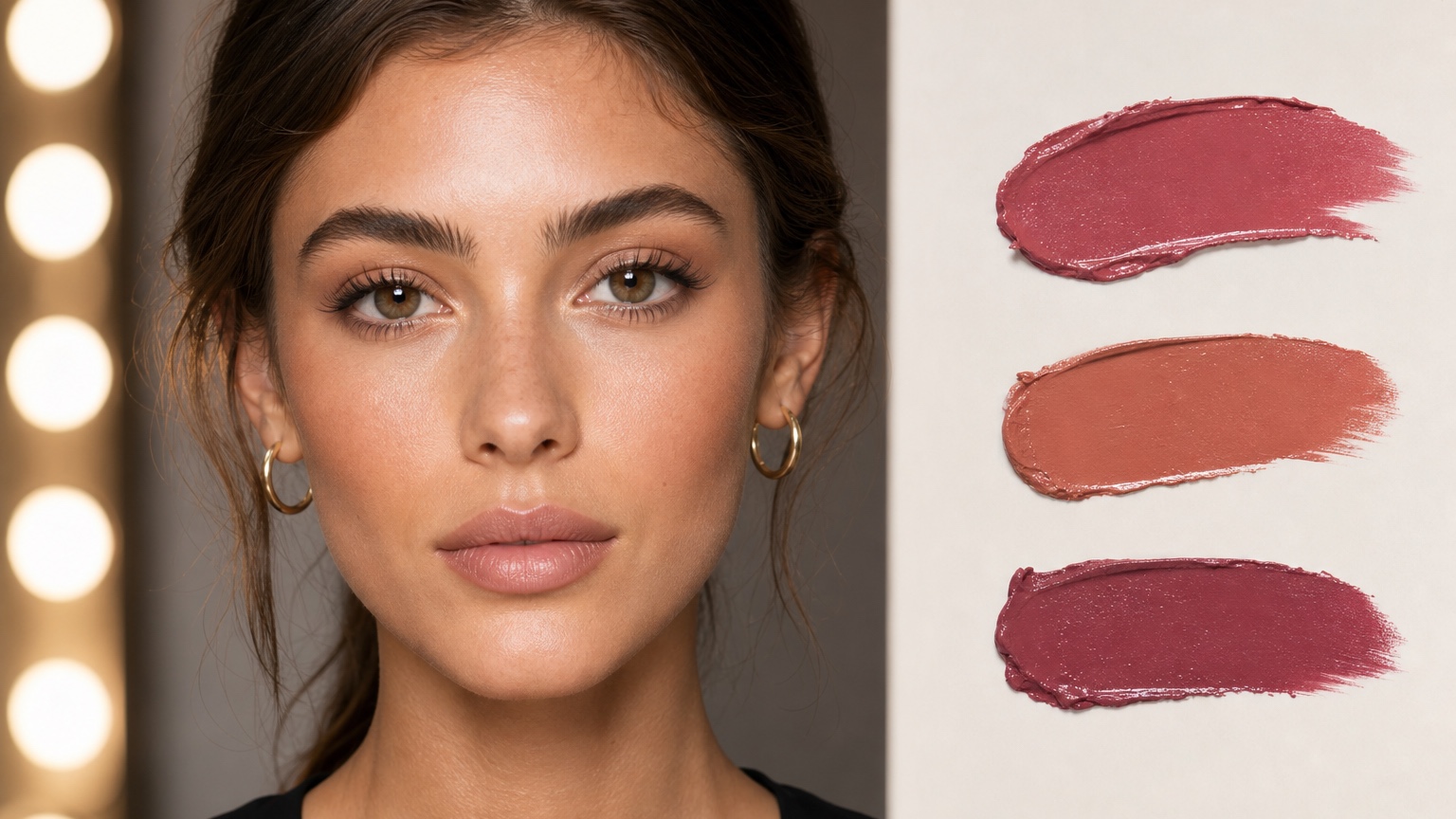
Where AI lipstick previews can still mislead
Lipstick looks simple until undertone, opacity, finish, and lighting make the same shade feel flattering in one photo and wrong in another. In the shade-risk shopping frame, the first step is to write the real decision in plain language: which lip color family is worth buying or recommending before shade, undertone, outfit, and lighting create regret. That single line keeps AI lipstick try on from becoming generic beauty decoration. For lipstick, hold the smile, crop, and light steady while RedesAIgn changes undertone, opacity, edge softness, and finish. The preview should answer a practical question for lipstick shoppers, beauty advisors, and cosmetics brands, not simply produce a prettier portrait.
A useful prompt for AI Lipstick Try-On: Preview Lip Colors on Your Photo has source-photo details, desired makeup direction, and review criteria. Describe undertone, natural lip color, tooth brightness, lip shape, camera distance, and whether the lipstick needs daytime, bridal, or evening use. Then specify nude, berry, red, coral, gloss, matte, satin, blurred edge, or crisp liner variables so the shade test stays concrete. Add review terms tied to undertone contrast and lip edge definition so the result can be judged against the actual face instead of admired abstractly.
Judge the lipstick preview first as a full-face impression, then zoom into the lip border and skin contrast. Watch for smeared lip lines, odd tooth color, over-smoothed skin near the mouth, fake package text, and shadows that make the shade look richer than it would in daylight. If a flattering output changes the mouth shape or complexion, discard it as a buying guide. Use RedesAIgn generation history to compare whether a narrower revision protects tooth and skin brightness and day-to-night lighting better.
Turning a winning lipstick preview into a real purchase step
A useful prompt for AI Lipstick Try-On: Preview Lip Colors on Your Photo has source-photo details, desired makeup direction, and review criteria. Describe undertone, natural lip color, tooth brightness, lip shape, camera distance, and whether the lipstick needs daytime, bridal, or evening use. Then specify nude, berry, red, coral, gloss, matte, satin, blurred edge, or crisp liner variables so the shade test stays concrete. Add review terms tied to undertone contrast and lip edge definition so the result can be judged against the actual face instead of admired abstractly.
Judge the lipstick preview first as a full-face impression, then zoom into the lip border and skin contrast. Watch for smeared lip lines, odd tooth color, over-smoothed skin near the mouth, fake package text, and shadows that make the shade look richer than it would in daylight. If a flattering output changes the mouth shape or complexion, discard it as a buying guide. Use RedesAIgn generation history to compare whether a narrower revision protects tooth and skin brightness and day-to-night lighting better.
A lipstick workflow works best as a tight shade ladder rather than a single dramatic makeover. Make a wearable nude, a bolder statement shade, and a middle option, then compare them against outfit color and planned lighting. A shopper may care about buying fewer products. A makeup artist may care about consultation language. A brand may care about shade-family storytelling and whether the preview helps a buyer ask better product questions. The output becomes useful only when it points to a sample, cart decision, counter question, or artist note.
Start with a controlled RedesAIgn makeup test
A shopper can start with RedesAIgn using 5 free AI credits and no credit card required, then compare a short list of lip directions before buying or briefing a beauty counter. Save the winning prompt beside the shade notes so the cart, counter visit, or artist conversation stays specific.
Related RedesAIgn guides: AI makeup try on, AI hairstyle generator, and AI clothes try on.
Try these prompts in redesAIgn
Preview a soft layered haircut on this photo while keeping the face shape natural.
Try a subtle color change that still looks realistic in daylight.
Show a polished hairstyle option for a special event without changing identity.
Related guides
- AI Eyeshadow Try-On: Test Eye Looks Before Buying Products
Try eyeshadow looks on your selfie with RedesAIgn. Compare soft, bold, and event color stories before buying palettes or booking makeup.
- AI Makeup Before and After Generator for Beauty Ideas
Create makeup before-and-after previews with RedesAIgn for clients, content, or appointment planning without overpromising final results.
- AI Makeup Filter From Photo: Create Realistic Beauty Look Concepts
Apply realistic makeup filters from your photo with RedesAIgn. Compare soft and glam looks before buying products or booking appointments.
- AI Soft Glam Makeup Ideas From Your Face Photo
Preview soft glam makeup looks on your selfie with RedesAIgn. Compare polished options before buying products or booking beauty appointments.
- AI Bridal Makeup Try-On: Compare Wedding Looks Before the Trial
Use AI bridal makeup try on workflows in RedesAIgn to compare realistic makeup concepts, photo-based beauty references, and appointment-ready next steps.