AI Truck Design Generator: Preview Truck Upgrades Before You Buy Parts
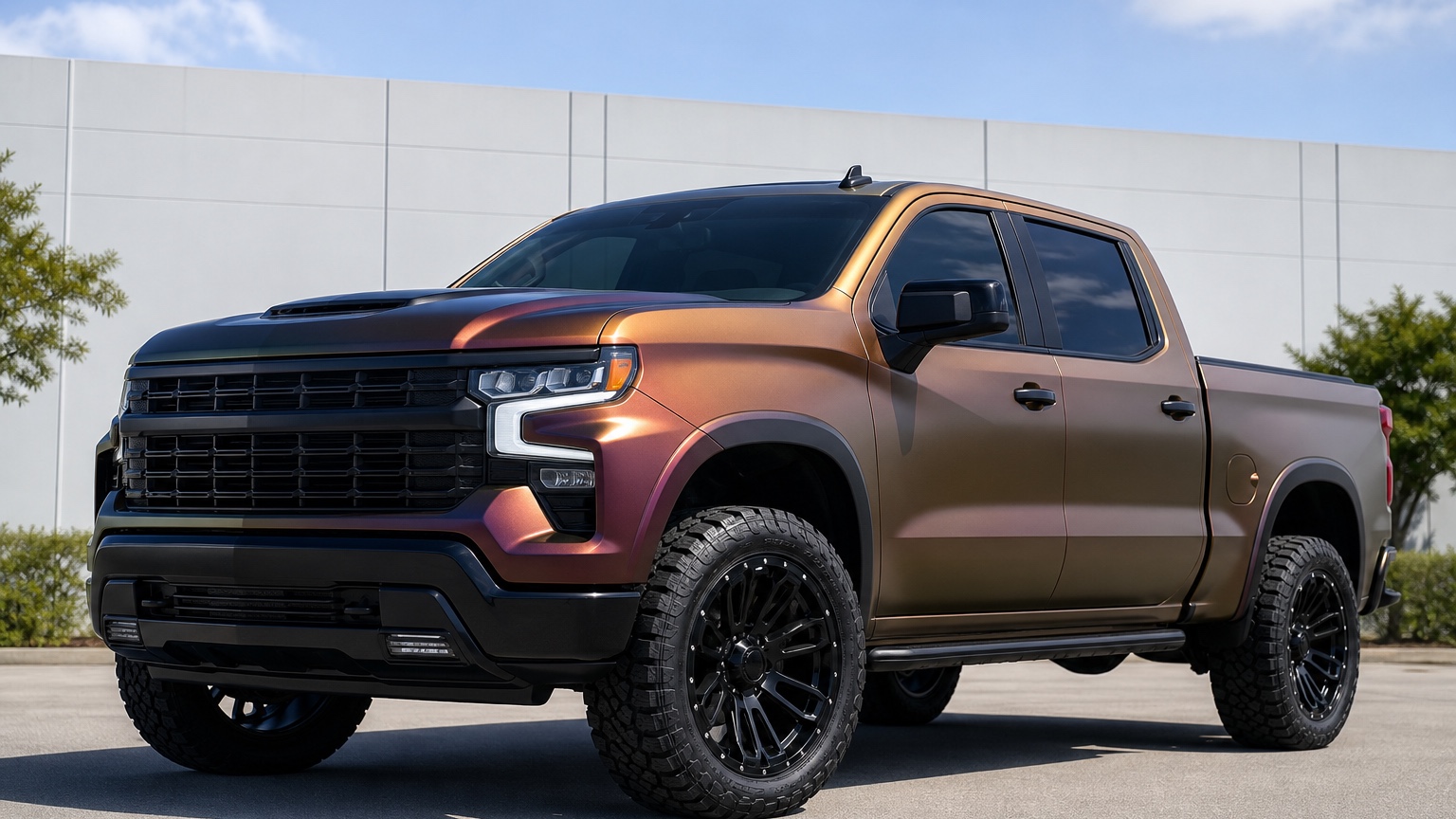
Why AI truck design generator should reduce a real vehicle decision
Most searches for AI truck design generator happen before a visible vehicle decision becomes expensive. The buyer or shop is thinking about parts, paint, vinyl, wheels, accessories, branding, labor, or a customer presentation, and a verbal description is not enough to align everyone.
The narrative frame for this article is a utility-and-style planning session where the truck still has to tow, haul, commute, fit a garage, satisfy a customer, and look credible after the upgrade. That frame keeps the work practical. A useful AI image is not a random effect; it is a testable concept that makes the next conversation easier.
For truck owners, off-road shops, upfitters, and dealers, AI Truck Design Generator: Preview Truck Upgrades Before You Buy Parts is useful when it turns a vague visual preference into a concrete next step. The practical goal is to visualize lift, wheel, bed, bumper, lighting, wrap, and utility upgrades before money goes into parts or labor. Picture a pickup owner comparing a modest overland setup, a cleaner contractor-ready appearance package, and a more aggressive show-truck direction while the installer worries about tire clearance, bumper weight, lighting legality, and daily usability. The output should help people compare tradeoffs, explain what they want, and decide what deserves a quote, sample, professional review, or another prompt.
Input checklist for a believable AI truck design generator preview
Start with a photo that shows the vehicle honestly. A side view is best for stance, wheels, wraps, liveries, and body proportions. A three-quarter view is better for overall design language. Front or rear shots help when lighting, bumpers, grilles, fairings, or cargo accessories are the focus.
Name the parts of the vehicle that must stay unchanged. Body shape, wheelbase, glass, trim identity, current color, sponsor zones, accessory mounting points, or functional hardware can all be constraints. Clear constraints keep the output from drifting into a different subject.
Describe the buyer context. A daily driver, shop demo, restoration candidate, race entry, fleet truck, motorcycle commuter, or sponsor pitch should not all receive the same visual treatment. Context is what separates a pretty render from a useful planning image.
Truck previews should start with the job the truck must still do
A truck design image is not useful if it only makes the vehicle look taller and more dramatic. The first review question is whether the concept still serves the actual use case: towing, hauling, commuting, overlanding, job-site work, family travel, fleet branding, or dealership presentation. That filter keeps the design from becoming a generic accessory collage.
Use the image as a comparison tool rather than a promise. If the output exaggerates proportions, hides hard installation details, changes the vehicle identity, or makes impossible hardware look simple, treat that part as inspiration and prompt a more controlled variation.
RedesAIgn's saved prompts and generation history help because each AI truck design generator direction can be compared against the previous one. Keep the language that worked, change one variable, and make the next output easier to judge.
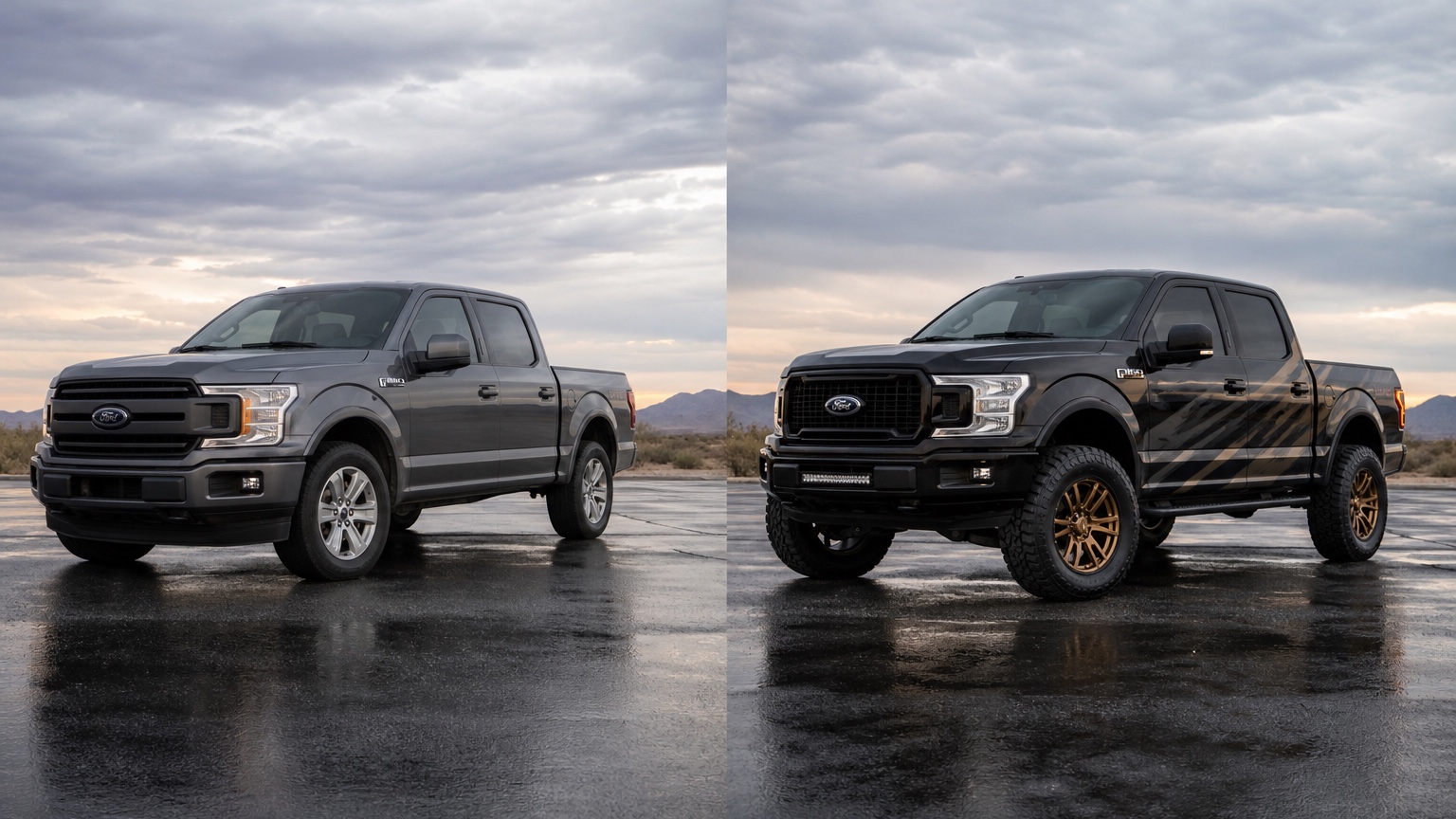
Separate stance ideas from hardware decisions
Lift height, tire size, wheel offset, bumper weight, roof racks, bed racks, lighting, suspension travel, and payload all affect one another. Use AI visuals to choose a direction, then treat the hardware list as a professional check rather than an assumption made by the image.
Use the image as a comparison tool rather than a promise. If the output exaggerates proportions, hides hard installation details, changes the vehicle identity, or makes impossible hardware look simple, treat that part as inspiration and prompt a more controlled variation.
RedesAIgn's saved prompts and generation history help because each AI truck design generator direction can be compared against the previous one. Keep the language that worked, change one variable, and make the next output easier to judge.
Use three upgrade lanes instead of one fantasy build
Create a practical lane, a weekend adventure lane, and a bolder appearance lane. That structure helps an owner or shop see the tradeoff between usable truck, trail personality, and show presence before deposits, parts orders, or customer approvals begin.
Use the image as a comparison tool rather than a promise. If the output exaggerates proportions, hides hard installation details, changes the vehicle identity, or makes impossible hardware look simple, treat that part as inspiration and prompt a more controlled variation.
RedesAIgn's saved prompts and generation history help because each AI truck design generator direction can be compared against the previous one. Keep the language that worked, change one variable, and make the next output easier to judge.
Prompt brief for stronger AI truck design generator images
Begin with the outcome: create a realistic vehicle customization concept from the uploaded photo for truck owners, off-road shops, upfitters, and dealers who need to visualize lift, wheel, bed, bumper, lighting, wrap, and utility upgrades before money goes into parts or labor. Then name the design area clearly instead of asking for a vague upgrade.
Add practical guardrails: keep the original vehicle recognizable, no text labels, no watermarks, no people, realistic lighting, believable materials, clean background, and no impossible body or wheel proportions. These instructions make the output easier to review.
Generate three controlled directions. One should stay close to the current vehicle, one should test a clear upgrade, and one can explore a bolder option. The set should expose taste boundaries without pretending the boldest version is automatically best.
How to review an AI truck design generator output before acting
Use a simple scorecard: tow/haul practicality, tire clearance, visual stance, accessory complexity, lighting realism, and whether the concept still matches the truck’s real job. The scorecard slows the decision down just enough to prevent the most dramatic image from winning by default.
Check material and installation reality next. Vinyl has seams, paint has prep, restorations have parts availability, accessories have mounting limits, wheels and tires have fitment constraints, and liveries need production artwork. The concept should lead to better questions, not skip the real work.
Finally, ask whether the preview helped truck owners, off-road shops, upfitters, and dealers visualize lift, wheel, bed, bumper, lighting, wrap, and utility upgrades before money goes into parts or labor. If yes, save it with a note about the next action. If not, narrow the prompt around the specific decision that remains unresolved.
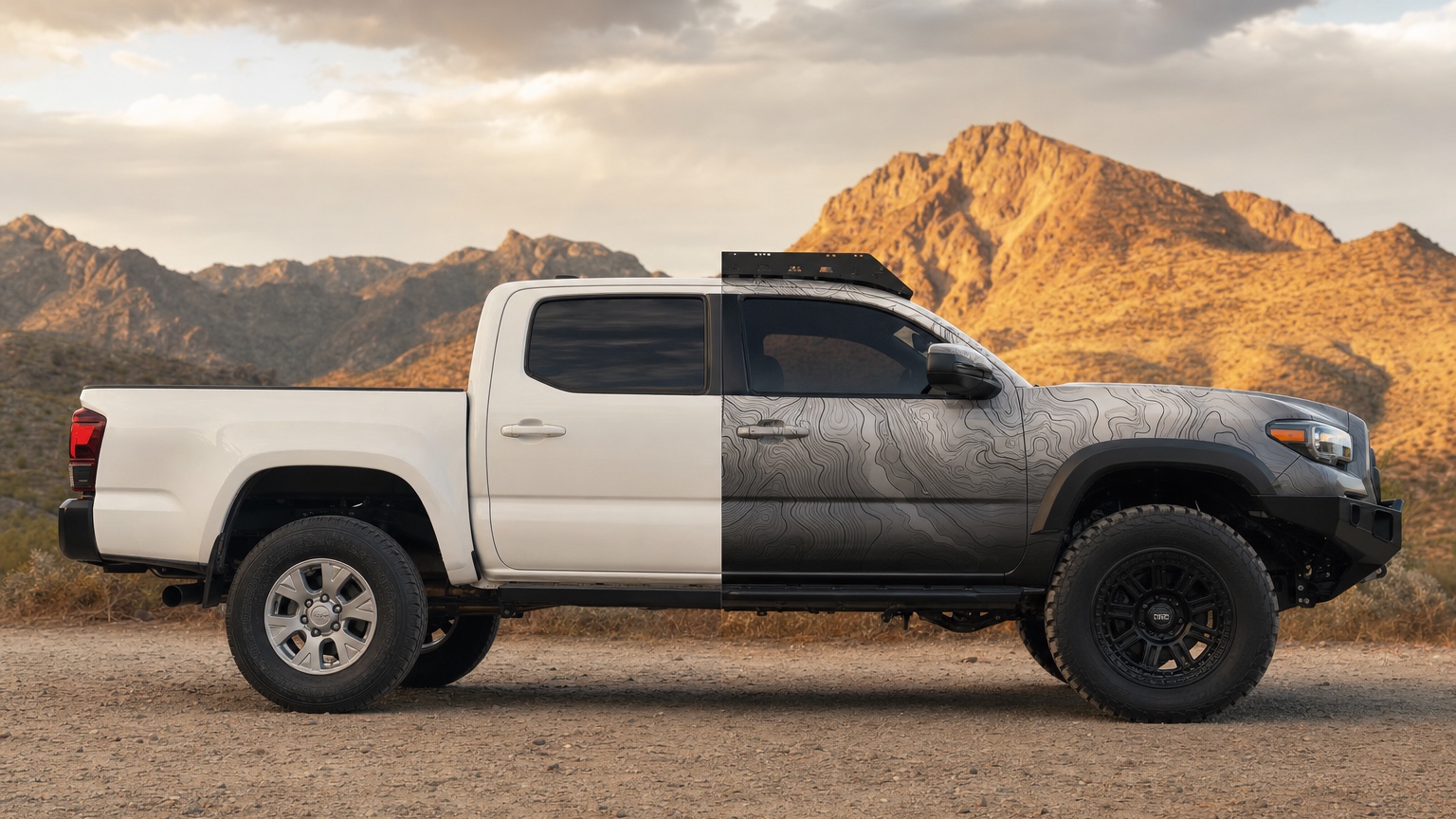
Where RedesAIgn fits in the AI truck design generator workflow
RedesAIgn is an AI photo/image editing web app with specialized AI editors, prompt-driven editing, remix/reference image workflows, saved prompts, and generation history. For vehicle work, that means one real photo can become several organized concept directions.
Use RedesAIgn when the truck build is still a set of expensive guesses. Upload a clean side or three-quarter photo, use the Vehicle / Auto Design editor, spend the 5 free AI credits on distinct upgrade directions, and save the prompt that best balances work use, stance, and budget before asking a shop for pricing.
The product lets users start with 5 free AI credits and no credit card required. One-time credit packs are available when a project needs more exploration, and commercial use is allowed, which matters for shops, dealers, wrap teams, agencies, and small businesses preparing client-facing visuals.
Common mistakes with AI truck design generator
The first mistake is turning every truck into the same lifted black-wheel render even when the owner actually needs a work-ready, camping-ready, fleet-ready, or resale-friendly concept. The better workflow is to name the vehicle, the use case, the unchanged details, and the exact design variable being tested.
The second mistake is skipping the before-and-after comparison. Keep the source image nearby so everyone understands what changed, what stayed true, and what the AI may have invented.
The third mistake is confusing concept approval with technical approval. A customer can approve a look, but a professional still needs to confirm cost, dimensions, materials, safety, rules, and installation before the job becomes real.
Decision handoff for truck owners, off-road shops, upfitters, and dealers
End the visual session by naming one next step for each concept: request a quote, order a sample, ask about fitment, prepare production artwork, compare another color, check parts availability, or eliminate the idea before it costs money.
For AI truck design generator, the winning output is not always the flashiest. It is the image that makes the next responsible decision obvious while preserving enough realism for the vehicle, owner, shop, or brand context.
Archive rejected options too. They often explain why a project stayed subtle, why a finish was avoided, why a livery needed cleaner zones, or why a modification was postponed. That record is valuable when the same question returns later.
FAQ
Can AI truck design generator replace a professional estimate?
No. It can create a useful concept image, but pricing, materials, fitment, safety, legality, warranty, print production, and installation still need the right shop or specialist.
What kind of photo should I upload first?
Use a clean, well-lit side or three-quarter photo where the vehicle shape, wheels, body surfaces, trim, and current condition are visible. Avoid cluttered angles when the goal is a practical comparison.
Try these prompts in redesAIgn
Restyle this car with a clean modern paint finish and subtle contrast accents.
Show a before-and-after concept with updated wheels and exterior color.
Keep the body lines, but visualize a premium trim and lighting package.
Related guides
- AI Auto Detailing Before After: Build Visual Sales Hooks Without Overpromising
Turn ordinary vehicle photos into polished before/after detailing concepts with RedesAIgn—without overpromising results you cannot deliver in the shop.
- AI Car Before and After: Create Transformation Concepts From One Photo
Create believable vehicle before-and-after concepts from one photo with RedesAIgn—useful before detailing, cosmetic upgrades, or shop proposals.
- AI Car Color Changer: Preview Paint and Wrap Decisions Before the Shop Quote
Preview car paint and wrap colors on a real photo with RedesAIgn. Compare finishes, trim contrast, and wheel pairing before the shop quote.
- AI Off Road Vehicle Design: Test Lifts, Tires, Armor, and Trail Style Visually
Test off-road vehicle style visually with RedesAIgn. Compare lift height, tires, armor, racks, lighting, and recovery-gear concepts on your photo.
- AI Car Modification Visualizer: Compare Mods Before Purchase and Installation
Compare visible car modifications in RedesAIgn before buying parts, booking labor, or presenting options. Keep the real vehicle shape recognizable.